
reMarkable Paper Pro with Marker Plus
4.2Editor score
Paper like writing feel
Adjustable reading light
11.8 inch display
Color e ink tablets are transforming how we read and write by offering a paper like experience with vibrant hues. These devices reduce eye strain while supporting notes and media in a portable format that works well for students and professionals.
We compared ten leading models based on screen quality, battery life, and writing performance. Our analysis covers various sizes and operating systems to ensure you find a device that matches your specific needs and budget without compromising on core functionality.
Each pick highlights key strengths and trade offs so you can decide quickly. Prices and availability change frequently so check the current listings before buying to ensure you get the best value for your investment in digital paper technology.
4.2Editor score

4.3Editor score

4.0Editor score
As an Amazon Associate we earn from qualifying purchases.
This table provides a side by side overview of all ten tablets to help you compare their core specifications at a glance.



The Amazon Kindle Scribe Colorsoft stands out as the top choice for most users seeking a versatile color e ink tablet. It features an 11 inch display that balances portability with ample workspace for writing and reading.
We may earn a commission when you buy through this link, at no additional cost to you.
Its custom built Colorsoft display delivers high contrast hues that are easy on the eyes. The included pen never needs charging and offers a textured surface that mimics paper perfectly for natural handwriting.
While it lacks the open app flexibility of Android devices the focused environment helps users stay distraction free. The battery lasts for weeks on a single charge making it ideal for long trips.
Buyers looking for a reliable device to manage notebooks and documents will find this tablet delivers. It is the best option for those who value writing quality and eye comfort above all else.
The responsive display and textured surface create a smooth writing feel that reduces fatigue during long sessions.
Built in AI tools help summarize notes and convert handwriting to text for better organization and workflow.
We may earn a commission when you buy through this link, at no additional cost to you.
The reMarkable Paper Pro offers the most authentic paper like writing experience available in the market today. Its 11.8 inch Canvas Color display provides a vast area for sketching and note taking.
We may earn a commission when you buy through this link, at no additional cost to you.
The included Marker Plus pen delivers precise control and responsive feedback that feels natural on the screen. Users can organize work with folders and convert handwriting to text instantly for better productivity.
This device is built strictly for reading and writing so it does not support video playback or social apps. This limitation ensures that you remain focused on your tasks without interruptions.
If you prioritize the quality of your handwriting and need a premium tool for professional notes this tablet is ideal. It excels for users who want to eliminate digital distractions completely.
The screen design delivers realistic friction that mimics real paper for a comfortable and natural writing experience.
Folders and tags allow you to sort notes and documents efficiently so everything is easy to find when needed.
We may earn a commission when you buy through this link, at no additional cost to you.
The BOOX Tablet Go Color 7 Gen II is the perfect entry point for anyone wanting a color e ink tablet without breaking the bank. It offers a compact 7 inch screen that fits easily in bags.
We may earn a commission when you buy through this link, at no additional cost to you.
Running Android 13 allows you to install third party apps for broader functionality. The device supports an active stylus which gives you control over your writing and sketching tasks.
While the stylus must be purchased separately the overall value remains high due to its specs. The warm and cold front light helps you read in any environment comfortably.
Budget conscious buyers will appreciate this device for its balance of size and performance. It is a smart choice for students who need portable reading and writing capabilities.
With Android 13 you can download and use popular apps to customize the device for your specific needs easily.
The lightweight design and small size make it easy to carry everywhere for note taking on the go.
We may earn a commission when you buy through this link, at no additional cost to you.
The Ocean C is a versatile device that balances performance and portability effectively. It features a 7 inch color display that works well for reading comics and ebooks.
We may earn a commission when you buy through this link, at no additional cost to you.
Powered by an octa-core processor and 4GB RAM it handles multitasking smoothly. The device runs Android which allows you to access various content sources easily.
While it supports handwriting the stylus must be bought separately which adds to the cost. However the battery life ensures you can use it for days without recharging.
This tablet is best for readers who want a compact device with solid speed. It is great for travel since it fits in small bags while offering quality color.
The color display is optimized for reading comics and magazines making it a great choice for visual content.
With 4GB of RAM you can switch between apps and files quickly without lag or interruptions.
We may earn a commission when you buy through this link, at no additional cost to you.
This bundle includes the reMarkable Paper Pro along with a stylish Basalt Book Folio for protection. It provides everything needed to start writing and reading on a large color display.
We may earn a commission when you buy through this link, at no additional cost to you.
The Marker Plus pen allows for precise inputs and the screen offers a paper like feel. The folio adds durability and convenience for carrying the device safely.
Since it is a premium bundle the cost is higher than standalone devices. But you save on accessories and get a cohesive setup designed for professional use.
Buyers looking for a complete package with a focus on protection will prefer this option. It is excellent for professionals who need to carry their work securely.
The bundle includes the tablet pen and a high quality cover so you can start using it right away.
The premium Mosaic weave cover offers both style and protection for your investment in digital paper.
We may earn a commission when you buy through this link, at no additional cost to you.
The BOOX Note Air 5 C delivers high performance with 6GB of RAM and Android 15. This setup ensures smooth operation even when running complex tasks.
We may earn a commission when you buy through this link, at no additional cost to you.
The 10.3 inch display provides a balanced workspace for notes and documents. The fingerprint button adds a layer of security and quick access to the device.
Users note that the battery can drain faster when using many apps. Also the device is heavier than smaller tablets which may affect portability.
This model is ideal for power users who need speed and flexibility. It is a solid pick for managing large files and multitasking daily.
With 6GB of RAM the device handles multiple apps and files without lag for efficient workflows.
Running Android 15 ensures you have access to the newest features and security updates.
We may earn a commission when you buy through this link, at no additional cost to you.
The Penstar eNote Pro C stands out with advanced AI features like voice to text conversion. It comes with a stylus that has 8192 pressure levels for detailed control.
We may earn a commission when you buy through this link, at no additional cost to you.
The 10.3 inch screen supports split multitasking for better productivity. With 128GB of storage you can save thousands of documents and notes.
While the brand is newer the device offers strong features for note taking. The battery life supports weeks of use on a single charge.
This tablet is best for users who want AI integration in their workflow. It is a great choice for those who need high storage and precision.
Voice to text and note summarization features streamline your work and help you process information faster.
With 128GB of space you can keep a vast library of files and notes without worrying about limits.
We may earn a commission when you buy through this link, at no additional cost to you.
This model offers 4G connectivity which is rare for e ink tablets. It keeps you connected even without Wi-Fi for better productivity.
We may earn a commission when you buy through this link, at no additional cost to you.
The device runs Android 13 and supports third party apps for flexibility. Its compact size makes it easy to carry in any bag.
While the stylus is sold separately the connectivity adds significant value for travelers. The battery life is shorter than larger models due to the modem.
Buyers who need internet access on the go will find this useful. It is a great choice for remote workers who need connectivity.
Built-in 4G support allows you to access the internet anywhere without relying on Wi-Fi networks.
The compact size and light weight make it easy to carry in small pockets or bags.
We may earn a commission when you buy through this link, at no additional cost to you.
The reMarkable Paper Pro Move is the most compact option in the range. It is designed for travel and fits easily into small pockets or bags.
We may earn a commission when you buy through this link, at no additional cost to you.
The 7.3 inch Canvas Color display provides a paper like feel for notes. The included Marker Plus ensures you can start writing immediately.
While the screen is smaller it is sufficient for quick notes. The cloud sync keeps your data safe and accessible on other devices.
This is the best pick for travelers who want to avoid digital distractions. It is perfect for journaling on the go.
Smaller than a paperback this device slips into your bag or jacket pocket for inspiration capture anywhere.
Notes sync to the cloud for easy access on mobile and desktop apps whenever you need them.
We may earn a commission when you buy through this link, at no additional cost to you.
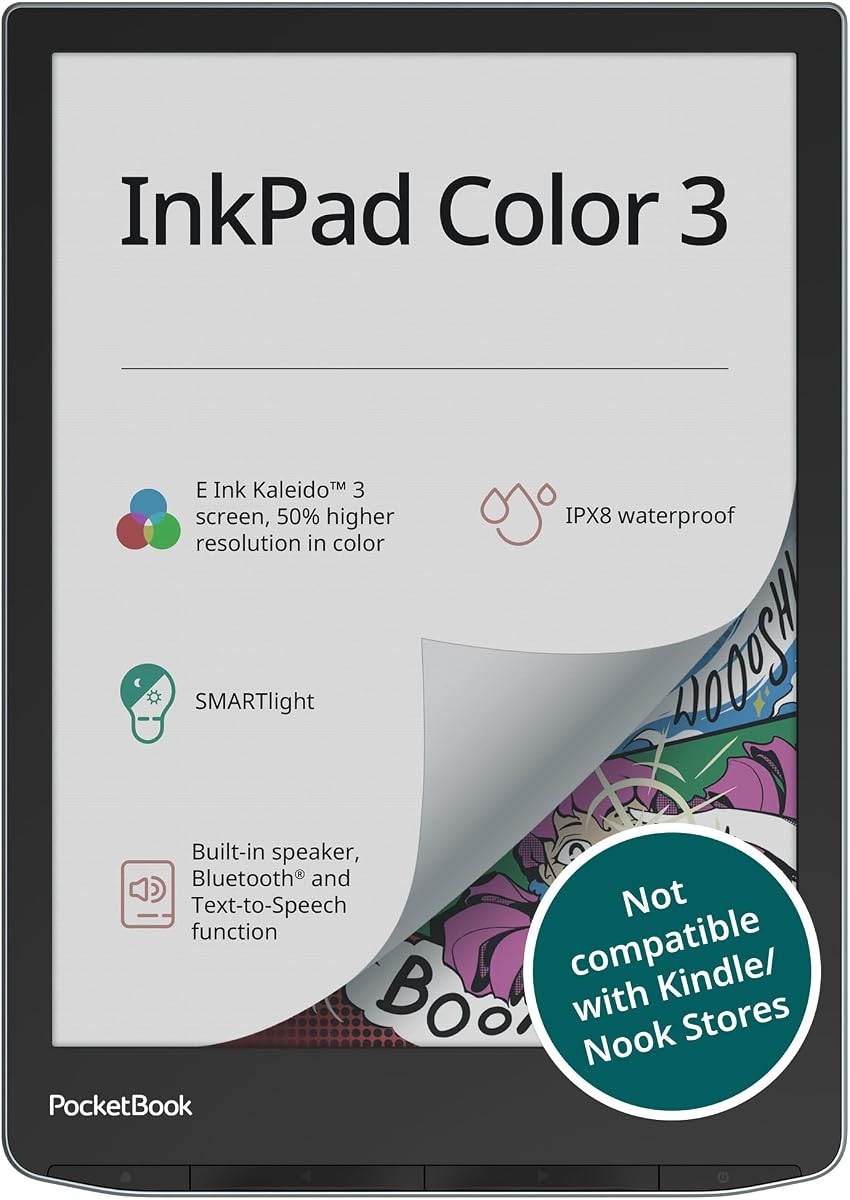
The PocketBook InkPad Color 3 is unique because it supports audio features. It has a built-in speaker and Bluetooth for listening to audiobooks.
We may earn a commission when you buy through this link, at no additional cost to you.
The 7.8 inch display offers a vibrant reading experience with text to speech. The waterproof design makes it safe for use near water.
Since it focuses on reading it does not support writing tools. But it is great for those who want to listen while they read.
This device is ideal for commuters who want to multitask. It is the best choice for audiobook lovers.
Text to speech and Bluetooth audio support let you listen to stories or have text read aloud.
The IPX8 water protection allows you to use the device safely in wet environments.
We may earn a commission when you buy through this link, at no additional cost to you.
Choosing the right device depends on your specific needs and budget.
The display is the most important feature for any e ink tablet. Larger screens like 10 inches offer more space for notes but are heavier to carry.
Look for high resolution to ensure text and images are sharp.
Battery life varies significantly between models. Some offer weeks of usage while others last only days depending on usage.
Check battery specs to ensure it meets your travel needs.
If you plan to write you must ensure the device supports a stylus. Some models include it while others require a separate purchase.
This affects the overall cost and user experience.
Android offers flexibility for third party apps while closed systems provide focus. Decide if you need apps or a distraction free environment.
This choice determines how you interact with the device.
Storage limits how many files you can keep locally. If you have large libraries look for expandable options via microSD.
This ensures you do not run out of space quickly.
Wi-Fi is standard but 4G options exist for better connectivity. Bluetooth is useful for audio and peripherals.
These features affect how you access content on the go.
Prices vary widely based on features and brand. Determine your budget and prioritize features that matter most to you.
Balance cost with the functionality you need.
Some devices offer water resistance which is helpful for travel. Check build quality to ensure the device lasts long.
A sturdy build protects your investment.
Begin by charging the device fully before using it for the first time. This ensures the battery performs optimally.
Use the stylus gently to protect the screen surface. Avoid pressing too hard which can cause damage over time.
Keep the device clean with a soft cloth. Avoid liquids unless the device is waterproof to prevent damage.
Yes they are excellent for comics due to their paper like quality and color support. They reduce eye strain compared to standard screens.
Most models allow you to store files locally for offline use. You just need to sync your content before you go.
Only tablets running Android support app installation. Closed systems restrict this to keep the device focused.
Battery life depends on usage but many offer weeks of reading. Writing and Wi-Fi usage will drain it faster.
Some models include the stylus while others do not. Always check the product details before buying.
Yes most of these devices allow you to write directly on PDF documents. This makes reviewing documents easy.
Some models have water resistance while others do not. Check the IP rating to be sure.
You can use USB cables or cloud services to transfer files. Most devices support both methods for convenience.
We have reviewed ten top models to help you find the best device for your needs. Each offers unique strengths for writing and reading.
Prioritize screen size and battery life based on how you plan to use the device. Focus on the features that matter most for your workflow.
Prices and availability change so check current listings before buying to get the best value for your investment.