
Brother HL-L2460DW
4.0Editor score
36 ppm speed
Compact design
Mobile printing support
This guide compares the top 10 Ethernet laser printers for offices and home use, focusing on speed, connectivity, security, and reliability for seamless
Ethernet laser printers remain the backbone of reliable office printing, offering stable connectivity and consistent output for busy teams. They provide a wired network option that eliminates wireless interference, ensuring your documents print quickly and securely without dropping connections mid-job.
We evaluated ten top-rated models based on print speed, Ethernet capabilities, security features, and overall value. Our analysis focuses on how each device handles network sharing, duplex printing, and toner efficiency to help you choose the right fit for your workspace.
Each pick below highlights specific strengths like compact design, high volume capacity, or advanced security protocols. Keep in mind that prices and availability change frequently, so verify the latest details before making your final purchase decision today.
4.0Editor score

4.4Editor score

4.2Editor score
The following comparison table lists all ten models side by side, showing their core specifications and key capabilities for network printing.



The HP LaserJet Pro 4001dn stands out as the top choice for teams needing reliable wired network performance. It delivers industry leading speed at forty two pages per minute while maintaining excellent security protocols for sensitive documents.
We may earn a commission when you buy through this link, at no additional cost to you.
Its Ethernet-only design ensures a stable connection without wireless interference, making it ideal for office environments where reliability is critical. The advanced security features help protect company data from potential cyber threats using customizable settings.
While it lacks wireless connectivity which some users might prefer, the trade-off provides a more secure and consistent printing experience. The setup process is straightforward and supports printing from any mobile device or computer on the network.
This printer is best suited for small teams of up to ten people who prioritize speed and security over flexible connectivity options. It offers a professional quality output that handles high volumes efficiently without slowing down.
The 42 ppm speed ensures your documents are ready quickly, reducing wait times for large print jobs in busy office environments.
Built-in HP Wolf Pro Security safeguards your printer and data against attacks, ensuring compliance with enterprise security standards.
We may earn a commission when you buy through this link, at no additional cost to you.
The Brother HL-L2460DW offers an excellent balance of performance and value for home offices and small teams. It provides reliable Ethernet connectivity alongside wireless options ensuring your documents print consistently without connection drops.
We may earn a commission when you buy through this link, at no additional cost to you.
With a print speed of thirty six pages per minute and automatic duplexing this printer handles daily tasks efficiently. The compact design fits easily on desks or shelves while still supporting a decent twenty five sheet paper tray.
While the toner subscription service can be helpful it requires attention to avoid running out of supplies unexpectedly. The manual feed slot allows for specialty paper printing which adds versatility despite the basic feature set.
This model is ideal for users who need a dependable wired connection at an affordable cost without sacrificing too much speed. It serves well as a dedicated office printer for individual workspaces or small collaborative groups.
Connect via Ethernet for stability or use dual-band Wi-Fi for mobile printing, giving you multiple options for different work setups.
Its compact form factor makes it easy to integrate into tight office spaces while still offering robust professional features.
We may earn a commission when you buy through this link, at no additional cost to you.
The Brother HL-6210DW delivers top-tier performance with a blazing fifty pages per minute speed suitable for demanding office environments. It includes Gigabit Ethernet for fast data transfer ensuring large files print quickly without bottlenecks.
We may earn a commission when you buy through this link, at no additional cost to you.
The massive five hundred twenty sheet paper tray minimizes refill interruptions making it perfect for high volume printing needs. Triple Layer Security protects your network and documents during transmission which is essential for professional businesses.
The cost is higher than most models but the efficiency gains and security features justify the investment for growing teams. You can expand the paper capacity further with optional trays if your workload increases over time.
Choose this printer if you need the fastest output and maximum security with wired networking. It is built for reliability and will handle heavy daily workloads with ease while maintaining crisp text quality.
Fifty pages per minute means even large multi page documents finish quickly, keeping your workflow uninterrupted and efficient.
The 520 sheet tray supports uninterrupted printing reducing the need to stop and refill paper during busy periods.
We may earn a commission when you buy through this link, at no additional cost to you.
The HP LaserJet M207dw is designed for small offices that need a reliable compact printer with strong security. It includes Ethernet connectivity as standard ensuring stable network access without relying solely on wireless signals.
We may earn a commission when you buy through this link, at no additional cost to you.
One of its standout features is the fastest two-sided printing speed in its class which helps reduce paper usage and speed up workflows. The dual-band Wi-Fi with self-reset functionality keeps connections stable even when issues arise.
Security is a priority with built-in features that protect the printer from potential attacks and safeguard your data. While not the fastest available it offers consistent performance that suits offices of one to five people well.
This unit works well for businesses needing a secure and compact network printer without extra frills. It pairs easily with various devices including Android phones tablets and Macs for flexible printing options.
Dual-sided printing finishes faster than competitors in this category saving time and reducing paper waste efficiently.
Ethernet and self-reset Wi-Fi ensure your printer stays online and ready whenever you need to send a job.
We may earn a commission when you buy through this link, at no additional cost to you.
The Brother DCP-L2640DW combines printing, scanning, and copying into one compact unit perfect for small businesses. It supports Ethernet connections to ensure your network shares are stable while also allowing wireless mobile access.
We may earn a commission when you buy through this link, at no additional cost to you.
Print speeds reach thirty six pages per minute and the fifty-page auto document feeder simplifies multi-page scanning tasks significantly. You can manage the device remotely using the Brother Mobile Connect app for greater convenience.
While it lacks fax capabilities the core functions perform well for daily office needs. The design saves space by integrating multiple tools into one footprint which is great for smaller workspaces.
This printer is an excellent choice if you need versatile document handling with reliable network connectivity. It balances speed and features effectively making it a practical upgrade for growing teams or home offices.
Print, copy, and scan from one device streamlining your workflow without taking up extra desk space.
The 50-page auto document feeder saves time on large scanning jobs by automating the feeding process.
We may earn a commission when you buy through this link, at no additional cost to you.
The HP Laserjet Pro 3001dw is built for small teams needing secure and fast network printing capabilities. It includes Ethernet alongside Bluetooth and Wi-Fi allowing flexible connection options depending on your office setup.
We may earn a commission when you buy through this link, at no additional cost to you.
With speeds up to thirty five pages per minute it handles daily document loads efficiently without slowing down. The HP Wolf Pro Security ensures your data remains protected and customizable settings help prevent unauthorized access.
Intelligent Wi-Fi works to find the best connection and stay online ready to print whenever you need it. This reliability combined with auto two-sided printing makes it a solid choice for professional environments.
Select this model if security and consistent performance are priorities for your workspace. It offers a well-rounded feature set that meets the demands of small businesses looking for a reliable networked printer.
Wolf Pro Security keeps your data safe and prevents unauthorized access to the printer network.
Multiple wireless and wired options ensure you can connect any device seamlessly to your printing network.
We may earn a commission when you buy through this link, at no additional cost to you.
The Brother HL-L2405W is engineered for home offices and small teams needing a reliable wired or wireless connection. It prints up to thirty pages per minute and offers a compact footprint ideal for tight spaces.
We may earn a commission when you buy through this link, at no additional cost to you.
Ethernet connectivity ensures stable network access while dual-band Wi-Fi allows flexible device access. The mobile connect app lets you manage printing and supplies remotely which adds convenience for busy users.
While it does not match the speed of larger office models it provides consistent quality and affordability. The twenty five sheet paper tray is sufficient for moderate volumes but may require frequent refills.
This printer is a great fit for users prioritizing ease of use and a clean design. It balances performance and cost well making it a practical solution for personal workspaces or small businesses.
Its small size fits easily on desks without sacrificing print quality or essential network features.
Print from anywhere using mobile apps or Alexa integration for a streamlined user experience.
We may earn a commission when you buy through this link, at no additional cost to you.
The HP LaserJet Pro M404dn is a workhorse printer designed to keep business documents moving forward with speed and reliability. It features built-in Ethernet capabilities to easily share resources and access the printer across your office network.
We may earn a commission when you buy through this link, at no additional cost to you.
At forty pages per minute this model offers fast processing that reduces waiting time for large job volumes. Wolf Pro Security helps protect company data against cyberattacks by embedding protection directly into the hardware.
It is also designed with energy efficiency in mind saving up to eighteen percent compared to prior products. The twenty five sheet tray provides ample capacity for daily printing tasks without constant refilling.
Choose this printer for a dependable wired connection that prioritizes security and efficiency. It works well for offices that do not need wireless features but still require fast and consistent output for teams.
The energy efficient design helps reduce power costs while maintaining professional print quality and speed.
Wolf Pro Security keeps your information safe against threats without needing extra software installations.
We may earn a commission when you buy through this link, at no additional cost to you.
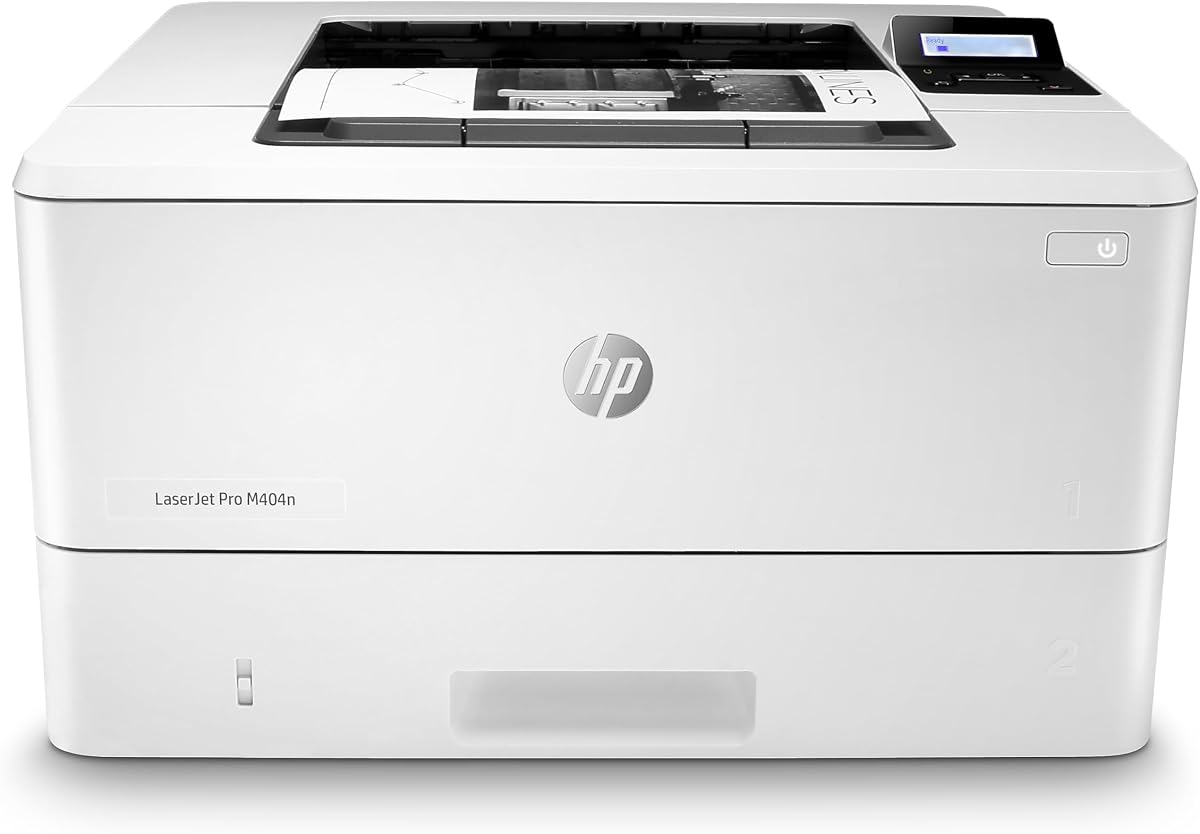
The HP LaserJet Pro M404n offers a straightforward solution for offices needing fast and reliable wired printing. It includes built-in Ethernet to facilitate easy resource sharing and secure access on your network.
We may earn a commission when you buy through this link, at no additional cost to you.
Print speeds reach forty pages per minute providing fast output for business documents and daily tasks. The compact size allows it to fit neatly into shared work areas without taking up too much space.
Energy efficiency is improved by eighteen percent over previous models helping to reduce operational costs over time. Wolf Pro Security is included to protect company data and safeguard against potential cyber attacks.
This model is best suited for users who need a dedicated network printer without extra features. It delivers consistent performance and reliability for teams focused on document production and security.
The built-in Ethernet makes it easy to connect directly to your office network without extra configuration.
Its compact design fits well in crowded offices ensuring it does not obstruct other workspaces or items.
We may earn a commission when you buy through this link, at no additional cost to you.
The Brother HL-L5100DN is built to increase productivity with a fast print speed of up to forty two pages per minute. It includes a built-in Ethernet interface that allows you to easily share the printer with others on your network.
We may earn a commission when you buy through this link, at no additional cost to you.
The paper tray holds up to two hundred fifty sheets but can be expanded significantly with optional add-on trays if your office needs more capacity. Security features restrict unauthorized printing helping to protect sensitive documents effectively.
You can print locally via USB or connect over a network for flexible usage in varied office settings. It supports various printing technologies including Air Print and Google Cloud Print for modern mobile devices.
This printer is ideal for users who need high speed output and expandable capacity for growing demands. It balances robust performance with security making it a strong option for busy professional work environments.
Optional trays let you increase paper capacity up to over one thousand three hundred sheets for uninterrupted runs.
Secure print functions help ensure only authorized users can access and print sensitive documents on your network.
We may earn a commission when you buy through this link, at no additional cost to you.
Choosing the right Ethernet laser printer involves balancing speed, security, and network compatibility with your office needs.
Print speed determines how fast your documents come out of the printer. For busy teams, look for models that offer 35 pages per minute or more to avoid bottlenecks.
Higher speed means less waiting time and better productivity throughout the day.
Ethernet provides a stable wired connection but some models also offer wireless or Bluetooth for flexibility. Ensure your choice matches how your office connects devices.
A mix of Ethernet and wireless is ideal for diverse device types without compromising reliability.
Security is critical when printers are networked. Look for built-in hardware security that protects data and prevents unauthorized access.
Strong security protocols keep your business information safe from cyber threats.
The size of the paper tray affects how often you need to refill it. Larger capacities reduce interruptions during high volume printing periods.
Choose a model with a tray size that fits your daily page count.
Automatic duplex or two-sided printing saves paper and helps you save money on supplies. It is a standard feature in most modern office models.
Prioritize printers with auto duplex if sustainability and cost reduction are goals.
Toner yield varies by model and affects your long-term printing costs. Higher yield cartridges reduce the frequency of replacements.
Check toner specifications to ensure the model fits your budget.
Mobile printing lets staff print directly from phones or tablets. Look for support for AirPrint, Android, and manufacturer apps.
Mobile readiness improves flexibility for modern workers who use diverse devices.
Consider the footprint of the printer relative to your available desk or shelf space. Compact models work better in tighter office layouts.
Ensure the dimensions fit your workspace before purchase to avoid clutter issues.
Connect your printer to the network using an Ethernet cable to ensure stable and secure communication with your office computers. This wired connection reduces interference and helps maintain consistent performance during busy work periods.
Install the manufacturer software on your devices to enable easy access and updates. Regularly check for firmware updates to keep your printer secure and compatible with the latest operating systems.
Keep the printer in a clean, dry environment to prevent paper jams and mechanical issues. Empty trays and clean rollers periodically to ensure smooth operation and consistent print quality.
An Ethernet laser printer connects to a network via an Ethernet cable, allowing multiple users to share it over a wired connection. It offers stable performance and is ideal for offices where wireless signals may be unreliable or insecure.
Yes, you need a router with an available Ethernet port to connect the printer to your local network. This setup allows all devices on that network to communicate with the printer for shared printing tasks.
Connect the printer to your router using an Ethernet cable and install the appropriate drivers on your computer. Most modern printers automatically obtain an IP address and can be added to your system settings easily.
Ethernet connections often provide more stable and consistent speeds compared to wireless. They reduce latency and connection drops which can speed up large file transfers in busy office environments.
Many models support both Ethernet and wireless simultaneously giving you flexibility to connect different devices. You can use Ethernet for primary stability and wireless for mobile or remote printing needs.
Use built-in security features like password protection and disable unused ports. Keep firmware updated and restrict access to authorized users to prevent unauthorized printing or data breaches.
Check the physical cable and router status first. Rebooting the printer and router often resolves temporary issues and restores network connectivity quickly.
For small businesses, an Ethernet laser printer with high speed and security features is ideal. It ensures reliable sharing and protects sensitive data without the instability of wireless connections.
The ten printers listed above offer reliable wired network performance with a range of speed, security, and capacity options. Whether you need a budget-friendly home office unit or a high-performance machine for a team, there is a strong choice here.
Prioritize models with high print speeds and built-in security if you handle sensitive documents regularly. Consider paper capacity and connectivity needs to ensure the printer integrates seamlessly into your current workflow.
Always verify the latest prices and availability before buying as these can fluctuate over time. Choose a model that balances your specific requirements with long-term value for your workspace.