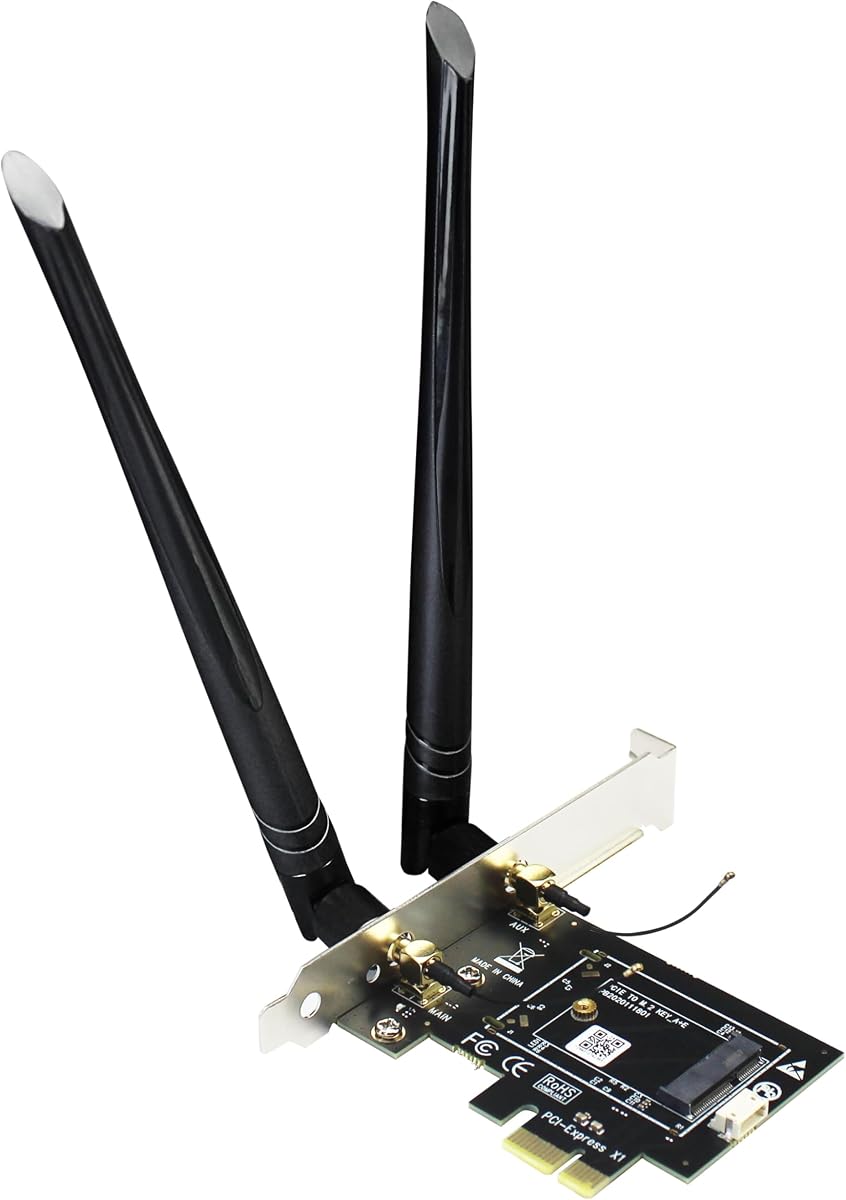
GLOTRENDS WA01 Adapter
4.1Editor score
M.2 E to PCIe Adapter
Supports WiFi 4 to 7
6-dBi SMA Antenna Kits
This guide compares the top M2 Key E WiFi cards for laptops and desktops, covering WiFi 6E and WiFi 7 models for optimal wireless performance.
Modern computing demands reliable wireless connectivity to keep up with streaming gaming and work from home tasks. M2 Key E WiFi cards offer a versatile solution for upgrading outdated systems with the latest wireless standards. Choosing the right module ensures stable connections and faster data transfer speeds across all your devices.
We evaluated ten top rated modules based on chipset performance antenna support and compatibility with various motherboard configurations. Our analysis focuses on real world throughput latency and ease of installation for both laptops and desktop builds. Each product was selected for its ability to deliver consistent performance under demanding network conditions.
Every pick in this list highlights specific strengths such as tri band support advanced security protocols and Bluetooth integration. You will find detailed breakdowns of features pros and cons to help you make an informed decision. Please note that pricing and availability can change frequently so verify current details before purchasing.
4.1Editor score

4.5Editor score

4.6Editor score
This side by side comparison highlights key specifications across all ten selected modules to help you identify the best fit for your hardware and network needs.


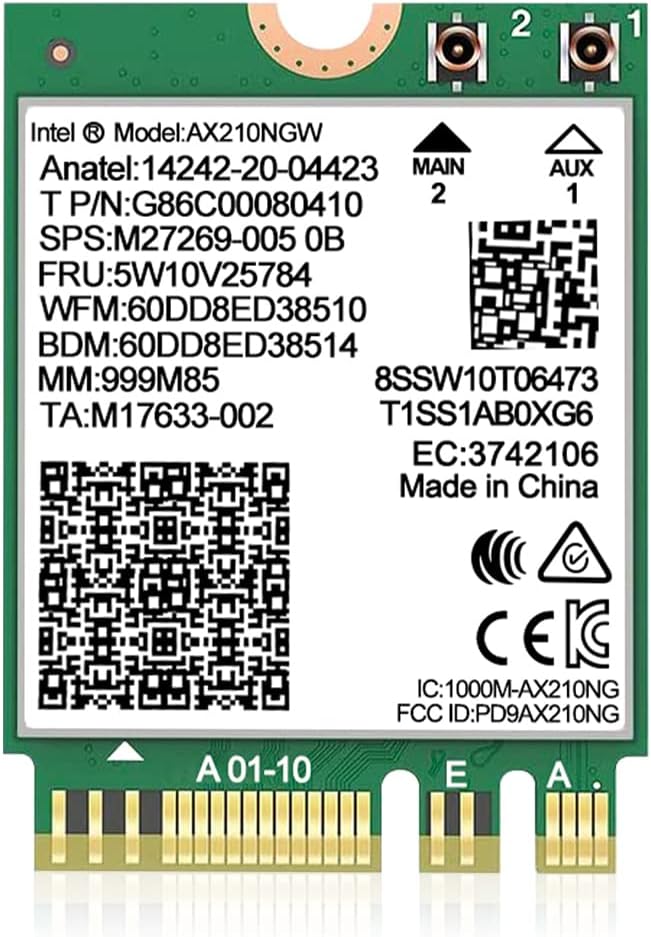



The AX210NGW DTK WiFi Card stands out as a top choice for users seeking a reliable upgrade to their laptop or desktop networking capabilities. With a strong rating of 4.5 stars it delivers consistent performance across the 2.4GHz 5GHz and 6GHz bands making it ideal for modern high bandwidth applications. This card leverages the proven Intel AX210 chipset which ensures broad compatibility with most motherboards that support M.2 Key E slots.
We may earn a commission when you buy through this link, at no additional cost to you.
Its standout qualities include true tri band connectivity which allows devices to utilize the less congested 6GHz spectrum for faster speeds and reduced interference. The inclusion of 5dBi high gain antennas and low profile brackets makes installation straightforward for both desktop towers and compact form factor systems. Additionally the Bluetooth 5.3 integration provides improved connection stability and lower latency for peripherals like wireless headphones and controllers.
While the card is highly capable users should note that optimal performance requires a WiFi 6E compatible router to fully access the 6GHz band. Without such a router the card will fall back to WiFi 6 or earlier standards which still offer solid speeds but lack the full potential of the 6GHz spectrum. Furthermore while the included cables are sufficient some desktop builds might require an extension to reach internal antenna connectors comfortably.
This product is perfect for enthusiasts and professionals who need a robust and future proof wireless solution without breaking the bank. It balances advanced features like OFDMA and MU-MIMO with practical installation accessories that save time and money. Whether you are gaming streaming 4K video or managing heavy workloads this card provides the reliability and speed necessary to keep your connection seamless.
Accessing the 6GHz band reduces congestion and interference leading to significantly higher throughput for demanding tasks.
The included RF cables and brackets ensure you can mount the card and connect antennas without needing extra purchases.
We may earn a commission when you buy through this link, at no additional cost to you.
The GLOTRENDS WA01 adapter offers an economical way to bring modern wireless capabilities to desktop computers that lack built in M.2 slots. With a rating of 4.1 stars it serves as a bridge between traditional PCIe slots and the compact M.2 modules found in laptops. This flexibility allows users to choose their preferred WiFi module such as the AX210 or even future WiFi 7 chips independently of the adapter itself.
We may earn a commission when you buy through this link, at no additional cost to you.
Its primary strength lies in its versatility supporting a vast range of modules from older WiFi 4 standards up to the latest WiFi 7 technology. The included 6-dBi SMA antennas provide excellent signal strength and range ensuring stable connections even in larger homes or offices. This makes it a practical choice for those upgrading older systems where the motherboard does not natively support wireless expansion.
However users must be aware that Bluetooth functionality requires a separate USB connection to the motherboard which can sometimes be inconvenient depending on available ports. Additionally the adapter does not support CNVio2 proprietary modules meaning you must use standard NGFF M.2 cards which limits options to specific chipsets like Broadcom or Intel AX210/BE200. This requirement is manageable but needs attention during the purchasing process.
For builders on a budget who need a reliable and flexible wireless solution this adapter provides outstanding value. It allows for easy upgrades as new modules become available without replacing the entire adapter card. Whether you are setting up a media center or a workstation this adapter ensures your desktop stays connected with the latest wireless standards at a fraction of the cost of integrated solutions.
Compatible with most NGFF M.2 modules giving you freedom to choose the best card for your specific needs.
The 6dBi antennas outperform stock laptop antennas ensuring better range and stability for fixed desktop environments.
We may earn a commission when you buy through this link, at no additional cost to you.
The 10Gtek PCIe x1 to M.2 adapter provides a straightforward method for adding wireless connectivity to older desktop systems. Rated at 4.4 stars it effectively converts a standard PCIe slot into an M.2 Key E interface allowing the use of modern WiFi modules. This is particularly useful for PCs that were built without native WiFi support but need to connect to modern wireless networks efficiently.
We may earn a commission when you buy through this link, at no additional cost to you.
Its key strength is the inclusion of a full height baffle which makes it compatible with standard desktop cases without requiring custom modifications. The dual band support ensures you can utilize both 2.4GHz and 5GHz frequencies for balanced performance between range and speed. The included 5dBi antennas further enhance signal reception helping to maintain a stable connection even when the computer is placed away from the router.
One limitation is that the Bluetooth feature relies on a provided USB cable to connect to the motherboard which might require finding an available header or USB port. While this is a common setup for PCIe adapters it adds a step to the installation process that can be tricky for less experienced users. Also like other adapters the WiFi module itself is not included so you must purchase it separately to complete the setup.
This adapter is ideal for users who want to customize their wireless capabilities by choosing their preferred M.2 module. It offers a reliable and cost effective way to modernize an older workstation or gaming rig without replacing the entire system. With its sturdy build and comprehensive antenna kit it delivers solid performance that meets the needs of everyday computing and entertainment tasks.
Converts standard PCIe slots to M.2 enabling wireless upgrades on motherboards without native WiFi slots.
Includes 5dBi antennas to maximize signal quality and overcome interference common in dense residential areas.
We may earn a commission when you buy through this link, at no additional cost to you.
The QCNCM865 WiFi 7 card represents a leap forward in wireless technology offering speeds up to 5.8Gbps through the latest Wi-Fi 7 standard. With a rating of 4.1 stars it is designed for users who want to future proof their laptops or desktops against upcoming network infrastructure upgrades. This module supports tri band operation and multi link technology which can combine frequencies to boost throughput and reduce latency significantly.
We may earn a commission when you buy through this link, at no additional cost to you.
Its most impressive feature is the support for 320MHz channel bandwidth allowing for massive data transfer speeds when paired with a compatible router. This capability ensures that you can handle high resolution streaming large file transfers and real time gaming without bottlenecks. The integration of Bluetooth 5.3 further improves peripheral connectivity providing better range and power efficiency for connected devices like headsets and mice.
However realizing the full potential of this card requires specific conditions such as a WiFi 7 router and a Windows 11 system with the latest updates. Without these the card will operate in backward compatible modes which still offer strong performance but not the full 5.8Gbps speed. Additionally users should ensure their motherboard supports the M.2 Key E interface as it is not compatible with CNVio2 slots.
This product is best suited for early adopters and tech enthusiasts who need top tier performance and want to stay ahead of the curve. Its robust feature set and compact form factor make it a versatile choice for high end laptops and compact desktop builds. While it depends on specific hardware to shine the investment pays off in terms of long term reliability and network capability.
WiFi 7 offers up to 5.8Gbps theoretical speeds ideal for future high bandwidth applications and gaming.
MLO technology aggregates signals across bands for lower latency and more stable connections.
We may earn a commission when you buy through this link, at no additional cost to you.
The Intel AX210 NGW is widely recognized as one of the most reliable wireless modules available for laptop and desktop upgrades. With a high rating of 4.6 stars it delivers consistent performance across the 2.4GHz 5GHz and 6GHz bands ensuring you get the best possible speed and range. Its reputation for stability and broad compatibility makes it a go-to choice for IT professionals and home users alike.
We may earn a commission when you buy through this link, at no additional cost to you.
Key strengths include its support for tri-band connectivity which helps avoid interference by utilizing the new 6GHz spectrum effectively. The card also features advanced power saving technologies that extend battery life in laptops without compromising on performance. Additionally the Bluetooth 5.3 module integrated into this card provides a robust connection for wireless peripherals ensuring smooth audio and input experiences.
A critical limitation is that it is not compatible with CNVio2 slots found in some newer laptops meaning you must verify your device supports standard M.2 Key E or A+E keys before purchasing. Furthermore to access the full speed benefits you need a WiFi 6E router although it works well with older WiFi 6 routers as well. This hardware dependency requires careful checking before installation.
For those looking for a proven and high performing solution this module offers peace of mind and excellent value. It is perfect for users who prioritize reliability and want a card that will serve them well for several years. Whether you are upgrading a gaming laptop or a work machine the AX210 ensures you stay connected with fast and reliable wireless technology.
Intel's extensive engineering ensures stable drivers and long term support for enterprise and consumer use.
Advanced power saving features help maintain longer battery life on portable devices during heavy use.
We may earn a commission when you buy through this link, at no additional cost to you.
The OKN AX210 module offers a robust wireless experience built on the reliable Intel AX210 chipset known for its high performance and stability. Rated at 4.6 stars it supports tri-band connections and delivers speeds up to 5.74Gbps under ideal conditions making it suitable for bandwidth intensive tasks. This card is designed to maximize efficiency through features like MU-MIMO and OFDMA which optimize traffic handling for multiple devices.
We may earn a commission when you buy through this link, at no additional cost to you.
Its standout features include comprehensive support for the latest WPA3 security protocols ensuring your network remains protected against modern threats. The ultra low latency design makes it particularly effective for gaming and real time communication where responsiveness is critical. Additionally the integration of Bluetooth 5.3 provides a seamless experience for connecting wireless accessories with improved range and power efficiency.
Users should note that without a compatible router supporting the 6GHz band the card may not reach its full potential speeds. While it remains fully functional on standard WiFi 6 networks the extra bandwidth offered by WiFi 6E requires compatible infrastructure. Also check if your specific system requires external antennas as some kits may not include them depending on the region or vendor.
This module is an excellent choice for users who want a high performance upgrade that balances speed and security. It is ideal for gamers professionals and streamers who need a dependable connection to support their workflows. With its strong feature set and proven chipset this card ensures your network performance meets the demands of modern applications.
WPA3 support ensures your data remains secure against evolving wireless threats and vulnerabilities.
MU-MIMO and OFDMA technologies manage multiple device connections efficiently for better overall network speed.
We may earn a commission when you buy through this link, at no additional cost to you.
This AX210 kit stands out due to its inclusion of 8dBi high gain antennas which significantly boost signal strength and range. With a rating of 4.4 stars it is an excellent option for users who need to overcome physical obstructions or distance from the router. The tri-band support ensures you can access the 6GHz spectrum for faster speeds and less interference when your network infrastructure allows.
We may earn a commission when you buy through this link, at no additional cost to you.
The kit comes with all necessary mounting brackets and IPEx cables making installation straightforward for desktop and laptop users alike. This comprehensive package saves the hassle of sourcing additional accessories and ensures you have everything needed to get connected immediately. The Bluetooth 5.3 integration further enhances the value by providing a reliable connection for your wireless peripherals.
One consideration is that the large size of the 8dBi antennas may not fit inside all compact enclosures requiring external mounting solutions. Additionally to fully leverage the 6GHz capabilities you will need a compatible WiFi 6E router as older routers will limit the bandwidth. These factors are minor trade-offs given the substantial gain in signal quality and reliability.
For users in large homes or offices with thick walls this kit offers a robust solution to maintain strong connectivity. It is particularly beneficial for those who experience weak signals with stock antennas and need a more powerful alternative. The combination of high gain hardware and a proven AX210 chipset ensures you get a stable and fast wireless connection wherever you need it.
8dBi antennas provide superior range compared to standard 5dBi models ideal for larger spaces.
Complete bracket and cable kit ensures a hassle free setup process for most systems.
We may earn a commission when you buy through this link, at no additional cost to you.
The QCNCM865 network card is designed to deliver top tier wireless performance with support for the latest WiFi 7 standard. Rated at 4.4 stars it offers a significant upgrade in speed and latency particularly beneficial for gaming and high bandwidth applications. Its compatibility with both AMD and Intel motherboards makes it a versatile choice for users with diverse hardware configurations.
We may earn a commission when you buy through this link, at no additional cost to you.
Key strengths include the multi link operation feature which allows the card to use multiple bands simultaneously for faster data rates and lower latency. This ensures a stable connection even in crowded network environments where interference is common. The integration of Bluetooth 5.3 further enhances peripheral connectivity providing low latency and improved battery life for wireless devices.
Users must ensure they are running Windows 11 as the card is not compatible with older operating systems. Additionally downloading the latest drivers from the manufacturer website is essential to enable full functionality and avoid conflicts with existing drivers. These requirements are standard for high performance cards but should be considered during the setup process.
This card is perfect for enthusiasts who need the fastest possible wireless speeds and want to future proof their setup. It is ideal for gaming PCs and workstations where every millisecond of latency matters. With its advanced features and broad hardware support it provides a reliable and powerful network solution for demanding users.
Supports both major CPU platforms offering flexibility for a wide range of system builds.
Advanced features minimize lag ensuring responsive performance for competitive gaming and streaming.
We may earn a commission when you buy through this link, at no additional cost to you.
The BrosTrend WiFi 6 card is a solid choice for users looking for reliable dual band connectivity with strong Linux support. Rated at 4.4 stars it delivers speeds up to 1.8Gbps which is sufficient for most everyday tasks including streaming and online gaming. Its compatibility with Linux kernels ensures it works well on open source systems where driver support can sometimes be limited.
We may earn a commission when you buy through this link, at no additional cost to you.
Its key strengths include support for OFDMA and MU-MIMO which optimize network traffic for better performance across multiple devices. The inclusion of Bluetooth 5.2 ensures compatibility with a wide range of peripherals and offers improved range over older versions. This makes it a versatile module for both Windows and Linux users seeking a dependable upgrade.
While it lacks the latest tri-band capabilities it provides a cost effective and reliable solution for standard dual band WiFi 6 needs. Users who require 6GHz bandwidth may need to look at higher end models but for most general use this card delivers consistent performance. The driver installation process is straightforward and supported by the manufacturer for both major operating systems.
This product is ideal for developers and Linux users who need a wireless card that works out of the box. It is also a good option for budget conscious consumers who want reliable WiFi 6 speeds without paying for unnecessary features. With its proven reliability and broad OS support it ensures you stay connected seamlessly across various platforms.
Strong Linux kernel support ensures compatibility without requiring complex manual driver configurations.
Delivers solid WiFi 6 performance at an affordable price point for most general computing needs.
We may earn a commission when you buy through this link, at no additional cost to you.
The Intel Killer BE200 represents the pinnacle of wireless technology with support for the latest WiFi 7 standard and speeds up to 5.8Gbps. With a rating of 4.6 stars it is engineered specifically for high performance gaming and demanding enterprise workloads. Its proprietary optimization ensures that network traffic is managed efficiently to reduce lag and maintain stability even during peak usage.
We may earn a commission when you buy through this link, at no additional cost to you.
Key features include Bluetooth 5.4 which provides enhanced range and battery efficiency for wireless peripherals. The ultra low latency design ensures that critical data arrives instantly making it ideal for competitive gaming and real time applications. Additionally it supports the latest WPA3 security standards to keep your connection secure against evolving threats.
However this card is exclusively compatible with Intel processors meaning it will not work on AMD based systems. It also requires a compatible WiFi 7 router to fully leverage its speed potential which may necessitate additional hardware upgrades. These constraints ensure optimal performance but limit flexibility for users with non Intel hardware or older network setups.
This product is perfect for users who demand the absolute best wireless performance and want to future proof their investment. It is ideal for gamers and professionals who need the fastest possible connection to avoid interruptions. With its advanced features and robust build quality it delivers a premium experience that justifies the higher price tag.
Intel Killer software prioritizes network traffic to reduce latency for gaming and critical tasks.
WiFi 7 readiness ensures your system can handle next generation network speeds as routers become available.
We may earn a commission when you buy through this link, at no additional cost to you.
Selecting the right WiFi card involves evaluating your motherboard compatibility desired speed and operating system requirements.
Ensure your motherboard has an M.2 Key E slot that supports standard NGFF modules. Some systems use proprietary CNVio2 slots that are not compatible with standard cards like the AX210.
Check your motherboard manual to confirm the key type and support for WiFi modules before purchasing.
Choose a WiFi standard that matches your router capabilities. WiFi 6E offers access to the 6GHz band while WiFi 7 provides even faster speeds and lower latency for future setups.
If you plan to upgrade your router soon opt for a card that supports newer standards to avoid frequent replacements.
Consider whether the card includes antennas or if you need to source them separately. Desktop builds often benefit from high gain external antennas for better range.
Look for kits that include brackets and cables to simplify installation especially if mounting the card outside a chassis.
Most modern cards include Bluetooth support which is essential for wireless peripherals. Ensure the version matches your needs such as 5.3 or 5.4 for improved range and power efficiency.
Note that some adapters require a USB bridge to enable Bluetooth on desktop systems so check the included accessories.
Verify driver availability for your operating system. Windows 11 is often required for the latest WiFi 7 cards while older systems may support WiFi 6E or 6.
Linux users should confirm kernel compatibility to avoid driver issues especially on newer modules that lack open source support.
Look for support of the latest security protocols like WPA3 to protect your data from modern threats. This is often a key differentiator between older and newer models.
Ensure the card supports encryption standards required by your network environment for enterprise or sensitive use cases.
First ensure your PC is powered off and unplugged before opening the case. Ground yourself to avoid static discharge which can damage sensitive components.
Insert the card into the M.2 Key E slot at an angle and secure it with the provided screw. Connect the antenna cables firmly to the appropriate connectors on the card.
Install the latest drivers from the manufacturer or Intel website to ensure optimal performance. Restart your computer to complete the installation process.
Not all laptops support standard M2 Key E cards due to proprietary slots like CNVio2. Always check your motherboard specs to ensure compatibility before purchasing.
WiFi 6E adds the 6GHz band to existing standards while WiFi 7 introduces higher speeds and multi-link operation for even faster data transfer and lower latency.
While technically possible performance will be very poor. Always use external antennas for stable connectivity especially for desktop systems.
Yes you must install the latest drivers from the manufacturer or Intel website to enable full functionality and Bluetooth support.
Yes but you will only benefit from WiFi 6 speeds. The card will still function properly but you won't access the latest features without a compatible router.
Most modern cards support tri band including 2.4GHz 5GHz and 6GHz for better speed and reduced interference across different networks.
Consult your laptop manual or look up your motherboard model to confirm if it requires Key E Key A or CNVio2 slots for WiFi cards.
Yes if your motherboard has an M.2 Key E slot or you use an adapter like the GLOTRENDS WA01 to connect to a PCIe slot.
Our top picks include the AX210NGW DTK for overall reliability the GLOTRENDS WA01 for budget flexibility and the Intel Killer BE200 for premium performance.
When deciding prioritize your motherboard compatibility and current network hardware to ensure you get the best speed possible without needing extra upgrades.
Prices and availability fluctuate regularly so verify current deals and specs on the product pages before making your final purchase decision.