
Nulea M501
4.4Editor score
Rechargeable battery
Multiple device connection
Adjustable DPI levels
Explore the top ergonomic trackball mice for comfort and precision. This guide compares ten leading models to help you reduce strain and boost productivity.
Finding the right ergonomic trackball mouse can transform your daily workflow by reducing wrist strain and improving precision. These devices allow you to control the cursor with your thumb while keeping your hand in a natural position.
We evaluated ten top-rated models based on ergonomics, battery life, connectivity options, and overall user satisfaction. Each product was reviewed for its ability to provide comfort during extended use and its ease of integration with various setups.
Each pick in this guide highlights specific strengths and potential trade-offs to help you make an informed decision. Remember that availability and features may change over time, so verify details before purchasing.
4.4Editor score
4.5Editor score

4.4Editor score
This table provides a side-by-side overview of the top ten ergonomic trackball mice available today. It highlights key specifications to help you compare features quickly.




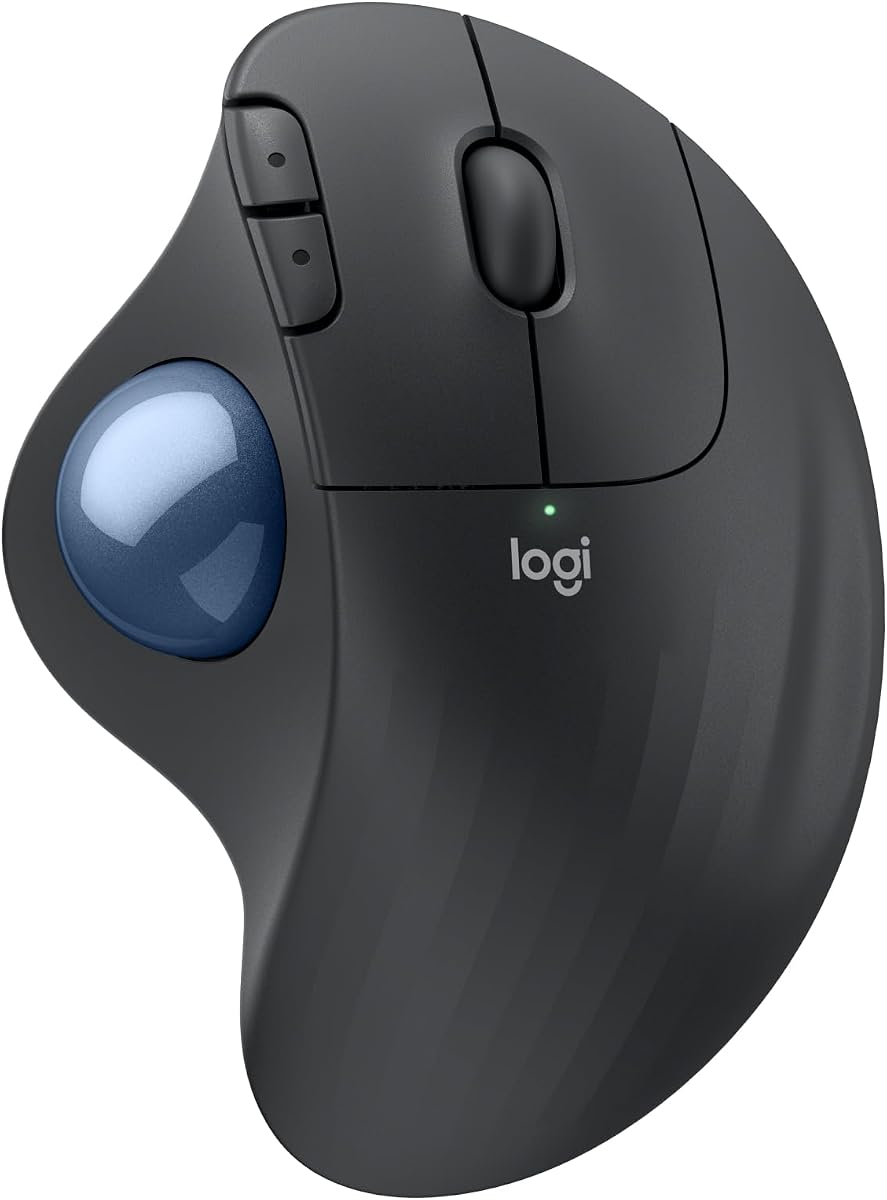
The Logitech Ergo M575S stands out as a top choice for those seeking comfort and precision. It features a sculpted shape that supports your hand and realigns your forearm into a better posture throughout the day.
We may earn a commission when you buy through this link, at no additional cost to you.
Its thumb control allows you to move the cursor without moving your hand, making it ideal for small setups. The mouse includes 3 customizable buttons and integrates with Logi Options+ for enhanced control and productivity.
While it does not have fully programmable buttons like some premium models, the Smart Actions and shortcuts offer significant utility. The battery life is impressive, lasting up to 18 months on a single AA battery.
If you prioritize comfort and reliability in a wireless trackball mouse, this model is highly recommended. It is particularly suitable for users who work long hours and need to reduce wrist strain.
The shape is certified by ergonomists and designed to reduce muscle strain in your forearm by 25%.
Connect via Bluetooth or the included Logi Bolt USB receiver for seamless wireless performance.
We may earn a commission when you buy through this link, at no additional cost to you.
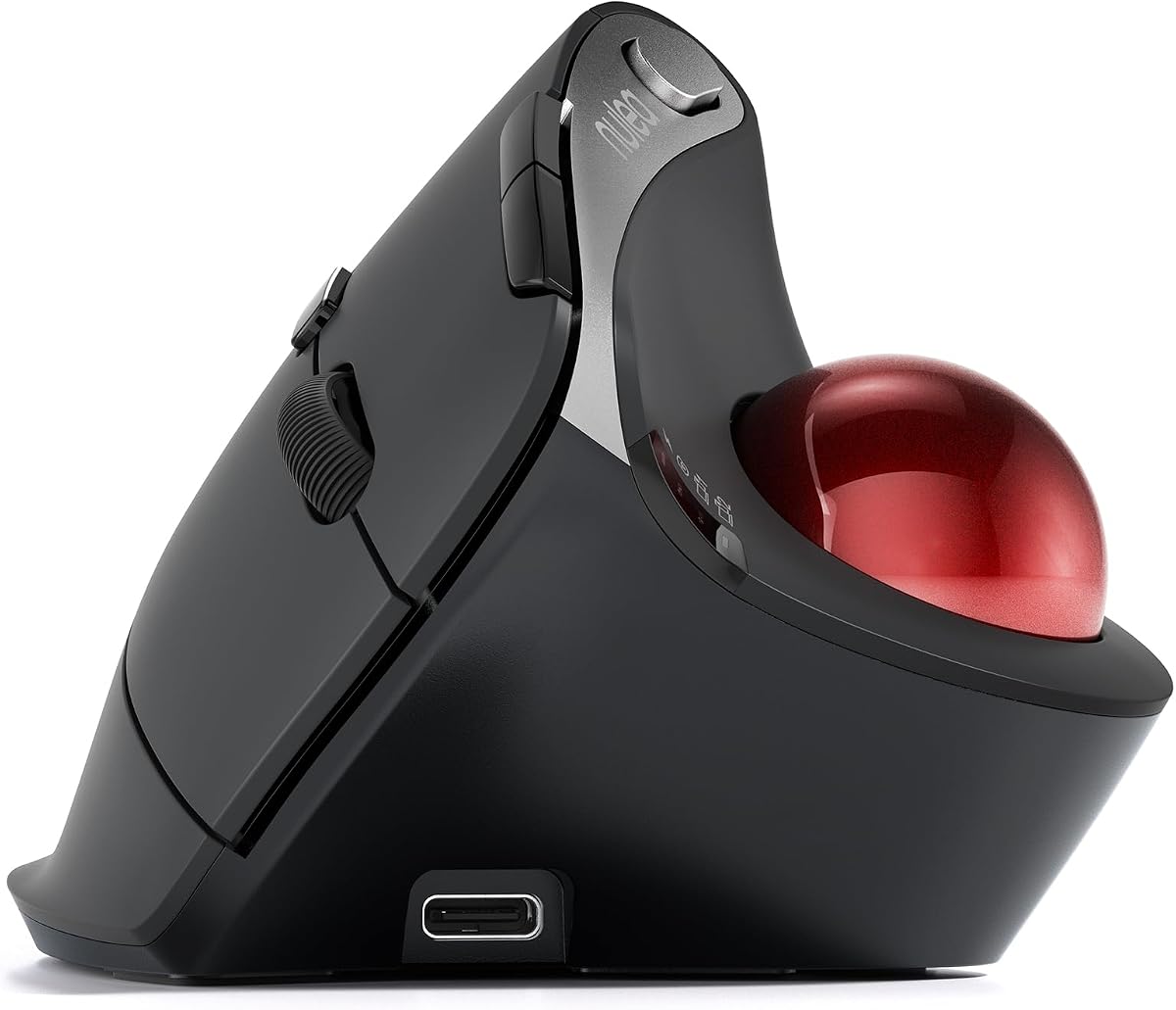
The Nulea M501 offers an excellent balance of features and affordability for ergonomic trackball users. Its design focuses on smooth thumb control to help reduce muscle stress during extended use.
We may earn a commission when you buy through this link, at no additional cost to you.
You can connect up to three devices via Bluetooth or USB dongle and switch between them easily. The built-in rechargeable battery eliminates the need for frequent replacements, adding to its convenience.
While the buttons are not programmable, the essential functions like back and forward are readily accessible. The adjustable DPI levels allow you to customize cursor speed for different tasks.
This mouse is a great entry point for anyone looking to try a trackball design without a significant investment. It suits users who need a reliable, budget-friendly option for daily tasks.
The battery is rechargeable via USB, ensuring you never run out of power unexpectedly.
Seamlessly switch between your PC, Mac, or tablet with the press of a button.
We may earn a commission when you buy through this link, at no additional cost to you.
This black variant of the Logitech M575S provides the same ergonomic benefits as its blue counterpart. It is designed to improve forearm posture and reduce muscle activity significantly.
We may earn a commission when you buy through this link, at no additional cost to you.
The smooth thumb control allows for precise tracking on any surface, making it versatile for different environments. The connection is straightforward with Bluetooth or USB receiver options available.
While it does not offer advanced customization, its simplicity is a strength for users who prefer a plug-and-play experience. The long battery life ensures you won't need to replace batteries often.
Ideal for those who want a proven ergonomic mouse without extra complexity, this model delivers reliability. It is a solid choice for general office work or casual use.
The design supports your hand and helps realign your forearm naturally.
Enjoy up to 18 months of use on a single AA battery.
We may earn a commission when you buy through this link, at no additional cost to you.
The Logitech MX Ergo S is a premium option designed for advanced users who need precise control. It features a 20-degree tilt angle to promote better forearm posture and reduce strain.
We may earn a commission when you buy through this link, at no additional cost to you.
With six customizable buttons and integration with Logi Options+, you can tailor the mouse to your workflow. The USB-C charging is convenient and provides up to 120 days of use on a full charge.
The tilting adjustment allows you to find the perfect angle for your wrist, which can be customized for comfort. Although it is pricier, the added features justify the cost for professionals.
This mouse is best suited for power users who spend hours at the desk and require maximum ergonomic support. It offers a high level of control and comfort that standard mice cannot match.
The adjustable tilt angle helps reduce muscle strain by allowing a more natural hand position.
Customize buttons and shortcuts to automate tasks and boost efficiency.
We may earn a commission when you buy through this link, at no additional cost to you.
The TECKNET Wireless trackball mouse is specifically designed to accommodate medium to large hand sizes comfortably. It features a 16-degree vertical angle that promotes better forearm posture.
We may earn a commission when you buy through this link, at no additional cost to you.
Its rechargeable battery offers quick charging, providing a full day of use after just 15 minutes of charging. The mouse includes adjustable DPI levels to suit different precision needs.
While users may need a week or two to adjust to the trackball interface, the long-term comfort is well worth it. It reduces wrist strain effectively during extended use sessions.
This model is a strong choice for individuals with larger hands who struggle with standard mice. Its silent clicks and smooth tracking make it ideal for quiet environments.
The design reduces muscle strain by 50% through its unique vertical angle.
Get a full day of use with just 15 minutes of charging time.
We may earn a commission when you buy through this link, at no additional cost to you.
The Nulea M506 features a distinctive 54-degree vertical design that keeps your wrist and forearm in a relaxed position. This helps significantly reduce wrist burden during long working hours.
We may earn a commission when you buy through this link, at no additional cost to you.
A key feature is the detachable trackball, which allows for easy cleaning and maintenance. This ensures the mouse stays smooth and precise over time without hassle.
It supports multiple connections including Bluetooth and USB receiver for up to three devices. The 4 adjustable DPI levels provide flexibility for both speed and precision tasks.
Ideal for users with wrist discomfort, this mouse offers a unique ergonomic solution. It is particularly effective for office work and creative tasks requiring steady cursor movement.
The 54-degree structure ensures natural and relaxed wrist positions.
The trackball is removable without tools for simple and quick cleaning.
We may earn a commission when you buy through this link, at no additional cost to you.
The Nulea Wireless Ergonomic Vertical Trackball Mouse offers a 65-degree comfort design for a natural hand position. It includes an infinite scroll wheel that switches between precise and fast modes automatically.
We may earn a commission when you buy through this link, at no additional cost to you.
This feature is particularly useful for navigating long documents or web pages efficiently. The mouse is also silent, making it ideal for shared workspaces or late-night sessions.
With multi-device connectivity, you can switch between your PC and tablet seamlessly. The thumb-controlled trackball reduces hand and arm movement to minimize fatigue.
Best suited for users who frequently scroll through long content, this mouse combines ergonomics with unique functionality. It is a reliable choice for daily office tasks.
The scroll wheel automatically adjusts speed based on how fast you spin it.
Enjoy completely noise-free operation from the trackball to the buttons.
We may earn a commission when you buy through this link, at no additional cost to you.
The Nulea Tilt Stand trackball mouse comes with a built-in 21.7-degree tilt stand for a natural wrist position. This elevated design fits your palm precisely for a comfortable grip.
We may earn a commission when you buy through this link, at no additional cost to you.
It offers six high-performance buttons, including back and forward, to increase productivity. The mouse is designed with silent control, ensuring a noise-free experience.
The adjustable DPI levels let you switch between precision and speed as needed. Multi-device connectivity allows you to connect to up to three devices seamlessly.
This mouse is suitable for users who need a stable, tilted surface for better ergonomics. It is a practical choice for daily office work and creative editing.
The 21.7-degree tilt promotes a more natural wrist position.
Six buttons provide easy access to essential functions like back and forward.
We may earn a commission when you buy through this link, at no additional cost to you.
The Logitech Ergo M575 for Business is designed for large-scale deployment in enterprise environments. It supports remote management through Logitech Sync, making it easy to monitor and deploy.
We may earn a commission when you buy through this link, at no additional cost to you.
Like the standard version, it offers a sculpted shape that reduces muscle activity and promotes better forearm posture. It has a long battery life of up to 18 months.
This mouse is ideal for companies looking to provide ergonomic tools to their employees efficiently. It includes sustainable design elements with recycled plastic in its construction.
Best suited for business users and IT managers, this mouse combines comfort with manageability. It is a reliable choice for office environments requiring consistent performance.
Remote deployment and monitoring with Logitech Sync simplify management.
The mouse includes 52% post-consumer recycled plastic.
We may earn a commission when you buy through this link, at no additional cost to you.
This advanced version of the MX Ergo S includes an encrypted dongle for secure wireless connections. It is ideal for professionals who require high security and precision in their work.
We may earn a commission when you buy through this link, at no additional cost to you.
The mouse features 6 programmable buttons and USB-C charging for convenient power management. Its quiet clicks and tilt angle ensure comfort and focus during long sessions.
You can switch between speed and high-precision tracking at the touch of a button. This flexibility makes it suitable for detailed creative work and general office tasks.
Ideal for high-demand users, this mouse offers top-tier ergonomics and security. It is a strong choice for those who want the best in advanced trackball technology.
The included encrypted dongle provides secure wireless connectivity.
Enjoy up to 24 hours of use from just one minute of charging.
We may earn a commission when you buy through this link, at no additional cost to you.
Selecting the right ergonomic trackball mouse involves considering several key factors to ensure comfort and functionality for your specific needs.
The shape and tilt of the mouse play a crucial role in reducing wrist strain. Look for models with adjustable angles or vertical designs that keep your hand in a natural position.
Prioritize mice that are certified by ergonomists and designed to reduce muscle activity.
Trackball mice allow you to control the cursor using your thumb or fingers without moving your hand. Ensure the trackball feels smooth and provides precise control.
Check if the ball is detachable for easy cleaning to maintain performance.
Modern trackball mice offer both Bluetooth and USB receiver options. Choose one that supports multi-device switching if you use multiple computers.
Consider wireless range and latency to ensure a lag-free experience.
Battery life varies between models. Some use AA batteries, while others are rechargeable via USB. Evaluate based on your preference for convenience versus waste.
Look for long-lasting batteries to avoid frequent replacements or charging.
Programmable buttons can boost productivity by allowing shortcuts and macros. Check if the software is user-friendly and supports the programs you use.
Ensure the buttons are comfortably placed and not too small to press.
Adjustable DPI levels let you customize cursor speed for different tasks. Higher DPI is useful for large screens, while lower DPI aids precision.
Test if the mouse allows easy switching between DPI settings.
A solid build ensures the mouse lasts through daily use. Check materials and user reviews for longevity insights.
Look for durable plastics and sturdy construction for long-term use.
Some trackball mice offer silent clicks, which is beneficial in shared spaces. Quiet operation enhances focus and reduces distractions.
Consider silent options if you work in a quiet environment.
To get the most out of your trackball mouse, start by adjusting the DPI and tilt settings to match your comfort level. Spend a few days adapting to the thumb control as it differs from a traditional mouse.
Regularly clean the trackball and housing to prevent dust buildup. Most models allow you to eject the ball for easy cleaning with a damp cloth.
For wireless models, ensure the battery is charged or replaced before it dies to avoid work interruptions. Use the manufacturer's software to maximize button customization.
Yes, trackball mice can help alleviate symptoms of carpal tunnel syndrome by reducing wrist movement. They allow you to control the cursor with your thumb or fingers while keeping your hand in a neutral position. However, individual results vary, and it is important to consult a medical professional for specific advice.
Most trackball mice have a removable ball that can be ejected by pressing a release mechanism or turning the cage. Once removed, wipe the ball and the inside of the housing with a slightly damp cloth to remove dust and dirt. Dry thoroughly before reassembling.
Yes, unlike standard mice, trackball mice do not require movement on a surface to function. They track movement internally via the spinning ball, so they work on any stable surface without the need for a mouse pad.
Programmable buttons can significantly boost productivity by allowing you to assign shortcuts or macros to specific buttons. If you perform repetitive tasks, this feature is highly valuable. However, ensure the software is compatible with your operating system.
Vertical trackball mice tilt your hand into a handshake position to reduce forearm pronation. Standard trackball mice keep the hand flat but rely on thumb control. Vertical designs offer more significant ergonomic benefits for some users.
Some models use replaceable AA or AAA batteries, while others are rechargeable via USB. Rechargeable options are more eco-friendly and convenient, but battery life varies. Check the specifications before buying.
Most ergonomic trackball mice are designed for right-handed users. However, some models are ambidextrous. If you are left-handed, look for specific models that support dual-hand use or have adjustable configurations.
It typically takes a few days to a couple of weeks to fully adapt to a trackball mouse. Patience is key, as your muscle memory adjusts to controlling the cursor with your thumb instead of moving your wrist.
In summary, the Logitech Ergo M575S stands out as the top overall choice for its balance of comfort and features. The Nulea M501 offers exceptional value for budget-conscious buyers, while the Logitech MX Ergo S is perfect for those seeking premium customization.
When making your final decision, prioritize ergonomic design and battery life to ensure long-term comfort. Consider your specific workflow needs and how much you value programmable features.
Remember to check current availability and verify the latest specifications before purchasing. With the right ergonomic trackball mouse, you can reduce wrist strain and improve your daily productivity significantly.