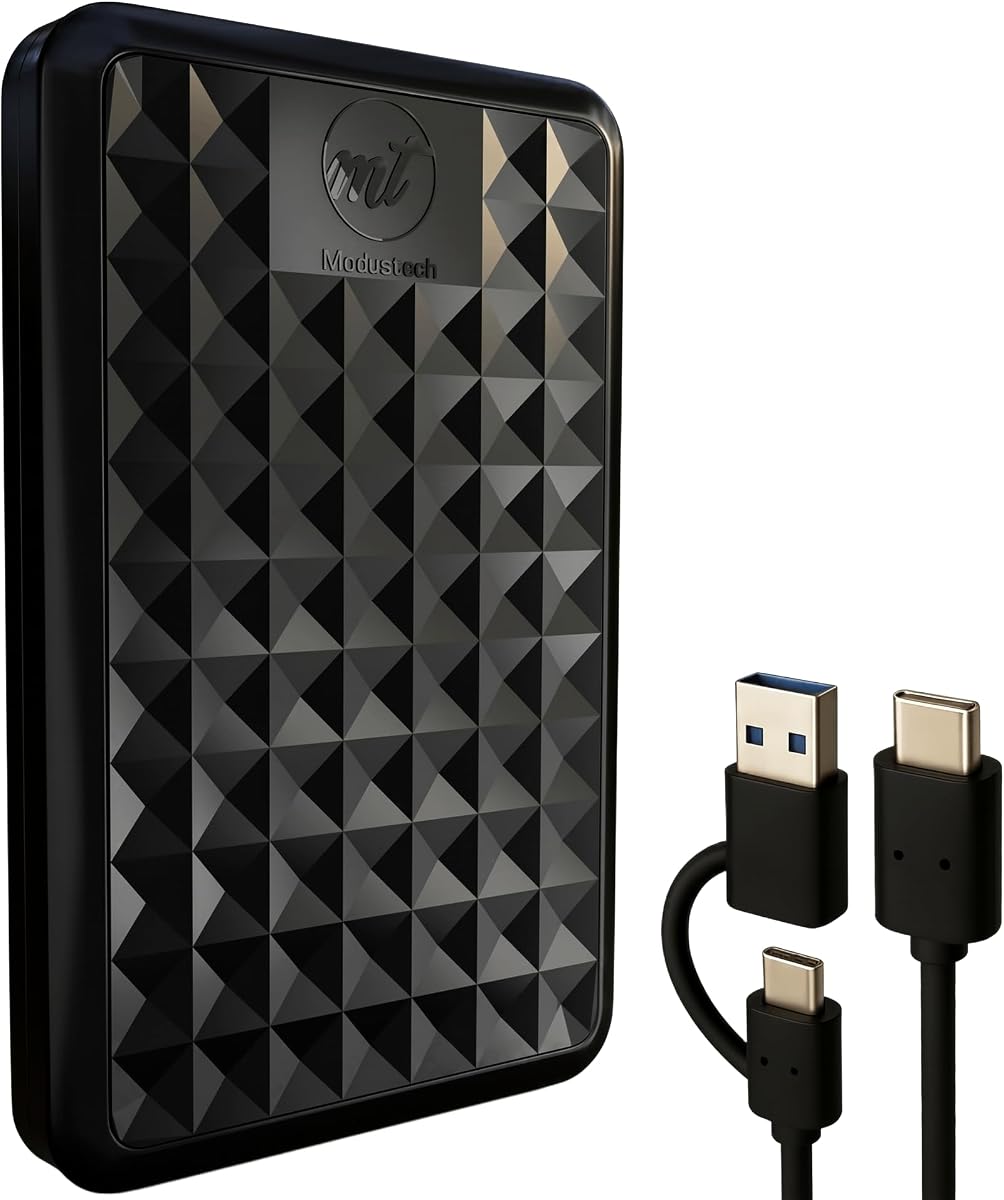
Facet 500GB External Hard Drive
4.1Editor score
USB-C and USB 3.1 connectivity
Plug and Play ready out of box
Slim 2.5 inch portable design
This guide compares the top external hard drives for Chromebook to help you find reliable storage for files photos and media across various budgets.
Chromebooks offer great portability but often lack internal storage space. An external hard drive provides a simple solution to expand your capacity without breaking the bank. We have selected options that match Chromebook compatibility needs.
We compared ten real products based on compatibility speed and design. Each drive works with Chromebook systems using standard USB connections. Our list covers different capacities and price points for every user.
Each pick shows key specs pros and cons to help you choose. Prices and availability change often so always check the current listing before buying. We focus on value and real world performance for your needs.
4.1Editor score

4.7Editor score

4.6Editor score
Here is a side-by-side view of all ten drives with key specs and features to help you compare them quickly.


The WD Elements portable drive stands out for its capacity and reliable performance on Chromebooks. It offers up to 6TB options which is plenty for large media libraries and project files. Users appreciate its plug and play setup without needing extra software to install.
We may earn a commission when you buy through this link, at no additional cost to you.
This drive uses SuperSpeed USB 3.2 Gen 1 technology for fast data transfers. It supports vast capacities which makes it ideal for storing photos videos and documents. The small enclosure ensures it fits easily in laptop bags or pockets during travel.
The plastic casing is basic compared to metal builds but keeps weight low. It does not include a USB-C cable which Chromebooks often use so you may need an adapter. The drive is bus powered so no external power source is required.
Anyone needing lots of space for backups or media on a Chromebook should consider this drive. It balances price and performance well with a solid rating from many users. It is a trusted choice for expandable storage.
Available in multiple sizes up to 6TB so you can choose storage that fits your file volume.
Connect the drive and it is ready to use instantly without complex setup or drivers on Chromebooks.
We may earn a commission when you buy through this link, at no additional cost to you.
This Seagate drive offers easy storage expansion with 2TB capacity and quick USB 3.0 access. It is designed to work with Windows and Mac systems making it versatile for different users. The included 18 inch cable ensures you can connect right away.
We may earn a commission when you buy through this link, at no additional cost to you.
The drive provides plug and play simplicity so you can access files immediately. It automatically recognizes when connected to a computer for quick setup. Available storage capacity may vary slightly due to formatting needs on different systems.
It works with Chromebooks but might need formatting to ExFAT for full read write access. The cable length is decent but lacks USB-C for modern devices which requires an adapter. The build is solid but not metal.
Choose this if you want a trusted brand with straightforward setup and ample space. It suits Chromebook users who need reliable storage for backups and media files. The rating reflects steady performance over time.
Just connect to a computer for automatic recognition and no software installation is needed to start.
Store and access 2TB of content on the go for photos videos and documents without running out.
We may earn a commission when you buy through this link, at no additional cost to you.
The Facet drive is a budget friendly option with 500GB storage and USB-C connectivity for Chromebooks. It weighs only 160 grams which makes it very easy to carry everywhere. The included 2-in-1 cable connects to modern and older devices without extra adapters.
We may earn a commission when you buy through this link, at no additional cost to you.
Preformatted in exFAT it works out of the box with Chromebooks without driver setup. The slim 2.5-inch design fits in pockets and bags. It transfers files at speeds up to 100MB per second for quick backups.
Capacity is lower than some options so it may not suit very large video projects. The casing is slim and shock resistant but not rugged. It is bus powered so no extra power supply is needed for use.
Perfect for Chromebook users needing basic storage for documents and photos on a budget. It offers modern USB-C support which many premium drives lack at this price. The rating shows decent reliability for casual use.
Includes a 2-in-1 cable for modern laptops and older computers without buying extra adapters.
Lightweight 160g build fits in bags and resists shocks and fingerprints for daily travel.
We may earn a commission when you buy through this link, at no additional cost to you.
This Maxone drive features an ultra slim 0.4 inch design with an all aluminum build for durability. It offers 1TB storage with USB 3.0 speeds up to 5 Gbit/s which is fast for most tasks. The anti scratch model runs cool and quiet during use.
We may earn a commission when you buy through this link, at no additional cost to you.
It works with Windows 7 8 10 and PCs and laptops with stable performance. Plug and play means no external power or software installation is required for immediate use. It includes a 19 inch USB 3.0 cable for convenience.
The aluminum body helps with heat dissipation but may feel cooler to touch. Chromebook users may need to format it to ExFAT for full compatibility. The 3 year warranty adds confidence for long term storage needs.
Choose this for a slim durable drive that handles daily storage tasks well. It suits Chromebook users who prioritize build quality and thin profile. The rating shows solid performance for its price point.
Merely 0.4 inch thick with anti scratch aluminum for strength and cool quiet operation.
Powered by USB 3.0 for transfers up to 5 Gbit/s faster than USB 2.0 drives.
We may earn a commission when you buy through this link, at no additional cost to you.
The Aiolo drive provides 500GB storage with an ultra thin profile and includes a Type C adapter. It uses a noise free solution for a quiet environment and transfers data at 110MB per second read speeds. The aluminum anti interference layer helps protect data and increase heat dissipation.
We may earn a commission when you buy through this link, at no additional cost to you.
It works with Chromebooks and supports PS4 Xbox Android systems for versatile use. Plug and play means no software to install and the hard drive chip is wrapped for stability. The package includes a 3 year manufacturer warranty and free support.
The drive is lightweight to fit in pockets but the capacity is limited for large files. The adapter adds value for modern Chromebooks that lack standard USB ports. The quiet operation is good for office or home use without noise distractions.
Ideal for users who want a slim drive with an adapter included at a low price. It suits Chromebook users with moderate storage needs for files and media. The rating shows consistent performance and user satisfaction.
Works with USB 3.0 thickened copper cable for speeds up to 133MB/s read and 103MB/s write.
Noise free motherboard and lightweight design provide a quiet environment and easy portability.
We may earn a commission when you buy through this link, at no additional cost to you.
This drive offers 500GB storage with a lightweight 0.35 lbs design for easy carrying. It supports plug and play setup on Windows and requires ExFAT format for Mac and Chromebook use. The USB 3.0 cable provides theoretical read speeds up to 133MB/s.
We may earn a commission when you buy through this link, at no additional cost to you.
It is compatible with Windows Linux Mac and game consoles for flexible use. The small enclosure stores large files and media content without taking up space. It includes a 1 year warranty and free support for quality issues.
The binary calculation may show less than 500GB capacity in Windows due to base differences. The drive needs formatting for Chromebooks to enable read and write access properly. It is a simple solution for basic storage expansion.
Choose this for an affordable entry level drive for documents and media. It suits Chromebook users needing quick storage without high costs. The rating reflects decent value and ease of use.
USB 3.0 cable provides super fast transfer speed with up to 110MB/s to 133MB/s read speeds.
Supports PC Mac and consoles like PS4 Xbox ensuring seamless integration across devices.
We may earn a commission when you buy through this link, at no additional cost to you.
The UnionSine drive features a mirror logo strip with non-slip design for secure handling. It uses the JMicron 578 noise free solution for a quiet environment and transfers data up to 125MB/s read speed. The aluminum anti interference layer increases heat dissipation to protect data.
We may earn a commission when you buy through this link, at no additional cost to you.
It offers 1TB storage with plug and play setup without software installation. The rounded corners and stripes aid heat dissipation for stable transmission. A 3 year manufacturer warranty and free technical support are included.
Chromebook users may need to reformat the drive for optimal ExFAT compatibility. The design ensures a stable and fast transmission process even under heavy use. It is a reliable option for general storage tasks.
Pick this if you prioritize quiet performance and a secure grip on your drive. It suits Chromebook users needing dependable storage with modern USB speeds. The rating shows good user feedback on reliability.
JMicron 578 solution enables read speeds up to 125MB/s and write up to 103MB/s.
Adopts noise free solution to give you a quiet working environment for daily use.
We may earn a commission when you buy through this link, at no additional cost to you.
This drive offers 1TB storage with a 2.5 inch slim style pocket sized design. It uses USB 3.0 for ten times faster speeds than USB 2.0 and includes a Type C adapter. System compatibility includes Windows Mac Linux Android and Chromebook for wide use.
We may earn a commission when you buy through this link, at no additional cost to you.
It is ready to backup massive data in seconds with no software installation. The sturdy case protects the drive and fits comfortably in your palm. It is bus powered and ideal extra storage for PC and laptop needs.
The 3 year warranty and free technical support add confidence for long term storage. The adapter helps Chromebook users connect without extra purchases. The design is simple but functional for daily tasks.
Choose this for a straightforward drive with an adapter at a reasonable price. It suits Chromebook users needing quick and reliable storage for projects. The rating reflects consistent performance and value.
Upgraded USB 3.0 provides speeds up to 5 Gbit/s which is ten times as fast as USB 2.0.
Compatible with Windows Mac Linux and Chromebook and game consoles for stable fast loading.
We may earn a commission when you buy through this link, at no additional cost to you.
This Toshiba drive features a compact design with a textured finish and color options. It includes automatic backup software and password protection for Windows PC only users. The drive is USB 3.0 and USB 2.0 compatible for flexible connections.
We may earn a commission when you buy through this link, at no additional cost to you.
The drive supports 1TB storage for documents and media in a portable case. It works with Chromebooks but the software tools are Windows specific. The build is sturdy and fits easily in bags for travel needs.
Users who need security features may find the software limited to Windows systems. It is a reliable drive with good ratings for build quality. The design is both stylish and practical for daily use.
Pick this for a drive with unique backup and security options for Windows users. It suits Chromebook users who want a solid portable drive with trusted reliability. The rating reflects steady performance over time.
Free download for Windows PC to easily back up your content for safety.
Free download for Windows PC to help prevent unauthorized access to your data.
We may earn a commission when you buy through this link, at no additional cost to you.
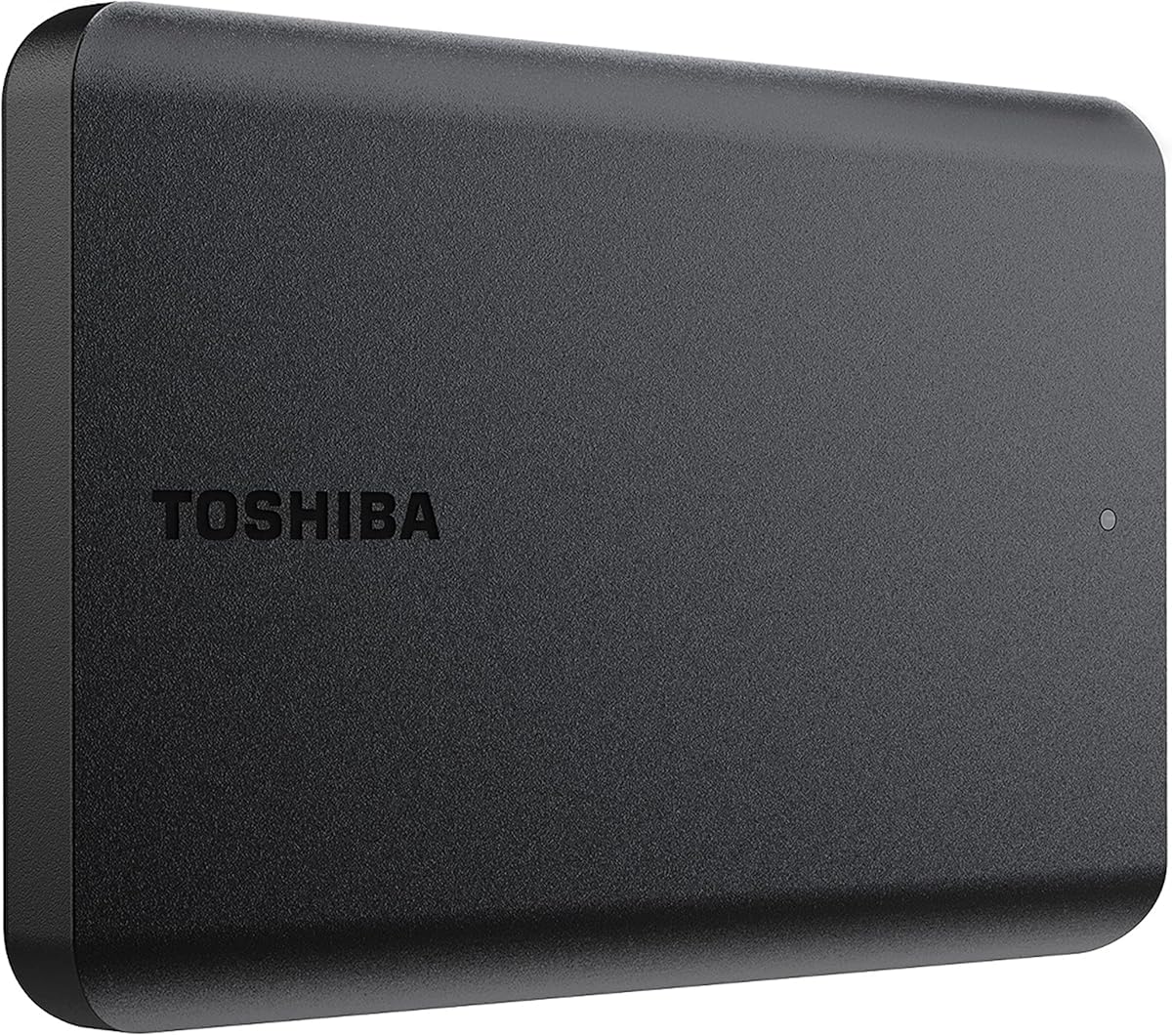
The Toshiba Canvio Basics offers 2TB storage with a sleek matte smudge resistance finish. It is plug and play ready with no software to install for quick use. The drive quickly adds storage capacity to PC and compatible devices without external power cords.
We may earn a commission when you buy through this link, at no additional cost to you.
It supports USB 3.0 and USB 2.0 for wide device compatibility. The drive is pre-formatted NTFS for Windows PC so reformatting is required for Mac and Chromebook use. This ensures broad compatibility but needs setup steps.
The design is simple but effective for storing large files and media libraries. It is bus powered and works well with portable devices like Chromebooks. The rating shows users appreciate the reliability and capacity.
Choose this for a high capacity drive at a standard price for storage needs. It suits Chromebook users who need lots of space for files and backups. The rating reflects steady performance and value.
Matte smudge resistance finish provides a clean look and easy handling.
Easy to use with no software to install for immediate storage expansion.
We may earn a commission when you buy through this link, at no additional cost to you.
Choosing the right drive depends on your storage needs and how you plan to use it on Chromebook.
Capacity determines how many files you can store on the drive. For documents and photos 500GB to 1TB is enough. For videos and large projects choose 2TB or more to avoid running out of space.
Choose capacity based on your largest file sizes and how much data you need to keep locally.
Chromebooks use USB ports so check if the drive has USB 3.0 or USB-C. USB 3.0 is common and works with adapters. USB-C is native on many Chromebooks and offers faster data transfer speeds.
Pick a drive with USB-C for modern Chromebooks or one with a 2-in-1 cable for both USB-A and USB-C.
Drives often come formatted for Windows or Mac. Chromebooks use Linux based systems so check if ExFAT is needed. ExFAT allows read and write access on Chromebooks without reformatting.
Ensure the drive is compatible with Chromebook or ready to format to ExFAT for best use.
For travel pick a slim and lightweight drive. Some drives are 0.4 inches thick and weigh under 160 grams. Look for durable materials like aluminum or shock resistant cases for protection.
Choose a design that fits in your laptop bag or pocket without adding bulk to your setup.
USB 3.0 provides transfer speeds up to 5 Gbit/s which is faster than USB 2.0. Look for drives that mention SuperSpeed or read speeds above 100MB/s for quick backups. This saves time when moving large files.
Prioritize USB 3.0 or USB 3.2 speeds for efficient file transfers on Chromebook.
Most portable drives are bus powered and draw power from the USB port. This means no extra power cord is needed which simplifies setup. Check that the drive does not require an external AC power supply.
Choose a bus powered drive for easy plug and play setup without extra cables.
Warranty length varies from 1 year to 3 years for different brands. A longer warranty adds confidence for long term use. Look for drives that include free technical support in case of issues.
Select a drive with a multi year warranty and support to protect your investment.
Prices vary based on capacity and features like USB-C or included software. Compare cost per gigabyte to find value. Budget drives offer enough storage for basic tasks while premium drives add speed and durability.
Balance your budget with storage needs to get the best value for your Chromebook setup.
Connect the drive to a USB port on your Chromebook. If it does not appear immediately check the files app. You may need to format the drive to ExFAT for read and write access on Chromebook.
To eject the drive safely click the eject icon in the file manager before unplugging. This prevents data loss and ensures files are fully written to the drive. Always wait until the drive is disconnected before unplugging the cable.
Store the drive in a cool dry place and avoid dropping or bending the cable. Keep it away from liquids and extreme temperatures to extend its life. Use the included cable and adapters carefully to maintain connection stability.
Yes most external hard drives work with Chromebooks using USB connections. You may need to format the drive to ExFAT for full read and write access. Check compatibility details before buying to ensure it works with your Chromebook model.
For documents and photos 500GB to 1TB is enough. For videos and large files choose 2TB or more. Pick capacity based on how much data you need to store locally on your Chromebook.
No special software is needed for most external drives. They use plug and play with the file app on Chromebook. Just format to ExFAT if needed and connect via USB for immediate use.
ExFAT is a file system that works with Windows Mac and Chromebook for read and write access. Some drives come with NTFS or HFS which may be read only. Formatting to ExFAT ensures full compatibility on Chromebook.
Yes USB-C drives connect directly to modern Chromebooks without adapters. They also offer faster data transfer speeds than older USB-A drives. If your Chromebook has USB-C ports prefer these for convenience and speed.
Click the eject icon in the file manager before unplugging the drive. This ensures all files are written and prevents data loss. Wait until the drive is fully disconnected before unplugging the cable.
We reviewed ten external hard drives for Chromebook with options for budget and premium needs. The WD Elements and Facet stand out for capacity and connectivity. Choose based on your storage needs and USB requirements.
Prioritize USB-C if your Chromebook supports it and check for ExFAT compatibility. A longer warranty and good support add confidence for daily use. Speed and portability are key for on the go storage.
Prices and availability change often so check current listings before buying. We hope this guide helps you find a reliable drive for your Chromebook. Keep your files safe and accessible with the right external storage.