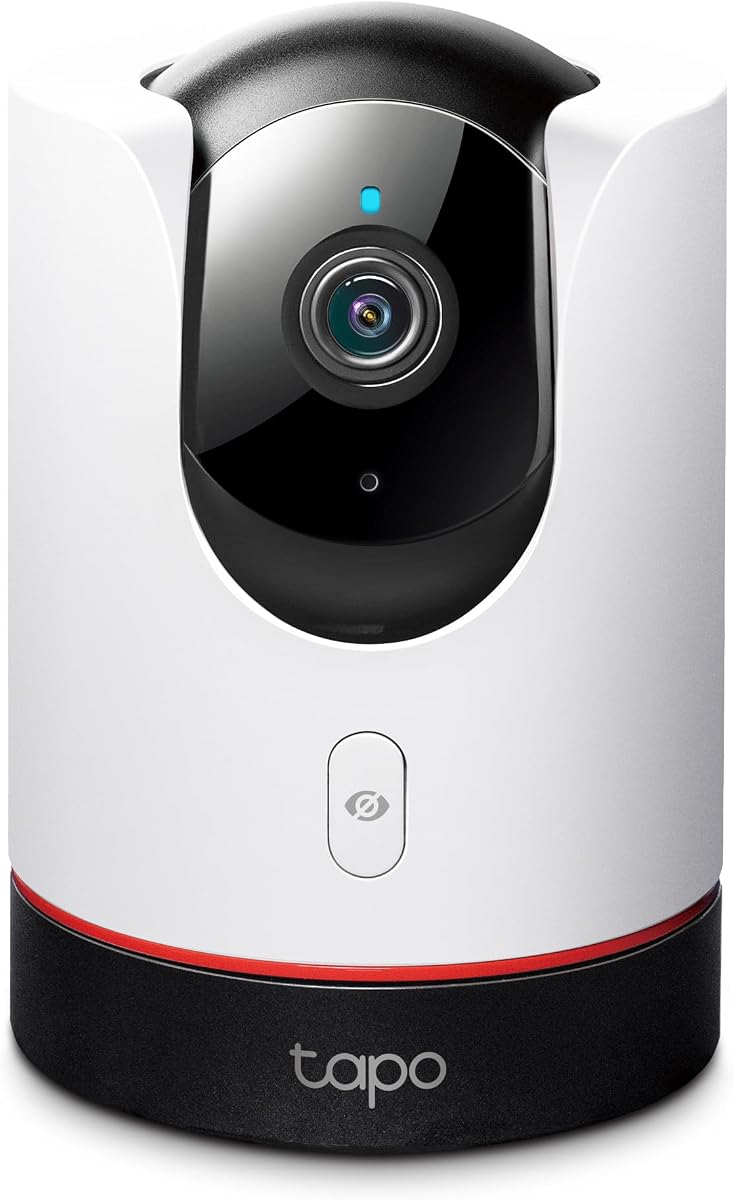
TP-Link Tapo 2K+ Pan/Tilt Security Camera Apple HomeKit, C225
4.5Editor score
360 Degree Pan Tilt
2K QHD Live View
Physical Privacy Mode
Discover the top Apple Homekit Security Cameras compared for privacy and performance in this expert guide covering ten leading models for your smart home.
Securing your home with Apple HomeKit cameras ensures privacy and seamless integration. These devices offer encrypted video feeds and smart alerts directly through your iPhone or iPad.
We evaluated ten top-rated models based on video quality, night vision, and smart detection features. Each camera supports HomeKit Secure Video for end-to-end encryption.
Every pick highlights key strengths, pros, and cons to help you choose. Prices vary by retailer and time so check current listings before buying.
4.5Editor score
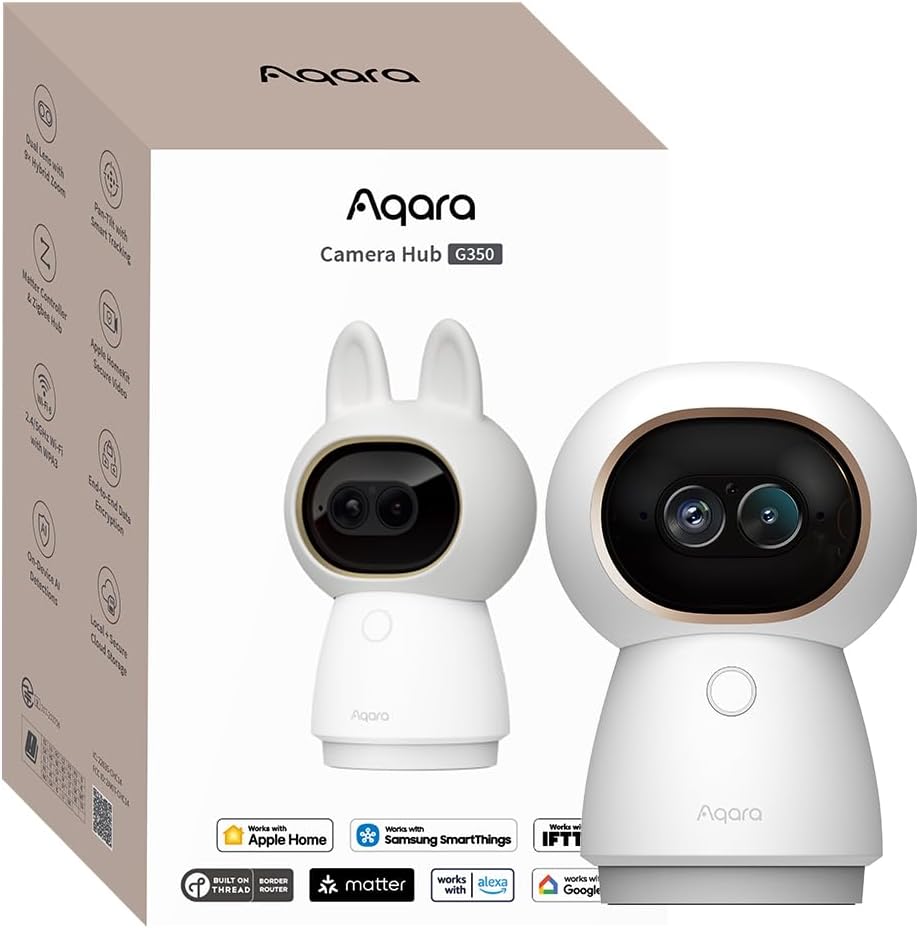
4.3Editor score
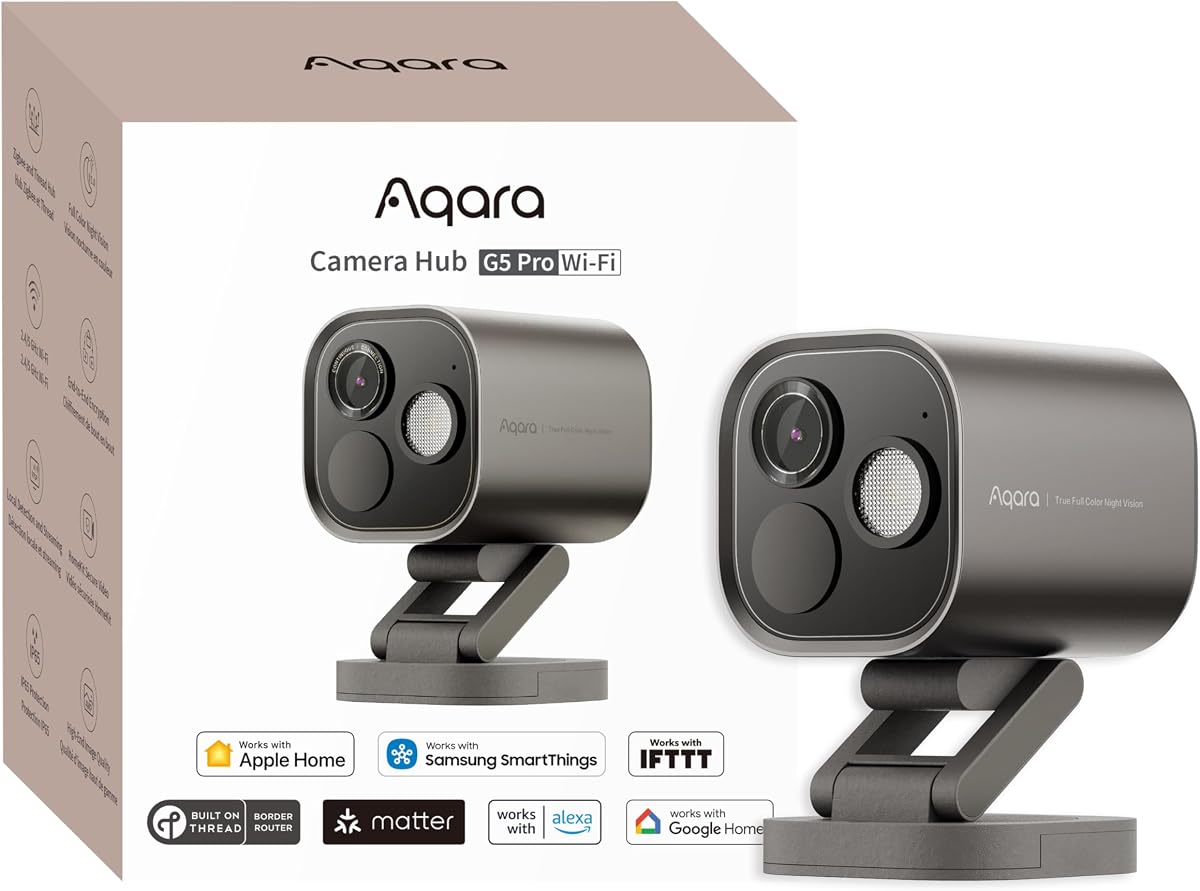
4.3Editor score
This table compares all ten models side by side for resolution, storage, and special features. Review each spec to find the right fit for your needs.



The Aqara G350 stands out with its dual-lens design offering 4K resolution for indoor monitoring. It supports HomeKit Secure Video and processes AI locally.
We may earn a commission when you buy through this link, at no additional cost to you.
Key strengths include the hybrid zoom for details and gesture control for triggering scenes. The built-in hub connects Zigbee and Thread devices to unify your smart home.
Trade-offs include reliance on the Aqara app for advanced settings and limited third-party Zigbee support. These are acceptable given the performance.
Buy this if you want premium indoor coverage with home automation capabilities. It is an excellent choice for detailed home security.
The 4K wide-angle and telephoto lenses provide both overview and detailed views without moving the camera.
As a bridge, it links Aqara sensors and lights to Apple Home or other Matter platforms effortlessly.
We may earn a commission when you buy through this link, at no additional cost to you.
The Tapo C225 offers 2K resolution and HomeKit Secure Video at a very affordable price. It delivers solid indoor monitoring with pan and tilt features.
We may earn a commission when you buy through this link, at no additional cost to you.
Its physical privacy mode is a standout for keeping the lens covered when not in use. The starlight sensor ensures clear night video even in dim light.
Trade-offs include lack of 5 GHz Wi-Fi and reliance on SD card or subscription for storage. These are minor for a budget device.
Buy this for a cost-effective indoor solution that prioritizes privacy and clarity. It is perfect for nurseries or living rooms.
360 horizontal and vertical movement ensures no corner of the room is left unseen.
The built-in shutter blocks the lens physically so you know exactly when the camera is off.
We may earn a commission when you buy through this link, at no additional cost to you.
The G5 Pro WiFi delivers true color night vision that reveals details in low light without the monochrome look. It also supports HomeKit Secure Video and local AI.
We may earn a commission when you buy through this link, at no additional cost to you.
Key strengths include dual band Wi-Fi and an 8GB eMMC storage option. It acts as a hub for Thread and Zigbee devices making it versatile.
Trade-offs involve no infrared backup for complete darkness and external power needs. These are acceptable for the premium performance it offers.
Buy this if you need high fidelity night monitoring and smart home integration. It is ideal for outdoor entrances or driveways.
The large aperture and spotlight allow color recording at night which improves identification.
Support for 5 GHz reduces interference and latency during live views.
We may earn a commission when you buy through this link, at no additional cost to you.
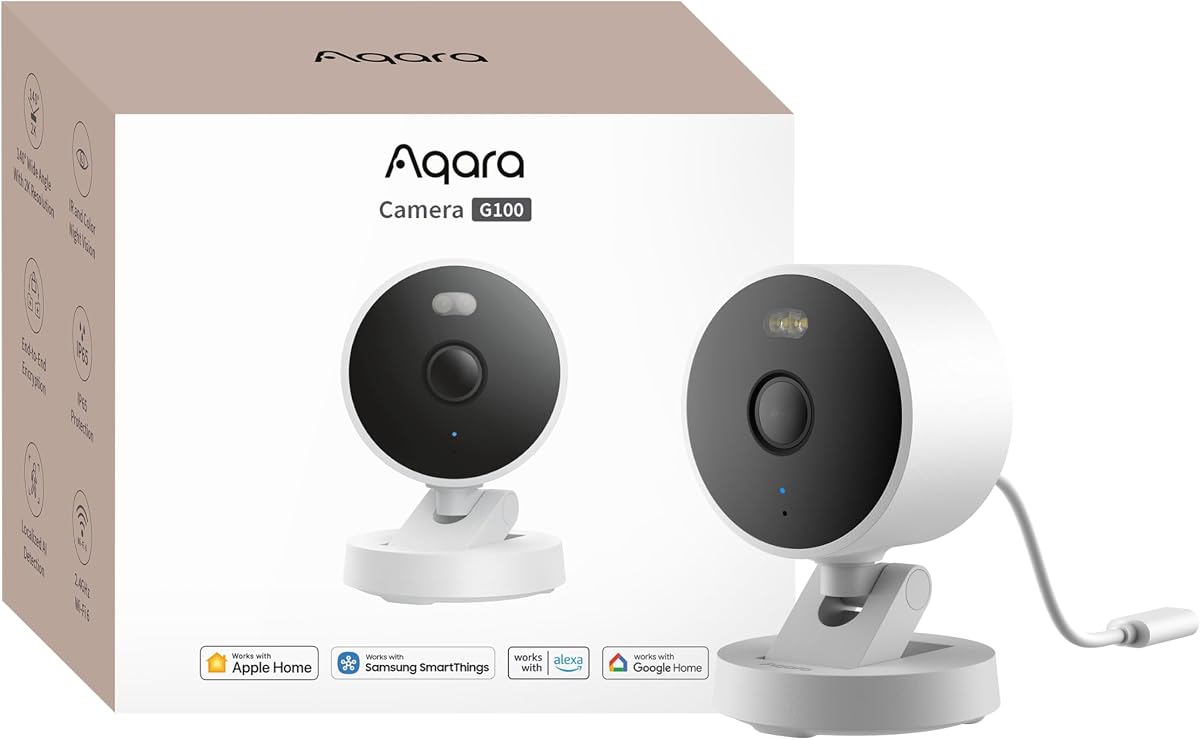
The G100 works well for both indoor and outdoor use thanks to its durable IP65 housing. It provides 2K clarity and color night vision with a spotlight.
We may earn a commission when you buy through this link, at no additional cost to you.
It supports Wi-Fi 6 and offers local AI detection for faster alerts. The camera can also stream to other smart displays besides Apple devices.
Trade-offs include manual night vision settings and resolution caps when using HomeKit Secure Video. These are manageable for a flexible camera.
Buy this if you need a single camera that handles multiple locations. It is great for porches or backyards.
Choose between color spotlight or infrared IR for discreet monitoring depending on your needs.
The RTSP protocol allows connection to Home Assistant or other platforms easily.
We may earn a commission when you buy through this link, at no additional cost to you.
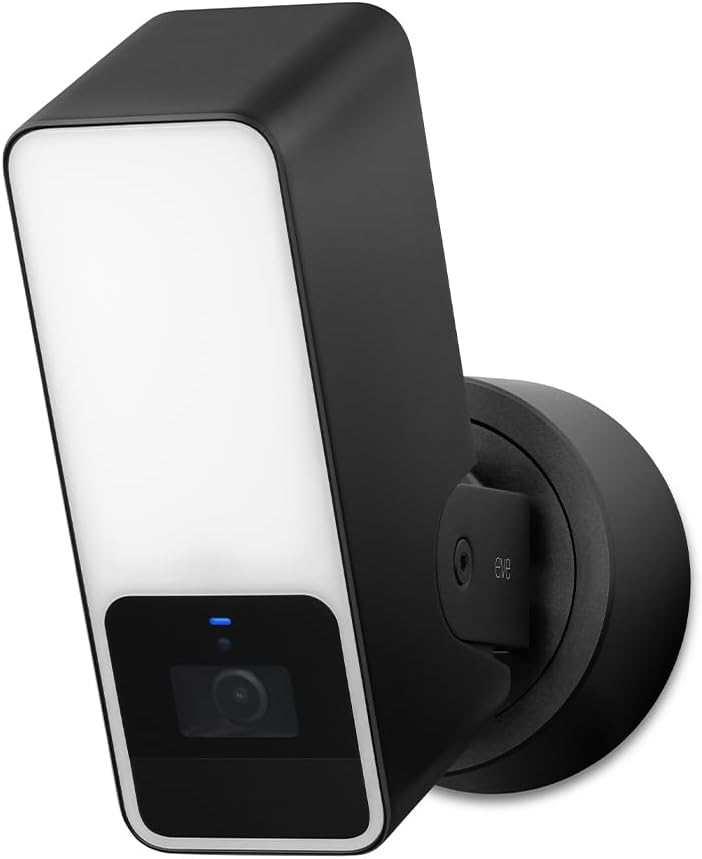
The Eve Cam is built strictly for Apple HomeKit Secure Video ensuring your data never leaves your local network. It offers solid indoor monitoring with instant notifications.
We may earn a commission when you buy through this link, at no additional cost to you.
Key strengths include local AI for distinguishing people and pets. The camera respects privacy by avoiding cloud uploads entirely.
Trade-offs include limited use to indoor spaces and no compatibility with non-Apple platforms. These are acceptable for privacy-focused users.
Buy this if Apple ecosystem privacy is your top priority. It is ideal for bedrooms or offices.
Video analysis happens inside your home so no footage is sent to remote servers.
Set automations to disable the camera when someone is home for added comfort.
We may earn a commission when you buy through this link, at no additional cost to you.
The G5 Pro PoE supports Power over Ethernet which reduces wiring hassle for permanent setups. It delivers 4MP clarity and color night vision for outdoor reliability.
We may earn a commission when you buy through this link, at no additional cost to you.
It includes local AI detection for people and vehicles. The camera acts as a bridge for Thread and Zigbee devices in your home network.
Trade-offs involve needing a PoE switch and no infrared backup. These are manageable for professional grade installations.
Buy this for robust outdoor monitoring with simplified cabling. It suits driveways and gates well.
A single Ethernet cable delivers both power and data for easier setup.
Analyze visual data on the device to prevent latency and enhance privacy.
We may earn a commission when you buy through this link, at no additional cost to you.
Circle View offers TrueView optics that capture wide 180 degree coverage with sharp 1080p detail. It is designed for HomeKit Secure Video and weatherproof use.
We may earn a commission when you buy through this link, at no additional cost to you.
The camera includes a physical tilt switch for privacy and a metal base for durability. Local video analysis ensures secure storage via iCloud.
Trade-offs include lack of continuous recording and no internal SD slot. These are acceptable for motion alerts.
Buy this for reliable outdoor monitoring in harsh conditions. It fits patios or front steps.
The 180 degree FOV minimizes blind spots around entryways.
Physically tilt the camera down to stop recording instantly without app access.
We may earn a commission when you buy through this link, at no additional cost to you.
The E1 provides 360 degree pan tilt and 2K resolution for complete indoor monitoring. It supports HomeKit Secure Video and local automation.
We may earn a commission when you buy through this link, at no additional cost to you.
Key strengths include Wi-Fi 6 support and privacy mode options. The camera can detect people and trigger automations without cloud delays.
Trade-offs include needing to supply your own USB power and limited sound detection. These are manageable for a compact camera.
Buy this for versatile indoor coverage with automation. It fits living rooms and nurseries well.
The motorized base allows remote rotation to any angle without blind spots.
Use local detection to trigger scenes or alerts without relying on internet.
We may earn a commission when you buy through this link, at no additional cost to you.
The eufy E30 offers 4K resolution and active AI tracking for indoor security. It integrates with HomeKit and allows local SD card storage.
We may earn a commission when you buy through this link, at no additional cost to you.
Strengths include superior night vision and no monthly fees for basic functions. The camera can detect cries and sounds automatically.
Trade-offs include HomeKit resolution limits and reliance on SD for continuous footage. These are minor for this price point.
Buy this for high detail indoor monitoring without subscription fees. It suits homes with pets or children.
The camera follows moving objects automatically to keep them in focus during alerts.
Save footage locally without paying cloud fees using the included SD slot.
We may earn a commission when you buy through this link, at no additional cost to you.
The G5 Pro PoE delivers 4MP clarity with color night vision and PoE support. It is perfect for setups needing wired reliability.
We may earn a commission when you buy through this link, at no additional cost to you.
It includes local AI and hub capabilities for smart home control. Storage options include local and cloud via encryption.
Trade-offs include needing a PoE switch and no infrared backup. These are manageable for professional installations.
Buy this for durable outdoor monitoring with smart home features. It is excellent for driveways and entrances.
Ethernet power simplifies wiring for permanent outdoor placements.
Connect other smart devices to unify your security setup under one platform.
We may earn a commission when you buy through this link, at no additional cost to you.
Selecting the right HomeKit camera requires understanding resolution privacy and smart features. This guide covers the essential factors to consider before purchasing.
Video resolution determines how clear your footage is especially for identifying faces or license plates. Look for cameras offering 2K or higher resolution for detailed indoor and outdoor views. Higher resolution also ensures better performance during digital zoom operations.
Choose at least 1080p for standard needs and 2K or 4K for premium clarity.
Night vision is essential for 24/7 security since intrusions often happen in dark hours. Traditional infrared provides monochrome images but modern true color night vision uses large sensors and spotlights to maintain color in low light. Decide if you prefer color or IR based on your lighting conditions.
Prioritize cameras with color night vision if you need identifiable footage at night.
Storage options impact both privacy and cost since some cameras use local storage while others rely on the cloud. HomeKit Secure Video stores footage in iCloud with encryption but requires an iCloud+ subscription. Local SD card storage avoids monthly fees and keeps data on your device.
Select local storage if you prefer avoiding monthly fees and cloud dependency.
Smart detection reduces false alarms by distinguishing between people pets and vehicles. Cameras with local AI process this data on the device ensuring faster alerts and better privacy. Look for models offering customizable zones or sound detection for extra control.
Opt for cameras with local AI to improve alert accuracy and reduce noise.
Connectivity options affect video stability and latency especially in homes with many devices. Dual-band Wi-Fi cameras allow connection to 5 GHz bands for reduced congestion while Wi-Fi 6 models offer even better performance. Ensure your router supports these bands before buying.
Choose dual-band or Wi-Fi 6 support to maintain smooth live streaming.
Outdoor cameras must resist rain dust and temperature extremes to ensure longevity. Look for IP65 or higher ratings to guarantee weather resistance for all-weather mounting. Also check if the camera includes integrated floodlights or spotlights for added functionality.
Pick cameras with high IP ratings for reliable outdoor use in harsh climates.
Smart home integration allows cameras to trigger automations with lights locks or alarms. Matter support is becoming standard for connecting devices across different ecosystems like Apple Google and Alexa. Ensure your chosen camera supports Matter if you plan to use multiple platforms.
Verify Matter or HomeKit compatibility to automate your smart home seamlessly.
Physical privacy features let you know when a camera is active by blocking the lens or tilting away. This is crucial for indoor cameras to maintain comfort while ensuring security when you leave. Look for models with physical shutters or motorized privacy modes.
Select models with physical privacy modes to protect your indoor privacy.
To start use the Home app on your iPhone or iPad and tap the plus icon to add a new accessory. Follow the on-screen instructions to scan the HomeKit code provided in the manual or on the device packaging.
Position your camera at eye level or higher to capture a broad view of the area. Avoid placing it near bright windows or heat sources that could cause glare or overheating.
Update firmware regularly through the manufacturer app to ensure security patches and new features are installed. Check your SD card capacity or iCloud+ subscription status monthly to maintain uninterrupted recording.
Yes HomeKit Secure Video requires an active iCloud+ subscription to store encrypted footage. Without iCloud+ you can still view live streams but will not be able to save recorded clips.
Some models like Aqara and TP-Link support SD cards for local continuous recording. However HomeKit Secure Video clips are saved to iCloud regardless of local storage capabilities.
HomeKit Secure Video currently caps at 1080p resolution for recorded clips. Some cameras may stream higher resolution live but clips saved via HomeKit remain at 1080p.
Open the Home app and tap the camera to view live streams. Recorded clips are accessed through the Home app history tab where they are sorted by date and event type.
Most HomeKit cameras work exclusively with Apple Home. Some third-party models like Aqara offer RTSP or Matter bridges to enable limited integration with Google or Alexa.
HomeKit Secure Video uses iCloud to store encrypted footage securely. This means data is stored in the cloud but is end-to-end encrypted and only accessible to you.
The Aqara G350 and TP-Link Tapo C225 stand out for their clarity and budget value respectively. These models offer the best balance of features and privacy for Apple users.
Prioritize cameras with local AI and true color night vision for superior performance. Ensure your chosen model supports your preferred storage method whether iCloud or local SD.
Always verify current pricing and availability before purchasing since they can change over time. Check retailer details for warranty and shipping policies to make an informed decision.