
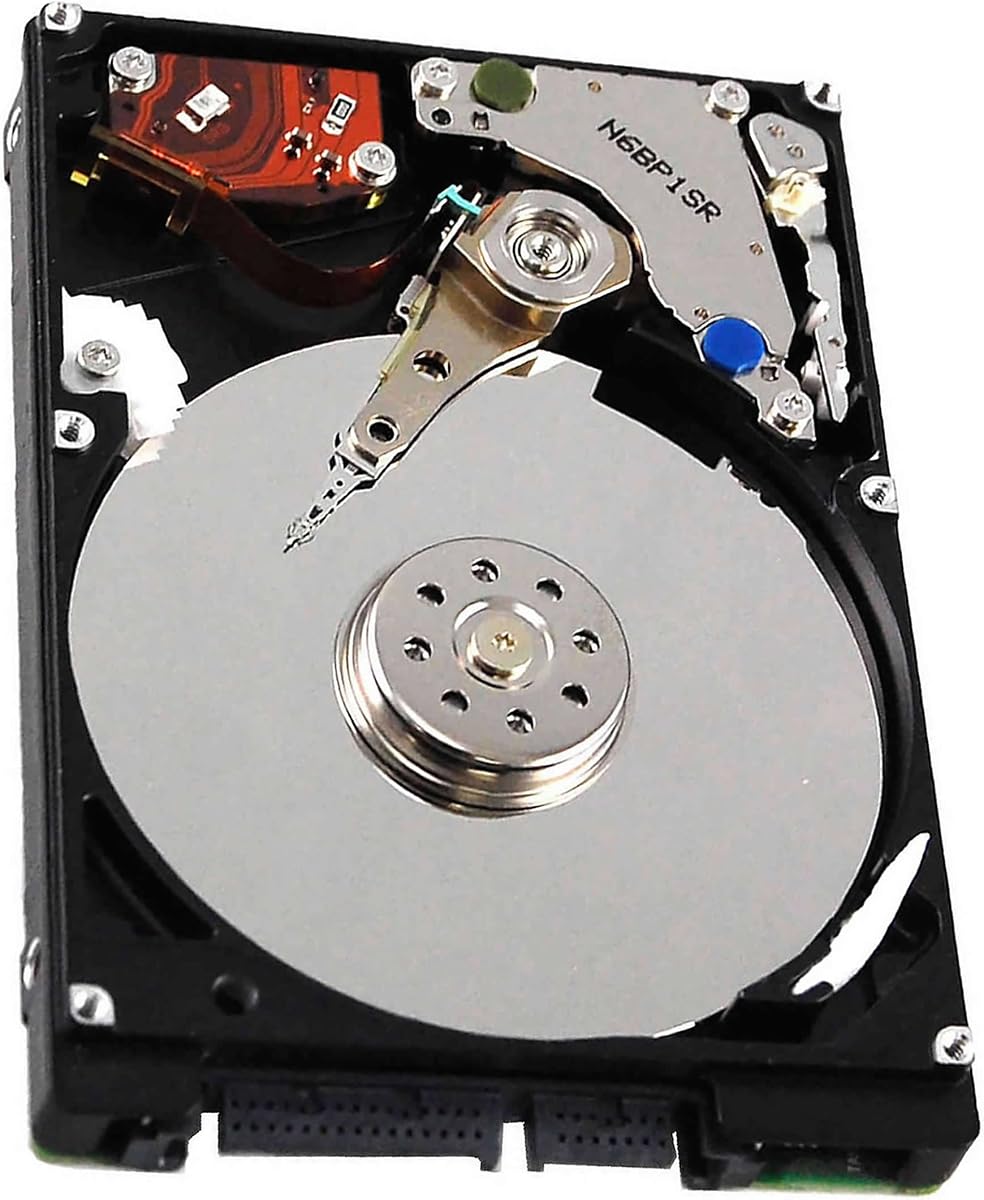
Western Digital WD Blue 2TB PC Hard Drive – 5400 RPM Class, SATA 6 Gb/s, 256 MB Cache, 3.5-inch – WD20EZAZ (Renewed)
4.5Editor score
Factory renewed condition
Zero power on hours
3.5 inch size
256MB cache buffer
Finding reliable storage is essential for modern computing needs. A 5400 Rpm HDD Hard Drive offers a balance of capacity and power efficiency for desktops and laptops.
We evaluated ten top models based on cache size, form factor, warranty, and user feedback. Our comparison highlights performance nuances across different brands and use cases.
Each pick showcases key strengths and ideal applications. Prices fluctuate frequently, so verify current listings before purchasing to ensure you get the best available deal today.
4.5Editor score

4.7Editor score

4.5Editor score
As an Amazon Associate we earn from qualifying purchases.
This side-by-side comparison details the specifications and strengths of the ten selected 5400 Rpm HDD Hard Drive models to help you choose the right storage for your system.




The Seagate BarraCuda 2TB stands out as a highly reliable internal storage solution rated 4.7 stars by users. It balances capacity and efficiency effectively for desktop and laptop upgrades.
We may earn a commission when you buy through this link, at no additional cost to you.
Its 128MB cache buffer and 5400 RPM speed ensure smooth data flow for everyday tasks like media storage and photo editing. The 2.5 inch form factor fits nearly any chassis.
While it lacks the speed of 7200 RPM drives, the power efficiency is a major benefit for battery-powered systems. Noise levels remain low even under sustained loads during file transfers.
Buy this drive if you need dependable storage for work or media libraries where capacity matters more than raw throughput speeds.
This drive optimizes energy use which extends laptop battery life and reduces heat generation inside compact enclosures.
Seagate uses eco friendly packaging that simplifies unboxing and reduces waste while ensuring safe transit to your home.
We may earn a commission when you buy through this link, at no additional cost to you.
This 6TB model provides massive storage space for users needing to archive large video files or game libraries without relying on cloud services. It scores 4.3 stars for reliability.
We may earn a commission when you buy through this link, at no additional cost to you.
The 256MB cache helps manage data requests efficiently for a 5400 RPM drive. It supports heavy usage patterns typical of desktop environments where sustained capacity matters.
Physical size limits its use to desktop PCs rather than laptops. Power requirements are higher than 2.5 inch models but standard for 3.5 inch drives in this class.
Choose this drive for home media centers or desktop systems needing bulk storage without the cost of higher speed enterprise drives.
Six terabytes allows storing thousands of high resolution videos or hundreds of games without external drive clutter.
The large buffer improves data access times for frequently used files making it responsive despite lower RPM speeds.
We may earn a commission when you buy through this link, at no additional cost to you.
This 5TB model in 2.5 inch form factor offers rare capacity density for portable devices. It earns 4.2 stars for reliability across varied laptop upgrade projects.
We may earn a commission when you buy through this link, at no additional cost to you.
It maintains standard 128MB cache and 5400 RPM speeds ensuring efficient power use. The compact size allows fitting into small form factor desktops or slim notebooks easily.
While expensive compared to larger drives it solves space constraints for users needing bulk storage in portable systems. Performance remains adequate for media tasks.
Buy this if space is limited but you need high capacity without adding external drive enclosures to your workflow.
Designed for laptops this drive uses less energy which extends battery life during long work sessions away from outlets.
Fits into slim laptop bays that larger desktop drives cannot occupy making it ideal for compact system upgrades.
We may earn a commission when you buy through this link, at no additional cost to you.
Toshiba designed this drive specifically for gaming laptops with shock sensors and ramp loading tech to handle vibrations. It scores 4.6 stars for durability in mobile systems.
We may earn a commission when you buy through this link, at no additional cost to you.
The 9.5mm height fits most laptop chassis while the low power profile preserves battery. Cache tech improves real time performance during gameplay or multitasking sessions.
While not as fast as solid state drives it provides cost effective mass storage for game libraries. Durability features help survive travel or mobile use scenarios.
Buy this for gaming laptops needing internal bulk storage without upgrading to expensive high speed SSDs for every application.
Built in sensors and ramp loading protect data integrity during movement or travel which is vital for mobile users.
Low power design reduces energy draw allowing laptops to run longer on battery when storing heavy game files.
We may earn a commission when you buy through this link, at no additional cost to you.
This mobile internal hard drive uses specialized caching to optimize data flow for frequent access. It earns 4.6 stars for reliability in laptop and portable setups.
We may earn a commission when you buy through this link, at no additional cost to you.
The 2TB capacity suits general computing while the 2.5 inch size fits most slim chassis. Users appreciate the two year warranty which provides peace of mind for long term use.
Though not designed for heavy server loads it handles daily multitasking well. It balances cost and performance better than many competing mobile storage options.
Buy this if you need a reliable internal drive for laptops with consistent performance for daily computing tasks.
Specialized caches improve data flow allowing applications to load faster despite using a traditional spinning disk.
Two year limited warranty covers defects ensuring users are supported if issues arise within the standard period.
We may earn a commission when you buy through this link, at no additional cost to you.
This renewed drive offers factory certified quality with zero power on hours ensuring like new performance. It scores 4.5 stars for value among budget conscious builders.
We may earn a commission when you buy through this link, at no additional cost to you.
The 256MB cache improves data handling for a 5400 RPM class drive. It fits standard 3.5 inch bays and supports desktop usage for media or basic gaming.
Renewed products provide significant savings compared to new units. Quality control processes verify functionality before sale which mitigates risk for buyers.
Choose this if you want reliable storage at the lowest possible price without sacrificing essential performance features.
Recertified drives undergo testing to ensure they meet original performance standards before reaching customers.
Starting with zero hours means the drive has not been used significantly extending its usable lifespan.
We may earn a commission when you buy through this link, at no additional cost to you.
Seagate Momentus drives are known for rugged design suitable for industrial or mobile notebook use. This 320GB model scores 4.3 stars for durability in challenging environments.
We may earn a commission when you buy through this link, at no additional cost to you.
It features G-Force Protection which handles 1000 Gs of nonoperating shock. Native Command Queuing optimizes data flow for consistent throughput even under variable loads.
While capacity is lower than modern 2TB drives the ruggedness is unique for specific use cases. SATA 3Gb/s ensures compatibility with older systems easily.
Buy this for legacy systems or rugged notebooks where physical shock resistance is more critical than storage density.
Robust design handles extreme physical shocks preventing data loss during transport or rough handling.
Designed for rugged environments this drive maintains performance where standard drives might fail due to vibration.
We may earn a commission when you buy through this link, at no additional cost to you.
IronWolf drives are purpose built for NAS enclosures with CMR technology ensuring reliability in multiuser environments. It scores 4.5 stars for uptime and data integrity.
We may earn a commission when you buy through this link, at no additional cost to you.
Integrated Health Management helps monitor drive status proactively. Rescue services and three year warranty add layers of protection for critical data storage.
Vibration reduction ensures consistent performance in multi drive bays. The higher cost is justified by features unavailable on standard desktop drives.
Buy this for home or business NAS setups where uptime and RAID compatibility are paramount for data security.
Designed specifically for networked storage this drive handles constant workloads without premature wear or failure.
Integrated tools alert you to potential issues before they impact performance ensuring proactive maintenance.
We may earn a commission when you buy through this link, at no additional cost to you.
This 4TB BarraCuda offers a balanced solution with high sustained transfer rates for everyday tasks. It earns 4.7 stars for reliability and ease of use.
We may earn a commission when you buy through this link, at no additional cost to you.
Included DiscWizard software simplifies data migration from old drives. The 256MB cache ensures smooth operation during file transfers and application loading.
While not suitable for high performance gaming it handles media and productivity workloads well. Packaging reduces waste and simplifies setup.
Choose this for desktop PCs needing bulk storage with easy data migration tools and dependable performance.
Free DiscWizard allows seamless data transfer from old drives ensuring no data loss during upgrades.
High transfer rates keep large file operations smooth without stuttering or delays during backups.
We may earn a commission when you buy through this link, at no additional cost to you.
WD Red Plus drives use CMR technology and NASware tuning for reliable NAS performance. It scores 4.2 stars for consistent operation in multi bay setups.
We may earn a commission when you buy through this link, at no additional cost to you.
Designed for continuous operation this drive supports up to eight bays. World-class support and warranty add reliability to your storage investment.
It balances cost and performance for small business or home NAS users. Optimization prevents errors common in standard drives used in RAID arrays.
Buy this for RAID systems needing stable throughput and long term reliability in networked storage environments.
Tuned specifically for NAS this drive improves RAID compatibility and prevents performance drops under load.
Built for 24/7 usage it handles constant workloads without overheating or premature failure.
We may earn a commission when you buy through this link, at no additional cost to you.
Choosing the right storage requires understanding capacity needs and form factor constraints.
Assess how much data you need to store for media or applications. Larger capacities like 4TB or 6TB are ideal for libraries while 2TB suits general use.
Select a capacity that leaves room for growth without paying for unused storage space.
Desktop PCs typically use 3.5 inch drives while laptops need 2.5 inch units. Ensure your case supports the physical dimensions before purchasing.
Check height requirements especially for slim laptops that only accept 7mm or 9.5mm drives.
Look for SATA 6Gb/s interfaces which provide maximum bandwidth for standard hard drives. Older SATA 3Gb/s may bottleneck newer technology.
Confirm your motherboard supports the interface to avoid unnecessary slowdowns.
Larger cache buffers like 128MB or 256MB improve data access speed for frequent files. This reduces latency during multitasking.
Prioritize higher cache values for desktops that handle multiple applications simultaneously.
Desktop drives are optimized for intermittent use while NAS drives support 24/7 continuous operation. Gaming laptops benefit from rugged designs with shock protection.
Match the drive class to your workload to maximize lifespan and performance.
Standard warranties range from two to three years. Extended coverage protects your investment against early failures.
Check if rescue services are included for critical data recovery needs.
Laptops require low power drives to maintain battery life. Desktops have more flexibility but efficient models reduce heat and electricity costs.
Review technical specs for wattage ratings before finalizing your choice.
Compare price per TB across models to ensure best value. Renewed options offer savings but require verifying warranty terms.
Balance budget with long term reliability needs for critical data.
Install the drive in a stable position to prevent physical damage from vibrations. Ensure adequate airflow around the drive to avoid overheating.
Use disk checking tools regularly to verify file integrity. Back up critical data to secondary locations to prevent loss.
Avoid moving devices while active. Proper shutdown procedures ensure the drive head parks safely and extends hardware life.
Yes they remain ideal for bulk storage where capacity and power efficiency matter. They are perfect for media libraries and backups but not for heavy gaming.
Check your laptop's form factor and height limits first. Most laptops accept 2.5 inch drives but some only support 7mm thickness models.
CMR stands for Conventional Magnetic Recording which ensures data stability for RAID setups. It is essential for NAS drives compared to SMR alternatives.
External enclosures can connect them to consoles for media storage. Internal drives may work but check specific console compatibility and SATA support.
They produce less noise than 7200 RPM models due to lower spin speed. Most users find the hum negligible in normal office environments.
Factory renewed drives undergo testing ensuring zero power on hours and full functionality. They are safe provided they include standard warranty coverage.
With proper usage expect 5 to 10 years of service life. Regular backups protect your data regardless of hardware longevity.
We highlighted ten top models ranging from budget-friendly options to premium NAS solutions.
Prioritize capacity and form factor first then consider cache size for performance needs.
Always verify current pricing and warranty terms before purchase to get the best deal today.