
Rongta Bluetooth Shipping Label Printer
4.0Editor score
Affordable entry price
Auto label detection
Mobile Bluetooth printing
Discover the top 10 DHL label printers for small businesses. We compare thermal shipping printers for speed, connectivity, and compatibility with major
Finding the right DHL label printer is crucial for efficient shipping operations. A good thermal printer ensures crisp barcodes, fast output, and seamless integration with your e-commerce platform to keep packages moving.
We evaluated ten top-rated thermal printers based on connectivity options, print quality, and platform compatibility. Each product was analyzed for its ability to handle high-volume shipping while maintaining reliability and ease of use for small business owners.
Each pick highlights specific strengths like wireless connectivity or cost efficiency to help you choose wisely. Prices and availability change frequently so please verify current details before purchasing to ensure you get the best value for your shipping needs.
4.0Editor score

4.6Editor score

4.1Editor score
This side by side comparison highlights the key specifications and strengths of each printer to help you make an informed decision for your shipping workflow.






The Rollo USB Shipping Label Printer stands out as a reliable workhorse for small businesses needing consistent performance. With a rating of 4.6 stars it is praised for its commercial grade build quality and fast output speeds.
We may earn a commission when you buy through this link, at no additional cost to you.
Its 203 DPI print head ensures barcodes and addresses are sharp and easily scannable which reduces shipping errors. The direct thermal technology means no ink or toner is required saving money over time.
While it lacks wireless connectivity the USB connection is stable and works seamlessly with Windows and Mac systems. Some users might find the price point higher than basic models but the durability justifies the investment.
If you need a printer that can handle high volumes without jamming this is an excellent choice. It integrates well with major shipping platforms making it a top recommendation for daily operations.
Print up to one 4×6 label per second to keep your shipping line moving efficiently during peak seasons.
Works with major platforms like Amazon eBay Shopify and FedEx to streamline your label creation process.
We may earn a commission when you buy through this link, at no additional cost to you.
The Rongta Bluetooth Shipping Label Printer offers an accessible entry point for small businesses needing wireless label printing. With a 4.0 rating it balances cost and functionality effectively for budget conscious users.
We may earn a commission when you buy through this link, at no additional cost to you.
Its automatic label identification feature eliminates manual adjustments saving time and reducing user error during the printing process. Bluetooth connectivity allows printing directly from iOS and Android devices via the dedicated app.
The compact design fits easily on small desks or in shipping areas making it ideal for home offices. While it may not match the speed of premium models it delivers solid performance for moderate shipping volumes.
For entrepreneurs looking to start shipping without a large upfront investment this printer is a smart option. It supports standard 4×6 labels and integrates with popular shipping platforms for smooth operations.
The printer detects and feeds labels automatically so you spend less time adjusting settings and more time shipping.
Download the RONGTA app to print labels directly from your smartphone or tablet without needing a computer.
We may earn a commission when you buy through this link, at no additional cost to you.
The Rollo Wireless Shipping Label Printer brings convenience to the next level with true WiFi connectivity. Rated at 4.1 stars it is designed for users who want to print from anywhere on their network.
We may earn a commission when you buy through this link, at no additional cost to you.
Supporting AirPrint means iPhone and Mac users can print labels directly without installing extra drivers. The 203 DPI print head ensures clear text and barcodes which is vital for professional shipping labels.
While the price is higher than wired models the freedom of wireless operation often justifies the cost for busy warehouses. It works with Windows Android and Linux ensuring broad compatibility across different office environments.
If you need to print labels from mobile devices or multiple computers this printer delivers the flexibility you need. It integrates with major shipping platforms to streamline your workflow effectively.
Connect via WiFi to print from any device on your network without the hassle of cables or drivers.
Engineered for long-lasting performance with a print head life that exceeds many competitors by a significant margin.
We may earn a commission when you buy through this link, at no additional cost to you.
The JADENS Bluetooth Thermal Shipping Label Printer combines high tech features with user friendly operation. With a 4.4 rating it is favored for its Japanese print head quality and straightforward setup process.
We may earn a commission when you buy through this link, at no additional cost to you.
It supports both fanfold and roll labels offering flexibility for different shipping needs. Bluetooth works seamlessly with Windows and Mac while mobile users can use the Jadens printer app for iOS and Android.
The USB connection provides a stable alternative when wireless signals are weak. Long pressing the feed button helps calibrate label sizes quickly which minimizes waste during setup changes.
This printer is well suited for small businesses needing reliable wireless printing without a high price tag. It integrates with platforms like ShipStation and Amazon to facilitate efficient order processing.
Use both fanfold and roll labels to match your specific workflow and storage preferences easily.
Drivers and instruction videos are provided on a U-Disk for a smooth and fast initial configuration.
We may earn a commission when you buy through this link, at no additional cost to you.
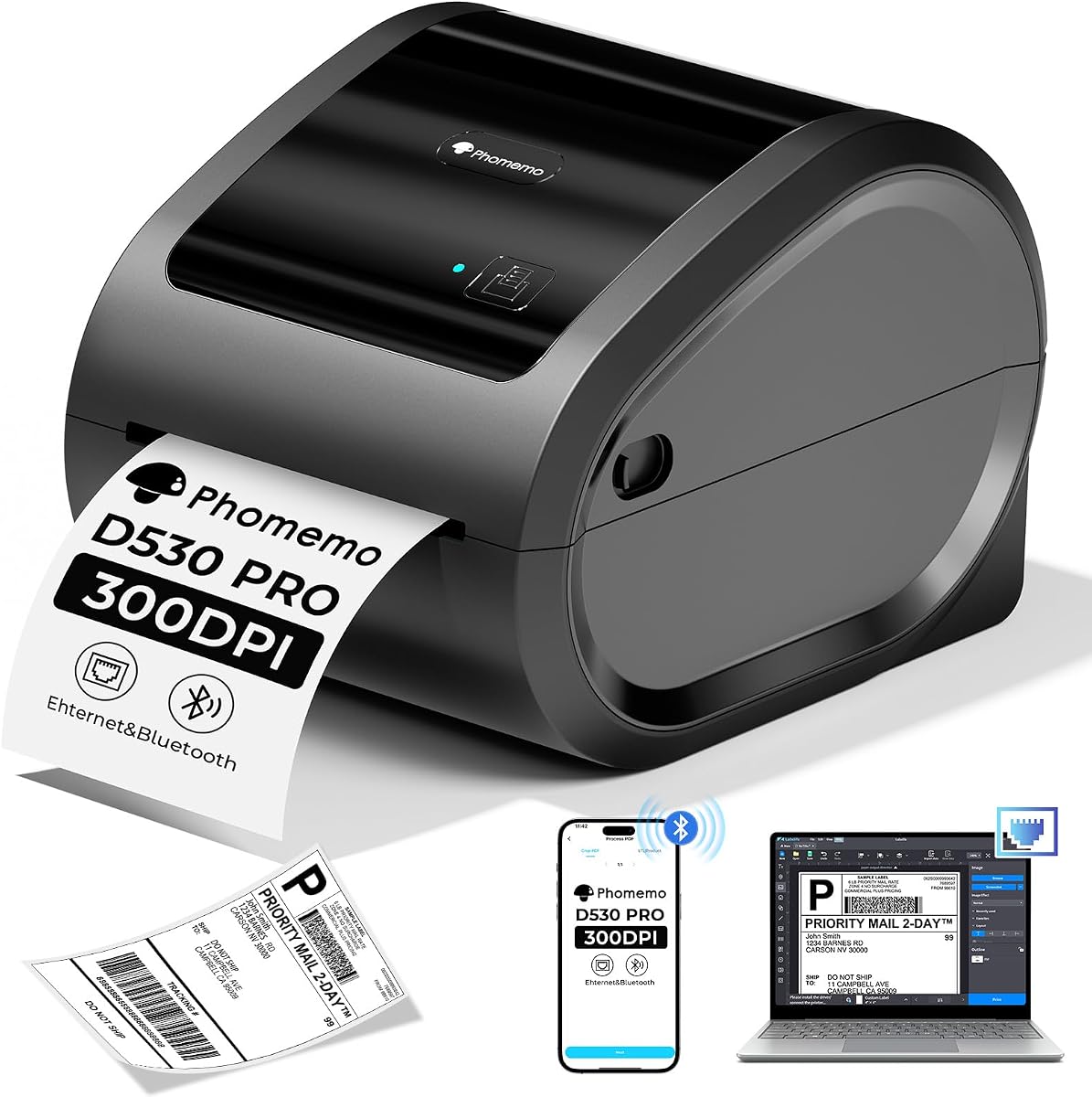
The Phomemo 300DPI Ethernet Thermal Label Printer offers superior print clarity with a 300 DPI resolution. Rated at 4.1 stars it stands out for its ability to produce very sharp text and barcodes for professional use.
We may earn a commission when you buy through this link, at no additional cost to you.
Its built-in paper bin holds up to 500 labels saving space and keeping your desk tidy. The printer supports Ethernet USB and Bluetooth allowing you to choose the most stable connection for your office.
The label return function helps save waste by feeding back used labels which is great for cost conscious users. It works with major platforms like Amazon Shopify and DHL to streamline your shipping workflow.
If you need higher resolution than standard 203 DPI printers this model delivers excellent results. It is ideal for businesses requiring precise labeling for inventory and shipping tasks.
With 300 DPI resolution your barcodes and addresses will be exceptionally clear and easy to scan.
The built-in bin eliminates the need for extra paper holders keeping your workspace organized and clean.
We may earn a commission when you buy through this link, at no additional cost to you.
The MUNBYN Bluetooth Thermal Label Printer is designed for quiet environments with operation at just 60 decibels. With a 4.2 rating it appeals to home offices or shared workspaces where noise levels matter.
We may earn a commission when you buy through this link, at no additional cost to you.
Its DAC Dynamic Algorithm Tech auto-calibrates to reduce misalignment ensuring consistent print quality. The printer is built to last with a life of up to 970000 labels which is significantly longer than many competitors.
Users appreciate the near-zero jam rate which keeps productivity high during busy shipping periods. The indicator light design helps confirm stable connections without constant monitoring or confusion.
If you need a printer that works quietly and reliably without constant jams this is a strong candidate. It supports various label sizes to meet diverse shipping and labeling needs.
Run your printer without disturbing colleagues or family members thanks to its low 60 decibel noise level.
The DAC chip ensures labels align correctly every time reducing waste and improving your overall output quality.
We may earn a commission when you buy through this link, at no additional cost to you.
The KNAON Bluetooth Thermal Shipping Label Printer offers high speed performance with a rate up to 180mm/s. With a 4.4 rating it is praised for its portability and extensive design options for various labels.
We may earn a commission when you buy through this link, at no additional cost to you.
It includes over 3000 templates and 5000 icons for easy customization. The compact size allows you to store it anywhere making it perfect for businesses that move frequently or have limited space.
The printer connects via USB or Bluetooth and requires the FlashLabel Pro app for some features. Users can save logistics labels as PDFs to import into the app for printing which simplifies workflow.
If you need a fast and portable solution for shipping and labeling this printer delivers solid results. It works well with platforms like Etsy Shopify and DHL to support small business growth.
Choose from thousands of templates to create shipping labels thank you notes and inventory tags effortlessly.
Weighing little and fitting easily on a desk this printer travels well with you to different locations.
We may earn a commission when you buy through this link, at no additional cost to you.
The Nelko Bluetooth Thermal Shipping Label Printer is a compact option for small businesses with limited desk space. With a 4.3 rating it is known for its clear printing and efficient operation at 150mm/s.
We may earn a commission when you buy through this link, at no additional cost to you.
It supports a wide range of label sizes from 1.54 to 4.1 inches which covers most standard shipping needs. Mac users must connect via USB since Bluetooth is not supported on M1 or M2 CPUs directly.
Instruction videos are provided on a U-Disk to help with setup and troubleshooting. The printer works with platforms like eBay Amazon and Shopify to make shipping logistics easier.
If you need a small printer that handles daily labels without hassle this is a reliable choice. It balances cost and performance well for home or small commercial use.
Take up minimal desk space with a design that fits easily even on smaller workstations.
Access instruction and problem solving videos to quickly resolve any issues during initial setup.
We may earn a commission when you buy through this link, at no additional cost to you.
The Thermal Shipping Label Printer delivers energy efficient performance ideal for high volume small business shipping. With a 4.4 rating it is noted for its 203 DPI clarity and fast 150mm/s print speed.
We may earn a commission when you buy through this link, at no additional cost to you.
It includes over 1800 customizable templates and supports offline storage for quick label creation. The package comes with 25 sheets of labels so you can start printing right out of the box.
Bluetooth and USB connections offer flexibility depending on your setup needs. Built-in overheat protection ensures stable performance during long printing sessions without interruptions.
If you want a ready to use solution that saves on maintenance costs this is a great option. It integrates with major carriers like USPS UPS and DHL for seamless shipping.
Includes power cord USB cable and thermal labels to get you started immediately without extra purchases.
Overheat protection keeps the printer running smoothly even during extended busy shipping periods.
We may earn a commission when you buy through this link, at no additional cost to you.
The DYMO LabelWriter 550 Series Label Printer offers precise printing with automatic label recognition features. With a 3.6 rating it is appreciated for its low waste design and eco friendly packaging options.
We may earn a commission when you buy through this link, at no additional cost to you.
It works exclusively with authentic DYMO labels which are BPA free and made from FSC certified material. This ensures high quality output but limits options for label choices and costs.
Direct thermal technology means no ink is required which simplifies maintenance. The ability to print precise quantities reduces leftover sheet labels which is a common source of waste.
If you prefer a printer focused on waste reduction and use standard DYMO labels this fits well. It is suitable for light to moderate use where label consistency is important.
Plastic free packaging and low waste features align with sustainable business practices and environmental goals.
The printer detects label types automatically to simplify setup and prevent misalignment issues.
We may earn a commission when you buy through this link, at no additional cost to you.
Selecting the right DHL label printer depends on your specific business needs and budget. Consider these key factors to ensure you get a device that fits your workflow.
Decide between USB Bluetooth or WiFi based on your office setup. USB provides stability while wireless allows flexible mobile printing.
Choose a printer that supports your preferred connection method to avoid compatibility issues with your devices.
Look for a resolution of at least 203 DPI to ensure barcodes and addresses are crisp and scannable.
Higher DPI improves readability and reduces shipping errors caused by poor label quality.
Faster speeds like 150mm/s help handle high volumes efficiently during peak shipping times.
Prioritize speed if you ship large orders daily to maintain productivity and reduce wait times.
Ensure the printer integrates with your e-commerce platforms like Amazon Shopify or DHL directly.
Compatible software reduces manual steps and streamlines the label creation process.
Check the print head life rating to understand how long the device will last under daily use.
Commercial grade printers often offer longer lifespans reducing long-term replacement costs.
Verify the printer supports standard 4×6 labels and any custom sizes you might need.
Flexibility in label width ensures you can handle various package types without needing multiple printers.
Look for models with intuitive software and driver guides for quick installation.
A simple setup saves time and allows you to start shipping orders faster.
Consider the total cost of ownership including labels and maintenance rather than just the printer price.
Thermal technology eliminates ink costs which can significantly reduce long-term expenses.
Start by connecting your printer to your computer or mobile device using the recommended cable or wireless method. Install the necessary drivers or apps from the manufacturer's website to enable communication.
Load the thermal labels into the paper slot ensuring they are aligned correctly with the sensors. Adjust the paper guides to fit the label width snugly to prevent jams.
Clean the print head regularly with a soft cloth to remove dust or residue that may affect print quality. Store labels in a cool dry place to maintain their sensitivity and performance.
Yes most thermal label printers are universal and work with carriers like USPS UPS and FedEx. The printer hardware is generic so any label file you generate from a shipping platform can be printed on these devices.
You need direct thermal labels that are heat sensitive. These labels do not require ink or toner and are designed to darken when heated by the printer head for a permanent image.
Many modern printers support Bluetooth or WiFi printing allowing you to print labels from iOS or Android devices. You will typically need to download a dedicated app from the manufacturer to manage the print job.
Turn off the printer and open the cover to remove the jammed paper carefully. Clean the sensors and rollers of any debris before reloading the labels to ensure smooth operation.
DPI stands for dots per inch which indicates the print resolution. A 203 DPI printer produces sharp and clear text and barcodes essential for professional shipping labels.
No thermal printers use heat to produce images on special paper so no ink or toner cartridges are required. This makes them more cost effective and easier to maintain over time.
Calibration ensures the printer knows where the labels end. Hold the feed button for a few seconds until the printer feeds one label automatically or follow the instructions in the user manual.
Most models offer dedicated Mac drivers or app support. If Bluetooth is not supported you may need to connect via USB to ensure stable printing on macOS systems.
We reviewed ten thermal printers ranging from budget friendly options to high-end wireless models to help you make an informed decision for your business needs.
Prioritize features like connectivity and print quality based on your daily shipping volume and workspace setup to maximize efficiency.
Keep in mind that pricing and stock levels change so verify current product details on the retailer site before you buy.