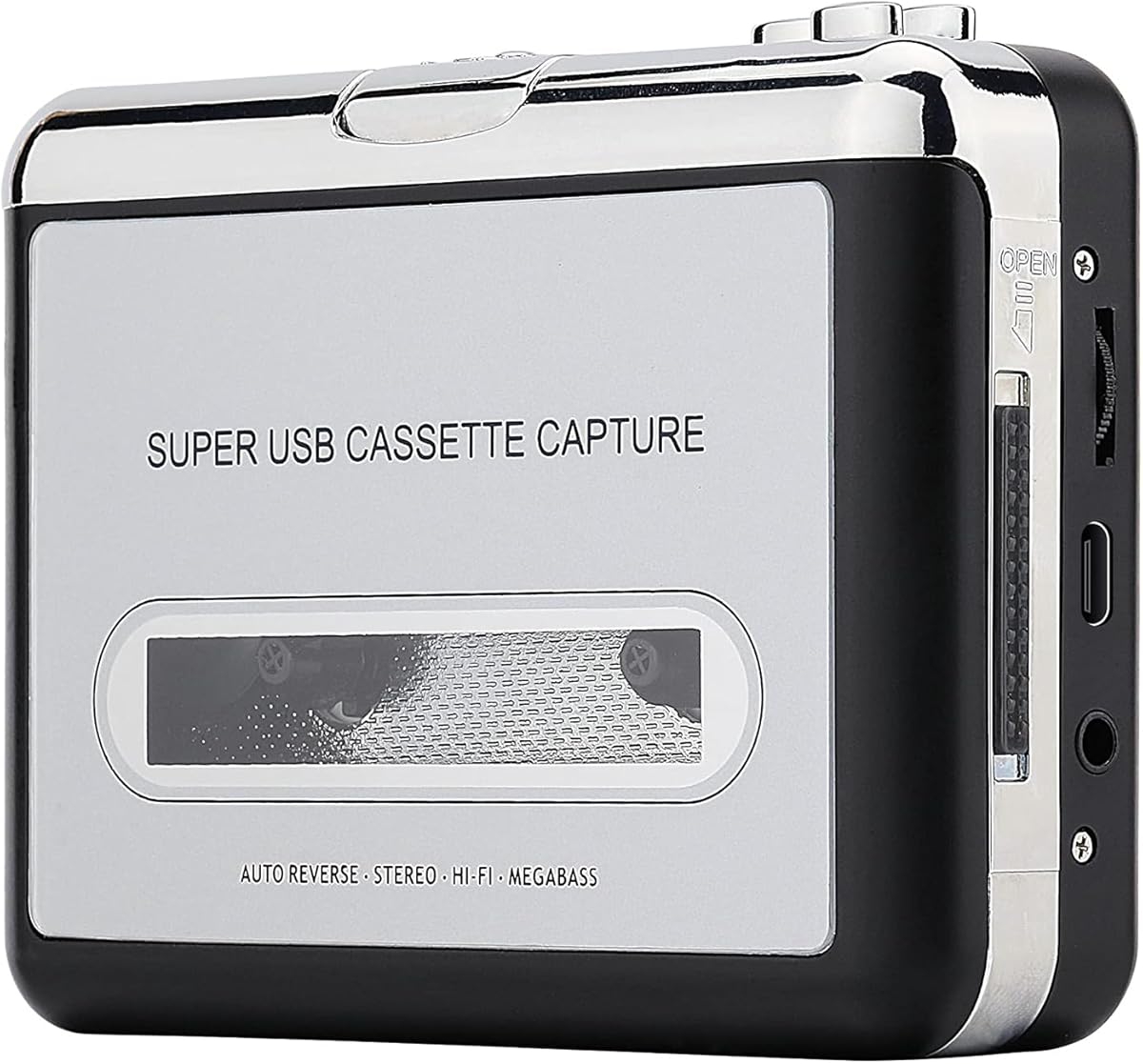
Reshow Cassette Tape Player
3.8Editor score
USB cable conversion
Standard headphone jack
Compact vintage design
This guide compares the top cassette to MP3 converter models to help you digitize tapes easily with features like USB, SD card, and Bluetooth support.
Preserving your favorite cassette tapes is easier than ever with modern cassette to MP3 converter devices. These tools let you transfer audio to digital formats without needing a computer or complex software. Choose a model that fits your workflow and budget for seamless conversion.
We compared ten leading cassette to MP3 converter products based on features like recording modes, storage options, and battery life. Each entry offers unique benefits whether you need portable playback or direct USB transfer. Our list covers various price points and technical capabilities.
Each pick highlights key strengths such as built-in microphones, SD card support, or Bluetooth streaming. Prices and availability can change so verify details before purchasing. Use this guide to find the right device for archiving your analog music collection.
3.8Editor score

4.5Editor score

4.3Editor score
Compare all ten cassette to MP3 converter models side by side to see which features match your needs. From basic USB converters to advanced Bluetooth-enabled recorders this table shows key specs for every option available.


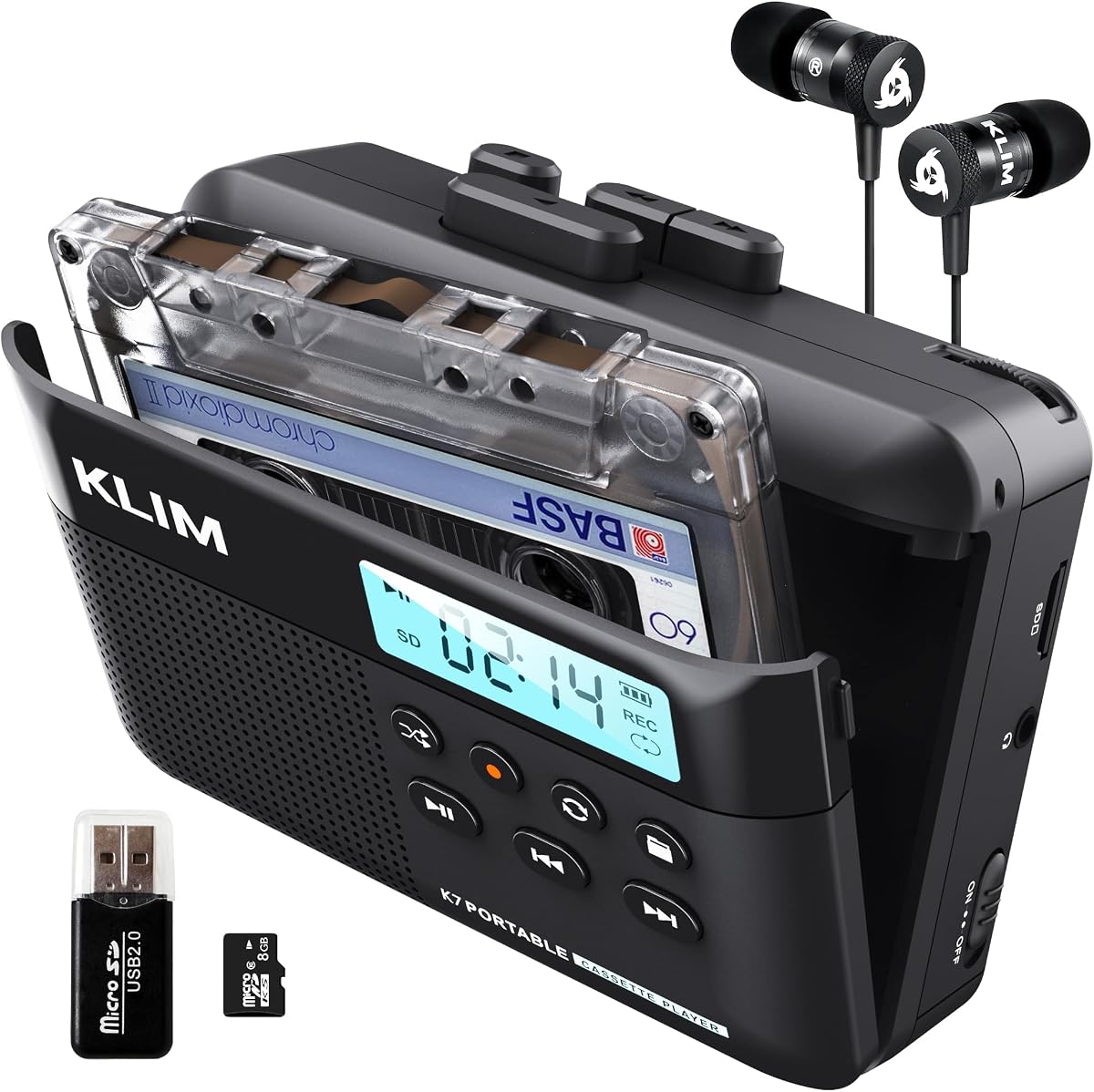


The ClearClick cassette to MP3 converter stands out for its straightforward USB drive workflow. It holds a 4.5 rating and eliminates the need for external software or computers making it ideal for quick transfers.
We may earn a commission when you buy through this link, at no additional cost to you.
Its standout feature is automatic track splitting which creates individual MP3 files from side A and side B recordings. This saves time when organizing music libraries. The included 16GB USB drive ensures immediate storage without extra purchases.
While it lacks wireless options the device excels in portability and ease of use. The lack of software dependency means fewer compatibility issues across different operating systems. Users appreciate the instant setup and reliable performance.
Buyers seeking a plug-and-play solution for analog tapes should consider this model. It delivers reliable conversion without technical hurdles making it perfect for archiving home recordings or music collections efficiently and effectively.
This model connects directly to a USB drive removing the need for software installation or computer connection during conversion.
The file splitting feature automatically separates tracks into individual MP3 files saving manual editing time.
We may earn a commission when you buy through this link, at no additional cost to you.
The Reshow cassette to MP3 converter offers an entry-level option for digitizing tapes. With a rating of 3.8 it provides basic functionality for those needing simple conversion without advanced features.
We may earn a commission when you buy through this link, at no additional cost to you.
Its primary strength lies in affordability and broad compatibility. The included software supports laptops and personal computers enabling standard MP3 transfers. The 3.5mm AUX input allows connection to car stereos or external speakers.
While it requires a PC for transfers this limits portability compared to standalone units. Users should ensure their operating system supports the included software. Sound quality is adequate for personal listening but not audiophile grade.
This model suits users on a tight budget who already own a computer. It is a practical choice for occasional tape transfers or students needing to digitize class recordings cheaply and effectively.
Priced lower than most competitors this player offers essential conversion features without extra bells or whistles.
The standard 3.5mm jack connects easily to headphones car stereos and other audio devices.
We may earn a commission when you buy through this link, at no additional cost to you.
The Gracioso cassette to MP3 converter delivers premium versatility with dual Bluetooth capabilities and robust hardware. Rated 4.3 it bridges vintage tapes with modern wireless audio ecosystems seamlessly and efficiently.
We may earn a commission when you buy through this link, at no additional cost to you.
Its standout features include a transmitter mode for wireless streaming to headphones and a receiver mode for playing phone audio through its 6W speaker. The 2000mAh battery provides extended play time without constant charging needs.
While it costs more than basic units the added features justify the investment for tech-savvy users. The ability to record to USB without software adds convenience. Setup may take time due to multiple modes.
Tech enthusiasts and audiophiles seeking maximum flexibility should choose this model. It offers comprehensive conversion and playback features ideal for those wanting both digital archiving and modern connectivity options.
Transmitter mode sends tape audio to Bluetooth headphones while receiver mode plays phone audio through the speaker.
The 2000mAh battery supports up to 10 hours of Bluetooth mode for uninterrupted listening sessions.
We may earn a commission when you buy through this link, at no additional cost to you.
The K7 cassette to MP3 converter simplifies digitizing with a built-in SD card recorder. Rated 4.2 it allows direct file saving without needing a computer or external software connections.
We may earn a commission when you buy through this link, at no additional cost to you.
Its main advantage is self-containment with included earphones and a 16GB SD card for storage. The built-in microphone enables voice notes alongside tape transfers adding versatility to its use cases and scenarios.
Users should note it uses SD cards rather than direct USB output which may require an adapter for transfers. The rechargeable battery ensures portability for use on the go or at travel locations.
Commute or travelers wanting a portable solution will find this model appealing. It balances ease of use with practical features for converting tapes while maintaining a compact and lightweight profile.
The kit includes a 16GB SD card reader and earphones for immediate use out of the box.
Capture thoughts or meetings directly onto the SD card alongside your cassette transfers effortlessly.
We may earn a commission when you buy through this link, at no additional cost to you.
The SEMIER cassette to MP3 converter offers rare two-way conversion capabilities. Rated 4 it supports both digitizing tapes and recording new audio onto blank cassettes via Bluetooth receiver modes.
We may earn a commission when you buy through this link, at no additional cost to you.
It features LCD controls for easy navigation and includes software for PC transfers. The ability to record to blank tapes adds creative value for making mixtapes or preserving new audio recordings digitally.
Users should be aware it does not support Type IV metal tapes limiting compatibility with some older media. The compact size makes it portable but handling may feel less stable for some users.
Creative users wanting to make mixtapes will appreciate this dual functionality. It bridges old and new workflows providing flexibility beyond simple digitization for a broader range of audio needs.
Convert tapes to digital files or record new audio onto blank cassette tapes seamlessly.
An LCD display simplifies menu navigation and status checks during recording or playback.
We may earn a commission when you buy through this link, at no additional cost to you.
The K7 8GB cassette to MP3 converter balances cost and functionality well. Rated 4.3 it provides essential recording capabilities for those needing basic digitization without larger storage capacity.
We may earn a commission when you buy through this link, at no additional cost to you.
Its primary benefit is the included 8GB SD card which suits smaller collections. The rechargeable battery ensures hours of play without constant external power sources during travel or outdoor use cases.
Storage may be limited compared to 32GB options for large archives. Users must transfer files via SD card reader which is separate. It remains a solid choice for occasional transfers.
Users needing a compact and affordable solution should consider this model. It delivers reliable performance for converting personal tapes while keeping the overall package cost-effective and easy to carry.
The 1000mAh battery charges in just two hours ensuring minimal downtime during usage.
Premium earphones are included with the package enhancing immediate usability without extra costs.
We may earn a commission when you buy through this link, at no additional cost to you.
The K7 32GB cassette to MP3 converter offers extensive storage for large archives. Rated 4.2 it supports thousands of hours of recording with its included high capacity SD card.
We may earn a commission when you buy through this link, at no additional cost to you.
Its main strength is storage volume allowing uninterrupted digitizing sessions without swapping cards. Type-C charging aligns with modern devices for easier access to power cables and adapters.
Users needing large storage will find this model practical but should note it lacks Bluetooth. The SD card reader is separate which adds one step to file management after transfers are complete.
Archivists needing extensive storage space will appreciate this option. It combines reliable recording with practical portability ensuring your entire tape collection can be digitized without technical limits or constraints.
The 32GB SD card stores thousands of hours of MP3 files for extensive tape collections.
Type-C USB power simplifies charging with widely available cables and faster charge times.
We may earn a commission when you buy through this link, at no additional cost to you.
The Reshow Black cassette to MP3 converter provides basic functionality for digitizing analog audio. Rated 3.9 it serves as a straightforward tool for simple transfers without extra features or complexity.
We may earn a commission when you buy through this link, at no additional cost to you.
It includes converter software and a guide for setup on laptops. The standard headphone jack ensures compatibility with existing audio gear. This makes it accessible for users new to tape digitizing workflows.
Its reliance on PC connection limits standalone use cases. Users must install software which may vary by system. Build quality is adequate for occasional use but lacks premium features.
Basic users seeking simple conversion without advanced needs will find it suitable. It offers a no-fuss path to digitizing tapes without additional costs or complicated technical setups involved.
A conversion guide and software are included to streamline setup on compatible computers.
Standard 3.5mm headphone jack works with most earbuds and headphones for immediate listening.
We may earn a commission when you buy through this link, at no additional cost to you.
This USB cassette to MP3 converter simplifies workflow with auto track splitting. Rated 3.8 it records directly to USB flash drives making file management straightforward after transfer processes.
We may earn a commission when you buy through this link, at no additional cost to you.
It features auto reverse for flipping tape sides automatically during conversion saving manual effort. The manual and auto modes let users choose whether to split tracks or record whole sides continuously.
Users need a compatible FAT formatted USB drive which adds an external requirement. The device is compact but audio quality remains functional. It is ideal for quick home digitization tasks.
Those wanting automatic track separation without software will appreciate this design. It provides a convenient standalone path to digital files especially for those prioritizing simplicity and portability in use.
Auto mode automatically saves each song or sentence into separate MP3 files for easy organization.
The converter flips tape sides automatically reducing manual handling during the transfer process.
We may earn a commission when you buy through this link, at no additional cost to you.
This K7 cassette to MP3 converter delivers a balanced set of features for typical users. Rated 4.2 it combines playback and conversion into one device without needing additional hardware or computer connections.
We may earn a commission when you buy through this link, at no additional cost to you.
The included 16GB SD card and microphone offer immediate utility. It records voice notes and tape audio onto the card directly simplifying the archiving process significantly for personal use cases.
Users should note that transferring files requires a separate card reader. However the all-in-one design minimizes peripheral needs. It is ideal for those wanting simplicity without technical complexity.
Buyers seeking a complete solution with playback and conversion will find it valuable. It balances practical features and ease of use for casual and professional audio archiving needs.
The player converts tapes and records audio without needing extra devices or software.
Record notes or meetings alongside tapes for a complete audio collection archive.
We may earn a commission when you buy through this link, at no additional cost to you.
Selecting the right cassette to MP3 converter involves evaluating storage options compatibility and ease of use.
Consider whether the converter uses SD cards USB drives or connects to a computer. USB drives often allow plug-and-play setups while SD cards offer portability for travel or on the go usage.
Choose a storage solution that matches your existing tech and file management habits for smoother workflows.
Decide if you need auto track splitting to separate songs or manual modes for continuous recording. Automatic modes save time on large collections while manual modes give precise control over files.
Auto splitting is ideal for music while manual works well for audiobooks or continuous audio sessions.
Battery powered units support portability while USB powered ones may offer stable power during long sessions. Rechargeable batteries reduce ongoing costs compared to AA replacements in field use.
Opt for rechargeable options if you plan frequent travel or long conversion sessions away from outlets.
Check supported cassette types and ensure it works with your headphones or external speakers. Some converters limit tape types such as Type I while others support broader ranges for varied media collections.
Confirm your cassette types are supported to avoid compatibility issues during digitization projects.
Look for units with simple menus or LCDs for easier navigation. Those without software requirements reduce setup time and technical barriers for casual users seeking quick conversions.
Minimal setup tools improve user experience especially if you lack technical expertise in audio editing.
Features like built-in microphones or Bluetooth streaming add versatility. These allow recording voice notes or wireless audio playback enhancing the device beyond basic conversion tasks.
Select extra features that match your workflow such as Bluetooth for modern audio ecosystems.
Durable materials ensure longevity especially for frequent use. Check product reviews for insights into durability and customer support for troubleshooting if issues arise.
Invest in reliable builds to ensure long-term value from your digitization investment over time.
Prices vary widely based on features and storage options. Balance your budget with required features to find a model that offers best value for your needs.
Set a budget range before shopping to narrow choices to models within your financial comfort zone.
Start by inserting the cassette tape and selecting the appropriate recording mode. Ensure storage devices like USB drives or SD cards are properly formatted before use to avoid errors during file writing processes.
Use headphones during conversion to monitor audio quality and levels. This helps catch any tape degradation or playback issues before finalizing digital files for archiving or future use.
Clean tape heads regularly with cleaning tape to maintain consistent audio quality. Store your converter in dry dust free environments when not in use to prolong its lifespan and performance.
Many modern converters record directly to USB or SD cards without needing a computer. Models like ClearClick or K7 offer plug-and-play features allowing transfers independently from PCs.
Most support FAT or FAT32 formats for USB drives and standard SD cards. Verify device specifications to ensure compatibility with your existing storage options before purchasing.
Only dual-function devices like the SEMIER allow recording new audio onto blank cassettes. Most converters focus solely on digitizing existing tape content to digital formats.
Use the included USB or SD card reader to plug the storage device into your computer. Then copy MP3 files to your preferred folders for playback or editing.
Not all devices support Type IV tapes. Check specifications carefully as some models only support Type I or standard cassette tapes to avoid compatibility issues.
Yes some converters offer auto mode to split tracks automatically. Others require manual splitting which you can do later using audio editing software.
The ClearClick and Gracioso models stand out for ease of use and modern features. They offer reliable conversion options without requiring extensive technical knowledge or external computer connections.
Choose based on your storage needs whether USB drives or SD cards fit your workflow better. For maximum flexibility the Gracioso Bluetooth model is recommended while ClearClick suits standalone tasks.
Verify current availability and pricing as these can change. Use this guide to narrow your choices and find a converter that preserves your audio collection efficiently.