
Franklin Collins English Digital Dictionary Express Edition
3.7Editor score
118000 word vocabulary
500000 synonym antonym bank
Built-in word games and tools
This guide compares the top electronic dictionaries and thesaurus devices for students and professionals, highlighting features like offline translation and
Electronic dictionaries and thesaurus devices offer reliable language tools without internet dependency. They provide quick access to definitions, synonyms, and grammar aids for learners and professionals alike.
We compared ten leading models based on vocabulary size, translation capabilities, and user-friendly interfaces. Our analysis focuses on devices that deliver accurate offline support and educational features for diverse users.
Each pick showcases unique strengths such as talking features, bilingual support, or extensive game libraries. Note that product availability and pricing may change over time, so verify current details before purchasing.
3.7Editor score

3.9Editor score

3.9Editor score
The following table offers a side-by-side comparison of all ten products, detailing their core specifications, vocabulary counts, and unique features to help you find the right fit.





The Franklin MES-2400 stands out for its talking dictionary feature, providing native voice pronunciation for words and phrases. With a rating of 3.9, it is a strong choice for students focusing on speaking and listening skills.
We may earn a commission when you buy through this link, at no additional cost to you.
This device offers offline translation for English, Spanish, Italian, German, and French without needing internet. The simple interface and tactile keypad help learners concentrate on language acquisition without digital distractions.
While the screen is compact and the language selection is limited compared to apps, the offline reliability makes up for it. It avoids subscription fees and works instantly anywhere you travel or study.
Buy this if you need a portable tool for pronunciation and offline translation. It is ideal for students or travelers who value speaking accuracy and want a distraction-free learning device.
No internet connection is required for translating between the supported languages, ensuring access in remote areas or exam settings.
The talking feature allows users to hear correct stress and intonation, which is crucial for building confidence in spoken communication.
We may earn a commission when you buy through this link, at no additional cost to you.
The Franklin Collins English Digital Dictionary Express Edition offers massive value with over 118,000 words and half a million synonyms. It is rated 3.7 and serves as an excellent budget option for expanding English vocabulary quickly.
We may earn a commission when you buy through this link, at no additional cost to you.
Users can correct spelling with phonetic tools and avoid common errors using the confusables feature. The device includes utility tools like a calculator and converter, making it versatile for general study tasks.
The main trade-offs are a modest screen resolution and lack of multi-language translation. However, for English-only learners, the depth of synonyms and definitions provides comprehensive support for writing and reading.
This device is perfect for students needing an affordable synonym finder and spelling aid. Choose it if your priority is vocabulary growth and you want a simple tool without complex apps.
With 500,000 synonyms and antonyms, users can easily find alternative words to improve writing variety and precision.
Phonetic spell correction helps users find words based on sound, reducing frustration when exact spelling is uncertain.
We may earn a commission when you buy through this link, at no additional cost to you.
The Franklin Spanish-English DBE-1200 excels with over 1 million translations and full dictionaries in both languages. Rated 3.9, it is a premium choice for bilingual users needing accurate offline communication tools.
We may earn a commission when you buy through this link, at no additional cost to you.
It includes detailed grammar and test prep resources for TOEFL, SAT, and GRE. The device functions without Wi-Fi or subscriptions, offering immediate access to definitions and usage examples anywhere.
While the screen is small and the price is higher than basic models, the depth of language support is unmatched. It avoids ad interruptions, making it reliable for classrooms or professional use.
Choose this device if you need a professional-grade bilingual translator and dictionary. It is ideal for students or travelers who require offline reliability and robust grammar support.
Built-in verb conjugation and inflection tools help users learn proper sentence structure rather than just word-for-word translation.
The device requires no downloads or monthly fees, ensuring it is ready to use whenever you power it on.
We may earn a commission when you buy through this link, at no additional cost to you.
The Franklin MDE-1200 combines dictionary tools with engaging word games to make vocabulary learning enjoyable. Rated 3.7, it supports students preparing for exams with grammar and test tools alongside definitions.
We may earn a commission when you buy through this link, at no additional cost to you.
Features include crossword solvers, anagram builders, and classic games like Hangman. The device focuses on building fluency through practice and repetition, appealing to users who find traditional study boring.
Although the rating is slightly lower and the screen is basic, the learning tools provide good value for active learners. It offers a fun alternative to standard reference books or apps.
Buy this if you want a mix of dictionary lookup and educational gaming. It is best for younger students or those who prefer interactive methods to improve language skills.
Word games like Hangman and Flashcards allow users to reinforce spelling and definitions without rote memorization.
Grammar tools target specific exams like TOEFL and GRE, helping users master rules and vocabulary for test success.
We may earn a commission when you buy through this link, at no additional cost to you.
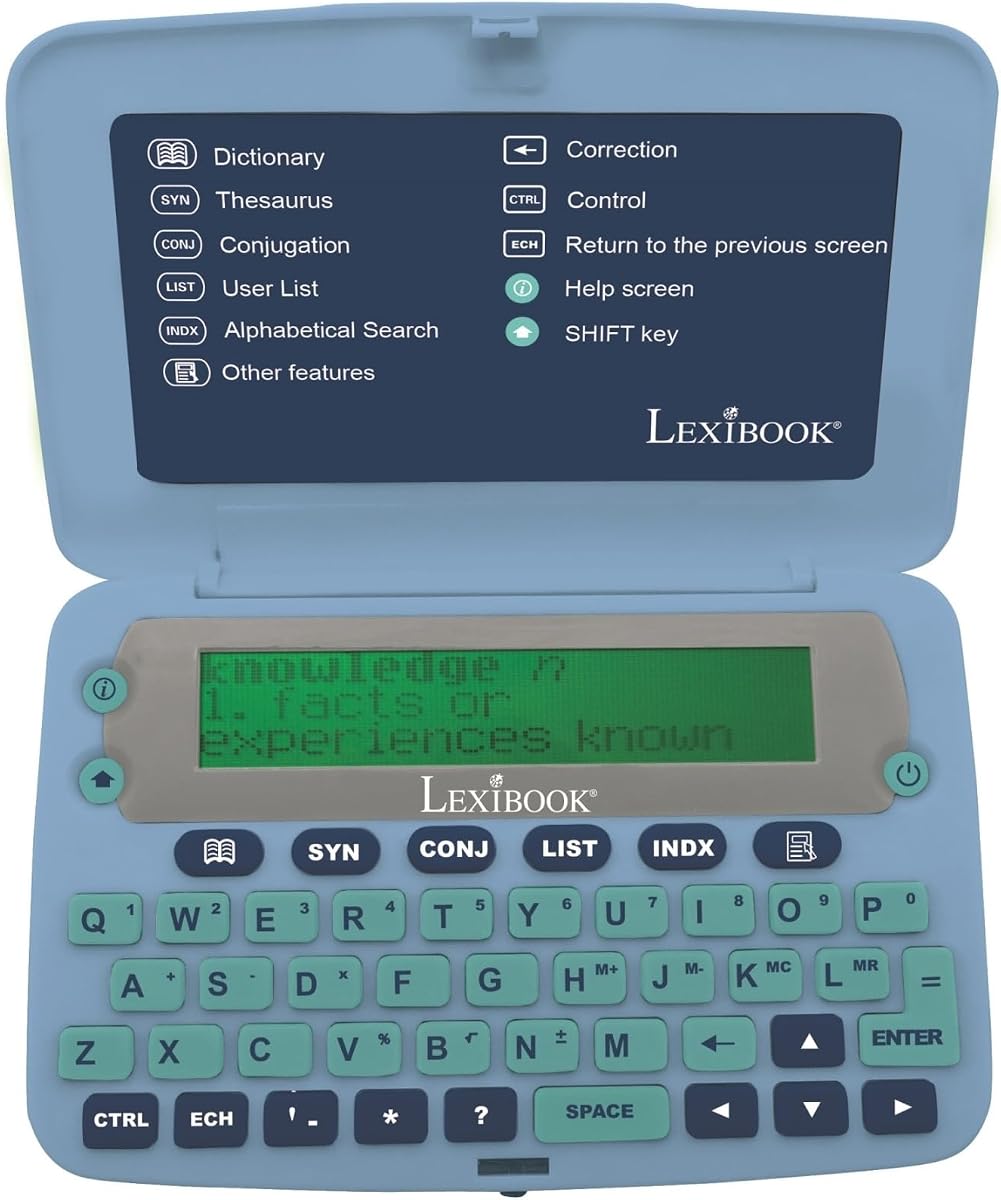
The LEXiBOOK Collins English Dictionary offers the largest word count in this list at 725,000 words. Rated 3.2, it focuses on deep vocabulary and conjugation support for advanced English learners.
We may earn a commission when you buy through this link, at no additional cost to you.
It includes over 7,000 verbs with four tenses and a magnifying function for easier reading. The large screen and ergonomic buttons help users view definitions and grammar data comfortably.
Despite the lowest rating, the sheer volume of dictionary data is impressive. The design might feel less modern than newer models, but the content depth is valuable for serious study.
Choose this device if you prioritize word count and verb conjugation details. It is suitable for advanced users who need detailed grammar breakdowns and a large display.
Access to over 7,000 verbs helps learners understand tense usage and verb forms accurately.
The magnifying function and four-line screen make text easier to read for users with vision concerns.
We may earn a commission when you buy through this link, at no additional cost to you.
The LEXiBOOK D650EN is a solid reference tool with 380,000 words and 78,000 synonyms. Rated 3.8, it serves as an essential resource for daily vocabulary lookup and simple grammar needs.
We may earn a commission when you buy through this link, at no additional cost to you.
Users can access definitions, synonyms, and up to six definitions per word. The device includes help on screen and a memo-list feature for personal study notes.
While it lacks advanced translation or game features, it provides reliable core dictionary functionality. It is a practical tool for those who want simplicity without unnecessary complexity.
Buy this if you need a straightforward dictionary with synonym support. It is ideal for general users who prioritize core lookup speed and ergonomic design.
Multiple definitions per word help users understand different contexts and meanings accurately.
The memo-list feature allows users to save words for practice, supporting personalized learning routines.
We may earn a commission when you buy through this link, at no additional cost to you.
The Franklin MWS-1840 features trusted Merriam-Webster content with over 274,000 definitions and nearly 500,000 synonyms. Rated 3.7, it offers a classic talking dictionary experience for pronunciation and reference.
We may earn a commission when you buy through this link, at no additional cost to you.
It speaks words aloud and includes a slot for expandable book cards to add more vocabulary. The device is reliable for users who value established dictionary sources and spoken feedback.
While the design is older and lacks modern translation apps, the core dictionary content remains high quality. It provides a distraction-free environment for focused reading and vocabulary practice.
Choose this if you prefer Merriam-Webster definitions and a talking feature. It is best for users who want reliable classic content without app distractions.
Using well-respected dictionary data ensures definitions are accurate and up-to-date for academic and professional use.
The book card slot allows users to add new word sets as their language needs grow.
We may earn a commission when you buy through this link, at no additional cost to you.
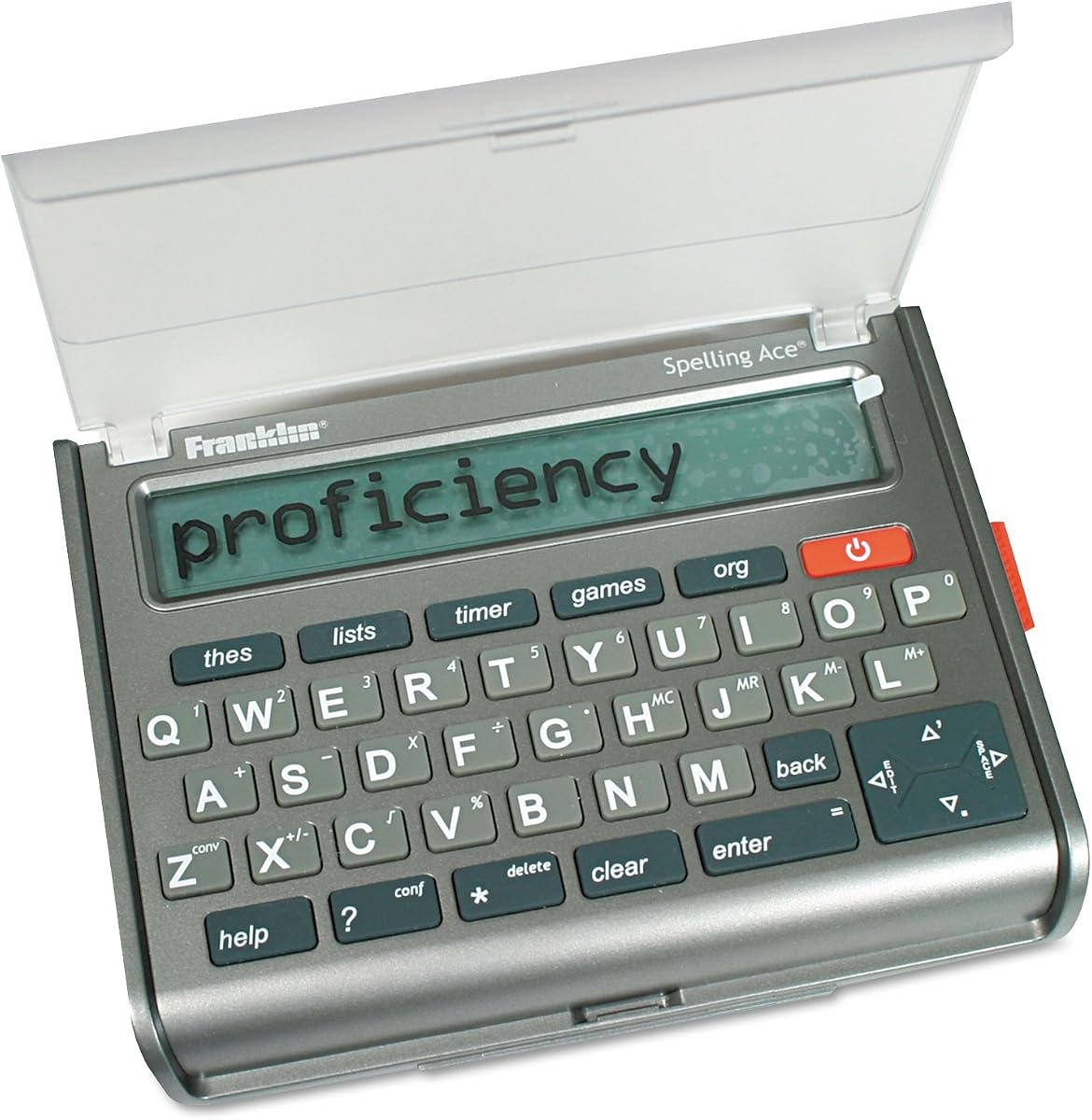
The Franklin SA-309 is unique for its focus on puzzle solving with a crossword solver and word builder. Rated 4.2, it is the highest-rated device in this list for users who enjoy word games.
We may earn a commission when you buy through this link, at no additional cost to you.
It includes a thesaurus with 500,000 synonyms and a confusables feature to clarify similar words. The device helps users solve puzzles by generating possible words from entered letters.
While it is specialized and lacks broad translation features, it excels for word enthusiasts and puzzle fans. The high rating reflects its effectiveness in solving word-based challenges.
Buy this if you need a tool for crossword puzzles and word games. It is perfect for casual learners who enjoy solving word challenges daily.
Enter letters and patterns to find matching words from the Merriam-Webster word list quickly.
Generate potential words from entered letters to practice vocabulary and improve spelling skills.
We may earn a commission when you buy through this link, at no additional cost to you.
The Merriam-Webster BookMan MWD-440 is a classic electronic pocket model designed for portability. Rated 3.3, it provides basic dictionary and thesaurus functions in a compact form factor.
We may earn a commission when you buy through this link, at no additional cost to you.
It is simple to carry and fits easily into a pocket for quick reference. Users get standard definitions and synonyms but lack modern features like games or translation.
While the technology is older and features are limited, it remains a reliable backup tool for on-the-go lookup. It is a nostalgic option for users who prefer simple hardware.
Choose this if you need a simple pocket reference without digital distractions. It is suitable for users who value portability and classic design.
The pocket model design ensures the device fits easily in bags or pockets for quick access.
Basic functionality allows for quick lookups without navigating complex menus or settings.
We may earn a commission when you buy through this link, at no additional cost to you.
The Franklin MWD-1450 offers downloadable content capability via bookcard slots to expand vocabulary. Rated 3.7, it provides a mix of definitions, games, and a 5-line display for reading.
We may earn a commission when you buy through this link, at no additional cost to you.
Users can add new word sets or learning materials over time. It also includes nine games and learning exercises to support study through interactive methods.
As an older model, the specs are basic, but expandability is a major advantage. It offers flexibility for users who want to customize their dictionary content.
Buy this if you want an expandable dictionary with games. It is ideal for students who need custom vocabulary sets and interactive learning.
Bookcard slots allow users to download and add new word sets as their learning needs evolve.
Nine built-in games provide practice for spelling and definitions without needing external apps.
We may earn a commission when you buy through this link, at no additional cost to you.
Choosing the right device depends on your specific language needs, budget, and study habits. This guide breaks down the key factors to consider.
Determine if you need a single-language English dictionary or a bilingual translator. Some devices like the Franklin Spanish-English DBE-1200 support offline translation for multiple languages, while others focus strictly on English vocabulary and synonyms.
Select a device that matches your language focus to ensure the definitions and translations are accurate and useful.
Electronic dictionaries are valuable because they work without internet access. Look for devices that store translations and definitions locally so you can use them in exams, flights, or remote areas without connection issues.
Prioritize devices that advertise offline functionality to avoid reliance on mobile data or Wi-Fi.
Consider the number of words and definitions included. Models range from 100,000 to over 725,000 words, and some include extensive synonym and antonym banks for writing variety.
Choose a device with a word count that matches your reading level and academic requirements.
For language learners, spoken definitions and word pronunciations are essential. Devices with talking features or human voice audio help you learn correct stress and intonation patterns.
Pick a talking model if you want to improve your speaking and listening skills alongside reading.
Some dictionaries include specialized grammar tools, verb conjugation data, and prep for exams like TOEFL or GRE. These features are helpful for students needing deeper language mechanics beyond definitions.
Look for devices with built-in grammar support if you are preparing for standardized language tests.
The screen size and resolution impact how easy the device is to read. Models with larger screens or magnifying functions are easier on the eyes, while simpler displays may be compact but harder to read.
Consider your vision needs and how you want to read definitions before choosing a screen size.
Many devices offer utility tools like calculators, crosswords solvers, or word games to keep learning engaging. These extras can make study sessions more enjoyable but may not be needed for serious researchers.
Decide if you want learning games or utility tools as a priority feature for your daily use.
Prices vary depending on features like translation, audio, and content depth. Basic English dictionaries are affordable, while bilingual or premium models may cost more for expanded capabilities.
Set a budget based on the essential features you need to avoid overspending on unnecessary extras.
Start by reviewing the manual to understand how to input words, navigate menus, and access features like translation or games. Familiarize yourself with the keypad layout to improve search speed.
Keep the device in a protective case to avoid scratches or battery drainage. Remove batteries if you plan to store the device for long periods to prevent corrosion.
Regularly update any expandable content if the device supports downloads. Use the built-in word lists to create personalized study notes for your specific vocabulary needs.
Most standard English devices focus on English only. Some advanced models like the Franklin MES-2400 support translation between English, Spanish, Italian, German, and French. Always check the specific language list for a model before buying to ensure it covers your needs.
No, one of the main benefits is offline use. All devices in this guide store definitions and translations locally, so you do not need an internet connection to look up words or translate.
Use the thesaurus and synonym features to find alternative words. Many devices also have word games or custom word lists to help you memorize and practice new terms daily.
Yes, many devices include interactive games like Hangman or spelling challenges that make learning fun. The tactile keyboards are also easy for children to use.
Some models like the Franklin MWD-1450 offer expandable content via bookcards or downloads. Others come with a fixed database of words that cannot be changed after purchase.
Most devices include a spell checker or phonetic correction feature. This allows you to search based on the sound of a word or suggests correct spellings if you make a typo.
This varies by model. Some devices have simple LCD screens without backlighting, while others offer contrast adjustments. Check the specifications if you plan to use the device in dim lighting.
Battery life depends on usage and battery type. Typically, battery-powered devices last months with intermittent use. Always carry extra batteries for long trips or heavy study sessions.
The Franklin MES-2400, Franklin Collins English Digital Dictionary, and Franklin Spanish-English DBE-1200 stand out as top choices for different needs. They offer strong translation, vocabulary depth, and offline reliability.
Prioritize language support and offline capabilities based on your study goals. Whether you need a simple English reference or a bilingual translator, there is a device for you.
Always check the latest availability and features before purchasing. Technology and models may change, so verify that the device meets your current requirements and budget.