
Acer Nitro 27in QHD 2560×1440 IPS 180Hz Gaming Monitor KG271U N3bmiipx
4.5Editor score
180Hz refresh rate
0.5ms response time
AMD FreeSync Technology
Finding the right display can transform your gaming sessions into immersive experiences. A 27 inch WQHD 1440p gaming monitor offers the perfect balance of screen real estate and sharp pixel density. This resolution provides crisp visuals without demanding excessive graphics power.
We evaluated ten leading models based on refresh rates, panel types, and adaptive sync capabilities. Each product brings unique strengths ranging from color accuracy to motion clarity. Our analysis focuses on real-world performance metrics that matter most to gamers.
Every pick below highlights specific advantages and potential limitations for informed decisions. Prices fluctuate frequently so verify current offers before purchasing. Use this guide to match your budget and performance needs with the ideal screen.
4.5Editor score

4.6Editor score

4.6Editor score
As an Amazon Associate we earn from qualifying purchases.
This side-by-side comparison highlights key specifications across all ten models to help you identify the best fit for your setup needs.


The Acer Nitro KG271U stands out as a top contender for budget-conscious gamers seeking high performance. With a 4.5-star rating, it delivers exceptional value through its impressive specifications and reliable build quality.
We may earn a commission when you buy through this link, at no additional cost to you.
Its 180Hz refresh rate ensures smooth motion during fast-paced gameplay while the 0.5ms response time minimizes ghosting effects. The IPS panel supports DCI-P3 95% color gamut making it suitable for creative work alongside gaming.
While the stand offers basic tilt adjustments the zero-frame design maximizes screen space effectively. Users should note the absence of built-in speakers which may require external audio solutions.
This monitor is ideal for gamers prioritizing speed and color fidelity without breaking the bank. Its combination of refresh rate and response time makes it a standout choice in the entry-level category.
The 180Hz refresh rate paired with rapid response times eliminates visual artifacts during intense gaming sessions.
Support for DCI-P3 95% ensures vibrant accurate colors for both games and content creation tasks.
We may earn a commission when you buy through this link, at no additional cost to you.
The ASUS TUF Gaming VG27AQ3A earns its Editor's Choice status through a blend of advanced features and robust performance. Its 4.6-star rating reflects user satisfaction with its gaming capabilities and visual quality.
We may earn a commission when you buy through this link, at no additional cost to you.
Key strengths include ELMB Sync which allows motion blur reduction while maintaining variable refresh rates. G-Sync compatibility ensures tear-free gaming across different graphics cards enhancing the overall experience.
The inclusion of built-in speakers adds convenience though audio quality may vary. A complimentary Adobe Creative Cloud subscription offers extra value for creative professionals using the monitor.
This model suits gamers who demand top-tier synchronization features alongside reliable performance. It represents a strong investment for those seeking versatility between gaming and productivity tasks.
ELMB Sync enables simultaneous motion blur reduction and variable refresh rates for sharper visuals.
Adobe Creative Cloud subscription enhances value for designers and video editors using the display.
We may earn a commission when you buy through this link, at no additional cost to you.
The ASUS TUF VG27AQL1A delivers premium features for enthusiasts seeking top-tier performance. Its 4.6-star rating highlights consistent quality in color accuracy and motion handling during demanding gameplay.
We may earn a commission when you buy through this link, at no additional cost to you.
DisplayHDR 400 certification enhances contrast in supported content while G-SYNC compatibility ensures smooth visuals. The 170Hz overclock provides extra fluidity for competitive gaming scenarios beyond standard refresh rates.
Eye care technologies reduce strain during extended sessions making it suitable for marathon gaming. Users should note HDR performance is modest compared to dedicated HDR displays.
This monitor is best for gamers valuing color fidelity and premium certifications. It justifies its price through reliable performance and extensive connectivity options.
DisplayHDR 400 certification improves contrast and detail in supported games and media.
Eye care features like flicker-free technology reduce fatigue during long usage periods.
We may earn a commission when you buy through this link, at no additional cost to you.
The Acer Nitro XV271U excels in ergonomic flexibility with its comprehensive stand adjustments. A 4.5-star rating underscores user appreciation for its versatile positioning and reliable performance.
We may earn a commission when you buy through this link, at no additional cost to you.
Its Ergostand supports height tilt swivel and pivot adjustments catering to diverse user needs. The 180Hz refresh rate ensures smooth motion while FreeSync Premium minimizes tearing effects.
Built-in speakers provide basic audio without extra hardware though quality may lack depth. Users might find cable management challenging due to the stand design.
This monitor suits users requiring extensive adjustability for comfort. Its balance of speed and ergonomics makes it a strong contender for long sessions.
Full height tilt swivel and pivot adjustments accommodate any viewing angle preference.
180Hz refresh rate ensures fluid motion during fast-paced competitive matches.
We may earn a commission when you buy through this link, at no additional cost to you.
The Samsung Odyssey G5 offers an immersive curved screen experience for enhanced engagement. With a 4.7-star rating it stands out for its design and responsive performance in games.
We may earn a commission when you buy through this link, at no additional cost to you.
Its 180Hz refresh rate minimizes lag while the 1500R curvature wraps visuals around your field of view. Black Equalizer technology helps locate enemies in dark areas effectively.
HDR10 support adds depth though true HDR performance remains limited. The stand allows tilt and height adjustments but glare can be noticeable under bright lights.
This monitor is ideal for players preferring curved displays for immersion. Its high refresh rate and contrast make it a solid choice for competitive gaming.
The 1500R curvature enhances focus and immersion during gaming and media consumption.
Black Equalizer adjusts dark shadows to reveal hidden details without washing out images.
We may earn a commission when you buy through this link, at no additional cost to you.
The SANSUI 27 Inch model delivers exceptional speed with a 200Hz refresh rate for competitive gaming. Its 4.4-star rating reflects satisfaction with performance and build quality at a budget price.
We may earn a commission when you buy through this link, at no additional cost to you.
Features like 120% sRGB coverage and HDR support enhance color vibrancy and visual depth. Adaptive Sync technology ensures smooth gameplay while eye care tech reduces strain.
The metal stand supports VESA mounting but lacks height adjustment options. Users should note the absence of speakers requiring external audio setups.
This monitor is best for speed-focused gamers on a budget. Its high refresh rate and color accuracy offer strong value for the price.
200Hz refresh rate provides maximum smoothness for competitive first-person shooters.
Anti-flicker and low blue light features protect eyes during extended gaming sessions.
We may earn a commission when you buy through this link, at no additional cost to you.
The SANSUI Gaming Monitor offers extensive stand adjustability including pivot and swivel for flexible positioning. A 4.4-star rating highlights its reliability and versatility for various use cases.
We may earn a commission when you buy through this link, at no additional cost to you.
Its 200Hz refresh rate ensures fluid motion while DCI-P3 95% supports accurate colors for creative work. Low motion blur technology enhances clarity during fast action sequences.
Multiple DisplayPort and HDMI options provide connectivity versatility for different devices. Users might find initial setup complex due to the advanced stand features.
This monitor suits multitaskers needing both gaming performance and ergonomic flexibility. Its color accuracy and adjustability make it a strong option for hybrid work.
Pivot and swivel adjustments allow portrait orientation and shared screen viewing.
DCI-P3 95% coverage ensures professional-grade color reproduction for creative projects.
We may earn a commission when you buy through this link, at no additional cost to you.
The KOORUI 27 Inch monitor combines sleek aesthetics with solid performance for modern setups. Its 4.4-star rating indicates consistent user satisfaction with visual quality and build.
We may earn a commission when you buy through this link, at no additional cost to you.
An ultra-thin design fits seamlessly into minimalist environments while 200Hz refresh rate ensures smooth gameplay. DCI-P3 95% coverage delivers vibrant colors for rich visual experiences.
Quick assembly and VESA mounting enhance installation flexibility. Users should note HDR400 support is present but limited in brightness compared to premium displays.
This model is ideal for style-conscious gamers seeking reliable performance. Its combination of design and speed offers strong value for contemporary desks.
Ultra-thin body and minimal bezels create a clean look for modern gaming setups.
200Hz refresh rate and wide color gamut deliver fluid motion and vivid visuals.
We may earn a commission when you buy through this link, at no additional cost to you.
The Acer Nitro EDA270U provides an affordable curved option for immersive gaming experiences. A 4.4-star rating confirms its value for users seeking curve benefits without high costs.
We may earn a commission when you buy through this link, at no additional cost to you.
Its 1500R curvature enhances immersion while 180Hz refresh rate ensures smooth motion. FreeSync Premium minimizes tearing and HDR Ready support adds visual depth.
Zero-frame design maximizes screen space and supports VESA mounting. Users may find basic stand adjustments limiting for ergonomic customization.
This monitor suits gamers wanting curves on a budget. Its combination of refresh rate and immersion makes it a compelling entry-level curved choice.
1500R curvature wraps visuals around your field of view for deeper engagement.
Affordable pricing makes curve technology accessible for gamers with limited budgets.
We may earn a commission when you buy through this link, at no additional cost to you.
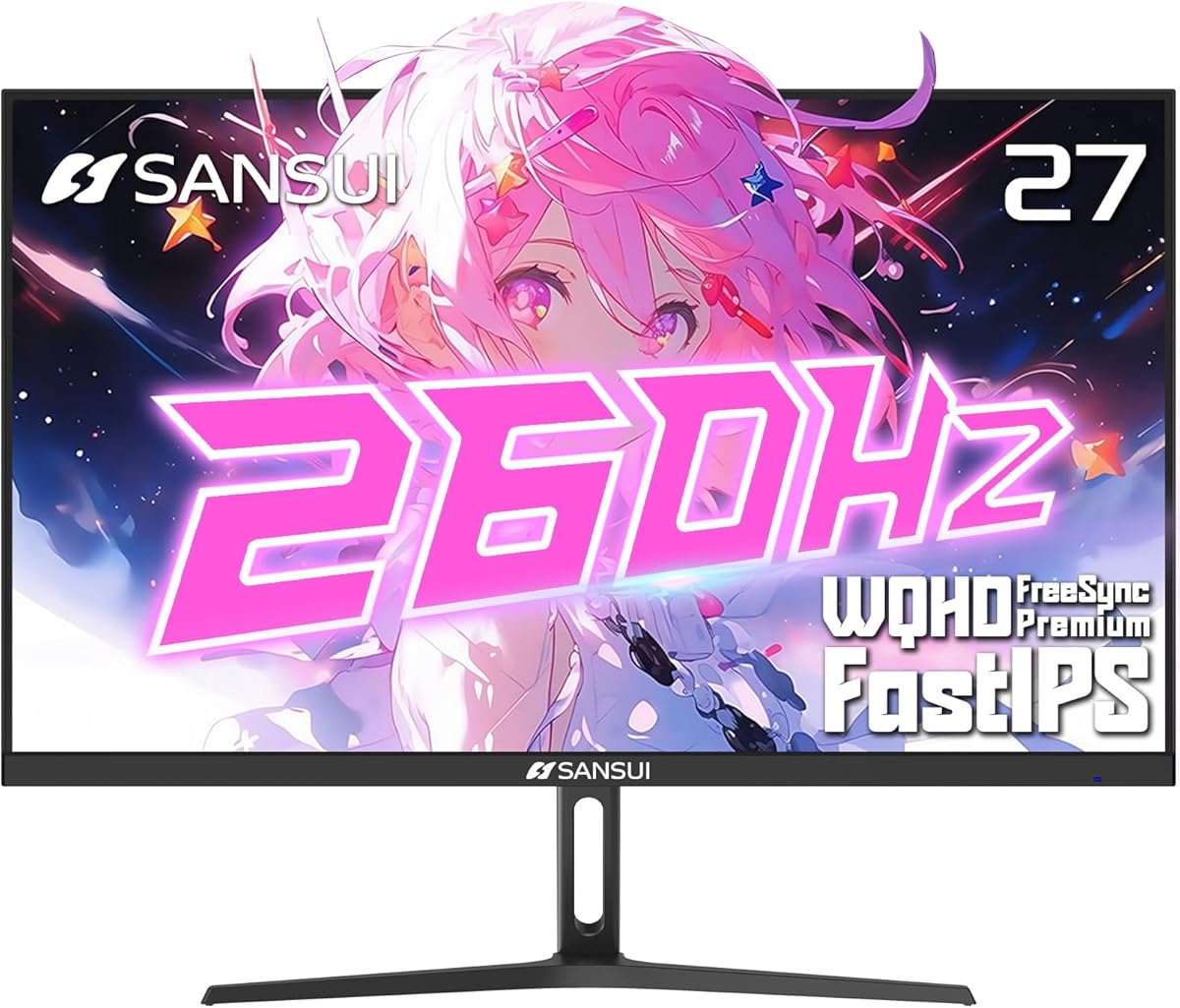
The SANSUI Gaming Monitor delivers top-tier speed with a 260Hz refresh rate for competitive players. Its 4.4-star rating reflects user satisfaction with performance and color capabilities.
We may earn a commission when you buy through this link, at no additional cost to you.
Features like DCI-P3 98% support and FreeSync Premium ensure vibrant visuals and smooth motion. Built-in game assistants like crosshair overlay aid precision during gameplay.
Multiple DisplayPort and HDMI options support various devices. Users must ensure they use a DP 1.4 cable to achieve maximum refresh rates.
This monitor is ideal for serious competitive gamers chasing the highest refresh rates. Its color accuracy and speed make it a strong contender for esports setups.
260Hz refresh rate provides maximum fluidity for high-level competitive gaming.
Built-in game assistant tools improve targeting and strategy during matches.
We may earn a commission when you buy through this link, at no additional cost to you.
Selecting the right monitor requires understanding key specifications that impact your gaming experience.
Refresh rate determines how many frames per second the monitor displays impacting smoothness. Higher rates like 180Hz or 200Hz reduce motion blur during fast action. Response time measures pixel transition speed with 1ms or lower preferred to eliminate ghosting.
Prioritize 144Hz or higher refresh rates and 1ms response time for competitive gaming.
IPS panels offer superior color accuracy and wide viewing angles making them versatile for mixed use. VA panels provide deeper contrast for immersive experiences but may suffer from slower response. TN panels are fast but lack color quality.
Choose IPS for balanced performance and color accuracy across gaming and creative tasks.
FreeSync and G-Sync prevent screen tearing by matching refresh rates to GPU output. FreeSync works well with AMD and many NVIDIA cards while G-Sync offers stricter compatibility. Ensure your graphics card supports the chosen sync standard.
Look for FreeSync Premium or G-Sync compatibility for seamless tear-free visuals.
HDR expands brightness and color range for richer visuals in supported content. True HDR requires high peak brightness which budget models often lack. HDR400 provides basic enhancement but may not justify higher costs.
Consider HDR if you watch media or play HDR games regularly.
Adjustable stands allow height tilt swivel and pivot to reduce neck strain during sessions. Fixed stands save space but limit comfort over time. VESA mounts enable third-party arm support for flexible positioning.
Choose adjustable stands for long sessions or ensure VESA compatibility for monitor arms.
DisplayPort offers higher bandwidth for high refresh rates while HDMI supports consoles. Ensure ports match your GPU capabilities especially for refresh rates above 144Hz. Multiple ports allow flexible multi-device setups.
Verify DisplayPort 1.4 or HDMI 2.1 availability for maximum refresh rate support.
Wide color gamuts like DCI-P3 95% enhance visual vibrancy for games and creative work. Accuracy matters more if you edit photos or videos alongside gaming. Basic sRGB covers most needs but premium panels offer more depth.
Opt for DCI-P3 95% or higher if color fidelity is a priority.
Reliable brands offer better quality control and customer support. Warranties range from one to three years protecting against defects. Check return policies and technical support availability before purchasing.
Prioritize models with strong warranties and responsive customer service for peace of mind.
Begin by connecting your monitor using the appropriate cable such as DisplayPort for high refresh rates. Ensure your GPU drivers are updated to utilize adaptive sync and color settings properly.
Calibrate brightness and contrast using built-in tools for comfortable viewing in your room lighting. Adjust refresh rates in your operating system settings to match the monitor capabilities.
Clean the screen gently with a microfiber cloth and avoid harsh chemicals that may damage coatings. Regular dusting keeps vents clear for proper airflow and long lifespan.
Yes 1440p provides sharper visuals and better pixel density on 27 inch screens compared to 1080p. The increased clarity enhances text readability and detail in games without requiring extreme GPU power. It is the recommended resolution for productivity and gaming.
Any modern mid-range GPU supports 1440p but achieving high refresh rates like 200Hz requires more power. AMD and NVIDIA cards support FreeSync and G-Sync respectively so check compatibility. Ensure your GPU meets system requirements for your games.
Many models support wide color gamuts like DCI-P3 95% which are excellent for photo and video editing. IPS panels deliver consistent colors across viewing angles essential for design accuracy. Check color accuracy specs before purchasing for professional needs.
FreeSync uses AMD adaptive sync to reduce tearing while G-Sync uses NVIDIA hardware for strict compliance. FreeSync is more affordable and works with many NVIDIA cards. G-Sync offers better consistency but costs more due to licensing.
Curved monitors wrap the screen around your field of view creating deeper immersion especially in racing and flight sims. They are best for single-user setups and can reduce eye strain. Flat monitors remain better for multi-monitor setups.
Use a microfiber cloth to wipe dust and avoid paper towels that scratch coatings. For smudges use a small amount of distilled water and spray directly on the cloth not the screen. Never use alcohol or ammonia-based cleaners.
Higher refresh rates like 200Hz provide smoother motion that benefits competitive shooters. Casual gamers may find 144Hz sufficient but 200Hz offers future-proofing for high-end GPUs. Consider your game types and frame rate consistency.
HDMI 2.0 supports 144Hz while DisplayPort 1.2 handles 1440p at high refresh rates better. For rates above 144Hz like 200Hz DisplayPort is recommended. Ensure your GPU and monitor support the same version.
These ten models represent top options across budget and premium categories for diverse needs. From the budget-friendly Acer Nitro to the premium ASUS TUF each offers unique strengths for specific preferences.
Prioritize refresh rate response time and color accuracy based on whether you game or create content. Ergonomic adjustability matters for long sessions while connectivity ensures compatibility with your setup.
Prices and availability change so review current offers before making your decision. Select the model that best balances performance and value for your specific gaming and usage requirements.