
AI Voice Sticker Printer
5.0Editor score
Voice to sticker magic
Color preview screen
Ink free printing
This expert guide compares the top ten AI sticker printer makers for kids and creators, evaluating voice control, print quality, portability, and creative
AI sticker printer makers are transforming how children and creative adults bring ideas to life instantly. These devices combine advanced voice recognition with thermal printing to generate custom designs without needing drawing skills or expensive supplies.
We compared ten leading models based on voice accuracy, print speed, portability, and ease of use. Our analysis focuses on safety features, creative options, and overall user experience to find the most reliable tools for home and classroom settings.
Each product review highlights key strengths, potential limitations, and ideal use cases for different ages. Please note that availability and specific features may vary over time so always check current details before purchasing your next creative tool.
5.0Editor score

4.8Editor score

4.2Editor score
The following table provides a side by side comparison of all ten models evaluated in this guide. It highlights key specifications and unique capabilities to help you quickly identify the right fit for your specific needs.
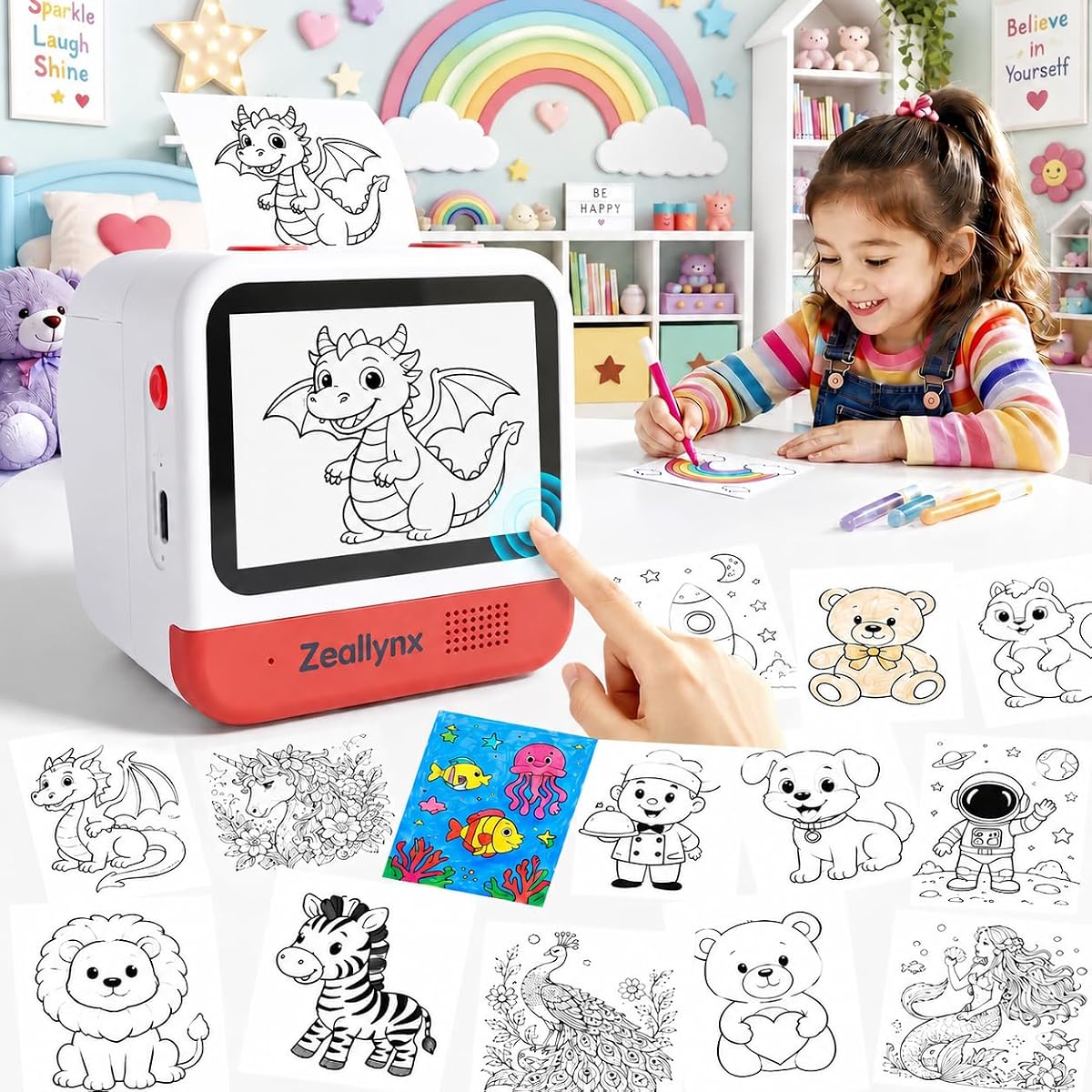

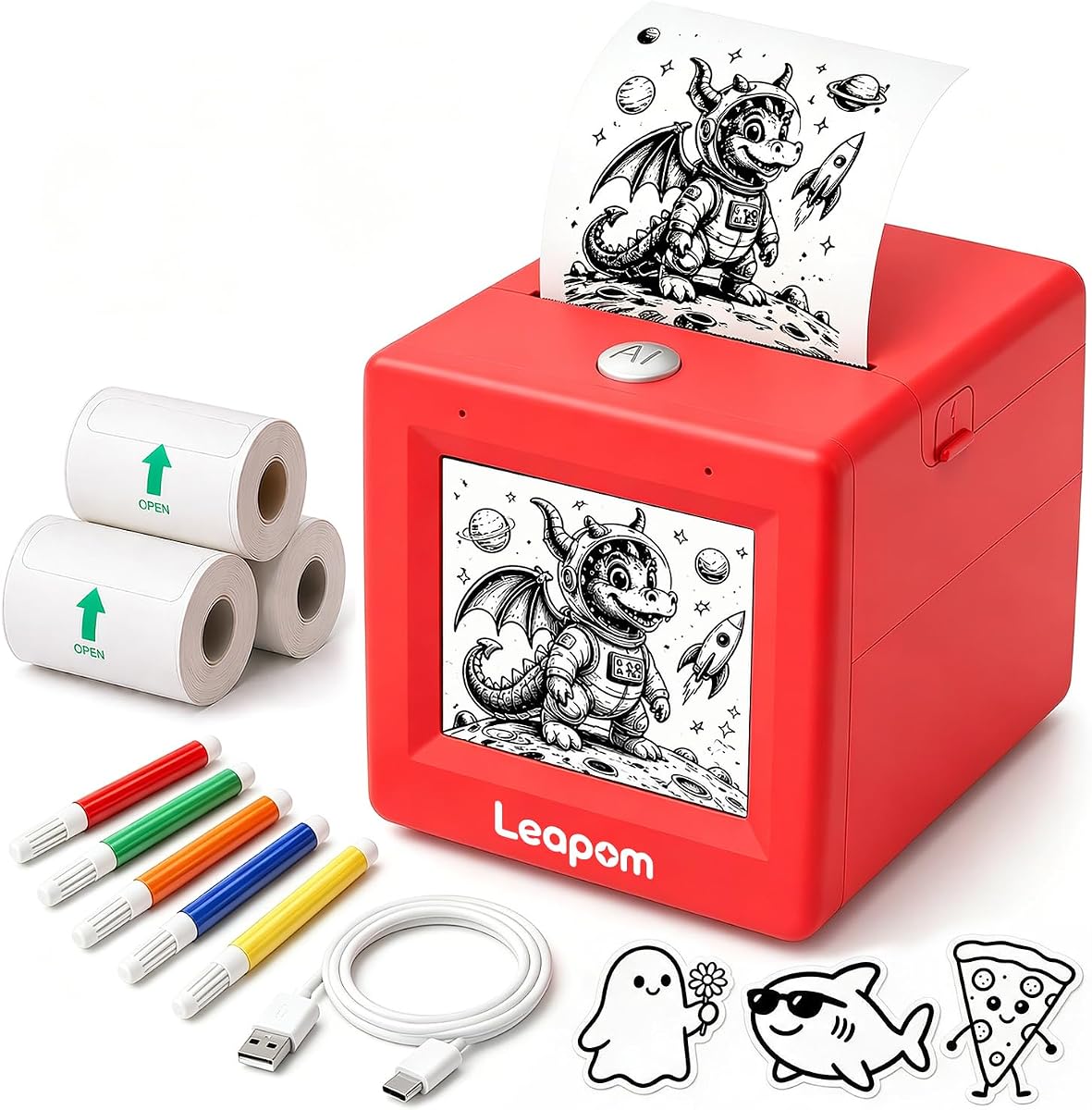


This device leads our list with a high rating for its user-friendly approach. It combines voice commands with a touchscreen to make sticker creation accessible for children of all ages.
We may earn a commission when you buy through this link, at no additional cost to you.
The AI generates cartoon-style stickers instantly from spoken prompts. It uses thermal printing for clean output and includes watercolor pens to add color manually, encouraging hands-on artistic engagement without screen time.
While it does not print in color directly, the black and white outlines are crisp. The privacy-first design ensures no data is stored, which is a major benefit for parents worried about online safety.
Parents looking for a safe, engaging creative tool should consider this model. It balances technology with traditional art play effectively, making it an excellent choice for birthdays or educational settings.
The device operates without storing voice data or requiring accounts, ensuring a safe environment for children to explore creativity freely.
By requiring children to color the printed outlines themselves, it fosters imagination and fine motor skills alongside digital interaction.
We may earn a commission when you buy through this link, at no additional cost to you.
The PixCut S1 stands out as a premium option for those who need professional quality stickers. It handles both printing and cutting in one device, saving significant time on DIY projects.
We may earn a commission when you buy through this link, at no additional cost to you.
Its thermal dye-sublimation technology produces vivid colors and durable results. The AI extraction feature allows users to turn photos into stickers with clean edges automatically, perfect for gifts or branding.
The main trade-off is the cost and complexity compared to simpler models. You will need to install an app and manage consumables, but the output quality justifies the effort for serious crafters.
This machine is ideal for small business owners or craft enthusiasts. If you need durable, colorful stickers quickly, this is the most capable device available on the market today.
With 300 DPI resolution and dye-sublimation, the prints are vibrant and long-lasting, suitable for commercial or high-end personal use.
The integrated cutting feature eliminates the need for separate tools, streamlining the process from digital design to finished sticker.
We may earn a commission when you buy through this link, at no additional cost to you.
This model offers an impressive perfect rating at a very accessible price point. It is designed for quick fun without the need for complicated software or expensive supplies.
We may earn a commission when you buy through this link, at no additional cost to you.
Users can speak ideas and see a color preview on the LED screen before printing. This reduces waste and ensures satisfaction. The variety of art styles keeps the experience fresh for children.
While it lacks color printing, the thermal output is crisp and clear. The device is small enough to fit in a backpack, making it perfect for travel or classroom use.
For families wanting a simple and affordable creative toy, this is a top choice. It proves that you do not need to spend a lot to enjoy AI-driven art projects.
The color LED display lets users check designs before printing, saving paper and avoiding frustration with unwanted results.
The built-in chat helps users generate ideas if they get stuck, adding an educational layer to the creative process.
We may earn a commission when you buy through this link, at no additional cost to you.
This printer is noted for its intuitive controls, combining a touchscreen with voice commands. It allows for quick access to different modes without requiring external software.
We may earn a commission when you buy through this link, at no additional cost to you.
The ten creative modes include drawing, comic strips, and notes, offering variety beyond simple stickers. Saving designs to a TF card ensures users can reprint favorites without losing them.
While it relies on Wi-Fi, it avoids the need for app accounts or Bluetooth pairing. This simplifies the setup process for parents and teachers who want immediate use.
Educators and parents who prefer straightforward technology will appreciate this device. It balances digital convenience with traditional paper activities effectively for various age groups.
Ten different creative modes allow for diverse outputs, from standard stickers to journal notes and comic strips.
The TF card slot allows users to save images directly on the device, making it easy to re-print favorite designs later.
We may earn a commission when you buy through this link, at no additional cost to you.
This device prioritizes child safety above all else. It is designed to let kids speak and print without needing to interact with a screen or complex menu.
We may earn a commission when you buy through this link, at no additional cost to you.
It is certified kid-safe and does not store data. The device only listens when a button is pressed, and it does not connect to the internet for content filtering, ensuring privacy.
While it offers fewer creative modes than others, it focuses on pure creative play. The focus on safety and offline play makes it a great tool for younger children.
Parents concerned about digital safety will find this model appealing. It encourages imagination and storytelling while minimizing exposure to online risks or data collection.
The device only listens when a button is pressed and does not store data, ensuring a private experience for children.
By removing screens and complex interfaces, the focus remains on speaking, printing, and coloring, encouraging hands-on engagement.
We may earn a commission when you buy through this link, at no additional cost to you.
This sticker maker is designed to combine technology with creativity. It helps children develop communication skills through the process of describing images to the device.
We may earn a commission when you buy through this link, at no additional cost to you.
It includes markers and rolls of paper so users can start immediately. The companion app offers free templates which adds value without requiring subscriptions or credit cards.
The app contains ads but no mandatory payments, though this may require supervision. The portable size makes it easy to carry for travel or school projects.
Families seeking a creative educational tool should consider this model. It supports artistic expression and vocabulary development while being affordable for most budgets.
Children learn to articulate ideas clearly to generate designs, enhancing both vocabulary and creativity through voice interaction.
The official app provides free templates and layouts, extending the creative possibilities beyond just voice prompts.
We may earn a commission when you buy through this link, at no additional cost to you.
This device stands out for its clear HD screen which allows for better visualization of designs. It supports both voice and text input via an app for versatility.
We may earn a commission when you buy through this link, at no additional cost to you.
It comes with five rolls of paper, offering more initial value than many competitors. The design is lightweight and easy for children to handle independently at home.
The setup is straightforward and does not require complex technical skills. However, users rely on the app for some features which may limit offline use slightly.
Parents looking for a reliable tool with clear visual feedback should choose this model. It balances quality and ease of use well for daily creative activities.
The HD screen ensures users can clearly see their designs before printing, reducing errors and improving satisfaction.
Five rolls of paper are included, providing ample material to start multiple projects right out of the box.
We may earn a commission when you buy through this link, at no additional cost to you.
The T02 is a compact solution for students and small business needs. It works via a smartphone app which provides a wide range of editing features.
We may earn a commission when you buy through this link, at no additional cost to you.
It is perfect for printing notes labels and stickers on the go. The AI functions include photo cutouts and voice to image, making it very flexible for different tasks.
Users must cut the prints manually but this allows for custom shapes. The low cost makes it accessible for those who want basic functionality without high-end features.
Students and hobbyists who already have a smartphone will find this useful. It combines printing with app-based creativity effectively for a low price.
The companion app offers various filters and editing tools, allowing users to customize prints before they are sent to the printer.
Its palm size allows it to fit easily in bags, making it ideal for students or travelers who need on-demand printing.
We may earn a commission when you buy through this link, at no additional cost to you.
This model supports both Wi-Fi and Bluetooth connections giving users flexibility in how they connect to the device. It includes six distinct art styles to keep creativity high.
We may earn a commission when you buy through this link, at no additional cost to you.
It has strong safety filters to ensure content is appropriate for children. The battery life is decent for casual use and it charges easily via USB-C.
The device is compact enough to use at home or travel. While it lacks color, the output is clear and suitable for coloring projects.
Users who need connection flexibility will appreciate this device. It is reliable and safe for children making it a solid choice for family use.
Dual Wi-Fi and Bluetooth support ensures users can connect easily regardless of their phone or network setup.
Strict filters prevent inappropriate content from appearing, ensuring a safe and enjoyable experience for young users.
We may earn a commission when you buy through this link, at no additional cost to you.
This device simplifies the experience by removing the need for an app entirely. Users connect directly via Wi-Fi and use the built-in touchscreen to print.
We may earn a commission when you buy through this link, at no additional cost to you.
The large touchscreen makes it easy for children to navigate. The AI chat companion provides ideas and answers questions adding an educational layer to the fun.
It focuses heavily on privacy and safety which is ideal for younger users. The setup is quick making it perfect for immediate creative sessions.
Parents looking for the most straightforward experience should choose this. It minimizes technical steps and focuses on creativity and learning.
The Wi-Fi connection and touchscreen allow for immediate use without downloading additional software or creating accounts.
The built-in voice companion helps spark ideas, turning the device into an interactive learning toy as well as a printer.
We may earn a commission when you buy through this link, at no additional cost to you.
Selecting the right sticker printer requires considering age appropriateness, creative options, and ease of use. This section breaks down the key factors to help you make an informed decision.
The ability of the device to understand spoken prompts is crucial for a smooth experience. Look for models with clear microphones and high success rates in converting words to images.
Accurate recognition reduces frustration and keeps kids engaged. If the device struggles to understand simple words, it may hinder creativity rather than help it.
Thermal printing is standard for these devices and produces black and white lines. Some premium models offer color printing which adds to the cost but enhances the final result.
Choose color if you want ready-to-use stickers and black and white if coloring is part of the fun. Check the resolution to ensure lines are crisp and not blurry.
Many devices rely on smartphone apps via Bluetooth or Wi-Fi while some have built-in touchscreens and independent operation. Consider how much you want to use a phone to control the printer.
Models without apps offer more privacy and independence for children. Models with apps provide more features and editing options but require more setup and data use.
Since these devices use voice input, privacy is a major concern. Look for devices that do not store data or require personal accounts to ensure child safety online.
Privacy-first designs build trust with parents. Always check if the device has content filters to block inappropriate words or images during generation.
If you plan to use the sticker maker outside the home size matters. Lightweight compact models are easier to carry for travel or school use than bulky units.
Portable designs should still be sturdy enough to handle daily use. Check the battery life if you want to use it without constant access to power outlets.
Thermal paper rolls are the consumable for these printers. Different models accept different roll sizes and types so check what is compatible before buying.
Consider the long term cost of refills. Some bundles include rolls which is great for starting out but ensure the ongoing cost fits your budget.
Variety in art styles keeps the experience interesting. Devices offering multiple styles like anime, sketch, or cartoon allow for diverse creative expression.
The ability to change styles easily is a major advantage. Look for models that encourage experimentation rather than sticking to one rigid template.
Kids will use these devices frequently so they need to be durable. A sturdy build quality ensures the printer can withstand bumps and drops in a busy environment.
Check reviews for build quality feedback. A durable unit may cost more initially but will save money in the long run by lasting longer.
To get started, charge the device fully and place it on a flat surface. For voice models, press the microphone button and speak clearly. For app models, download the software and pair via Bluetooth or Wi-Fi.
Select your desired mode on the screen. Describe the image you want using simple words. The device will process the request and print the result on the included paper.
To maintain the device, keep the thermal head clean by gently wiping it with a soft cloth. Store paper rolls in a cool dry place to prevent damage and ensure good print quality.
Yes, most modern sticker printers designed for kids include safety features like content filters and privacy-first designs. They do not require personal accounts and many do not store voice data.
No, these devices use thermal printing technology which does not require ink or toner. They rely on heat-sensitive paper rolls which are clean and mess-free to replace.
Most entry-level models print in black and white which are then colored by hand. Premium models like the Liene PixCut S1 do offer full color printing but at a higher cost.
If the device struggles to understand, try speaking slowly and clearly. Some models offer retry buttons or text input options as alternatives to voice commands for difficult words.
The lifespan of a roll depends on the size of the prints. Generally one roll can produce dozens of standard-sized stickers so expect to buy refills every few months with regular use.
Many models support photo printing via their companion apps. However, voice models focus on generating new images from scratch so check if your chosen model supports photo uploads.
Most models reviewed do not require a subscription for basic functions. They offer free apps with unlimited printing capabilities, though some may have premium templates for extra features.
We found that the AI Sticker Maker for Kids offers the best balance of ease of use and creative potential. For those seeking advanced features, the Liene PixCut S1 delivers premium color results.
When choosing, prioritize safety features and simplicity for younger children. Older kids and creators may benefit from the extra connectivity and art styles available on more complex models.
Remember to check the current availability and specific product details before buying as features and bundles can change over time. Select the model that best fits your needs for creative fun.