
2Pcs Nano V3.0 Board
4.5Editor score
Includes two boards
USB-C power support
ATmega328P chipset
This guide compares ten top-rated Arduino Nano boards to help you select the right microcontroller for your next robotics, IoT, or embedded electronics project.
The Arduino Nano Board remains a favorite among makers for its compact size and powerful performance. It fits easily into tight spaces while supporting a wide range of sensors and modules for diverse applications.
We evaluated ten leading Nano options based on compatibility, connectivity features, and build quality. Our analysis focuses on official boards, third-party clones, and newer models with advanced connectivity for modern projects.
Each pick highlights key strengths and ideal use cases to streamline your decision. Prices and availability fluctuate often, so verify current listings before ordering to ensure you get the best value for your setup.
4.5Editor score
4.6Editor score

4.6Editor score
The following table compares all ten Arduino Nano boards side by side. Use this overview to quickly identify the best fit for your specific project needs and budget constraints.


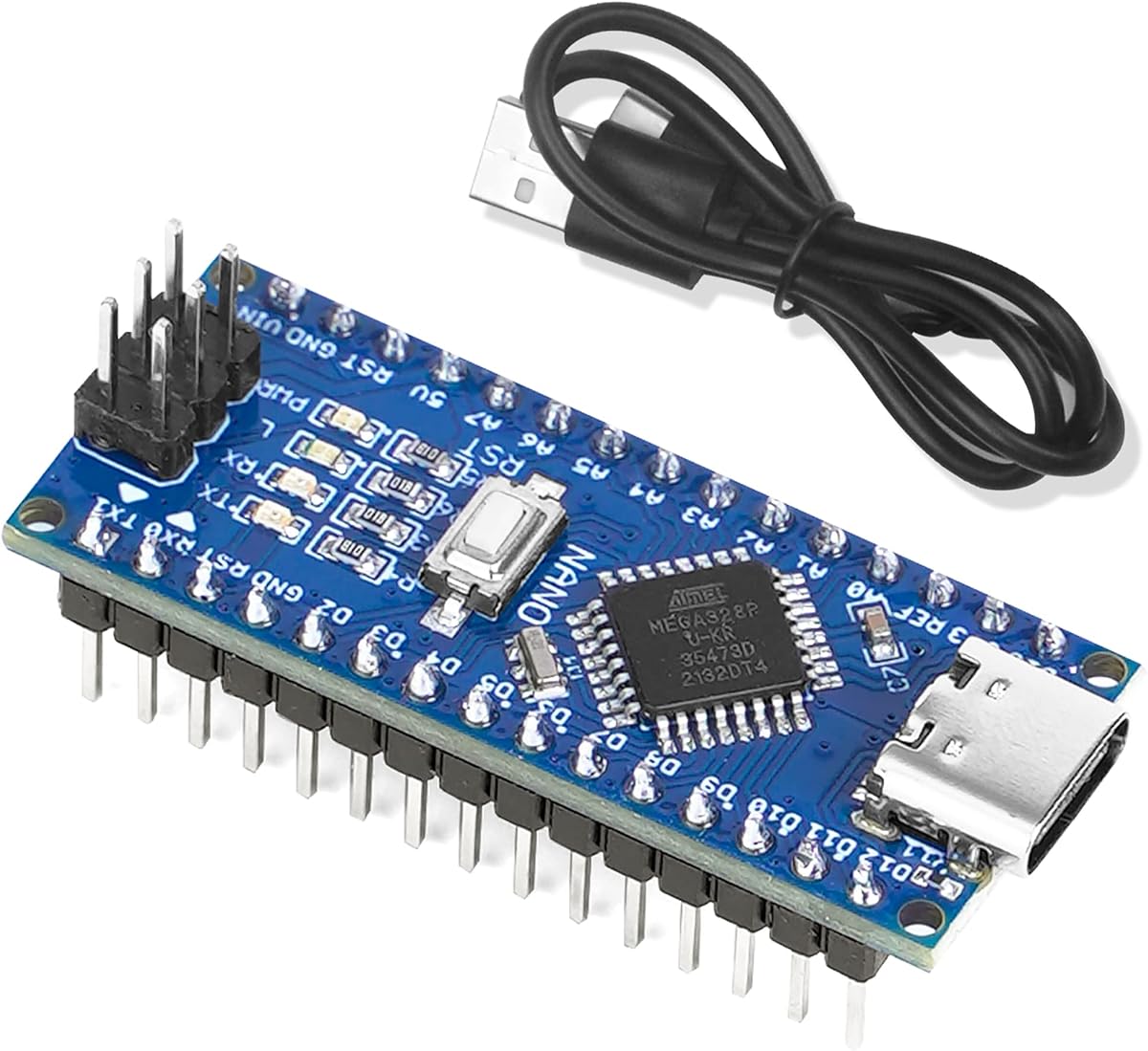
This three-pack offers excellent value for beginners needing multiple units. It achieves a strong rating due to reliable performance across diverse projects.
We may earn a commission when you buy through this link, at no additional cost to you.
The board uses the CH340G driver which simplifies connectivity across Windows and Mac systems. It matches the original form factor for easy integration.
While cost-effective, it lacks USB-C which some newer projects require. The driver installation is usually straightforward but may need attention on some systems.
Ideal for classrooms or large robotics builds requiring multiple nodes. Choose this when budget and quantity matter more than the latest connectivity features.
Buying three boards together reduces the per-unit cost significantly. This is ideal for projects requiring multiple nodes or for educational settings.
The board maintains the classic Nano pinout and software support. You can swap it directly into most existing Nano setups without issues.
We may earn a commission when you buy through this link, at no additional cost to you.
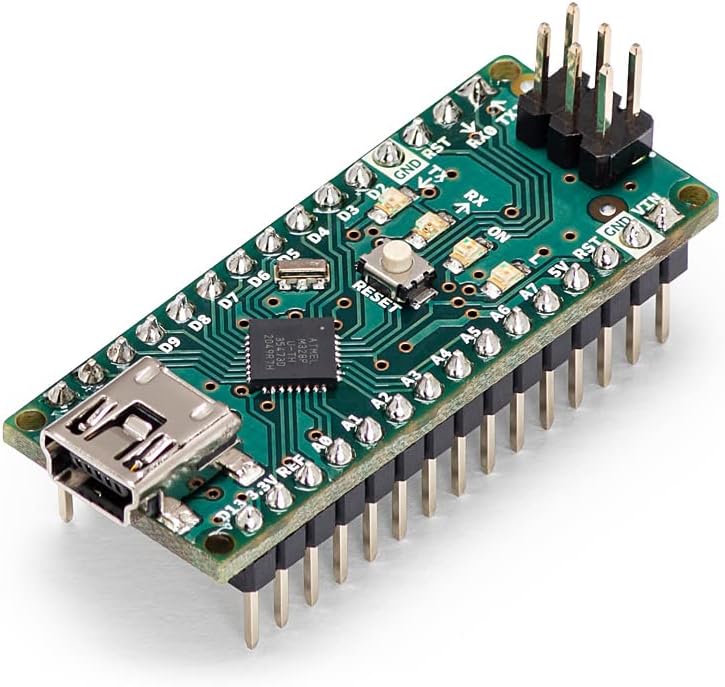
This official version sets the standard for quality and reliability. It is highly rated by users seeking dependable performance without compromises.
We may earn a commission when you buy through this link, at no additional cost to you.
It features the proven ATmega328P microcontroller with robust power management. The board handles complex sketches and sensor arrays efficiently.
The premium price and older USB connector may deter some buyers. However, the peace of mind from official support often justifies the cost.
Best for professional prototypes and projects where consistency is critical. Prioritize this if avoiding potential driver issues is your top priority.
As an official Arduino product, it meets strict manufacturing standards. This ensures consistent performance and reliable long-term durability.
You get all standard features like PWM and analog inputs out of the box. It supports every standard library and shield without modification.
We may earn a commission when you buy through this link, at no additional cost to you.
ELEGOO updates the classic design with a modern USB-C port. This model is rated well for its convenience and ease of use.
We may earn a commission when you buy through this link, at no additional cost to you.
The presoldered headers save time on assembly and reduce risks for beginners. It retains the core ATmega328P features for broad compatibility.
It lacks advanced connectivity like Wi-Fi but covers most standard tasks well. The included cable and guides make it very beginner friendly.
Great for students and hobbyists wanting a plug-and-play experience. Choose this if USB-C is a requirement and soldering is not desired.
The shift to USB-C ensures compatibility with newer laptops and chargers. This future-proofs your setup against older connector obsolescence.
Headers come pre-soldered so you can plug directly into breadboards. This eliminates assembly time and reduces the chance of poor connections.
We may earn a commission when you buy through this link, at no additional cost to you.
The Nano Every delivers improved performance over the classic design. Users praise its efficiency and smoother execution of complex sketches.
We may earn a commission when you buy through this link, at no additional cost to you.
It features the ATmega4809 chip offering more memory and faster processing. This allows for larger code and better data handling.
The size is slightly larger than the original Nano which affects tight fits. However, the speed boost is significant for demanding real-time applications.
Suitable for intermediate users needing better power without stepping to ESP32. Prioritize this for projects requiring robust local processing and storage.
The upgraded MCU runs at a higher clock speed for faster tasks. This helps with signal processing and rapid response times in systems.
With more flash and SRAM you can load larger libraries easily. This removes limitations found on the older standard Nano boards.
We may earn a commission when you buy through this link, at no additional cost to you.
This board brings wireless connectivity and high performance to the Nano size. It stands out for users needing IoT features without extra modules.
We may earn a commission when you buy through this link, at no additional cost to you.
Powered by the ESP32-S3 it supports both Wi-Fi and Bluetooth. This enables seamless data transfer and smart home integrations.
It uses more power than standard AVR boards so battery life varies. The price is higher but the features justify it for connected devices.
Perfect for IoT projects and developers preferring Python over C++. Choose this when wireless communication is a primary requirement.
Having Wi-Fi and Bluetooth onboard eliminates the need for shields. This reduces bulk and simplifies the wiring for remote projects.
MicroPython support allows for faster scripting and prototyping cycles. It makes the board accessible to those who prefer Python syntax.
We may earn a commission when you buy through this link, at no additional cost to you.
This bundle is the top pick for budget-conscious builders. It delivers reliable performance with modern connectivity at a low price.
We may earn a commission when you buy through this link, at no additional cost to you.
The USB-C port allows for convenient power and data transfer. It includes cables for immediate use right out of the package.
Some users report needing to install drivers manually on computers. This minor hurdle is worth it given the low cost and features.
Excellent for hobbyists and students on a tight budget. Select this when you need modern ports without paying a premium.
You get the benefits of USB-C for a fraction of the cost. This makes upgrading your kit very accessible for most users.
Cables are included so you do not need to buy extras. This saves time and ensures compatibility immediately upon unboxing.
We may earn a commission when you buy through this link, at no additional cost to you.
This three-pack offers solid value for larger project needs. It features the familiar Nano layout with modern USB-C power.
We may earn a commission when you buy through this link, at no additional cost to you.
The auto power switch simplifies external voltage selection for users. It ensures stability whether running on USB or external power.
As with other clones driver setup is sometimes required for connection. The performance is robust enough for most standard tasks.
Best for classrooms or large builds needing multiple units cheaply. Prioritize this for budget projects where quantity matters most.
Buying in a pack of three reduces the unit cost significantly. This is great for labs needing many boards at once.
Automatic switching between USB and external power saves effort. It prevents errors during development when testing different power sources.
We may earn a commission when you buy through this link, at no additional cost to you.
The R4 series introduces fresh features like Qwiic connectivity. It is rated highly for its ease of use with sensors.
We may earn a commission when you buy through this link, at no additional cost to you.
An onboard RGB LED helps visualize system status easily. This aids in debugging and adds user feedback without extra components.
It moves away from standard AVR which affects some shield compatibility. Ensure your libraries support the new architecture before purchasing.
Great for sensor-heavy projects and modern prototyping workflows. Choose this if you want the latest official Nano tech.
Qwiic connectors simplify wiring for I2C devices significantly. This reduces clutter on the breadboard and prevents wiring errors.
The programmable LED can indicate battery or error states clearly. It enhances user interaction without needing extra display modules.
We may earn a commission when you buy through this link, at no additional cost to you.
This variant saves money by omitting pre-soldered headers. It retains all the advanced features of the standard R4 model.
We may earn a commission when you buy through this link, at no additional cost to you.
The castellated edges allow direct mounting on custom PCBs. This is useful for compact embedded designs or enclosures.
You must solder the headers yourself which requires some skill. Consider this only if you are comfortable with basic electronics work.
Ideal for custom embedded projects needing integration flexibility. Choose this when PCB integration is your main goal.
Removing headers lowers the price for advanced users. This allows you to save cash on projects that do not use breadboards.
Castellated edges facilitate soldering onto custom PCBs directly. This helps create compact and professional embedded final products.
We may earn a commission when you buy through this link, at no additional cost to you.
This single board offers a simple entry point into Nano projects. It provides core compatibility with modern USB-C connectivity.
We may earn a commission when you buy through this link, at no additional cost to you.
It is lightweight and easy to install in tight spaces. The board handles standard tasks reliably with consistent power.
You will need to provide your own USB-C cable separately. While minor this is a factor to consider when ordering.
Perfect for single-node projects or replacements. Select this if you need a compact unit and already have cables.
The small size makes it easy to fit in tight spaces. This is useful for wearable or portable final projects.
It maintains consistent performance for standard Arduino code. Expect solid results without needing complex configuration steps.
We may earn a commission when you buy through this link, at no additional cost to you.
Selecting the right Arduino Nano involves evaluating hardware specs and connectivity needs.
Most boards use the ATmega328P but newer ones use ATmega4809 or ESP32. The ESP32 adds Wi-Fi while others focus on speed.
Choose standard chips for compatibility or ESP32 for wireless.
Modern boards use USB-C whereas older clones use Micro-USB. This affects what cables you can use for power and data.
USB-C is recommended for longevity and convenience.
Official boards cost more but guarantee quality and support. Clones are cheaper but vary in build reliability over time.
Buy official for critical projects and clones for testing.
All boards accept USB or external power but some auto-switch better. Voltage ranges vary from 5V to 12V for VIN pins.
Check auto-switching features if using external batteries.
Some boards come with soldered headers while others are bare. Headers make breadboarding easier but limit custom PCB integration.
Pick pre-soldered for prototyping or bare for PCBs.
Most clones use CH340 drivers which require manual installation. Official boards may use different chips that need specific drivers.
Ensure your OS supports the driver before buying.
Buying in packs reduces unit cost significantly compared to singles. This is useful if you plan to build multiple units.
Opt for bundles when you need more than one board.
Official boards have broader community libraries and shield support. Newer boards like R4 may have fewer existing resources.
Check library availability before choosing a newer board.
Install the necessary drivers on your computer before connecting. The Nano typically appears as a serial port in your IDE settings.
Connect your power source and ground wires securely. Ensure all connections are stable to prevent damage from loose wires.
Store your boards in a dry place away from static electricity. Use anti-static bags for long-term storage to protect components.
Yes most Nano boards are fully compatible with the Arduino IDE. You simply need to select the correct board model in the Tools menu. Some newer models may require specific package manager entries.
The Nano Every uses an ATmega4809 chip offering faster speed and more memory. The classic Nano uses the ATmega328P. Every is a drop-in replacement but slightly larger.
Most listed boards come with pre-soldered headers ready to use. Some models like the unsoldered R4 require you to add headers yourself. Always check the product description before buying.
Visit the CH340 manufacturer website to download the driver. Install it and restart your computer before plugging in the board. Most OS versions support this driver easily.
The ESP32 consumes more power than standard AVR boards. Battery life varies depending on your power saving settings and tasks. Use deep sleep modes to extend battery life.
Most USB-C ports are designed to be reversible for ease of use. This allows you to plug the cable in either orientation without issues. It is more convenient than older Micro-USB.
We reviewed ten excellent options ranging from budget clones to advanced official boards. The Nano ESP32 stands out for wireless needs and the Nano Every for speed.
Prioritize connectivity and power needs over brand for most hobby projects. However, official boards offer peace of mind for critical long-term deployments.
Prices change frequently so check current listings before finalizing your choice. This ensures you get the best value and availability for your specific needs.