Yamaha UR22C
4.5Editor score
DSP powered monitoring with REV-X reverb
32 bit 192kHz support
Includes Steinberg software suite
This guide compares the top audio interfaces with built in dsp for low latency monitoring, real time effects, and high quality recording workflows.
Audio interfaces with built in dsp offer musicians and streamers real time effects without taxing your computer. These devices process sound internally for near zero latency monitoring and consistent performance.
We evaluated ten top models based on conversion quality, dsp power, connectivity options, and software bundles. Our analysis highlights which units deliver the best value for different recording needs.
Each pick shows key specs, pros, cons, and ideal use cases to help you decide. Note that prices change frequently so check current availability before purchasing your new gear.
4.5Editor score
4.7Editor score

4.0Editor score
This side by side comparison outlines the key specifications and strengths of each model to help you identify the right fit for your studio setup.


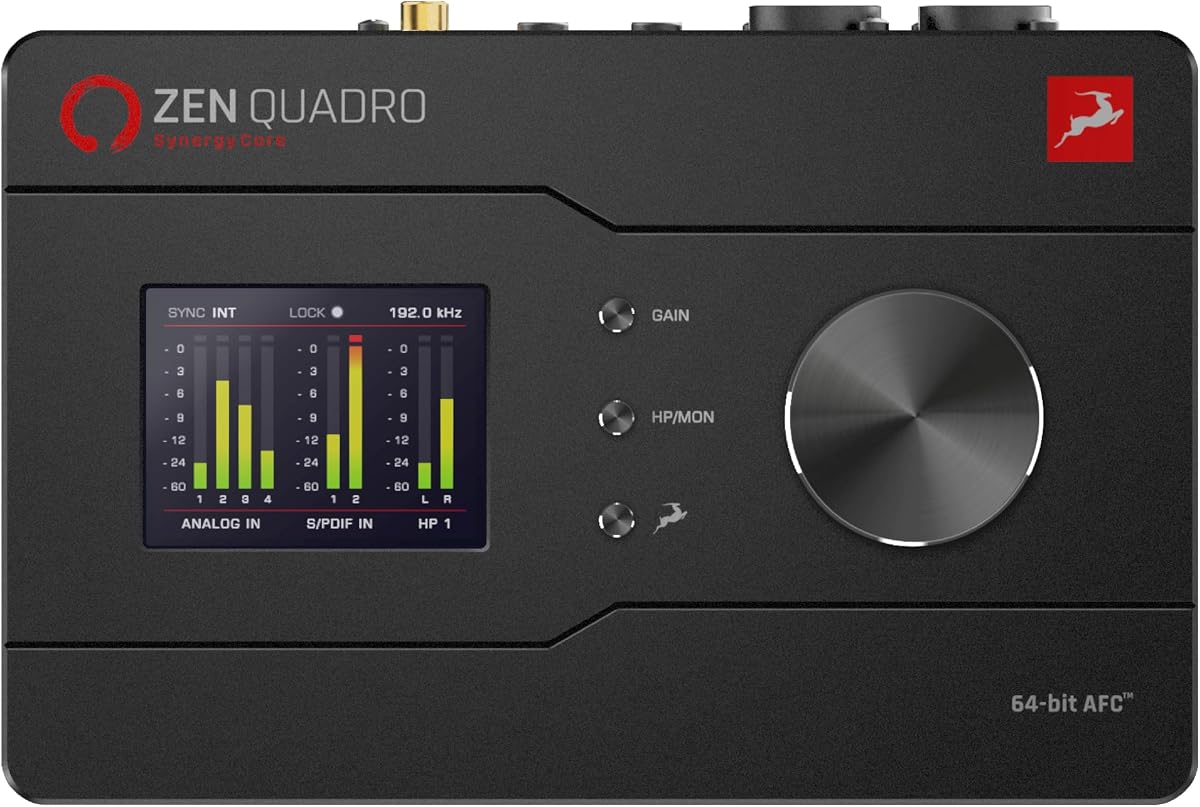
The Antelope Audio Zen Quadro stands out as a top-tier interface offering studio-grade conversion and powerful DSP capabilities in a compact chassis. With a rating of 4.7 stars users praise its ability to handle vocals and instruments with pristine clarity.
We may earn a commission when you buy through this link, at no additional cost to you.
Its real-time Synergy Core FX allow you to track through analog-modeled compressors and EQs without taxing your CPU. The 75 dB gain across four discrete preamps ensures clean amplification even for quieter dynamic microphones.
While the unit is highly capable, beginners might find the extensive feature set slightly complex initially. The need to route audio through ADAT for expansion adds a layer of planning to your setup.
This interface is ideal for home studio owners who demand professional sound quality and low-latency monitoring. If you value accurate conversion and flexible routing for streaming or live sessions this model delivers exceptional value.
Track through 37 included effects with near-zero latency thanks to dedicated DSP and FPGA hardware.
64-bit AFC clocking ensures ultra-low jitter for stable audio performance trusted by Grammy-winning engineers.
We may earn a commission when you buy through this link, at no additional cost to you.
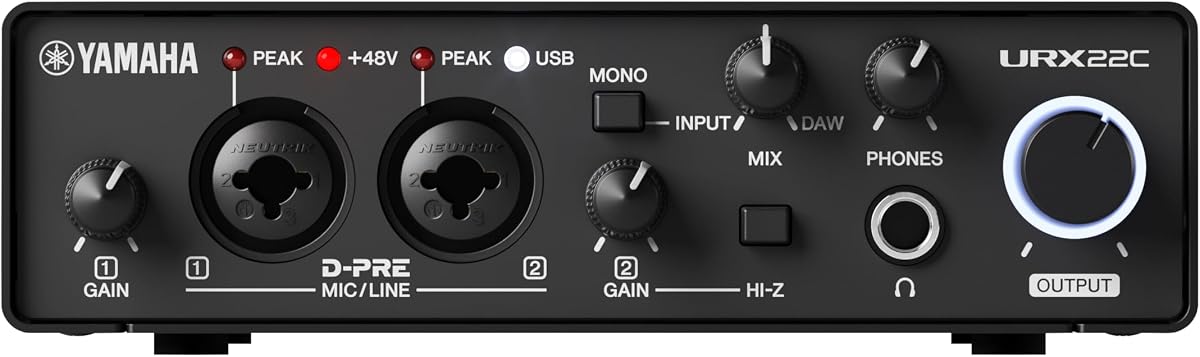
The Yamaha UR22C offers an excellent entry point for musicians seeking reliable audio interface with built-in DSP at an affordable cost. It earns a 4.5 star rating for its solid performance and included software bundle.
We may earn a commission when you buy through this link, at no additional cost to you.
Latency-free monitoring powered by DSP lets you hear effects like REV-X reverb and Channel Strip in real time. The Class-A D-PRE mic preamps deliver warm and clear sound suitable for vocals and acoustic instruments.
While the unit provides essential features it lacks the extensive expansion options found in larger models. The DSP effects are useful for live monitoring but may not replace dedicated plugin suites for mixing.
This interface is perfect for songwriters and podcasters needing a simple robust setup. If you prioritize value and portability without sacrificing audio quality the UR22C is a strong contender.
Steinberg Plus and Cubase AI provide a full production suite right out of the box.
A rugged full-metal housing ensures durability for both studio and travel use.
We may earn a commission when you buy through this link, at no additional cost to you.
The Universal Audio Apollo Twin X QUAD delivers legendary analog tones through its Unison preamps and vast UAD plugin ecosystem. It is rated at 4.0 stars highlighting its premium features and professional appeal.
We may earn a commission when you buy through this link, at no additional cost to you.
Record in real time through authentic emulations of Neve and API hardware using Quad-core DSP processing. The inclusion of award-winning titles like Capitol Chambers ensures you have professional tools for mixing and mastering.
The high price and Thunderbolt dependency may deter casual users. However for those seeking the highest quality conversion and analog saturation the investment is often justified by the sound quality.
This interface suits professional producers and serious home studio owners. If you need the best possible analog feel and processing power this model is an industry-standard choice.
Unison preamps change input impedance to match vintage hardware for authentic tone.
Access over 200 UAD and Native plug-ins for endless sound-shaping possibilities.
We may earn a commission when you buy through this link, at no additional cost to you.
The Focusrite Scarlett Solo 4th Gen is a trusted choice for solo creators who need simple and effective recording capabilities. It holds a 4.6 star rating due to its ease of use and sound quality.
We may earn a commission when you buy through this link, at no additional cost to you.
The improved Air mode adds presence and rich harmonic drive to vocals and guitars. With 120dB dynamic range and same converters as flagship interfaces it brings studio sound to small spaces.
This model lacks built-in DSP for monitoring effects relying instead on software solutions. Users wanting hardware-based processing might find this a limitation for live performance scenarios.
Ideal for beginners and streamers the Solo provides everything needed to start recording immediately. Its compact design and included software make it a convenient solution for content creation.
Improved Air mode lifts vocals and guitars to the front of the mix with rich harmonics.
Includes Pro Tools Intro and Ableton Live Lite for complete music production workflow.
We may earn a commission when you buy through this link, at no additional cost to you.
The Elgato Wave XLR MK.2 is designed specifically for streamers who need reliable voice enhancement and monitoring. It earns a 4.3 star rating for its seamless integration with broadcasting software.
We may earn a commission when you buy through this link, at no additional cost to you.
Ultra-low-latency monitoring ensures you hear what your audience hears with crystal clear resolution. The Wave FX Processor allows you to apply compression and EQ without adding load to your system.
This interface focuses heavily on voice and streaming use cases which may limit its appeal for music production. The reliance on the Wave Link app means you may need to adjust settings via software.
If your primary goal is high-quality podcasting or streaming this interface offers the best features for the job. Its touch controls and visual feedback make managing levels intuitive during live sessions.
Tailored features like Loopback and voice enhancers optimize audio for broadcasting.
Drive any XLR microphone with a massive 80dB gain for loud amplification.
We may earn a commission when you buy through this link, at no additional cost to you.
The Universal Audio Apollo Twin X DUO provides a balanced solution for producers needing analog warmth and DSP power. With a 4.5 star rating it is praised for its sound quality and workflow efficiency.
We may earn a commission when you buy through this link, at no additional cost to you.
Experience authentic analog tones through Unison preamps that let you record through emulations of classic hardware. The DUO core offers sufficient processing for tracking and mixing without overwhelming your CPU.
Compared to the QUAD version it has fewer DSP cores which limits the number of simultaneous plugins during heavy sessions. Thunderbolt connectivity is required which may not be available on all computers.
This interface is an excellent choice for mid-level studios aiming for professional results. If you want high-quality conversion and classic analog tone at a reasonable price this model is a strong option.
Add a subwoofer to your monitor setup to hear low-end detail clearly in mixes.
Set your levels across inputs quickly to ensure you never miss a perfect take.
We may earn a commission when you buy through this link, at no additional cost to you.
The Solid State Logic 2 MKII Plus brings legendary SSL sound to desktop setups with high-resolution conversion. It achieves a 4.7 star rating for its premium build and distinctive analog processing features.
We may earn a commission when you buy through this link, at no additional cost to you.
The Legacy 4K Analog Enhancement adds a desirable harmonic color to tracks that mimics classic consoles. This makes recording vocals and guitars more exciting and full-bodied compared to sterile digital conversions.
While the unit offers exceptional audio quality the channel count is limited to two inputs. Users needing more simultaneous inputs for drum recording or bands will need to consider larger alternatives.
This interface is perfect for engineers and producers seeking unique tonal shaping options. If you value SSL quality and a streamlined workflow the 2 MKII Plus delivers reliable and colorful sound.
Add warmth and presence to your tracks with iconic SSL analog modeling.
32-bit and 192kHz AD/DA converters ensure the highest fidelity recording possible.
We may earn a commission when you buy through this link, at no additional cost to you.
The MOTU UltraLite-mk5 offers extensive connectivity for live performers and session musicians needing multiple inputs. With a 4.3 star rating it is known for its robust hardware and flexible routing capabilities.
We may earn a commission when you buy through this link, at no additional cost to you.
DSP-driven monitor mixing allows you to create separate unique mixes for each output pair without using computer resources. The interface supports up to 40 simultaneous audio channels making it versatile for complex setups.
While the I/O is impressive the USB 2.0 connection may limit bandwidth compared to Thunderbolt options. The size and weight of the unit make it less portable than smaller alternatives.
This interface is ideal for musicians managing multiple instruments or live bands. If you need extensive connectivity and reliable onboard mixing this model provides professional-grade performance.
Control mixing settings from any device to create custom monitoring for every musician.
18×22 routing with optical I/O allows massive expansion for larger recording sessions.
We may earn a commission when you buy through this link, at no additional cost to you.
The Yamaha URX22 B features a 4.3 inch touchscreen that simplifies control for complex workflows. With a 4.0 star rating it is recognized for its modern design and professional sound processing capabilities.
We may earn a commission when you buy through this link, at no additional cost to you.
Built-in DSP ensures professional sound quality and latency-free monitoring for all connected inputs. The dual USB-C ports allow you to connect multiple devices or route audio between computers seamlessly.
While the unit offers great connectivity its DSP capabilities are more limited compared to competitors. The touchscreen is intuitive but may require time to master during live performance scenarios.
This interface is perfect for users who prefer visual control over knobs and sliders. If you value a modern design and high-quality DSP monitoring this model is a unique and valuable tool.
Adjust levels and view meters easily with a responsive 4.3 inch display.
Connect two computers or route audio between PC and tablet effortlessly.
We may earn a commission when you buy through this link, at no additional cost to you.
The Antelope Audio Zenith 2 is tailored for vocalists and podcasters needing professional sound out of the box. It holds a 4.8 star rating for its exceptional conversion quality and specialized DSP features.
We may earn a commission when you buy through this link, at no additional cost to you.
Transform your voice with a dedicated Smart Vocal Chain that includes compression and EQ in real time. Dual independent headphone mixes allow two users to monitor separately during recording or podcasting sessions.
While excellent for vocals the unit has fewer instrument inputs than some broader studio interfaces. The price point is premium but justified by the high-fidelity conversion and included plugin bundle.
This interface is ideal for streamers who prioritize vocal quality above all else. If you need pristine voice capture and flexible monitoring this model provides top-tier performance.
Instantly polish your vocals with built-in DSP tools for professional sounding streams.
Take command with Studio Wizard for precise adjustment of compression and EQ.
We may earn a commission when you buy through this link, at no additional cost to you.
Choosing an interface with DSP requires understanding how onboard processing affects your workflow and sound quality. Consider these factors to match the device to your recording needs.
DSP power determines how many real-time effects you can run simultaneously without latency. Look for units with enough cores to support your typical plugin load during recording sessions.
Prioritize interfaces that offer essential tools like EQ compression and reverb if you record vocals or instruments live.
Thunderbolt offers the highest bandwidth for low latency while USB-C provides better portability across devices. Check that your computer has the required port before purchasing.
Ensure the interface supports your operating system and offers stable drivers for long-term reliability.
Match the number of inputs to your typical recording size. Soloists may only need one mic while bands require multiple channels for simultaneous tracking.
Consider expandability via ADAT if you plan to grow your setup over time.
High-quality preamps provide clean amplification with low noise. Look for at least 70dB of gain to support dynamic microphones.
Check for phantom power availability to support condenser microphones during recording.
Onboard DSP allows for near-zero latency monitoring which is crucial for performers. Test buffer sizes to ensure smooth operation under your DAW.
Lower latency settings reduce delay but require sufficient CPU headroom if DSP is off.
Included DAWs and plugin suites add significant value and save setup time. Verify that the software matches your workflow needs.
Look for interfaces that allow easy updates to plugins and firmware for longevity.
A durable chassis ensures the unit survives transport and regular use. Metal housing is preferred for long-term stability.
Check for reliable knobs and connectors that can withstand frequent adjustments.
Balance the cost with the features provided. Higher-end models offer better sound and more DSP but may not be necessary for all users.
Invest in a unit that meets your current needs while allowing room for growth.
Always install the latest drivers before connecting the interface to ensure stable performance. Configure your DAW to use the interface as the primary audio device.
Adjust DSP settings gradually to avoid clipping and distortion. Use headphones to monitor latency levels during live tracking.
Store the interface in a dry environment and avoid dust buildup on connectors. Regularly update firmware to maintain optimal sound quality.
DSP stands for Digital Signal Processing which allows the interface to handle effects internally. This reduces the load on your computer and enables near-zero latency monitoring.
Yes a DAW is still needed to capture and edit your audio. DSP handles monitoring and effects while the DAW records the final audio data.
Thunderbolt provides higher bandwidth and lower latency than USB. It is preferable for heavy DSP loads but USB is sufficient for many standard workflows.
Yes most interfaces allow you to apply DSP effects to playback tracks. This helps you hear mixes with professional tone while tracking.
Set your buffer size to a low value in your DAW settings. Ensure your drivers are updated and the interface is connected directly to the computer.
DSP effects are optimized for real-time performance and often match plugin quality. They lack some flexibility but provide consistent sound without CPU lag.
We identified the Antelope Audio Zen Quadro Elgato Wave XLR MK.2 and Universal Audio Apollo Twin X QUAD as top choices. Each offers unique strengths for different recording needs and budgets.
Prioritize DSP power and connection types to match your workflow. Ensure the interface supports your computer and offers the necessary inputs for your instruments.
Always verify current availability and pricing before making a purchase. These models provide reliable performance to help you create professional quality recordings.