
MELOGAGA RGB
4.2Editor score
7-color RGB lighting
Ultra-compact design
Inline volume control
This guide compares the top cheap PC speakers for 2026, evaluating sound quality, build, and features to help you choose the right audio solution.
Finding the right audio setup does not require breaking the bank. Cheap PC speakers can deliver surprisingly clear sound for music, gaming, and work tasks without expensive costs or complex installation steps.
We evaluated ten highly rated models based on audio performance, build quality, connectivity options, and user feedback. This list covers USB powered designs, compact units, and models with unique mounting features for modern desks.
Each pick highlights specific strengths and ideal use cases for different setups. Note that availability and exact terms may vary by region and time so verify current details before purchasing any item listed here.
4.2Editor score

4.6Editor score

4.2Editor score
This table presents a side-by-side look at the top ten affordable speakers reviewed in this guide. Each row details key specifications and unique features to help you compare performance and design at a glance.



This speaker set offers a straightforward solution for basic computer audio needs. With a rating of 4.4 stars, users appreciate its ability to amplify laptop and desktop sound without complex wiring requirements.
We may earn a commission when you buy through this link, at no additional cost to you.
The USB power connection ensures you do not need an extra outlet for operation. The inline volume control sits conveniently on the cable for quick adjustments during calls or media playback.
While the bottom radiator helps add some depth to lower frequencies, it is not designed for deep bass reproduction. This trade-off is acceptable for users prioritizing space and simplicity over immersive theater effects.
Ideal for students or office workers needing clear voice output for video conferencing and casual media. It delivers consistent performance for everyday tasks at a very accessible entry level.
The USB powered design means fewer cables cluttering your desk while keeping setup incredibly fast for any compatible computer.
Its compact size and padded base allow stable placement on small workspaces without scratching sensitive surfaces.
We may earn a commission when you buy through this link, at no additional cost to you.
These compact speakers provide a cost-effective way to upgrade audio from built-in laptop speakers. Users highlight the clear and distortion-free sound that meets basic needs for movies and music without breaking the bank.
We may earn a commission when you buy through this link, at no additional cost to you.
The design features a unique column shape that fits neatly on modern desks. Setup requires no drivers, making it easy to connect via USB power and a standard 3.5mm audio cable for instant use.
While the materials are primarily plastic, the anti-slip pads ensure stability during use. The long cable length allows flexible placement between speakers even on larger desks.
Best suited for those needing a quick replacement for dead speakers on a tight budget. It delivers functional performance for general use without expecting high fidelity or deep bass.
Plug and play functionality ensures you can start listening immediately after connecting the USB and audio cables.
The narrow column design minimizes desk footprint while still providing a wider sound stage than tiny internal speakers.
We may earn a commission when you buy through this link, at no additional cost to you.
Designed by a trusted Japanese brand, this speaker set stands out for its build quality and acoustic tuning. It delivers a surprising amount of power for its size thanks to dual full-range drivers and passive radiators.
We may earn a commission when you buy through this link, at no additional cost to you.
The 30-degree upward tilt directs sound straight to your ears for a more immersive experience. This thoughtful layout saves desk space while ensuring clear mids and crisp highs during music playback.
Gold plated inputs help minimize signal noise for consistent audio quality. While it lacks wireless connectivity, the wired reliability ensures stable performance for critical listening or work environments.
Recommended for users seeking a balance of aesthetics and performance without spending hundreds. The VGP award recognition confirms its standing as a top choice in the compact speaker category.
The tilt design and passive radiators work together to maximize volume and bass response within a small footprint.
Premium components and matte finish provide durability and a sleek look that matches modern office setups.
We may earn a commission when you buy through this link, at no additional cost to you.
This soundbar style speaker is designed to clamp directly onto your monitor freeing up valuable desk space. It features an adaptive channel switching system that ensures left and right audio remain correct regardless of mounting position.
We may earn a commission when you buy through this link, at no additional cost to you.
Touch controls on the front allow for intuitive muting and volume adjustments without reaching for cables. The included USB-C adapter expands compatibility to newer devices like MacBooks and tablets.
While the mounting mechanism is convenient, it requires a monitor with an edge that can support the clamp. This limitation means it is best suited for users with standard desktop monitors rather than laptops on desks.
Perfect for gamers or multitaskers wanting a clean setup with powerful sound output. The deep bass and loud volume make it a strong contender for media consumption in tight spaces.
The G-sensor adjusts audio channels automatically so you never hear sounds coming from the wrong side.
Touch buttons replace traditional knobs for a sleek look and easier operation in low light conditions.
We may earn a commission when you buy through this link, at no additional cost to you.
These compact speakers are ideal for laptops or small workstations where space is at a premium. They plug directly into a USB port for power and feature a front volume control that includes an on and standby function.
We may earn a commission when you buy through this link, at no additional cost to you.
A useful feature is the headphone jack which allows you to plug headphones into the speakers if needed. The frequency range covers standard audio needs though bass response is naturally limited by the small drivers.
The lightweight design makes them easy to transport between home and office setups. However the basic plastic construction means they may not withstand heavy daily wear and tear as well as larger units.
Best for users who need basic audio on the go or in very tight spaces. They provide reliable sound for calls and simple media tasks at a very low cost point.
The headphone jack adds versatility if you need to share audio or use wired headsets without moving your laptop.
Its small size and low weight make it an excellent addition to a travel bag for hotel room entertainment.
We may earn a commission when you buy through this link, at no additional cost to you.
This upgraded model focuses on delivering loud stereo sound with a single USB cable for both power and audio. The dual high-excursion drivers work with a passive radiator to improve bass clarity and overall volume.
We may earn a commission when you buy through this link, at no additional cost to you.
Compatibility is broad across major operating systems including Windows macOS and Linux. This makes it a safe choice for diverse office environments or mixed device setups without worrying about driver issues.
The single cable reduces clutter compared to dual cable solutions but ensures your USB port is available for this purpose. The dynamic range is improved over standard cheap speakers for better music reproduction.
Recommended for users wanting more volume and bass than typical entry-level models provide. It strikes a good balance between simplicity and performance for general desktop audio.
Reducing cables to one simplifies desk organization while maintaining full audio and power functionality.
High-excursion drivers allow for greater movement resulting in louder sound with less distortion at high volumes.
We may earn a commission when you buy through this link, at no additional cost to you.
These speakers bring a gaming aesthetic to the desk with unique touch lights that create an immersive atmosphere. The surge stereo sound technology uses amplifier IC horns to deliver clear and noiseless audio for games and videos.
We may earn a commission when you buy through this link, at no additional cost to you.
A top volume knob allows for quick adjustments without digging through menus. The cables are glued together to reduce clutter which keeps the area under your monitor tidy and organized.
The design focuses heavily on style and clear output though it lacks microphone support for calls. The lighting effects are vibrant but cannot be turned off completely which may not suit all office environments.
Ideal for home office users who want a bit of personality in their audio setup. It provides clear sound and visual flair without a complex installation process.
The touch lights add a modern vibe to your desk though they require a small amount of power from USB.
Glued cables simplify routing and prevent tangling under your monitor or desk surface.
We may earn a commission when you buy through this link, at no additional cost to you.
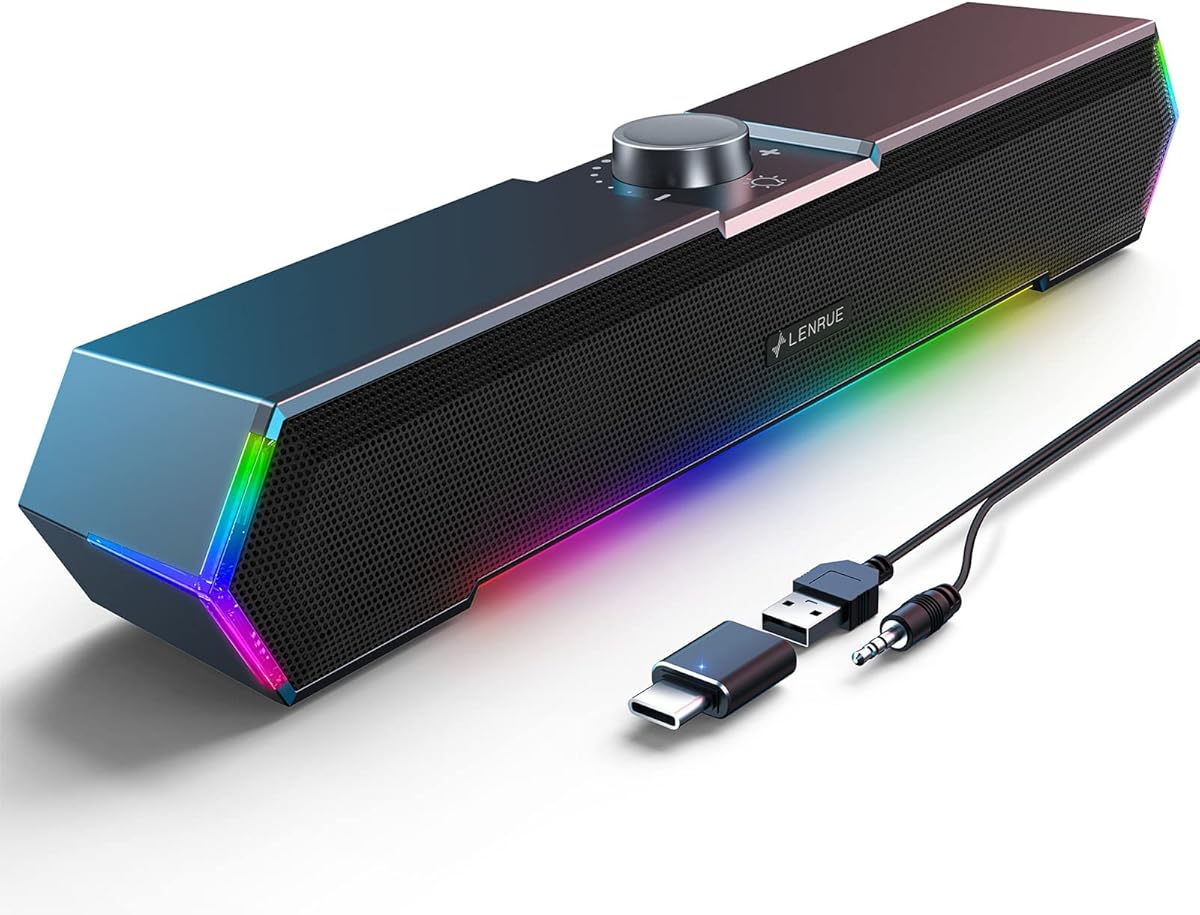
This model adds a splash of color to your desk with 7-color RGB lighting while keeping costs very low. It delivers crisp balanced sound with deep bass thanks to dual 3W high-fidelity drivers.
We may earn a commission when you buy through this link, at no additional cost to you.
The inline volume knob makes it easy to adjust levels quickly without touching your computer settings. Its ultra-compact design fits seamlessly on small desks where space is limited.
While the audio quality is not audiophile grade it is sufficient for casual listening and gaming. The plastic build is light and easy to move but feels less premium than metal options.
Perfect for students or casual users wanting style without breaking the bank. The RGB feature makes it a standout choice for budget setups looking for visual flair.
The cycling LED colors add a fun element to your workspace without requiring extra software or setup.
Volume adjustment is handled on the cable allowing precise control without searching for buttons on the device.
We may earn a commission when you buy through this link, at no additional cost to you.
This speaker focuses on core audio performance with upgraded 2x3W technology for loud and crisp sound. It connects easily via USB and 3.5mm cables without requiring any driver installation.
We may earn a commission when you buy through this link, at no additional cost to you.
The anti-slip foot pads ensure the speakers stay in place during use while the glued cables reduce clutter on your desktop. It is designed to fit under monitors without taking up extra space.
User feedback highlights the clear sound quality suitable for indoor movies and music. The simple design means fewer things to break but also limits customization options for advanced users.
Best for those needing a no-fuss upgrade from internal laptop speakers. It delivers reliable volume and clarity for general multimedia consumption at a very accessible price.
Foot pads prevent sliding and protect your desk surface from scratches during use.
The Hi-Fi tuning ensures voices and music remain distinct even at higher volume levels.
We may earn a commission when you buy through this link, at no additional cost to you.
Creative is a well-known audio brand and this Pebble model continues that tradition with excellent reliability. Users rate it highly for its unique 45-degree elevation which projects sound directly to your ears for a better personal experience.
We may earn a commission when you buy through this link, at no additional cost to you.
The rear facing passive radiators enhance bass reproduction without needing extra power. A single USB cable handles both power and audio which keeps the desk setup clean and simple.
Front facing controls allow you to adjust volume instantly without reaching behind the speakers. While it may lack deep sub-bass it provides clear balanced audio for most listening scenarios.
Highly recommended for users seeking a trusted brand name at an affordable price. It is a safe bet for anyone needing clear desktop audio without technical headaches.
The pebble shape and angle make a stylish addition to any modern office or home desk.
Far-field drivers are tuned to project sound further than typical compact speakers.
We may earn a commission when you buy through this link, at no additional cost to you.
Selecting affordable speakers involves balancing power, connection type, and design features. This section outlines the key factors to consider for the best match for your setup.
Power output measured in watts determines how loud your speakers can get without distortion. Look for models with dual drivers and passive radiators for better bass response even at lower prices.
Prioritize speakers with at least 3 watts per channel for clear audio during media playback.
Most cheap speakers use USB for power and a 3.5mm jack for audio input. Some newer models support USB-C or Bluetooth though wired options offer more stable connectivity.
Check your computer ports to ensure the speaker matches your available connection options.
Compact designs like soundbars or column speakers save desk space compared to traditional bulky units. Consider if you need clip-on mounts to save even more room.
Measure your desk area before buying to confirm the speaker fits comfortably.
Inline volume knobs and mute buttons add convenience compared to relying solely on system software. Some models include RGB lighting or touch controls for style.
Decide if you prefer physical controls or are comfortable using software volume sliders.
Plastic builds are common at low price points but check for rubber feet or padded bases to prevent slipping. Metal accents can offer better durability and aesthetics.
Read reviews for mentions of long-term durability and scratch resistance.
Frequency response indicates how well a speaker handles low and high sounds. Standard speakers cover 100Hz to 17kHz which is suitable for most media and voice.
Look for models with wide frequency ranges for more balanced sound reproduction.
Budget brands may offer shorter warranties than established names. Check if the seller provides a money-back guarantee or extended warranty periods for peace of mind.
Opt for sellers with strong customer support in case of defects or issues.
Connect the USB cable to a free port on your computer to power the speakers. Then plug the 3.5mm audio jack into your computer's headphone or speaker output.
Set your computer system volume to maximum and adjust using the speaker's inline knob for best clarity. This ensures the amplifier receives a strong signal without distortion.
Keep speakers away from direct sunlight and liquids to prolong their lifespan. Wipe dust gently with a dry cloth to maintain appearance and vent performance.
Most cheap PC speakers are USB powered meaning they draw electricity directly from your computer. This removes the need for separate wall adapters and keeps desk setups simpler for everyday use.
Yes most USB speakers listed are compatible with macOS and other operating systems. Ensure your system audio output is set to the USB device if not recognized automatically.
You can use a USB hub to expand available ports for the speakers. If your computer only has USB-C check models that include an adapter or use a suitable converter cable.
While they offer clear sound, most budget speakers lack the accuracy required for professional mixing. They are best for general media, gaming, and voice tasks rather than critical listening.
Many models have a 3.5mm jack which can connect to TVs with headphone output. However USB power may require a separate adapter if the TV does not provide sufficient USB power.
Ensure both system and player volume are at maximum before adjusting the speaker knob. Also check that the correct playback device is selected in your sound settings menu.
Most of the wired models reviewed do not support Bluetooth connections. Focus on USB and 3.5mm inputs for stable audio if wireless connectivity is not a priority for your setup.
Compact speakers fit on small desks as small as 20 inches wide. Soundbars and column designs save space but ensure you have enough depth to place them under or beside a monitor.
We reviewed ten excellent options ranging from simple plug-and-play units to models with RGB lighting and mounting features. Top picks include the Creative Pebble for quality and the MELOGAGA for budget style.
Prioritize sound clarity and connection type based on your daily tasks. Gamers may prefer louder outputs while office users might value compact designs with easy controls.
Prices and availability change regularly so verify current stock before making a purchase. These models offer solid value for anyone looking to enhance their PC audio without high costs.