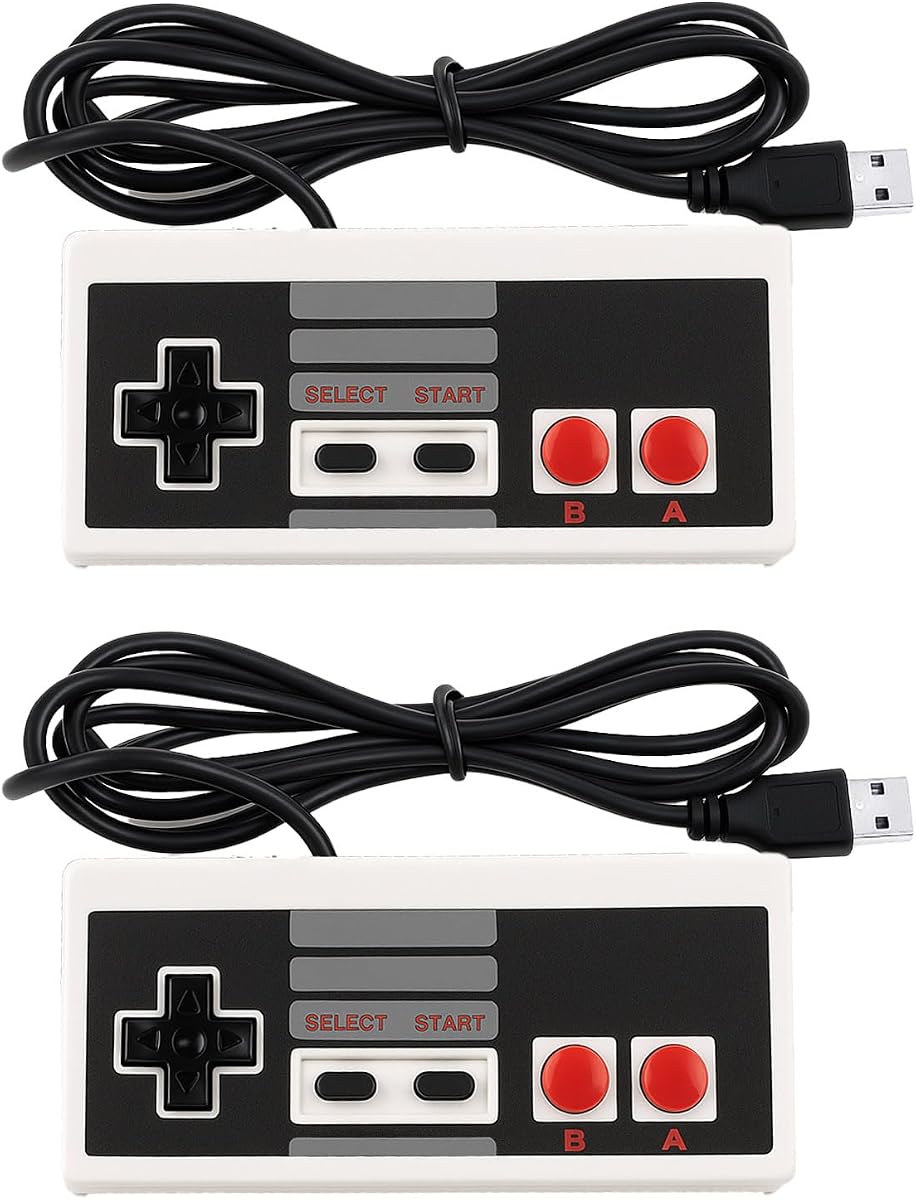
ZENANBiBi Usb Wired Controller 2-Pack for Nes Gamepad
3.8Editor score
Plug and play setup
5.6ft cable length
Works with Windows PC
This guide compares the top Classic Nes Controller Replacement options for accuracy, durability, and comfort to help retro gamers find the perfect gaming
Finding the right Classic Nes Controller Replacement is essential for anyone looking to revive their retro gaming setup without compromising on performance or comfort. Whether you are playing on original hardware or modern emulation systems, the quality of your input device directly impacts your experience and enjoyment of classic titles.
We have carefully evaluated ten top-rated options based on user feedback, build quality, cable length, and compatibility with various systems. Our analysis focuses on wired and wireless alternatives that maintain the authentic feel of the original design while offering modern conveniences like longer cables and enhanced durability for daily use.
Each pick in this list highlights specific strengths such as button responsiveness, ergonomic design, or multi-platform support to help you make an informed decision. Please note that availability and pricing can change frequently, so always check the latest details on the retailer page before completing your purchase.
3.8Editor score

3.7Editor score

4.5Editor score
The following table provides a side-by-side comparison of all ten products to help you quickly identify the best match for your specific gaming needs and system requirements.


This replacement controller stands out for its exceptional cable length and authentic button response. With a rating of 3.7 stars, it offers a solid option for players who need more freedom of movement while playing classic titles. The sensitive buttons provide the precision needed for challenging retro games.
We may earn a commission when you buy through this link, at no additional cost to you.
The 10ft cable is a major advantage allowing you to sit further from the screen for comfort. Both players can enjoy the console simultaneously since the extension cable works with controllers plugged in at the same time. This makes it ideal for couch gaming sessions with friends or family.
While the build quality is generally sturdy, some users note inconsistencies in button durability over time. However, the affordability of the two-pack mitigates this concern for many buyers. It remains a strong choice for casual players prioritizing cable length and ease of use.
If you own the NES Classic Edition Mini model, this controller is a reliable choice. Its plug-and-play design ensures you can start gaming immediately without extra configuration. We recommend it for those seeking a budget-friendly way to extend their gaming range.
The 10ft cable allows users to sit back comfortably without feeling tethered to the console.
Sensitive buttons ensure precise control during fast-paced platforming or action sequences.
We may earn a commission when you buy through this link, at no additional cost to you.
For PC and Mac users, these wireless controllers offer significant flexibility without sacrificing performance. The 2.4GHz connection ensures low latency and a range up to 10 meters. A built-in rechargeable battery provides around 100 hours of playtime per charge.
We may earn a commission when you buy through this link, at no additional cost to you.
The turbo function allows players to set rapid button presses for classic games that benefit from auto-fire. You can configure keys using joystick mapper software to suit your preferences. This level of customization enhances the gaming experience on emulators and modern systems.
It is important to note these controllers are not compatible with the NES Classic Edition. They are designed primarily for PC, Mac, and Linux systems with USB adapters. If you need a replacement for the original Mini console, you should look elsewhere.
This pack is ideal for retro enthusiasts who game on computers rather than dedicated consoles. The ability to play wirelessly on a sofa or bed adds comfort to long sessions. Check compatibility with your specific emulator before purchasing to ensure smooth operation.
Enjoy untethered play with a reliable 2.4GHz connection that reaches up to 10 meters.
A single charge lasts around 100 hours, reducing the frequency of recharging.
We may earn a commission when you buy through this link, at no additional cost to you.
This controller aims to replicate the nostalgic feel of the original NES design on modern systems. Its classic D-pad and responsive buttons cater to fans of retro titles who prefer a wired connection. The ergonomic shape is intended for comfortable use during extended gaming sessions.
We may earn a commission when you buy through this link, at no additional cost to you.
The USB plug-and-play feature means no drivers are required for Windows or Mac systems. It is designed to work with all major operating systems for versatile gaming options. The 6-foot cable offers enough flexibility for most living room setups.
Despite these features, the product currently holds a very low rating indicating potential quality control issues. Some users report defects upon arrival or inconsistent button response. Buyers should be cautious and review recent feedback before making a purchase decision.
If you prioritize the classic look and feel, this option might still be worth considering with caveats. It serves well for collectors or those needing a simple wired input for emulators. Always check return policies in case the unit does not meet expectations.
The design mimics original controllers for an authentic look while working on new devices.
USB plug-and-play technology allows immediate use without installing additional software.
We may earn a commission when you buy through this link, at no additional cost to you.
This controller features a 9-pin design specifically for AV 620, HD 621, and HD 821 retro consoles. With a high rating of 4.8 stars, users appreciate its quality and reliability. The 4-button layout includes continuous fire for rapid-action games.
We may earn a commission when you buy through this link, at no additional cost to you.
The two-pack allows you to share gaming moments with family or friends immediately. It is designed to be plug and play for instant enjoyment without extra setup. The controllers are made with durable materials to withstand regular use over time.
While it does not work with the NES Classic Edition, it serves as an excellent alternative for specific arcade-style systems. The warm tips in the description suggest confirming functionality with your setup before purchase. This transparency helps manage expectations for buyers.
If you own one of the supported retro consoles, this controller is a top-tier choice. The fire button adds a competitive edge for certain genres. We recommend it for anyone seeking a reliable, well-rated option for their specific hardware setup.
The built-in fire button gives you an edge in games requiring rapid repetitive inputs.
A two-pack ensures you have enough controllers for multiplayer sessions without extra costs.
We may earn a commission when you buy through this link, at no additional cost to you.
This USB controller pack supports a wide range of operating systems including Windows, Mac, Linux, and Raspberry Pi. It offers a classic NES feel with a 5.6ft cable for convenient play distances. Users can start playing immediately via USB 2.0 without installing drivers.
We may earn a commission when you buy through this link, at no additional cost to you.
The affordability of the two-pack makes it accessible for families or casual gamers. It is suitable for playing iconic titles that bring back nostalgic memories with smooth performance. The design replicates the classic layout for those who prefer a traditional gaming experience.
Note that it is not compatible with the NES Classic Mini, Wii, or Switch consoles. This limitation restricts its use to computer-based gaming setups and certain emulators. For PC users, however, it provides excellent value and versatility.
If you need a budget option for retro gaming on your computer, this controller is a strong contender. It balances cost and functionality well for basic needs. We suggest verifying your system requirements to ensure it fits your specific setup.
Compatible with Windows, Mac, Linux, and RetroPie for versatile use across devices.
USB 2.0 connection allows immediate use without needing additional drivers or software.
We may earn a commission when you buy through this link, at no additional cost to you.
This adapter allows you to use SNES controllers on the NES Classic Edition and Wii U systems. It includes a built-in turbo function for enhanced gameplay options. The device is plug-and-play requiring no extra drivers for immediate setup.
We may earn a commission when you buy through this link, at no additional cost to you.
A unique feature is the ability to exchange the D-pad and the left stick for customization. This flexibility can improve comfort and control for different types of games. It provides a cost-effective way to utilize existing SNES hardware.
Since it is an adapter rather than a standalone controller, its use is specific to certain setups. You must own SNES controllers to take advantage of this product fully. Ensure your console model is supported before purchasing to avoid compatibility issues.
If you already have SNES controllers and want to use them on modern retro systems, this adapter is ideal. It bridges the gap between different hardware generations effectively. We recommend it for users seeking versatility with their existing gear.
Use your favorite SNES controllers on the NES Classic Edition without buying new hardware.
Exchangeable D-pad and stick options let you tailor the controller to your preference.
We may earn a commission when you buy through this link, at no additional cost to you.
This product is a replacement housing case for Nintendo Switch Joycons featuring a classic NES style design. It includes a full set of buttons and the necessary tools for installation. The ergonomic d-pad improves functionality for games requiring directional precision.
We may earn a commission when you buy through this link, at no additional cost to you.
The soft touch material provides a smooth grip that is sweat-free during long sessions. This case adds personality to your Switch without the boring standard gray color. It appeals to fans who want a custom look without altering the internal electronics.
Installation requires moderate electronic experience, so follow the video guide carefully for best results. The housing is sold separately from electronics parts meaning you must have a working Joycon. This distinction is crucial for buyers expecting a complete new controller.
If you enjoy customizing your hardware and have technical confidence, this housing is a creative choice. It brings an 80s aesthetic to modern devices effectively. We recommend it for users looking to refresh their controller shell.
Add unique personality to your Switch with a nostalgic NES-style housing case.
The redesigned d-pad enhances control for precision-heavy games like platformers.
We may earn a commission when you buy through this link, at no additional cost to you.
This bundle provides essential accessories including a controller, power supply, and extension cables for the NES Classic Edition. It addresses common issues like missing power adapters or short cables. The pack includes two long 6FT cables for flexible setup options.
We may earn a commission when you buy through this link, at no additional cost to you.
The power supply is compatible with the console ensuring you can resume gaming if yours was lost. However, the low user rating suggests quality may not meet expectations compared to other options. Buyers should be prepared for potential inconsistencies in build quality.
Given the low rating, it is advisable to check recent reviews thoroughly before purchasing. While it solves immediate needs for missing components, long-term durability might be a concern. It serves as a functional solution for getting back to play quickly.
If you need a quick fix for a missing power supply or extra cables, this bundle works. It is not the highest rated option but covers basic requirements. We recommend it only for urgent replacement needs.
The bundle includes power supply and cables to replace lost items instantly.
Two 6FT extension cables allow comfortable placement away from the console.
We may earn a commission when you buy through this link, at no additional cost to you.
This controller is officially licensed by Nintendo and crafted with superior quality materials. It offers a comfortable grip that extends control for better precision during gaming. The textured silicone material ensures stability even during intense sessions.
We may earn a commission when you buy through this link, at no additional cost to you.
As a premium option, it stands out for its build quality and official endorsement. Users appreciate the enhanced feel compared to third-party alternatives. The red color adds a stylish touch for those who prefer bold designs.
While it may cost more than generic replacements, the quality justifies the investment for many. It is ideal for collectors or players who want the best possible input experience. The grip design specifically targets comfort for extended use.
If you seek a reliable, high-quality replacement with official backing, this controller is a top choice. It delivers on both performance and aesthetics. We recommend it for anyone valuing official licensing and superior ergonomics.
As an official accessory, it meets Nintendo's standards for quality and compatibility.
Textured silicone provides a secure hold to reduce slippage during play.
We may earn a commission when you buy through this link, at no additional cost to you.
These controllers replicate the SNES layout for PC and Mac gaming with a USB connection. The ergonomic design fits the hands comfortably with anti-sweat and anti-slip features. They work with most emulators for playing classic old school retro titles.
We may earn a commission when you buy through this link, at no additional cost to you.
The 5ft cable provides enough length for living room setups without excessive slack. Manual mapping within emulators may be required to assign buttons correctly. This flexibility allows customization for different games and user preferences.
While it does not work with the original SNES console, it excels in computer-based emulation. The two-pack ensures you have controllers for local multiplayer sessions easily. Overall, it is a solid choice for retro fans using PCs.
If you prefer the SNES button layout for your PC games, these controllers are highly suitable. They offer a balance of comfort and functionality at an affordable price. We recommend them for anyone building a PC retro gaming station.
The shape fits naturally in your hands reducing fatigue during long gaming sessions.
Works with a wide range of emulators for playing classic SNES titles on PC.
We may earn a commission when you buy through this link, at no additional cost to you.
Selecting the right controller requires considering compatibility, build quality, and specific features that match your gaming setup and preferences.
Ensure the controller supports your specific console or system. Some products work only with the NES Classic Mini, while others target PC or Mac systems. Always check the product description to confirm it fits your hardware.
Verify compatibility before purchasing to avoid returns or frustration with incompatible units.
A longer cable provides more freedom to sit comfortably away from your TV or monitor. Look for options offering 10ft or 6ft cables depending on your room size. Shorter cables may limit your seating options during gameplay.
Choose a cable length that suits your living room layout for a better experience.
Materials like sturdy plastic and textured silicone improve durability and comfort over time. Higher-rated products often indicate better resistance to wear and tear from regular use. Avoid cheaply made units that may break after a few months.
Prioritize models with positive feedback on durability to ensure longevity.
Sensitive and responsive buttons are crucial for precise control in platformers and action games. Test user reviews for mentions of lag or unresponsive inputs. Authentic feel matters for enjoying classic titles as intended.
Look for descriptions emphasizing precision and low latency for better gameplay.
If you game on multiple systems like PC, Mac, and Raspberry Pi, choose a controller with broad OS support. This versatility saves money and allows for a unified setup. Check for plug-and-play functionality to avoid driver issues.
Select a controller that works across your devices for convenience.
Consider the price relative to the features offered such as cable length or number of controllers. Multi-packs often provide better value for households with multiple players. Set a budget that aligns with your needs without overspending.
Balance cost with essential features to find the best value option.
Wired controllers typically offer more reliability and no battery concerns while wireless ones provide freedom. Assess whether mobility is more important than consistent connection for your play style. Check battery life if you choose wireless options.
Decide on connection type based on your preference for convenience versus reliability.
Read recent user reviews to get real-world insights into performance and durability. Ratings like 4.5 stars often indicate higher quality and customer satisfaction. Look for patterns in complaints or praise before making a decision.
Use user feedback to gauge long-term satisfaction and product reliability.
Connect the controller to your console or computer using the provided USB or port adapter. Ensure the connection is secure before launching your game to avoid disconnections during play. Most models support plug-and-play functionality without needing drivers.
Clean the buttons and surface regularly with a dry microfiber cloth to prevent dirt buildup. Avoid using harsh chemicals that might damage the plastic or coating. Store the controller in a cool, dry place when not in use to maintain material integrity.
For wireless models, keep the battery charged to prevent unexpected power loss during sessions. Check the manufacturer guidelines for charging times and battery replacement if applicable. Proper care extends the lifespan and maintains performance over time.
Most modern replacements are designed for the NES Classic Edition Mini model released in 2016. The original 1985 console uses different connectors and may require specific adapters. Check the product details to confirm compatibility with your hardware before purchasing.
Cable lengths vary from 5.6ft to 10ft depending on the model. Longer cables provide more flexibility for sitting farther from the screen. Always verify the exact length in the product specifications before buying to suit your setup needs.
Most models are plug-and-play and do not require additional drivers for Windows, Mac, or Linux systems. However, some advanced features may need software configuration. Always read the product description for specific setup requirements.
Yes, many options are designed specifically for use with PC emulators on Windows, Mac, and Linux systems. They support popular retro gaming emulators for playing classic titles. Check compatibility with your specific emulator software before purchasing.
Wireless options are available but are typically designed for PC or Mac systems rather than the NES Classic. They use 2.4GHz technology for reliable connectivity up to 10 meters. Verify the console compatibility before choosing a wireless model.
Check the connection and try reconnecting the controller to a different port. Ensure your system settings are configured correctly. Contact the seller for support or request a replacement if the issue persists.
Choosing the right replacement depends on your specific system compatibility and performance needs. Top picks like the NGHTMRE and RDS models offer excellent value for different user scenarios. Evaluate each option against your requirements before deciding.
Prioritize features that matter most such as cable length, button responsiveness, and build quality. A well-chosen controller can significantly enhance your retro gaming sessions and comfort. Avoid sacrificing quality for a lower price when reliability is essential.
Prices and availability can change so always verify the latest details before completing your order. Check user reviews for the most current feedback on product performance. With the right choice, you can enjoy classic games with renewed ease.