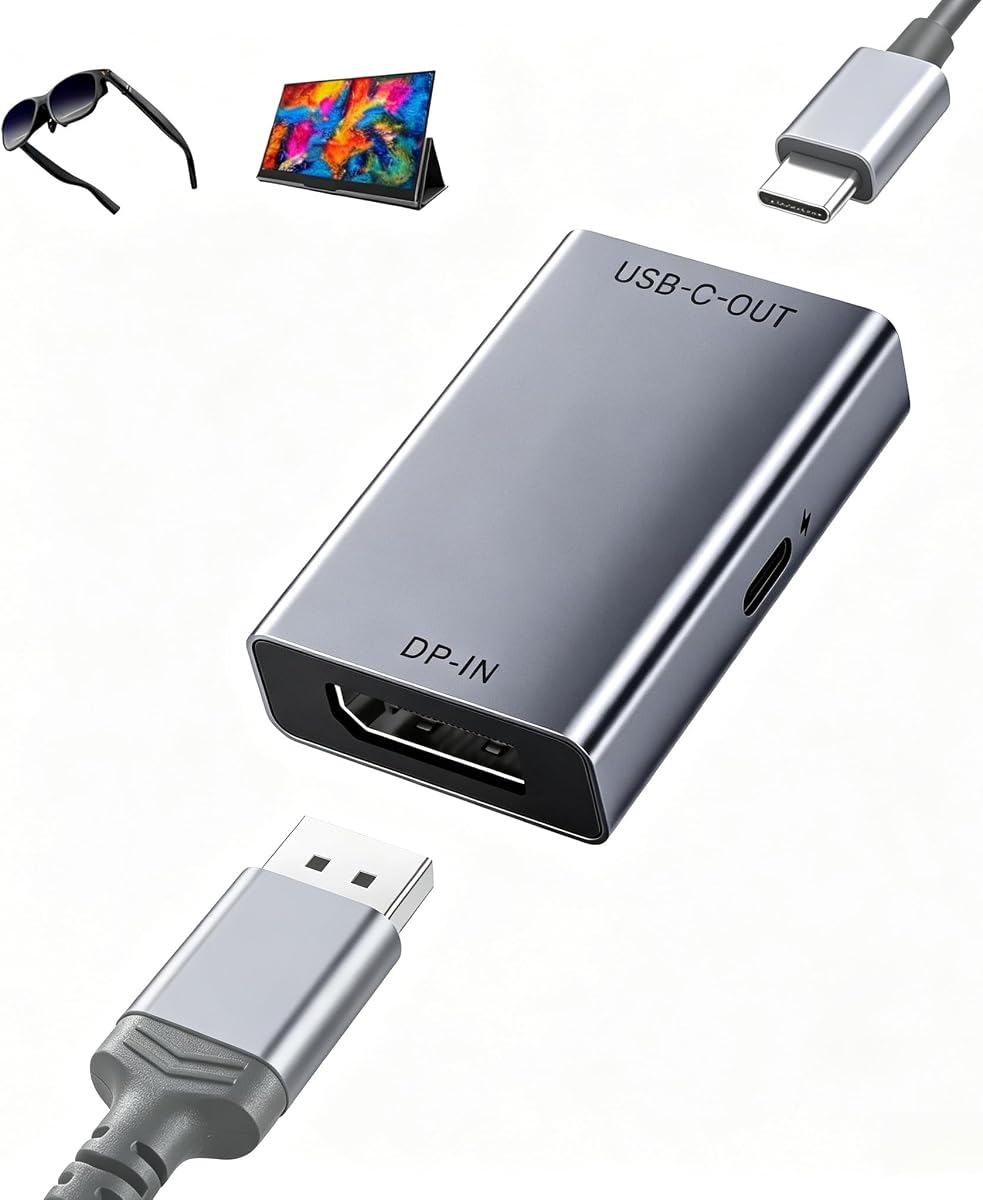
DisplayPort to USB-C Adapter with Power 4K@120Hz for PC to AR Glasses
4.5Editor score
4K 120Hz Ultra High Definition
Wide Device Compatibility Range
Plug and Play Operation
Compact Aluminum Alloy Build
Compare top Displayport adapter for AR glasses options for immersive visuals. We analyze specs, compatibility, and performance to help you choose the right
Choosing the right displayport adapter for AR glasses transforms your mobile setup into a powerful immersive workstation. You need reliable video transmission, stable power delivery, and broad device compatibility to enjoy crisp visuals without lag.
We evaluated ten leading adapters based on resolution support, refresh rates, build quality, and real-world performance with popular AR headsets. Our analysis focuses on unidirectional signal integrity and power management for seamless gaming and productivity workflows.
Each pick highlights key strengths like 4K support, USB hub integration, or magnetic connectivity. Note that availability and pricing fluctuate frequently, so verify current stock and compatibility with your specific AR glasses before purchasing.
4.5Editor score

4.8Editor score

4.2Editor score
This side-by-side comparison reviews ten distinct Displayport adapter models tailored for augmented reality eyewear. We examine resolution capabilities, power features, cable lengths, and specific compatibility notes to help you find the optimal connector.
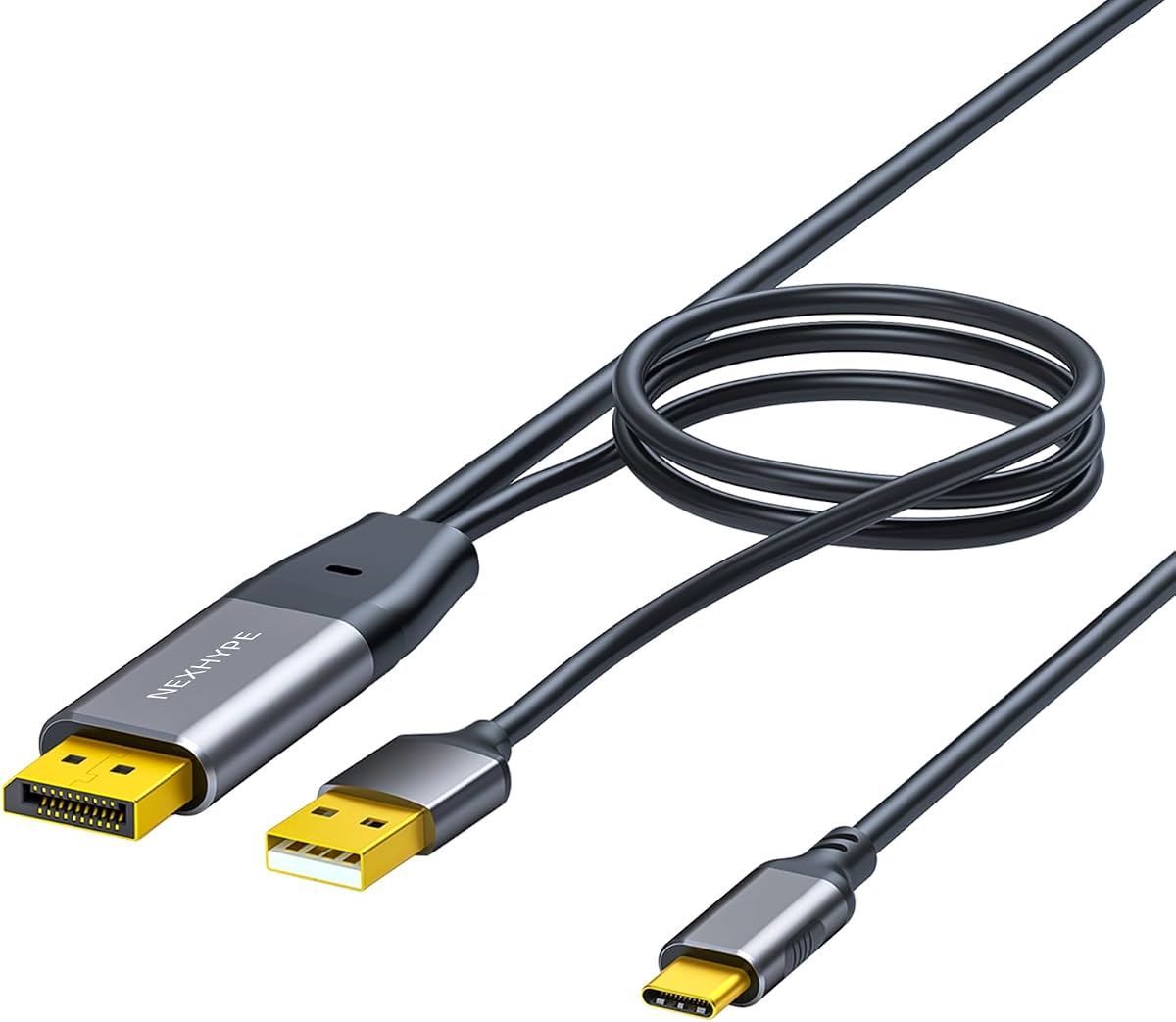


This adapter delivers reliable 4K6060Hz video and audio transmission for AR glasses and monitors. It stands out with graphene shielding and a dedicated USB power tail that stabilizes signals for touch interactions without requiring extra dongles.
We may earn a commission when you buy through this link, at no additional cost to you.
Its optimized design supports Apple Studio Display workflows alongside portable AR displays. The USB power tail actively stabilizes touch signals ensuring smooth cursor movement. This makes it ideal for designers or users needing consistent performance.
Note that it does not support bidirectional USB-C to DisplayPort use. Also verify GPU DSC support if connecting to Apple Studio Display specifically. These limitations are acceptable given its strong performance in AR and portable monitor scenarios.
Buy this if you need touch support and stable audio for AR workflows. It suits creative professionals who value signal integrity over extreme refresh rates. Ensure your device supports DP Alt Mode before setup.
The USB power tail actively stabilizes touch signals enabling smooth cursor movement on supported portable monitors.
Graphene shielding ensures minimal signal loss for clear visuals even during extended AR sessions.
We may earn a commission when you buy through this link, at no additional cost to you.
This adapter offers impressive 4K 120Hz performance at an affordable price point. It features a compact aluminum housing that dissipates heat efficiently. It is designed for one-way DP to USB-C transmission ensuring stable video delivery.
We may earn a commission when you buy through this link, at no additional cost to you.
The ultra-low latency design makes it suitable for fast-paced gaming on AR glasses. Build quality is solid with a sleek look that fits easily in travel cases. No drivers are needed for immediate setup.
Note that you must connect a separate USB-C cable for power to the adapter itself. Audio might require checking device settings to ensure DP mode is selected. These minor setup steps do not detract from its value.
Buy this if you want high refresh rate performance without spending too much. It works well with XREAL RayNeo and Viture models. Ensure your AR glasses support DP Alt Mode before connecting.
Supports 4K 120Hz ensuring smooth visuals for gaming and high-motion media on AR glasses.
Premium aluminum alloy housing provides durability and heat dissipation in a pocket-friendly form factor.
We may earn a commission when you buy through this link, at no additional cost to you.
This active converter delivers high bandwidth performance with HDR support for professional color accuracy. It includes a 3-port USB hub for peripherals. The aluminum alloy housing ensures stability during long sessions.
We may earn a commission when you buy through this link, at no additional cost to you.
Low latency is prioritized for fast-paced FPS and racing games. It minimizes motion blur ensuring responsive visuals. The anti-slip silicone base keeps the adapter secure on desks during intense use.
Note that the USB hub requires a separate USB 3.0 data cable to function fully. The built-in power port is primarily for the adapter itself not external monitors. These caveats are manageable for power users.
Buy this if you need color accuracy and hub functionality alongside high refresh rates. It suits designers and streamers who value workflow integration. Ensure your DP source supports DP 1.4 for full bandwidth.
Supports HDR and 10-bit color depth for accurate reproduction in professional graphics production.
3 USB ports allow connecting keyboards and mice though a separate data cable activates full functionality.
We may earn a commission when you buy through this link, at no additional cost to you.
This cable features an integrated USB design for power delivery and data transmission. The 6.6ft length allows flexible placement during setup. Gold plated connectors ensure durability and stable connections.
We may earn a commission when you buy through this link, at no additional cost to you.
It supports connecting computers to AR glasses with sufficient power for operation. The cable also delivers touch-control data signals for monitors. This reduces clutter when using battery-free portable displays.
Note that the power output is limited to 1080P monitors under 15.6 inches. For larger monitors an additional power connection is required. HDMI inputs need a separate adapter since it lacks an HDMI interface.
Buy this if you want a unified solution for power and video. It works well with ARZOPA and Lenovo monitors. Ensure your computer USB port provides sufficient current for the connected device.
Integrated USB cable provides both power and data signals reducing cable clutter for portable setups.
6.6ft length offers flexible placement while maintaining signal integrity for mobile or desk use.
We may earn a commission when you buy through this link, at no additional cost to you.
This adapter delivers stunning 8K visuals and ultra-smooth 4K 144Hz output. It includes an integrated 65W Power Delivery port to power monitors directly. The graphene cable resists bending and tangles easily.
We may earn a commission when you buy through this link, at no additional cost to you.
High performance is prioritized for creative work and gaming setups. The short 0.5m length is ideal for travel or tight desk arrangements. It simplifies mobile workstations by removing the need for separate chargers.
Note that it does not support touchscreen displays or those with built-in batteries. Best results are expected with externally powered displays. These limitations are acceptable given its resolution capabilities.
Buy this if you need 8K support or 65W charging for your display. It suits high-performance workstation users who value portability. Verify DP Alt Mode support before purchasing.
Supports 8K 30Hz visuals for stunning clarity in professional creative work environments.
Integrated Power Delivery port keeps portable monitors charged without extra adapters for mobile use.
We may earn a commission when you buy through this link, at no additional cost to you.
This adapter features a USB-C female port for direct device connection. It supports 4K 60 high definition output for clear visuals. Gold plated connectors resist corrosion and ensure stable signal transmission.
We may earn a commission when you buy through this link, at no additional cost to you.
It works with XREAL and Viture models effectively. The compact aluminum housing provides better heat dissipation than plastic options. No driver installation is required for immediate plug and play use.
Note that firmware updates may be needed for specific AR models like XREAL One. Power delivery is compact so high-power devices might need additional sources. These issues are minor for most users.
Buy this if you need a compact adapter with direct connectivity. It suits users looking for reliable 4K 60 performance. Verify device mode settings for optimal audio and video.
Female USB-C port allows direct connection reducing intermediate adapters for streamlined setups.
Gold-plated connectors ensure stable signal transmission and resist rust over time.
We may earn a commission when you buy through this link, at no additional cost to you.
This cable converts DisplayPort signals to USB-C with a 6FT length. It supports 4K 60 resolution for crisp images. The design requires direct connection to signal sources to avoid transiter issues.
We may earn a commission when you buy through this link, at no additional cost to you.
PVC jacket material offers flexibility to withstand bending. Gold plated connectors prevent rust ensuring durability. It supports touch function provided the portable screen has built-in touch capabilities.
Note that the product itself cannot supply power to the portable screen. You must connect the monitor to its original power adapter. This limits standalone use but ensures stable video signal.
Buy this if you want a durable cable with flexible length. It works well with Lenovo and ARZOPA monitors. Ensure your setup includes external power for the monitor.
PVC material ensures the cable withstands various bending conditions without performance loss.
Direct connection requirement prevents signal degradation by avoiding unnecessary transiter devices.
We may earn a commission when you buy through this link, at no additional cost to you.
This adapter supports Switch 2 in Dock Mode for TV output. It delivers 4K 60Hz or 1080P144Hz depending on setup. PD3.0 pass-through keeps devices charged while casting video.
We may earn a commission when you buy through this link, at no additional cost to you.
Optimized chip allows broader compatibility than standard models. It is portable with effective heat dissipation. Ideal for gaming on AR glasses where low latency is crucial.
Note that Switch 2 TV Mode requires PD60W power and generates more heat. Ensure proper ventilation to avoid overheating. These are minor trade-offs for console casting capabilities.
Buy this if you want to connect consoles to AR glasses. It suits gamers needing high refresh rates. Ensure your power supply meets requirements for full features.
Optimized chip allows broader compatibility with Switch 2 handheld console and TV mode casting.
Pass-through PD3.0 charging keeps devices powered during uninterrupted gameplay sessions.
We may earn a commission when you buy through this link, at no additional cost to you.
This cable provides a standard 6.6ft length for flexible desk setups. It converts DP signals to USB-C for direct connection. Support for 4K 60 ensures crisp visuals on compatible devices.
We may earn a commission when you buy through this link, at no additional cost to you.
Compatible with MacBook Pro and XPS laptops for creative workflows. The USB power stabilizes transmission reducing flickering issues. Gold plated connectors ensure smooth plug and unplugging.
Note that it may not work with VR glasses or bidirectional setups. Verify device DP Alt Mode support before purchasing. These limitations are expected for standard unidirectional adapters.
Buy this if you want a reliable cable length for laptop setups. It suits MacBook users needing stable video. Ensure your screen supports DP Alt Mode input.
6.6ft length allows flexible placement maintaining signal integrity across the workspace.
USB power stabilizes transmission reducing potential flickering issues on portable displays.
We may earn a commission when you buy through this link, at no additional cost to you.
This adapter features a magnetic connector for secure VITURE device attachment. It supports 4K 60fps video transfers. You can pair with the Mobile Dock for two display use.
We may earn a commission when you buy through this link, at no additional cost to you.
Transfer speeds reach up to 10 Gbit/s for fast data. It offers a specialized solution for VITURE users needing reliable connection. Compact design avoids bulky traditional ports.
Note that it is only compatible with VITURE brand accessories. XR Glasses are not included with this accessory. These limitations define its niche for specific users.
Buy this if you own VITURE gear and need a magnetic solution. It suits those seeking simplified port connections. Verify brand compatibility before purchasing.
Magnetic connector ensures secure attachment without the risk of accidental disconnection.
Pair with Mobile Dock to use Neckband on two displays simultaneously.
We may earn a commission when you buy through this link, at no additional cost to you.
Selecting the right adapter requires considering resolution support, refresh rates, power delivery, and device compatibility.
Look for adapters supporting 4K at least to ensure crisp visuals. High refresh rates like 120Hz reduce motion blur essential for gaming.
Prioritize 4K 60Hz for productivity and 120Hz for immersive games.
Many portable monitors need extra power to function. Adapters with integrated USB power tails or PD support simplify setup.
Ensure the adapter can deliver enough wattage for your specific display device.
Verify your AR glasses supports DP Alt Mode for video input. Most adapters work with XREAL and Viture but check models carefully.
Always confirm DP Alt Mode support before purchasing to avoid setup issues.
Cable length impacts where you can position your source device. 6ft or longer offers flexibility for desk use.
Choose longer cables for mobility and shorter ones for tight spaces.
Aluminum alloy housings dissipate heat better than plastic. Durability ensures stable performance during long sessions.
Prefer metal housings to avoid overheating during extended use.
Some adapters include USB hubs for keyboards and mice. This reduces clutter but may need separate data cables.
Select adapters with hubs if you need peripheral connectivity.
Touch capability often needs a dedicated USB data path. Ensure the adapter supports touch signals if required.
Check that full touch functionality is supported for interactive use.
Audio can sometimes require manual settings adjustments on the glasses. Confirm sound works without extra hardware.
Verify audio output settings match your preferred mode.
Connect the DisplayPort end to your computer or console source. Plug the USB-C end into your AR glasses or monitor.
Attach the power cable to a USB port to stabilize signals. Adjust audio settings if no sound plays initially.
Store adapters in a padded case to protect connectors. Clean gold contacts with dry cloth before reconnecting.
Most adapters are designed for DP sources and may not connect to the Switch. Some models support Switch 2 Dock Mode with external power. Always check the product specs for console compatibility before purchasing.
Audio might need manual mode switching in device settings. Ensure your glasses firmware is updated to the latest version. Try selecting DisplayPort mode explicitly for audio and video output.
Most adapters are unidirectional from DisplayPort to USB-C. They cannot convert USB-C signals to DisplayPort. Verify bidirectional support in the specs if you need reverse functionality.
Many adapters have a USB tail for stability but do not fully power monitors. Large monitors may need their own PD charger. AR glasses usually work with standard USB ports.
DP Alt Mode allows USB-C ports to transmit video signals. Your AR glasses or monitor must support this for the adapter to work. Check your device manual to confirm compatibility.
Consider your source distance and desk space. Longer cables offer flexibility for mobile setups while shorter ones reduce clutter. Match length to your typical use case for convenience.
Most adapters work with MacBooks and Mini but require DP outputs via hubs. Ensure your setup includes a compatible DP source. Check GPU DSC support for Studio Display specifically.
Touch functionality requires data transmission which not all adapters support. Look for adapters with USB data tails for full touch control. Ensure your monitor has built-in touch features.
The top picks offer reliable performance for gaming and professional workflows. Each model balances resolution refresh rates and build quality for specific needs.
Prioritize power delivery and touch support if you use interactive portable monitors. Ensure your source device supports DP Alt Mode before purchasing.
Check current availability and verify compatibility with your specific AR glasses. Specifications may change so always confirm details before finalizing your purchase.