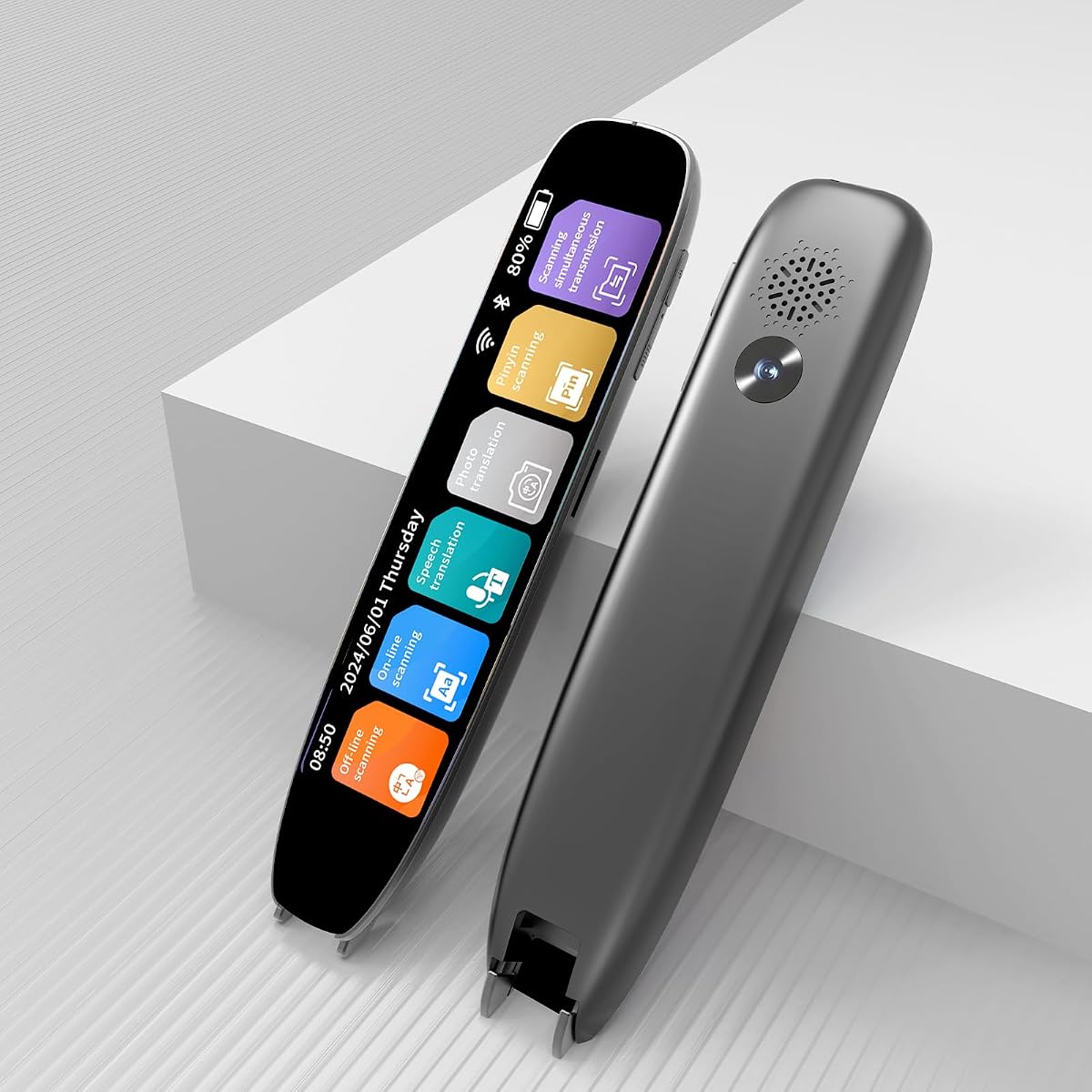
Scan Translator Pen
3.8Editor score
142 online languages
Text-to-speech output
Portable lightweight design
Finding the right Dyslexia Reading Pen can transform how students and adults approach text. These devices scan printed words and read them aloud, offering crucial support for comprehension and fluency in daily learning tasks.
We evaluated ten leading models based on scanning accuracy, language support, and ease of use. Each product offers unique features like offline translation, text extraction, and audio playback to suit different needs.
Every pick highlights key strengths and limitations to guide your decision. Note that prices and availability change frequently, so check current listings before purchasing the best tool for your specific requirements.
3.8Editor score

4.0Editor score
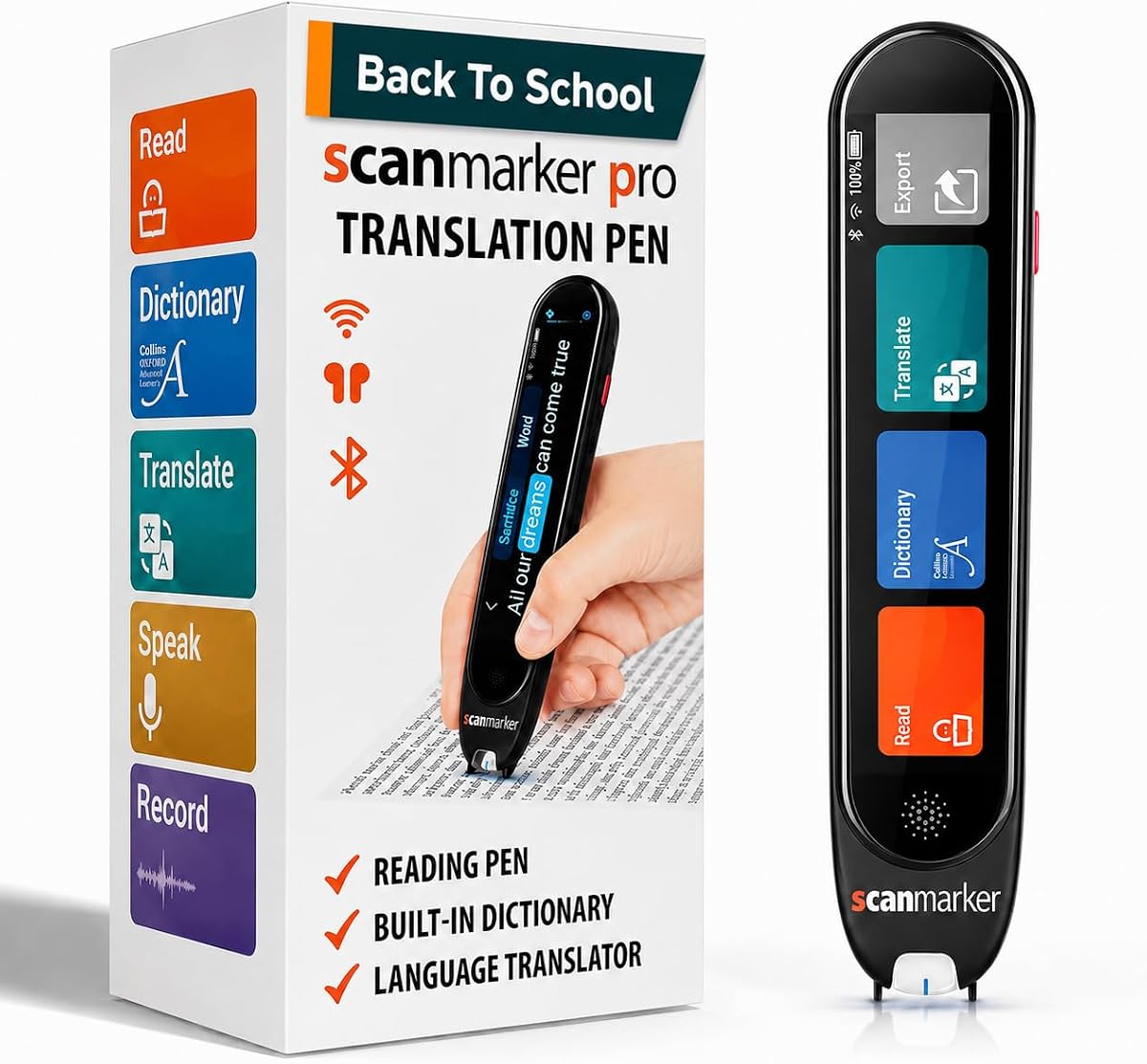
3.9Editor score
As an Amazon Associate we earn from qualifying purchases.
This side-by-side comparison highlights the core capabilities of each reading pen. Look for scanning speed, language options, and audio features to find the best match for your learning style.


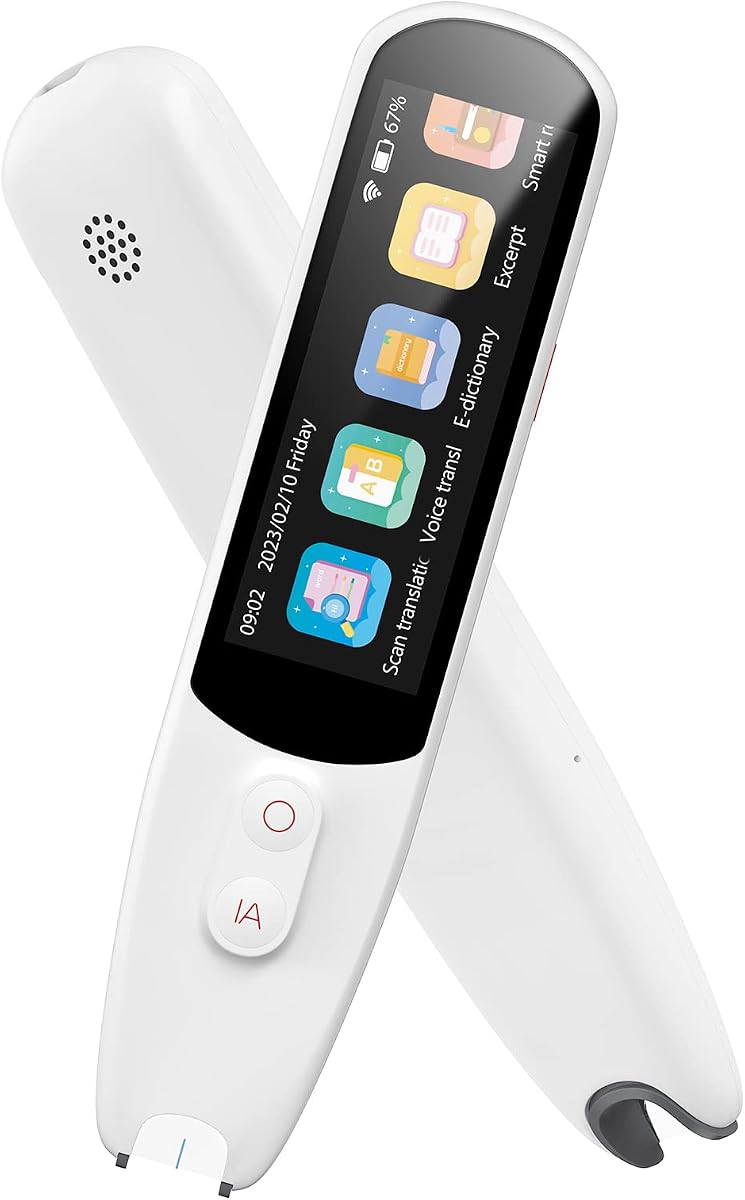


The Scanmarker Pal earns top recognition for its seamless reading and translation capabilities. It scores well for combining scanning, translation, and text-to-speech into one portable device.
We may earn a commission when you buy through this link, at no additional cost to you.
Its ability to highlight words on the screen while reading aloud supports auditory learners effectively. Offline support for major languages ensures reliability without constant internet access.
The device requires Bluetooth headphones for audio playback, which limits standalone use. However, this feature enables private listening for focused study sessions.
Students and adults needing a reliable Dyslexia Reading Pen should consider this model. It balances performance with ease of use for daily learning tasks.
Scan and translate text in over 100 languages with offline support for key options like English and Spanish.
Text-to-speech reads aloud while highlighting words, improving comprehension for users with reading difficulties.
We may earn a commission when you buy through this link, at no additional cost to you.
This pen offers a high user rating thanks to its touch screen and versatile translation tools. It excels at providing visual and audio feedback for readers with dyslexia.
We may earn a commission when you buy through this link, at no additional cost to you.
The built-in camera allows photo translation, which extends utility beyond linear text. A Collins Dictionary enhances vocabulary learning with authoritative definitions.
The price point is higher than basic scanners, yet the included features justify the cost. Note that offline support is limited compared to other models.
Users seeking a feature-rich Dyslexia Reading Pen on a budget will find this option compelling. It supports diverse learning needs with strong audio and visual aids.
Point the camera at any text for instant translation, ideal for menus or signs.
Built-in dictionary offers authoritative definitions to expand vocabulary effectively.
We may earn a commission when you buy through this link, at no additional cost to you.
This translator pen stands out for its extensive online language support and robust offline options. It delivers strong performance for international learners and travelers.
We may earn a commission when you buy through this link, at no additional cost to you.
Online translation in 142 languages makes it versatile for global communication. Bluetooth connectivity allows private audio playback via headphones.
It lacks a camera for photo translation and has restrictions on vertical Japanese text. These limitations may affect users needing full photo OCR.
Those prioritizing language variety should consider this Dyslexia Reading Pen. It combines translation with text-to-speech for enhanced learning.
Supports 142 languages online and 10 offline for reliable access anywhere.
Lightweight and portable, fitting easily into a pocket for daily use.
We may earn a commission when you buy through this link, at no additional cost to you.
The Scanmarker Pro is designed as a standalone reading pen with built-in dictionary features. It offers robust translation without needing external devices.
We may earn a commission when you buy through this link, at no additional cost to you.
Built-in dictionary access and note-taking simplify study workflows. The standalone nature ensures privacy and independence during reading tasks.
Users must accept higher costs and limited connectivity compared to cloud models. However, reliability and ease of use remain strengths.
Ideal for users needing a self-contained Dyslexia Reading Pen, this model supports independent study. It provides strong offline capabilities for focused learning.
Standalone device scans and reads text aloud with highlighting on the screen.
Capture notes and memos directly on the device for organized data.
We may earn a commission when you buy through this link, at no additional cost to you.
This budget-friendly model offers extensive online language support with voice recording. It is suitable for students needing affordable assistive tools.
We may earn a commission when you buy through this link, at no additional cost to you.
It captures meetings and lectures via recording functions. Text extraction helps digitize notes for editing later.
Lower user ratings suggest variable performance quality. The interface is basic compared to premium models.
Users seeking a cost-effective Dyslexia Reading Pen with recording can consider this. It balances utility with affordability.
Capture meetings or classes directly with the built-in voice recording.
Supports 142 languages online and 10 offline for flexible translation.
We may earn a commission when you buy through this link, at no additional cost to you.
This multifunctional pen integrates translation and note-taking into a portable form. Adjustable speech speeds aid comprehension for diverse needs.
We may earn a commission when you buy through this link, at no additional cost to you.
Noise reduction ensures clear audio during lectures. Smart notes allow quick file transmission to phones.
Lower ratings indicate possible reliability concerns. Language support is more limited than competitors.
Users needing adjustable audio settings will appreciate this Dyslexia Reading Pen. It focuses on clarity and note organization.
Adjust reading speeds to match your personal learning pace.
Convert scanned text into editable memos for organized study.
We may earn a commission when you buy through this link, at no additional cost to you.
This AI-enhanced pen offers homework checking and real-time chat capabilities. Multiple reading levels suit students at different stages.
We may earn a commission when you buy through this link, at no additional cost to you.
Photo translation with OCR supports complex layouts. Built-in 16GB storage allows offline data management.
AI features depend on internet connectivity. Limited offline translation may restrict use.
Students seeking tech-rich Dyslexia Reading Pen options will like this. It supports homework and independent study.
Use AI dictionary and homework checker for real-time study help.
Adjust reading speed and font design to reduce reading stress.
We may earn a commission when you buy through this link, at no additional cost to you.
This pen offers straightforward translation with text excerpt capabilities. It supports Bluetooth audio for private listening.
We may earn a commission when you buy through this link, at no additional cost to you.
Text extraction helps gather details quickly for professionals. Bluetooth connectivity expands audio options.
Basic functionality limits advanced features. No camera is included for photo scans.
Business travelers needing quick translation will find this Dyslexia Reading Pen useful. It prioritizes core functions.
Take photos of text for translation without needing a scanner.
Capture key text from documents quickly for note-taking.
We may earn a commission when you buy through this link, at no additional cost to you.
This pen includes a 5MP HD camera for complex text layouts. Mobile sync enables quick file transfer for note-taking.
We may earn a commission when you buy through this link, at no additional cost to you.
Smart recording captures meetings effectively. Offline support ensures translation without internet.
Camera performance may vary with low light. Storage is limited for large files.
Users seeking high-quality scans in a Dyslexia Reading Pen should consider this. It aids diverse text recognition.
Decodes images and non-standard layouts effectively with high resolution.
Extract and sync text directly to your phone in seconds.
We may earn a commission when you buy through this link, at no additional cost to you.
This ultra-lightweight model features left-right hand mode for ergonomics. It supports photo translation for on-the-go needs.
We may earn a commission when you buy through this link, at no additional cost to you.
Left-right mode reduces fatigue for different users. Bluetooth allows private audio listening.
The interface is simple but lacks advanced customization. Storage is fixed without expansion.
Daily users seeking comfort in a Dyslexia Reading Pen will appreciate this. It balances portability with translation.
At 70g, it fits easily in a pocket for daily carry.
Adapts to your holding habits for comfortable scanning.
We may earn a commission when you buy through this link, at no additional cost to you.
Choosing the right tool involves assessing scanning accuracy, language support, and ease of use. This guide outlines key factors to ensure the device meets your learning goals.
High-precision OCR ensures words are recognized correctly. Look for models with adjustable settings for different fonts or handwritten notes.
Accuracy is critical for trust. A pen that misreads text may frustrate users more than help.
Support for multiple languages is essential for global learners. Consider online and offline options for travel.
Offline modes guarantee access when internet is unavailable. Check which languages are included offline.
Clear text-to-speech output enhances comprehension. Adjustable speeds help users match reading pace to listening speed.
Headphone connectivity ensures privacy. Built-in speakers may be useful for shared study sessions.
Long battery life supports uninterrupted study sessions. Rechargeable batteries are preferred over replaceable ones.
Quick charging adds convenience for busy schedules. Avoid models that require frequent recharging.
Lightweight designs reduce hand fatigue during long sessions. Compact sizes fit easily in bags.
Portability ensures the device is always ready. Consider weight when carrying it daily.
Sync capabilities with computers or phones improve note management. Export formats like PDF enhance compatibility.
Integrated apps simplify workflow. Ensure the software is user-friendly for all ages.
Photo translation supports non-linear text layouts like menus. A built-in camera adds versatility.
High-resolution cameras ensure text clarity. Check for limitations in specific languages like vertical scripts.
Reliable warranty and support ensure long-term usability. Check for dedicated customer service options.
Good support reduces downtime. Look for brands with proven track records in assistive tech.
Hold the pen flat against the text surface and slide smoothly at a consistent speed to scan. Ensure the surface is clean and flat for best results.
Clean the scanning window regularly with a soft, dry cloth to prevent dirt buildup. Store the device in a protective case when not in use.
Recharge the battery fully before extended sessions. Update firmware periodically for improved performance and new features.
Many models offer offline translation for selected languages. Always verify offline language support before purchase to ensure functionality in areas without connectivity.
Some models include left-handed settings to adjust scanning direction. Check the product description for ergonomic features to ensure comfort.
Most pens support Bluetooth connection. Pair headphones via the device settings menu for private audio playback during reading.
Yes, most devices allow syncing text to computers via USB or apps. Export files as DOC or PDF for editing in word processors.
Yes, they work on printed books and documents. Flat text is easier to scan than curved pages, so hold pages flat during use.
Many include at least a one-year warranty. Review warranty terms on the product page for details on repairs and replacements.
Most models are optimized for printed text. Handwritten text recognition may vary, so check specific capabilities before relying on it.
Yes, many pens include simplified interfaces for kids. Select models with adjustable reading levels to match the child's ability.
These ten models offer diverse features for text assistance. The Scanmarker Pal leads in reliability while budget options provide basic functionality.
Prioritize language support and audio clarity to enhance learning. Choose a device that matches your primary use case and budget constraints.
Verify current prices and availability before purchasing. Regular checks ensure you get the best value for your investment in literacy tools.