
BENFEI USB-C to Ethernet Adapter
4.5Editor score
Compact Lightweight Design
Braided Nylon Cable
Wide Device Compatibility
This guide compares the top ten Ethernet adapters for Android phones to help you find reliable wired connectivity, stable speeds, and durable designs for your
Finding reliable wired connectivity for your Android phone can be challenging when wireless signals are weak or unstable. Ethernet adapters provide a stable and fast alternative for browsing, streaming, and work on the go.
We evaluated ten top-rated adapters based on compatibility, build quality, speed performance, and ease of use. Each product was analyzed to ensure it meets the needs of modern Android devices with USB-C or Micro USB ports.
Each pick highlights key features and real-world performance details to guide your decision. Note that availability and pricing may change over time, so verify current details before purchasing your preferred adapter.
4.5Editor score

4.7Editor score

4.6Editor score
The following table provides a side-by-side comparison of all ten adapters to help you quickly identify the best fit for your Android device and networking requirements.




The UGREEN USB C to Ethernet Adapter is a top choice for Android users seeking reliable wired connectivity. It offers 1000Mbps speeds and is designed to work seamlessly with Android devices without needing extra software.
We may earn a commission when you buy through this link, at no additional cost to you.
Its driver-free operation ensures you can plug it in and start using your wired connection immediately. The aluminum alloy case helps with heat dissipation, which is essential during long streaming or downloading sessions.
While it is priced slightly higher than some alternatives, the build quality and performance justify the cost. The reinforced cable tail adds durability, making it suitable for daily use and travel.
If you want a straightforward, high-quality adapter that consistently delivers fast speeds, this is the pick to choose. It is perfect for users who need stability for gaming or remote work.
Simply plug the adapter into your Android phone to activate a stable and fast wired connection without requiring any setup.
The aluminum alloy case and reinforced cable tail protect the adapter from wear and tear, ensuring it lasts through frequent use.
We may earn a commission when you buy through this link, at no additional cost to you.
The BENFEI USB-C to Ethernet Adapter is an excellent budget-friendly option for Android users who need basic wired internet. It provides stable Gigabit speeds and is compatible with most USB-C Android devices.
We may earn a commission when you buy through this link, at no additional cost to you.
Its compact design and braided nylon cable make it easy to carry and resistant to daily wear. The aluminum casing helps manage heat, which is beneficial for maintaining consistent performance.
While it lacks advanced features like power delivery, it excels at delivering a reliable wired connection for browsing and streaming. It is a practical choice for those on a tight budget.
This adapter is ideal if you need a no-fuss solution to connect your Android phone to a wired network. It offers great value for the price.
The lightweight and compact form factor allows you to easily store the adapter in a pocket or laptop bag.
Even when Wi-Fi is unstable, this adapter ensures you stay connected with consistent Gigabit speeds for all your tasks.
We may earn a commission when you buy through this link, at no additional cost to you.
This UGREEN adapter supports 2.5 Gigabit speeds, making it a future-proof choice for Android users with high-speed networks. It is designed to handle intensive tasks like large file transfers and streaming.
We may earn a commission when you buy through this link, at no additional cost to you.
The updated Realtek chip ensures efficient power consumption and stable performance even at high speeds. The aluminum housing effectively dissipates heat, keeping the adapter cool during extended use.
To maximize its potential, you need a 2.5Gb-compatible router. If your network supports it, the speed boost is significant compared to standard Gigabit adapters.
For users with fast home or office networks, this adapter is a top premium choice. It delivers reliable high-speed connectivity for demanding tasks.
With 2.5 Gigabit support, this adapter is ready for next-generation network speeds as your home infrastructure upgrades.
The Realtek chip ensures the adapter runs smoothly without excessive heat, maintaining stability for long periods of use.
We may earn a commission when you buy through this link, at no additional cost to you.
The uni USB C to Ethernet Adapter is designed for users who travel frequently and need reliable wired connectivity. It offers stable 1Gbps speeds and is fully driver-free for easy setup.
We may earn a commission when you buy through this link, at no additional cost to you.
Its braided nylon cable and premium aluminum casing ensure durability and efficient heat dissipation. The non-slip design makes it easy to plug in and unplug even in tight spaces.
While it is priced higher than some options, the build quality and thoughtful design features justify the cost. It is a robust choice for professionals on the go.
This adapter is ideal for users who value durability and portability. It ensures you have a stable connection wherever you travel.
The compact and lightweight build fits easily into travel bags without adding bulk or weight.
The braided nylon cable and aluminum casing protect the adapter from wear and tear during daily use and travel.
We may earn a commission when you buy through this link, at no additional cost to you.
This adapter is designed for Android devices with Micro USB ports, offering wired connectivity to older phones and tablets. It is compatible with Android 4.0 and above.
We may earn a commission when you buy through this link, at no additional cost to you.
The LINK/ACT indicator light provides visual feedback on the connection status, which is helpful for troubleshooting. While speeds are limited to 100Mbps, it is sufficient for basic browsing and email.
For users with legacy devices, this adapter provides a simple way to add wired internet without needing new hardware. It is a practical solution for specific use cases.
If you have older Android devices, this adapter is a cost-effective way to connect them to a wired network. It ensures stability where Wi-Fi might be unreliable.
This adapter brings wired connectivity to older Android devices with Micro USB ports, extending their useful life.
No driver installation is required. Simply plug it into your device and the Ethernet menu will appear in settings.
We may earn a commission when you buy through this link, at no additional cost to you.
This adapter offers 1Gbps Ethernet and a charging port, allowing you to keep your device powered while using the wired connection. It is ideal for scenarios where outlets are limited.
We may earn a commission when you buy through this link, at no additional cost to you.
The aluminum housing ensures efficient heat dissipation during combined use. It works well with Android devices, Chromebooks, and even streaming sticks like Chromecast.
While it is priced higher than standard adapters, the dual functionality is valuable for travelers and remote workers. It simplifies your setup by reducing cable clutter.
For users who need to charge their device while connected to a wired network, this is a top choice. It provides both power and connectivity in one compact device.
Connect to the internet and charge your device simultaneously, which is useful when power outlets are scarce.
This adapter is compatible with Chromecast with Google TV, adding a wired connection to streaming sticks.
We may earn a commission when you buy through this link, at no additional cost to you.
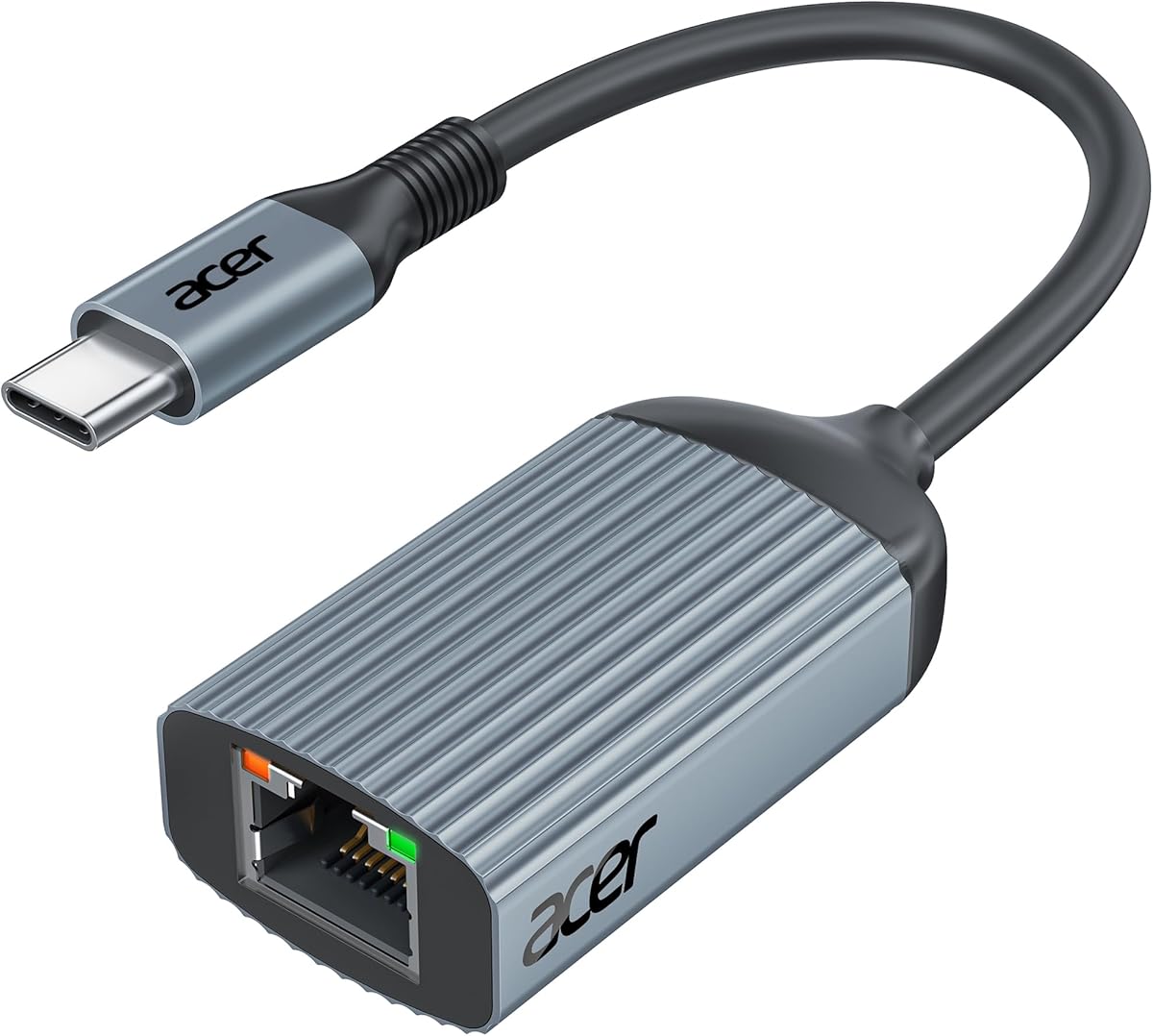
The Acer USB C to Ethernet Adapter is a reliable and affordable option for Android users. It uses an updated RTL8153B chip to ensure stable and fast Gigabit speeds.
We may earn a commission when you buy through this link, at no additional cost to you.
Two status indicators provide clear feedback on your connection, which helps diagnose issues quickly. It is plug-and-play, requiring no additional software installation.
While the build quality is basic, it performs well for everyday tasks like browsing and streaming. It is a practical choice for those who need a simple, effective adapter.
If you want an adapter that works well without breaking the bank, this is a strong contender. It offers a good balance of price and performance.
Two LED indicators show connection status at a glance, making troubleshooting quick and easy.
This adapter provides reliable Gigabit speeds at a competitive price, making it accessible for most users.
We may earn a commission when you buy through this link, at no additional cost to you.
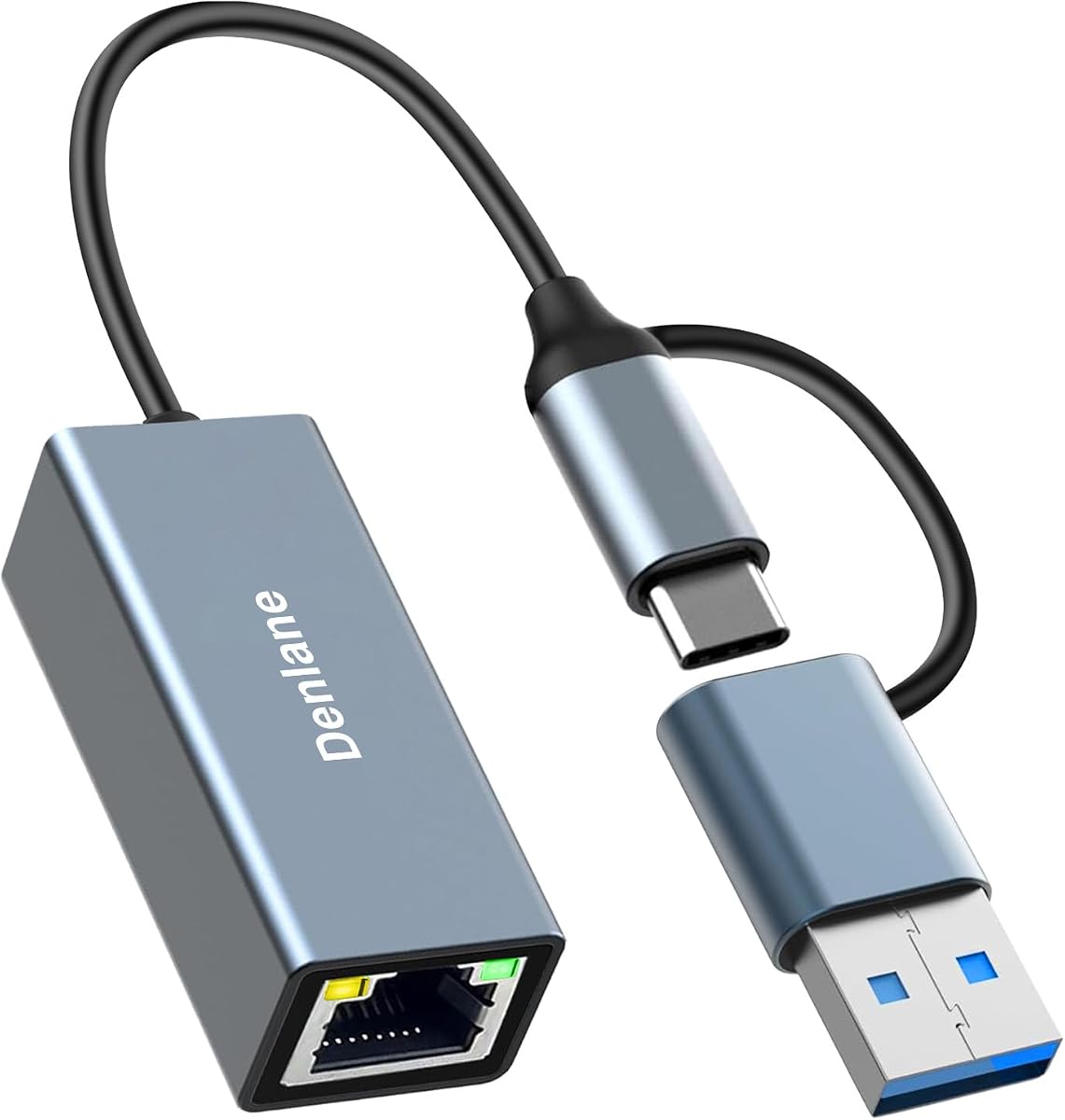
This adapter features both USB-A and USB-C connectors, making it versatile for connecting to a variety of devices. It supports 1000Mbps Gigabit speeds for fast data transfer.
We may earn a commission when you buy through this link, at no additional cost to you.
The aluminum alloy body ensures durability, and the flexible cable design allows it to bend without damage. It is plug-and-play and requires no drivers.
The dual connector design is unique and allows it to work with older devices that do not have USB-C ports. This versatility makes it a useful option for mixed device environments.
If you need an adapter that works with both USB-A and USB-C devices, this is a practical choice. It offers broad compatibility for different networking setups.
The adapter includes both USB-A and USB-C connectors to work with a wider range of devices.
The cable is designed to be soft and flexible, reducing the risk of damage from repeated bending.
We may earn a commission when you buy through this link, at no additional cost to you.
The Monoprice adapter supports up to 5 Gbps speeds, making it one of the fastest options available. It is designed for devices that require high bandwidth for demanding tasks.
We may earn a commission when you buy through this link, at no additional cost to you.
It is powered directly by the USB-C port, so no extra power adapter is needed. The aluminum housing ensures it can withstand daily wear and tear.
While it is expensive, the speed and reliability justify the cost for power users. It provides a significant performance boost over standard Gigabit adapters.
If you need maximum wired speed for your Android setup and have compatible hardware, this adapter is a top choice. It delivers exceptional performance for high-bandwidth applications.
With 5 Gbps speeds, this adapter supports demanding tasks like large file transfers and high-resolution streaming.
Powered directly by the USB-C port, eliminating the need for additional power adapters or cables.
We may earn a commission when you buy through this link, at no additional cost to you.
This adapter features a unique RJ45 male plug design that eliminates the need for a separate Ethernet cable. It connects directly to your USB-C port for fast wired internet.
We may earn a commission when you buy through this link, at no additional cost to you.
The ultra-compact aluminum shell is incredibly small, making it easy to carry. It supports 1000Mbps speeds and includes built-in overcurrent protection.
While you still need an Ethernet cable to connect to your router, this design reduces clutter. It is a convenient solution for users who want a simple setup.
If you want an adapter that simplifies your connection and saves space, this is a great choice. It offers a unique design with reliable Gigabit performance.
The ultra-compact size and RJ45 male plug design make this adapter one of the smallest available.
Supports up to 1000Mbps Gigabit speeds for fast and stable wired connectivity on your Android device.
We may earn a commission when you buy through this link, at no additional cost to you.
Choosing the right adapter requires considering speed, compatibility, and build quality to ensure a reliable connection for your Android phone.
Most adapters support 1Gbps speeds, but higher-end models offer up to 5Gbps. For typical browsing and streaming, 1Gbps is sufficient. If you have a high-speed network, choose an adapter that supports faster speeds.
Always check your router's capabilities to match the adapter's speed for optimal performance.
Ensure the adapter is compatible with your Android device's USB version. Most modern phones use USB-C, but some older models use Micro USB. Check the product description for device support.
Driver-free operation is a major plus for Android to avoid setup issues.
Look for adapters with aluminum casings and braided cables. These materials help dissipate heat and resist wear and tear. A durable build ensures the adapter lasts through frequent use.
Check for reinforced cable tails to prevent fraying near the port.
For travel, choose a compact and lightweight adapter. Smaller designs are easier to carry and less likely to get caught on other items. Some models are specifically designed to be pocket-sized.
Consider the cable length if you need to connect your phone to a router that is not close.
Some adapters include a USB-C PD port to charge your device while connected. This is useful when outlets are limited or you are using your phone heavily. Verify the wattage if you need fast charging.
Not all devices support PD charging through adapters, so check compatibility.
A warranty of at least 12 months is standard for quality adapters. This ensures you are covered if the product fails. Brands with better customer support provide added peace of mind.
Read reviews to gauge how well a company handles warranty claims and support.
Budget adapters work well for basic needs, while premium options offer better materials and features. Decide your spending limit based on your usage frequency and importance of wired internet.
Higher price does not always mean better performance if the specs are similar.
LED indicators show connection status and link activity. This helps diagnose issues quickly if the internet stops working. It is a small but useful feature for troubleshooting.
Not all adapters have lights, but it is a helpful addition for advanced users.
To use your adapter, plug the USB-C end into your Android phone and connect an Ethernet cable to the RJ45 port. Your device should recognize the connection automatically.
Check your Wi-Fi settings to ensure the network appears. If it does not, try restarting your phone or checking the physical connection.
Care for your adapter by storing it properly when not in use. Avoid bending the cable sharply or exposing it to extreme heat or moisture.
Most modern Android phones with USB-C support Ethernet adapters. Older phones with Micro USB need a specific Micro USB adapter. Check your phone's specs to confirm compatibility.
Most adapters for Android are driver-free and will work immediately. Some older Windows systems might require drivers, but modern Android devices do not.
Ethernet provides more stable and consistent speeds with lower latency. This is important for gaming, large downloads, or in areas with weak Wi-Fi signals.
Check your router's specifications for Gigabit Ethernet ports. If your router only has 100Mbps ports, the adapter will work but be limited to that speed.
Most adapters are not waterproof. Keep them away from water and high humidity to prevent damage. Store them in a dry place when traveling.
Some adapters mention compatibility with Nintendo Switch, but others do not. Check the product description carefully to confirm if your specific device is supported.
To achieve 1Gbps, use at least a CAT6 Ethernet cable. Older CAT5 cables may work but often limit speeds to 100Mbps.
With proper care, adapters can last several years. The braided cables and aluminum casings help them withstand daily wear. Avoid excessive bending of the cable.
The UGREEN USB C to Ethernet Adapter, BENFEI USB-C to Ethernet Adapter, and UGREEN 2.5G model top our list for performance and value. They offer reliable speeds and compatibility for most Android phones.
When choosing, prioritize speed and build quality that matches your needs. For basic use, budget options work well. For high performance, look for Gigabit or 2.5G models.
Prices and availability can change quickly. Check current details on the product pages before buying to ensure you get the best deal available today.