
MFi Certified USB 3.0 Flash Drive 128GB
4.3Editor score
Affordable 128GB capacity
One-click backup function
Multi-device compatibility
This expert guide compares the top 10 flash drives for iPhone based on MFi certification, transfer speeds, storage capacity, and compatibility for iOS users in
Finding the right flash drive for iPhone can be challenging due to the unique Lightning and USB-C connectors required by Apple devices. You need reliable storage that works seamlessly with iOS without complicated setups or constant internet dependence for cloud syncing.
We have carefully evaluated ten leading flash drives designed specifically for iPhone users based on MFi certification, transfer speeds, durability, and ease of use. Our comparison ensures you get a device that matches your needs for photos, videos, and essential files.
Each pick below highlights key features, pros, and cons to help you decide quickly. Please note that pricing and availability change frequently, so check the current listings before making your final purchase decision to ensure you get the best value.
4.3Editor score

4.4Editor score

4.3Editor score
This side-by-side comparison table lets you quickly assess the key specifications and features of every top-rated flash drive for iPhone on our list to help you make an informed choice.


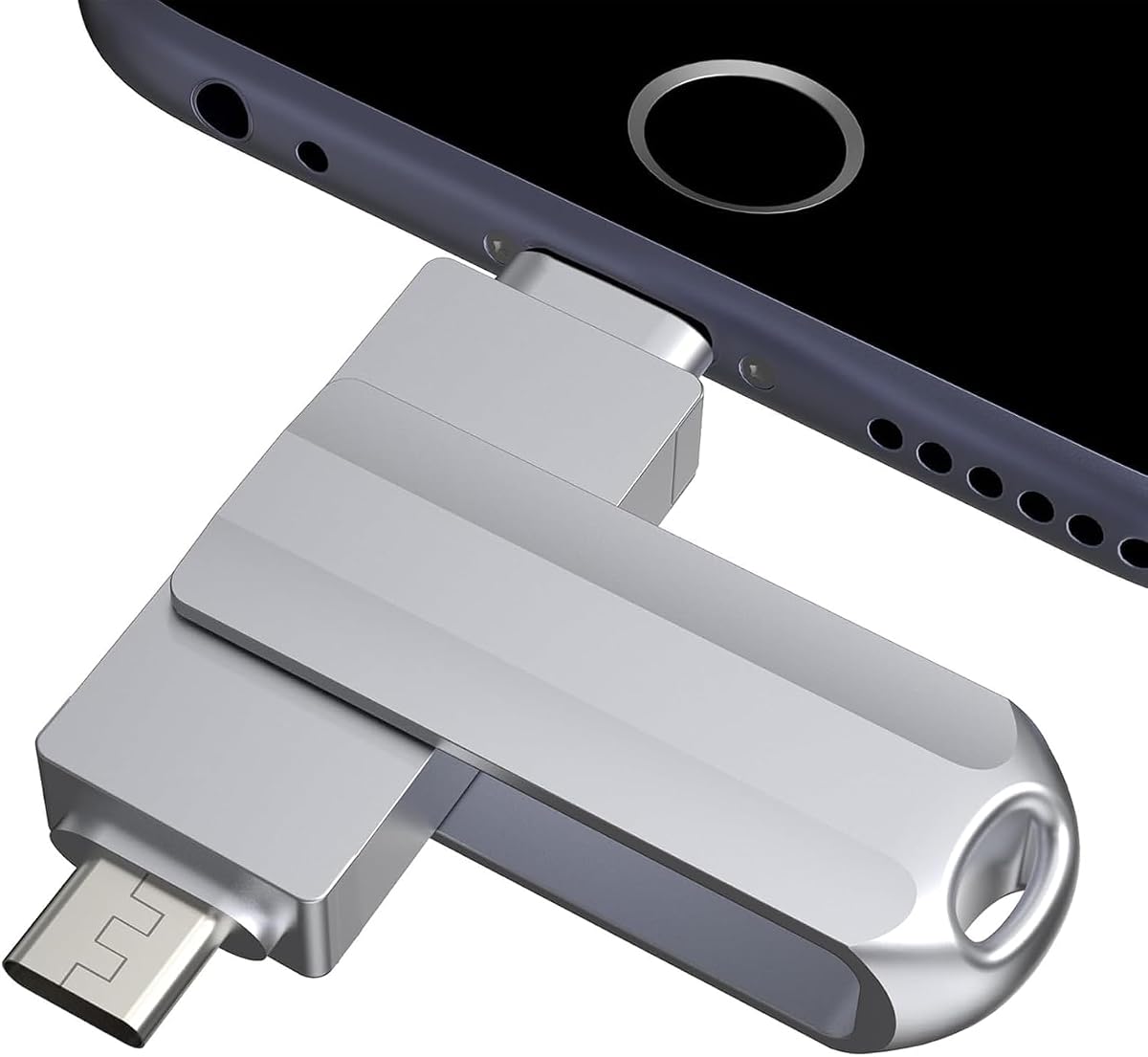


This top-rated flash drive is MFi Certified for iPhone and iPad, offering a reliable way to expand storage without compromising security. With a generous 256GB capacity and versatile Lightning USB USB-C connectors, it is an excellent choice for users who need to move data across different platforms quickly.
We may earn a commission when you buy through this link, at no additional cost to you.
The one-click backup feature simplifies saving photos and videos directly to the drive, freeing up precious device space instantly. You can also share files directly to social media or play media stored on the drive without needing extra cables. The encryption options protect sensitive data with Touch ID or passcodes.
While it performs exceptionally well, iOS users must download the U-Disk app to access full functionality which may be a minor inconvenience. The metal construction provides durability but adds a bit of weight compared to plastic alternatives, though it ensures better heat dissipation during transfers.
We recommend this drive for iPhone users who want secure storage expansion and fast transfers across devices. It is ideal for photographers or professionals managing large files who value MFi certification and reliability over ultra-cheap alternatives.
MFi certification ensures the drive works safely with iOS devices without risking data loss or connection issues.
Backup photos and videos instantly to save space without manual file management or internet dependency.
We may earn a commission when you buy through this link, at no additional cost to you.
This budget-friendly option delivers excellent value with 128GB of storage and MFi certification for reliable iPhone compatibility. It supports Lightning USB USB-C and USB-A connections making it a versatile tool for transferring files between iOS devices Android phones and computers without hassle.
We may earn a commission when you buy through this link, at no additional cost to you.
The one-click backup feature helps you save photos and videos quickly without needing manual copy-pasting. You can also share files directly from the drive to social media platforms. The included keychain makes it easy to attach to your keys or bag so you never lose it.
While it lacks higher capacities, it is perfect for users who need regular backup without spending a lot. The app requirement for iOS devices is standard for these drives but may feel slightly inconvenient compared to plug-and-play options.
We suggest this drive for students or casual users who need affordable extra storage. Its reliability and MFi status ensure safe use without worrying about hardware damage to your iPhone.
Get reliable MFi-certified storage at a lower price point ideal for frequent photo backups.
Connect seamlessly to iPhone Android and PC devices without needing extra adapters.
We may earn a commission when you buy through this link, at no additional cost to you.
SanDisk is a renowned brand in storage and this Phone Drive offers robust performance for iPhone users. The dual connector design supports both older Lightning models and newer USB-C iPhones like the iPhone 15 making it future-proof for different device generations.
We may earn a commission when you buy through this link, at no additional cost to you.
The Memory Zone app enables seamless file transfers and automatic backups to keep your photos safe. You can choose manual or automatic backup modes and use encryption to protect private files. The drive integrates well with the iOS Files app for convenient access.
The main downside is the higher price point compared to other brands on this list. Also, the app requirement is mandatory for Lightning connections which might be a hurdle for those preferring native file access without software.
We recommend this drive for premium users who prioritize brand trust and advanced backup features. It is a solid investment for long-term storage needs and peace of mind regarding data security.
Compatible with both Lightning and USB-C iPhones ensuring longevity across device generations.
Set up automatic or manual backups to keep your data secure without manual effort.
We may earn a commission when you buy through this link, at no additional cost to you.
This Lexar drive offers incredible read speeds up to 400MB/s making it one of the fastest options for transferring large files quickly. The solid state design ensures durability and resistance to shock which is great for active users moving data on the go.
We may earn a commission when you buy through this link, at no additional cost to you.
It features a durable metal housing that protects connectors and dissipates heat efficiently during use. The Lexar app provides easy photo backup for iOS and Android though iCloud is not supported. Its USB-C and USB-A ports work with modern devices like iPhone 15 and MacBooks.
The lack of a direct Lightning port means older iPhones need an adapter which adds bulk. Also it may not work as seamlessly without third-party tools compared to MFi certified drives designed specifically for iOS native files.
We recommend this drive for tech-savvy users who need blazing fast speeds and don't mind adapters. It is perfect for video editors or anyone prioritizing performance over Apple-native compatibility.
Achieve transfer speeds up to 400MB/s to save time with large video or photo files.
Protect your data with a robust metal casing that resists heat and physical damage.
We may earn a commission when you buy through this link, at no additional cost to you.
This portable drive features a clever retractable design that protects the connectors and reduces the risk of losing caps. It is MFi Certified ensuring safe connection with iPhones and supports four different interfaces including Lightning USB USB-C and Micro USB for wide device compatibility.
We may earn a commission when you buy through this link, at no additional cost to you.
The one-click backup function allows fast file transfers without tedious manual copying. You can back up photos and videos to the computer or iPhone easily. File encryption protects your private data ensuring only you can access sensitive files.
The plastic body is lightweight but may not feel as premium as metal drives. Also iOS users must download an app to use the drive which adds a minor step to your workflow but ensures stable connection.
We suggest this drive for users who want convenient portability and broad compatibility. Its retractable feature makes it ideal for travelers who need to connect to multiple devices daily.
Keep connectors safe from damage with a sliding retractable design that eliminates caps.
Connect to iPhone PC Android and Micro USB devices without needing extra adapters.
We may earn a commission when you buy through this link, at no additional cost to you.
This compact Lexar drive features a swivel design that allows easy switching between connectors without losing caps. It offers a lightweight build ideal for carrying in a pocket or keychain. The metal enclosure withstands temperatures and ensures long-lasting performance in different environments.
We may earn a commission when you buy through this link, at no additional cost to you.
It supports USB-A and USB-C connections which work well with modern devices like Android phones and MacBooks. The plug-and-play feature means no software installation is required for basic use. A 3-year warranty provides extra peace of mind for your purchase.
Older iPhones need an adapter to connect since this lacks a Lightning port. Transfer speeds are decent at up to 100MB/s which is suitable for everyday files but not the fastest for massive video libraries.
We recommend this drive for users prioritizing portability and durability. It is perfect for students or professionals who need reliable storage for documents and media on USB and Windows devices.
Switch between ports easily with a 360-degree swivel mechanism that prevents lost caps.
Carry this drive anywhere with a slim metal body that fits easily in small pockets.
We may earn a commission when you buy through this link, at no additional cost to you.
This drive offers an impressive 512GB of storage making it perfect for users with massive photo or video libraries. The dual connector design works with iPhone iPad and USB-C phones and a included USB-A adapter lets you connect to computers without additional purchases.
We may earn a commission when you buy through this link, at no additional cost to you.
The mFlash app makes file management simple allowing you to move photos and documents easily between devices. It is great for travel and work backups without relying on cloud services. You can keep files safe and accessible directly on the drive.
The app requirement for iOS means you must install software to access full features. The price is higher than smaller drives but the capacity offers great value for heavy storage needs or content creators.
We suggest this drive for those who need to store large amounts of data. It is ideal for videographers or photographers who want to back up projects quickly and securely.
Store thousands of high-resolution photos and videos without worrying about running out of space.
Access files on Windows or Mac laptops easily with the included USB-A adapter.
We may earn a commission when you buy through this link, at no additional cost to you.
This drive combines style with function featuring a sleek metallic silver finish that looks premium in hand. It is MFi Certified for safe iPhone use and supports Lightning USB USB-C connectors for broad compatibility across devices. The 256GB capacity offers ample space for photos and videos.
We may earn a commission when you buy through this link, at no additional cost to you.
The one-click backup feature helps you save data quickly without hassle. You can share files directly to social media apps. Encryption protects your private files ensuring your personal data stays secure during transfers.
The app requirement for iOS may be a minor inconvenience for some users. Write speeds are decent but not the fastest for large file imports. Still the aesthetic and reliability make it a strong contender.
We recommend this drive for users who value design and reliability. It is perfect for professionals who need a professional-looking storage tool for daily client or project backups.
Enjoy a stylish and durable look that complements your other tech accessories.
Protect sensitive files with encryption features available via the companion app.
We may earn a commission when you buy through this link, at no additional cost to you.
This SSK drive boasts impressive read speeds up to 550MB/s which is significantly faster than standard USB drives. It features USB-C and USB-A ports making it versatile for modern phones laptops and TVs. The zinc alloy shell provides excellent protection against drops and scratches.
We may earn a commission when you buy through this link, at no additional cost to you.
It supports plug-and-play on most systems without installing extra software. You can transfer high-resolution photos and videos quickly without waiting. The compatibility extends to car audio systems and smart TVs for media playback directly from the drive.
The lack of a Lightning port means older iPhones need an adapter. While fast it may not integrate as smoothly with iOS Files without MFi tools. Still it is great for power users who value raw speed.
We suggest this drive for those needing ultra-fast data transfers and strong build quality. It is perfect for tech enthusiasts and professionals working with large data sets daily.
Transfer large files at lightning speeds to save valuable work time.
Play videos directly from the drive on smart TVs and car audio systems.
We may earn a commission when you buy through this link, at no additional cost to you.
This drive stands out by not requiring a separate app for iOS users offering true plug-and-play simplicity. Just plug it into your iPhone and access files directly through the built-in Files app. This makes it ideal for users who want quick transfers without downloading extra software.
We may earn a commission when you buy through this link, at no additional cost to you.
It supports multiple interfaces including USB and USB-C ensuring compatibility with various devices. The 256GB capacity provides plenty of space for media backups. You can share files directly from social media or save them without needing internet.
You need iOS 13 or higher for full functionality which excludes very old devices. Transfer speeds are moderate so large files may take longer to move. Still the native access is a huge plus for convenience.
We recommend this drive for casual users who want simplicity and fast setup. It is perfect for anyone tired of installing and managing extra apps for their storage needs.
Access files on iPhone directly through the native Files app without third-party software.
Connect to iPhone Android and PC easily with versatile built-in connector options.
We may earn a commission when you buy through this link, at no additional cost to you.
Selecting the right flash drive for iPhone depends on several key factors including certification, capacity, connector types, and transfer speeds. This guide explains what to consider to find a drive that fits your needs.
MFi (Made for iPhone) certification ensures the drive is tested and approved by Apple to work safely with iOS devices. Using MFi certified drives reduces the risk of hardware damage or software errors during transfers.
Always check for MFi certification when buying for iPhone to ensure reliable performance and warranty support from Apple.
Capacity determines how many photos, videos, and files you can store. Common sizes range from 128GB to 512GB or more depending on your needs for media or documents.
Choose at least 256GB if you plan to store large video files or frequent backups to avoid running out of space quickly.
iPhone 15 and newer use USB-C while older models use Lightning. Ensure the drive has the correct connector or is a 3-in-1 model with both options for future-proofing.
Select a drive with dual connectors like Lightning USB and USB-C to maximize compatibility across devices without extra adapters.
Transfer speeds affect how long it takes to back up files. Faster speeds reduce waiting time for large photos or video libraries especially important for active users.
Look for drives with read speeds of 100MB/s or higher to ensure smooth file transfers without lag.
Some drives require downloading a companion app to manage files on iPhone which can be a minor inconvenience. Others support native iOS Files app access without extra software.
Prioritize drives that offer native access if you prefer simplicity and avoiding additional apps on your device.
A durable build protects your data from physical damage and heat. Metal or zinc alloy shells are more resistant to drops and heat than plastic options.
Choose a drive with a sturdy design and protective caps or retractable connectors to ensure long-term reliability.
Encryption and password protection safeguard your private files from unauthorized access. Some drives offer biometric security like Touch ID for extra safety.
Select a drive with encryption capabilities if you store sensitive documents or personal photos to keep data secure.
Prices vary by capacity and brand. A reliable warranty ensures you get support if the drive fails unexpectedly giving peace of mind for your investment.
Balance the cost with the features and warranty offered to ensure you get good value for your budget.
To use a flash drive with your iPhone, plug it into the charging port carefully. If it requires an app, download it from the App Store and grant access permissions to manage files. For native drives, open the Files app to access the drive under Browse.
When transferring files, select the photos or videos you want to save and choose the copy or move option to transfer them to the drive. This frees up space on your iPhone without using cloud services or cables.
Always safely eject the drive before unplugging to prevent data corruption. Store it in a dry place and avoid exposing it to extreme temperatures or moisture to maintain its lifespan and performance.
It depends on the drive model. Some require downloading a companion app to manage files while others work with the native iOS Files app without additional software. Always check the product description for app requirements before purchasing.
Yes if you choose MFi Certified drives that are tested for Apple devices. These drives ensure safe power usage and avoid potential hardware damage or data loss during transfers.
Yes iPhone 15 uses USB-C so you can use flash drives with USB-C connectors directly. Some drives also include Lightning ports for older iPhone models.
Connect the drive to your iPhone and use the app or Files app to copy photos from your camera roll to the drive. This saves space without relying on iCloud storage.
Most drives support direct video playback through their apps or iOS Files app. This lets you watch saved media without downloading it back to your phone.
Many drives work with Android phones via USB-C or Micro USB using OTG support. Check product compatibility details to ensure it works with your Android model.
Our top picks include the MFi Certified 3in1 Flash Drive for overall value and the SANDISK Phone Drive for premium reliability. Each drive offers unique strengths depending on your capacity and speed needs.
When choosing, prioritize MFi certification and the correct connector for your device. Secure storage and easy transfers should outweigh price alone to ensure a smooth experience.
Check current prices and availability before buying since deals change often. Make sure the drive matches your storage habits for the best results.