
MXZ Gaming PC
4.5Editor score
Intel Core i7 13700F
RTX 4070 Graphics
16GB DDR4 Memory
This guide compares the best Gaming Pcs with Rtx 4070 for high performance gaming, streaming, and creative tasks across various budgets and feature sets.
Finding the right gaming PC can be challenging with so many options available today. A system built around the RTX 4070 offers a balanced blend of power and efficiency for modern titles.
We evaluated ten top models based on processor speed, memory capacity, cooling solutions, and overall build quality. Our analysis ensures you find a machine that fits your specific gaming and work needs.
Each selection highlights unique strengths like upgraded GPUs or premium cases. Keep in mind that availability and configurations can shift quickly, so check current listings before purchasing your new rig.
4.5Editor score

4.6Editor score

5.0Editor score
Compare these ten gaming PCs side by side to see how their processors, graphics cards, and memory configurations stack up against each other for your specific use case.



This desktop combines a Core i7-14700KF processor with an RTX 4070 GPU for solid gaming performance. It achieves high scores in modern titles thanks to the powerful graphics card and fast memory.
We may earn a commission when you buy through this link, at no additional cost to you.
The system handles demanding tasks like streaming and content creation with ease. The 16GB of DDR5 RAM ensures smooth multitasking while you game or edit videos.
While it lacks flashy RGB lighting, the focus is on raw performance and reliability. The included WiFi 6 connectivity is great for wireless setups without cables.
Ideal for users wanting a balanced machine for gaming and productivity. It delivers consistent frame rates and handles daily computing needs efficiently.
The Core i7-14700KF allows for seamless switching between gaming, browsing, and creative workloads.
RTX 4070 graphics deliver immersive visuals at high resolutions like 1440p for detailed gameplay.
We may earn a commission when you buy through this link, at no additional cost to you.
The MXZ Gaming PC offers impressive specs for its price point. It features a 13th Gen Intel Core i7 processor paired with an RTX 4070 card for great gaming.
We may earn a commission when you buy through this link, at no additional cost to you.
RGB fans add a nice visual touch to the build. You also get lifetime tech support which is rare at this budget level.
Using DDR4 RAM instead of DDR5 saves cost but still delivers solid performance. The 700W power supply is adequate for this configuration.
A smart choice for gamers on a budget who still want top-tier graphics and CPU performance without breaking the bank.
Multiple RGB fans provide customizable lighting to match your gaming room setup.
Lifetime tech support gives peace of mind for any future hardware issues.
We may earn a commission when you buy through this link, at no additional cost to you.
This model stands out with the RTX 4070 Super and fast DDR5 RAM. It handles modern AAA games at 1440p with ease.
We may earn a commission when you buy through this link, at no additional cost to you.
The white King 95 case looks premium and matches many gaming setups. You get a free keyboard and mouse bundle which saves money.
Air cooling keeps things stable without the noise of liquid systems. The Gold PSU ensures efficient power delivery during long sessions.
A top choice for anyone wanting a balanced build with high-end components and attractive styling.
The RTX 4070 Super boosts performance over the standard 4070 for higher FPS.
6000MHz DDR5 RAM speeds up loading times and system responsiveness.
We may earn a commission when you buy through this link, at no additional cost to you.
This system uses the newer Ryzen 7 9700X for strong processing power. The RTX 4070 Super ensures games run smoothly at high settings.
We may earn a commission when you buy through this link, at no additional cost to you.
DDR5 RAM and an 800W power supply provide good headroom. RGB fans add visual flair to the build.
User feedback is mixed, so check reviews before buying. The hardware is promising for performance enthusiasts.
Good for those who want the latest AMD architecture in a prebuilt system.
The Ryzen 7 9700X brings improved efficiency and speed to your gaming rig.
An 800W power supply allows you to add more components later if needed.
We may earn a commission when you buy through this link, at no additional cost to you.
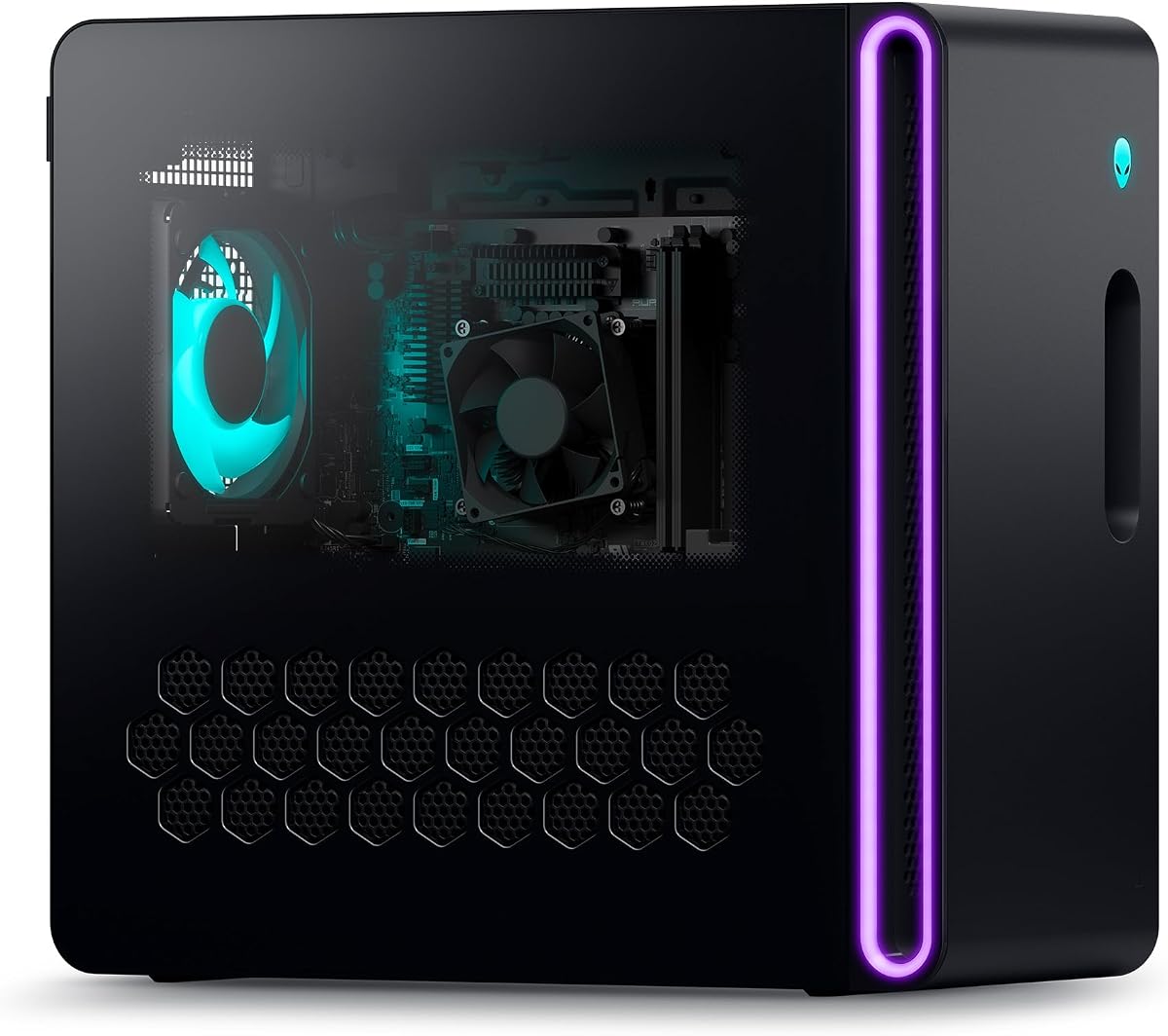
Alienware offers a sleek design with customizable lighting zones. The RTX 5070 brings cutting-edge graphics for next-gen games.
We may earn a commission when you buy through this link, at no additional cost to you.
Dell Services include onsite support which adds value for business or home users. The chassis optimizes airflow for better cooling.
While proprietary parts make upgrades harder, the system is designed for easy maintenance. It looks as good as it performs.
Perfect for fans of the Alienware brand who want premium support and styling.
AlienFX lighting allows over 16 million colors to match your vibe.
Onsite service means a technician comes to you if something breaks.
We may earn a commission when you buy through this link, at no additional cost to you.
This desktop packs 32GB of RAM and a massive 2TB SSD. It supports heavy multitasking and large game libraries without lag.
We may earn a commission when you buy through this link, at no additional cost to you.
The RTX 5070 GPU ensures you can play future titles at high settings. ARGB fans help manage temperatures during intense gaming.
It runs Windows 11 Home by default which is fine for most users. The power is ideal for content creators too.
A powerhouse choice for those needing lots of memory and storage in one box.
A 2TB SSD lets you keep hundreds of games installed at once.
32GB RAM supports running multiple apps without slowdown.
We may earn a commission when you buy through this link, at no additional cost to you.
The R2 mixes a strong GPU with ample RAM. It uses an Intel Core i5 which handles everyday gaming well.
We may earn a commission when you buy through this link, at no additional cost to you.
WiFi 6E ensures fast connections for online play. The system supports VR headsets out of the box.
Cooling is air based but sufficient for the parts inside. It is a practical choice for many users.
Suitable for gamers who prioritize graphics and memory over raw CPU power.
WiFi 6E reduces latency for smoother online multiplayer sessions.
Hardware is compatible with virtual reality headsets for immersive play.
We may earn a commission when you buy through this link, at no additional cost to you.
This premium model features liquid cooling for top thermal performance. The Intel Ultra 7 processor drives tasks with efficiency.
We may earn a commission when you buy through this link, at no additional cost to you.
DLSS 3.5 and AI features enhance gaming visuals and smoothness. The 32GB RAM supports heavy workloads well.
It is built for users who need top tier specs and premium cooling. The liquid system keeps noise low.
Ideal for enthusiasts wanting the best cooling and CPU combination in a prebuilt.
Liquid cooling keeps the processor cool during long gaming hours.
AI upscaling creates extra frames for smooth gameplay at high resolutions.
We may earn a commission when you buy through this link, at no additional cost to you.
The R16 offers 32GB RAM and RTX 4070 Super for solid gaming. It features a refined internal airflow for quieter operation.
We may earn a commission when you buy through this link, at no additional cost to you.
Onsite service adds convenience if hardware issues arise. The black chassis looks sleek in any room.
Storage is 1TB but you can add more via PCIe. It is a balanced choice for gamers.
Great for those who value brand reliability and service options.
Optimized airflow reduces noise while keeping components cool.
1 Year Onsite Service means help comes to your location.
We may earn a commission when you buy through this link, at no additional cost to you.
This PC includes 32GB of RGB DDR5 RAM and a 2TB SSD. It offers great value for storage and memory.
We may earn a commission when you buy through this link, at no additional cost to you.
The RTX 4070 Super handles modern games well. Free keyboard and mouse are included to save cost.
Tempered glass case shows off the RGB lighting. It runs quietly enough for most rooms.
A solid choice for those needing high storage and memory capacity.
RGB RAM adds style to your build with customizable lighting.
2TB space allows for many games and files without adding drives.
We may earn a commission when you buy through this link, at no additional cost to you.
Choosing the right gaming PC involves looking at several key components that affect performance and longevity.
The GPU is the heart of any gaming rig. For RTX 4070 systems, check if it is a standard, Super, or higher variant. The Super model offers better frames for modern games.
Prioritize higher tier GPUs if you plan to play at 1440p or 4K resolutions.
The CPU handles logic tasks. Look for Intel Core i7 or AMD Ryzen 7 models. Higher cores help with streaming and video editing.
Ensure the processor matches the GPU so you do not lose performance in games.
RAM determines how many apps you can run. 16GB is the minimum while 32GB helps for multitasking. DDR5 memory is faster than DDR4.
Choose 32GB if you stream or edit videos while gaming.
SSDs load games faster than HDDs. Aim for at least 1TB of NVMe space. Larger storage means more games installed at once.
Verify it is an NVMe M.2 drive for best speed and responsiveness.
Good cooling keeps performance high during long sessions. Air coolers are common but liquid cooling is better for heat. Look for multiple case fans.
Check that the system has enough airflow to avoid overheating.
WiFi 6 or 6E ensures low latency online. Ensure there are enough USB ports for peripherals. HDMI and DisplayPort options are needed for monitors.
Verify all ports match your setup needs before buying.
A strong PSU is needed for high-end cards. Look for 700W or higher with 80+ certification. It ensures stable power during peak load.
Higher wattage allows for future upgrades without replacing the unit.
Warranty protects your investment. Look for at least one year of parts and labor. Support options like onsite service are helpful for home users.
Check if the brand offers easy claim processes for repairs.
Place your PC in a well-ventilated area. Keep it away from direct sunlight and heat sources. Dust and heat reduce lifespan over time.
Regularly clean the vents with compressed air. Do not open the case unless you know what you are doing. This keeps internal temps low and ensures safety.
Update your graphics drivers monthly for best performance. Check for BIOS updates to fix bugs and improve stability. Keeping software fresh keeps the system running well.
Yes, all listed systems handle modern AAA titles at high settings. The RTX 4070 GPU ensures smooth gameplay at 1440p. You may need to adjust settings for 4K.
Most allow RAM and storage upgrades easily. However some brands use proprietary parts that limit GPU swaps. Check model specific upgrade guides first.
These desktops do not include monitors. You need a display with HDMI or DisplayPort inputs. Most models support 1440p or 4K resolution.
Yes, all models come with Windows 11 Home or Pro installed. You will need to activate it with your own license key if not included. Setup is quick and easy.
Many are strong enough for streaming and editing. Look for models with 32GB RAM and strong CPUs. The GPU also helps with rendering speeds.
Most use efficient air cooling with multiple fans. Some premium models include liquid cooling. All ensure stable temps during long gaming sessions.
We highlighted ten excellent systems that bring solid performance to gamers. The top picks cover budget and premium needs alike with strong components.
Focus on balancing the GPU with enough RAM and storage for your needs. Cooling and support matter for long term satisfaction.
Prices and stock change often so verify details before buying. This guide helps you find a reliable PC for great gaming.