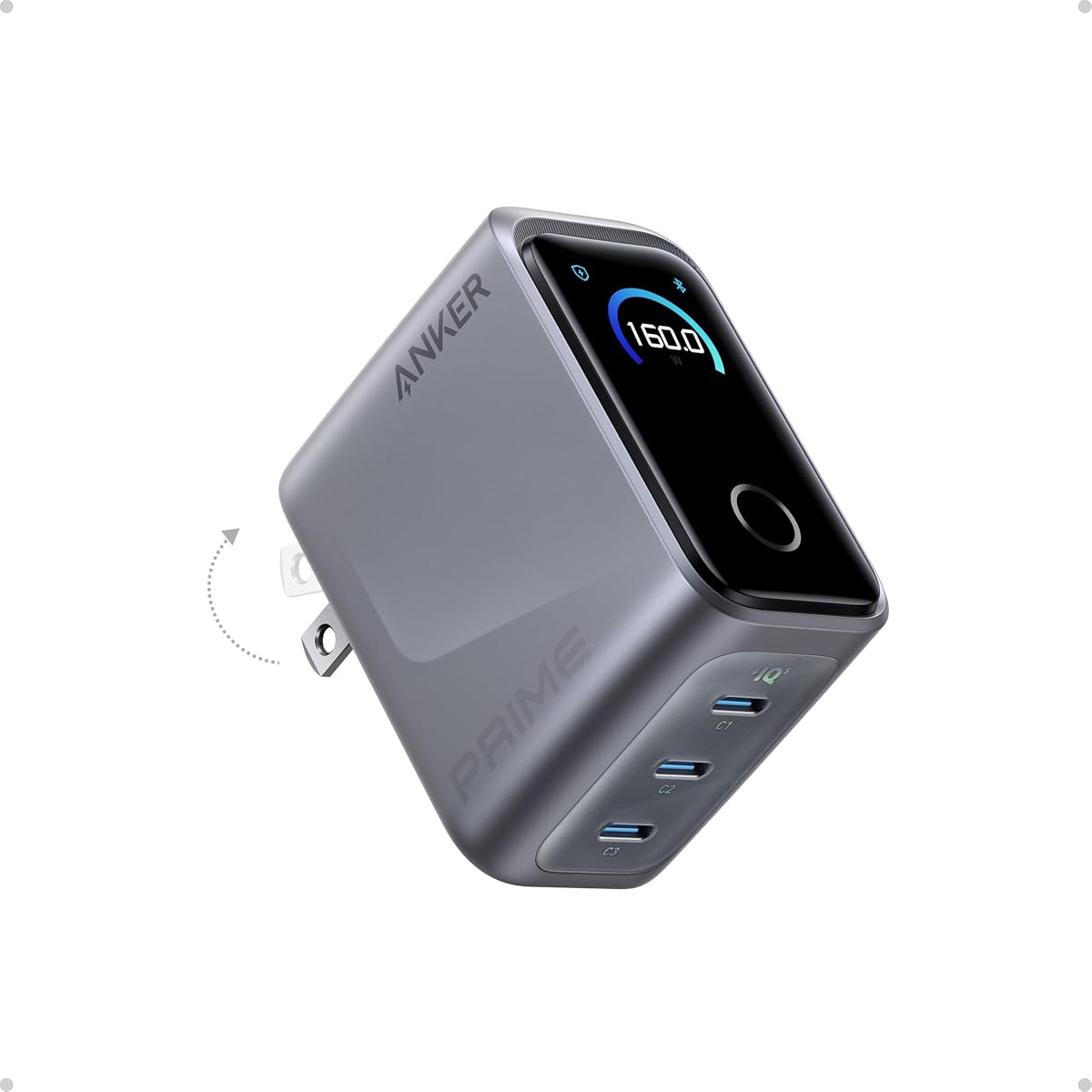
Anker Prime Charger
4.6Editor score
Compact 160W power density
AnkerSense View control
Three port maximum output
This comprehensive guide compares the top 10 GaN chargers with display screens, evaluating power output, port counts, and smart features for modern devices.
Modern electronic devices demand reliable and efficient charging solutions that can handle high power loads without generating excessive heat. GaN chargers with display screens offer a unique combination of advanced silicon technology and real-time monitoring capabilities for users. These chargers use gallium nitride to deliver higher power densities in smaller form factors compared to traditional silicon-based blocks. The integrated displays provide instant visibility into charging status, temperature, and power distribution across multiple ports simultaneously.
We have evaluated ten top-rated models based on their total wattage, port configurations, display functionality, and overall build quality. Each product was assessed for its ability to handle high-power laptops, smartphones, and accessories without compromising safety or performance. Our analysis focuses on real-world usability, compatibility with various device protocols, and the clarity of the information provided by the digital interfaces. We considered user feedback and technical specifications to ensure a balanced selection of options for different needs.
Each pick in this list highlights specific strengths such as extreme power output, compact travel designs, or advanced battery care features. You will find detailed breakdowns of what makes each charger stand out in its category along with honest assessments of their limitations. Please note that pricing and availability can fluctuate frequently so checking the current listings before purchasing is always recommended. This guide aims to help you find the right charging solution for your specific setup and budget constraints easily.
4.6Editor score

4.7Editor score

4.4Editor score
This side-by-side comparison highlights the key specifications and unique attributes of each model to help you make an informed decision based on your specific power requirements and budget.
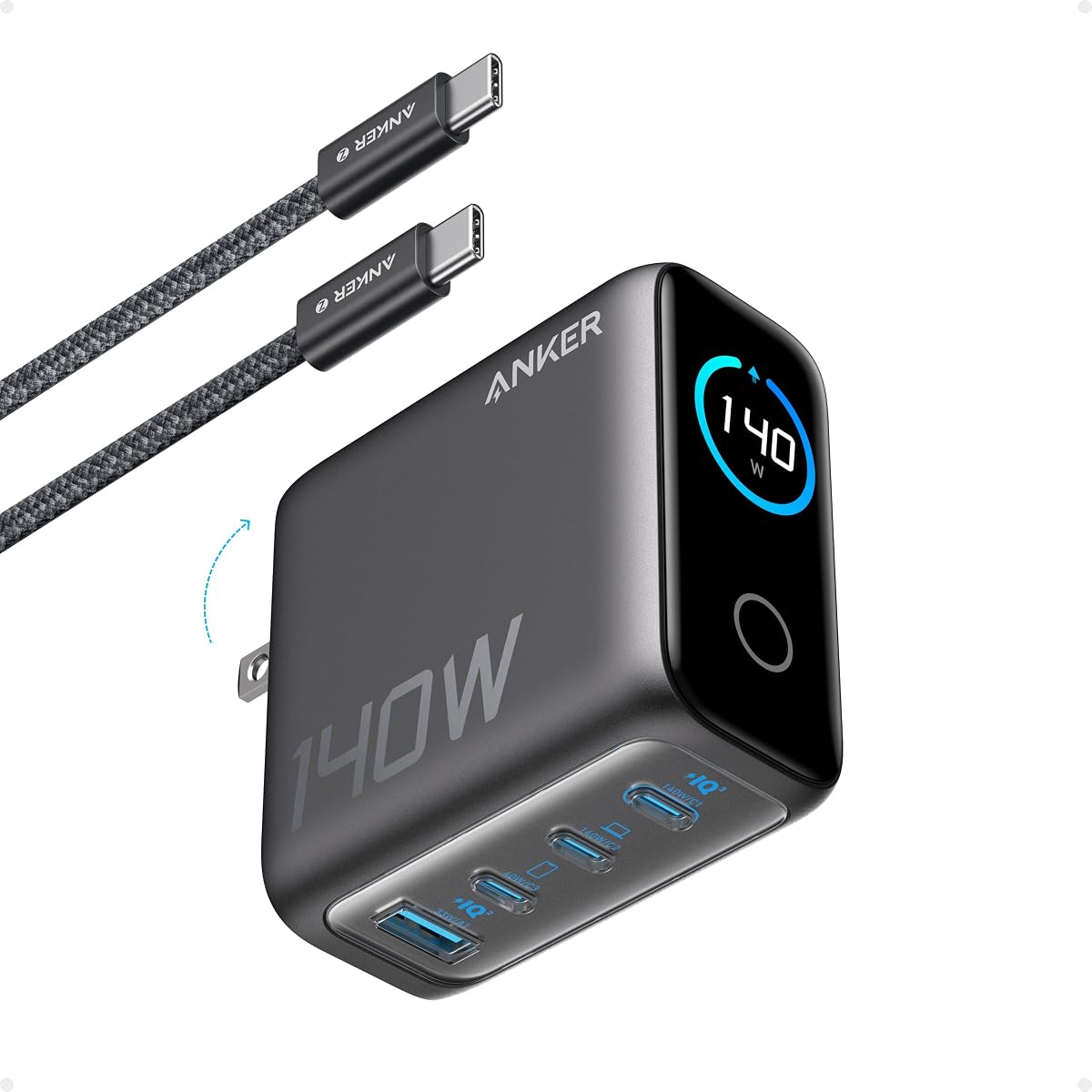

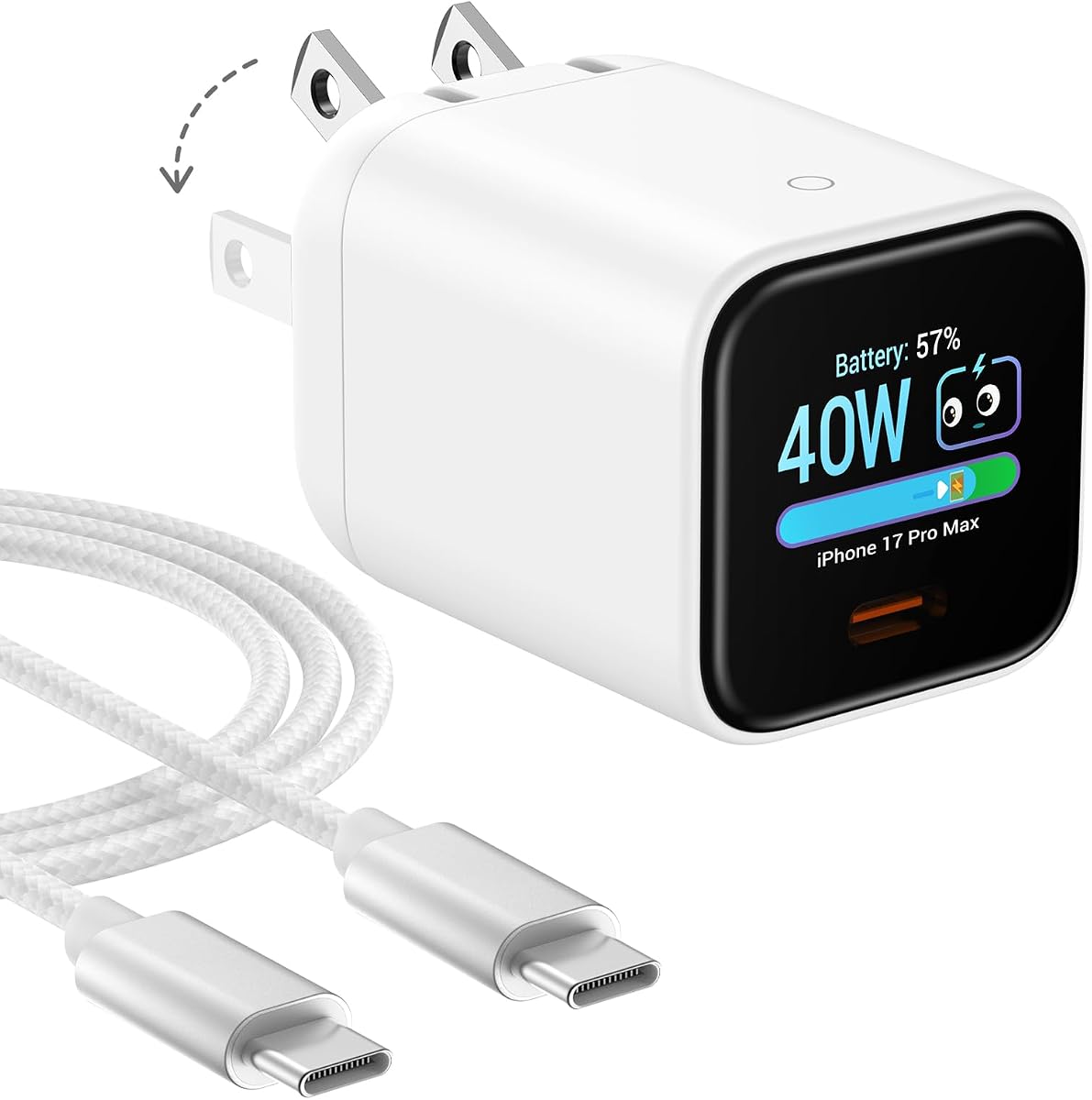


The UGREEN Nexode Pro Charger stands out as the top overall pick for users needing high power and detailed monitoring. With a 160W total output and five ports including four USB-C and one USB-A, it handles nearly any charging scenario. The rotatable touch display provides real-time data on wattage and temperature making it a standout feature.
We may earn a commission when you buy through this link, at no additional cost to you.
Its ability to deliver 140W to a single port ensures that even high performance laptops charge at full speed. The intelligent power allocation system manages multiple devices efficiently without compromising speed. Users appreciate the animated emoticons on the display which add a touch of fun to a technical task.
While it is priced higher than some competitors the versatility and power justify the investment for power users. The main trade-off is the size which is slightly larger than ultra compact options but still manageable for travel. It is an excellent choice for those who prioritize performance and information visibility over minimalism.
This charger is ideal for professionals who need to power a laptop and multiple accessories simultaneously from a single outlet. Whether for home office or business travel the UGREEN Nexode Pro offers reliability and control. We recommend it for anyone seeking the best balance of power and smart features.
The display shows exact wattage per port helping you see how power is distributed across devices.
Automatic power distribution ensures optimal charging speeds for connected devices without manual switching.
We may earn a commission when you buy through this link, at no additional cost to you.
The Anker Prime Charger delivers premium performance in a remarkably small footprint. Its power density allows 160W output in a case as small as an Airpod. This makes it perfect for users who want desktop level power in a portable travel charger.
We may earn a commission when you buy through this link, at no additional cost to you.
Smart power distribution via PowerIQ 5.0 ensures that laptops and phones charge efficiently together. The AnkerSense View feature lets you monitor and customize charging modes through a Bluetooth app. This level of control is unique and appeals to tech savvy users who want customization.
The main limitation is the lack of a physical dial which means you rely on the app for detailed adjustments. Also with only three ports it may not suit setups with many devices needing power simultaneously. However the build quality and safety systems are top notch.
This charger is best for professionals who travel frequently but still need to charge a high power laptop quickly. The combination of power and size is unmatched in the market today. We recommend it for those valuing portability and brand reliability above all else.
Use the Anker app to unlock custom charging modes and monitor real-time power usage details.
Advanced GaN technology keeps the charger small while delivering maximum output power without heat issues.
We may earn a commission when you buy through this link, at no additional cost to you.
The MOKiN 140W charger offers exceptional value for users seeking high power and a display screen. It delivers 140W to single ports which is enough for most laptops. The four port design ensures you can charge multiple devices without needing extra adapters.
We may earn a commission when you buy through this link, at no additional cost to you.
Its live color display keeps you informed about charging status and temperature without needing an app. This transparency helps you ensure devices are charging safely and efficiently. The included 140W cable adds to the value proposition saving you extra cost.
While the build quality is solid it may not feel as premium as top tier brands. The display is functional but not as sharp as others. However for the price these trade-offs are acceptable for most users who prioritize cost efficiency.
This charger is perfect for budget conscious buyers who do not want to compromise on speed or port count. It handles daily charging needs for families or shared workspaces effectively. We recommend it as a great entry point into high power display chargers.
Getting a high wattage charger with a dedicated cable at this price point is rare in the market.
The screen provides clear real-time updates on power and temperature for safe and efficient charging.
We may earn a commission when you buy through this link, at no additional cost to you.
The Anker 140W Max 4-Port charger balances power and convenience well for daily use. It supports 140W on single ports which handles laptops effectively. The four port layout is ideal for users with multiple devices to charge at once.
We may earn a commission when you buy through this link, at no additional cost to you.
Its color display offers a clear view of charging status and temperature data. The Activeshield 4.0 system provides robust safety protection against heat and surges. This makes it a safe choice for expensive electronics that need reliable power.
One limitation is that it does not come with a cable so you must buy one separately. Also the display is fixed which might not suit everyone's viewing preference. Despite this it remains a strong contender for reliability and performance.
This charger is a great fit for office users who need multiple ports and high power. It is also reliable for home use where safety is a top priority. We recommend it for those who prioritize brand trust and safety features.
Advanced monitoring technology checks temperatures millions of times daily to ensure safe operation always.
Four ports allow you to charge a laptop and several smaller devices simultaneously without issues.
We may earn a commission when you buy through this link, at no additional cost to you.
The Anker 100W Max is designed for portability without sacrificing speed. It offers a steady 100W output which covers most laptops and phones. The foldable plug and small frame make it easy to slip into a pocket or bag.
We may earn a commission when you buy through this link, at no additional cost to you.
Its smart display provides visibility into charging status and temperature efficiently. The low current mode ensures safety for small accessories like earbuds. This prevents overheating or damage to low power devices.
While it lacks the raw power of 160W models it is more than enough for daily needs. The main trade-off is the lower total wattage compared to larger models. However for travel this size advantage is significant.
This charger is perfect for travelers who want a small reliable power source. It handles phones and laptops well and keeps everything safe. We recommend it for those prioritizing size and convenience.
The foldable plug and compact frame make packing this charger effortless for any trip.
Automatic low current mode protects small devices from excessive power or heat issues.
We may earn a commission when you buy through this link, at no additional cost to you.
The Smart Charging Butler focuses on battery health and longevity through AI monitoring. It adjusts charging speed based on battery level and temperature to extend life. This makes it ideal for overnight charging or extended use cases.
We may earn a commission when you buy through this link, at no additional cost to you.
It comes with a durable braided cable which adds value to the package. The display is simple but effective at showing charging status and temperature. The compact design fits easily into a pocket or small bag.
The main limitation is the lower 45W output which limits it to phones and tablets. It cannot handle high power laptops effectively. However for phones the battery care features are a unique benefit.
This charger is best for users who prioritize battery health over raw speed. It is a great secondary charger for travel or bedside use. We recommend it for iPhone users who want extended battery life.
Smart adjustments reduce heat and slow charging when full to maximize battery lifespan.
A high quality braided cable is included saving you the hassle of buying one separately.
We may earn a commission when you buy through this link, at no additional cost to you.
The Anker Prime Charging Station is built for desktop use with a massive 250W output. It features six ports allowing you to charge all your devices at once. The control dial adds a unique physical interface for power management.
We may earn a commission when you buy through this link, at no additional cost to you.
Its IoT capabilities allow for smart control via an app when connected to WiFi. This lets you set schedules and monitor usage remotely. The display shows clear updates on charging status and speed.
The main drawback is its size and weight which makes it unsuitable for travel. It is designed as a permanent power station for a desk. This limits its portability but increases its stationary capacity.
This charger is ideal for power users with multiple devices in a fixed location. It is perfect for a desk setup where convenience and speed are paramount. We recommend it for home office environments.
Connect to the app to unlock remote control and scheduling features for your power station.
Adjust energy output instantly with a physical dial for immediate access to settings.
We may earn a commission when you buy through this link, at no additional cost to you.
The MOKiN 70W is a compact solution for everyday charging needs. It delivers 70W which covers most laptops at standard speeds. The interactive touch screen provides clear data on charging status.
We may earn a commission when you buy through this link, at no additional cost to you.
Its small size makes it easy to carry in a bag or pocket. The foldable prongs add to its travel friendly design. It is a practical choice for users with mixed device needs.
The main limitation is the lower total wattage compared to 140W models. This means slower speeds for high power laptops. However for standard use it is a solid reliable option.
This charger is best for students or travelers who need a balance of size and power. It handles phones and smaller laptops effectively. We recommend it for casual users on a budget.
Small size and foldable prongs make this charger easy to pack for any trip.
Tap the screen to switch views and get detailed real-time charging data instantly.
We may earn a commission when you buy through this link, at no additional cost to you.
The DJI Power 140W offers a unique solution with its digital display cable. It provides 140W output and supports multiple protocols for different devices. The cable itself shows charging status making it easy to track progress.
We may earn a commission when you buy through this link, at no additional cost to you.
It prioritizes DJI devices which is great for drone users. The build quality is durable and the LED indicators provide clear status updates. This ensures you know exactly what is happening while charging.
While optimized for DJI it works well with standard laptops and phones too. The main limitation is the focus on a specific ecosystem which might not suit everyone. However the cable feature is a significant advantage.
This charger is ideal for DJI users who want seamless integration and speed. It is also a great general charger for high power devices. We recommend it for tech enthusiasts who value smart cables.
The included cable displays real-time power data so you can track charging status easily.
Optimized for DJI devices ensuring fast and efficient charging for your specialized gear.
We may earn a commission when you buy through this link, at no additional cost to you.
The Anker Nano Display is designed specifically for mobile users who want speed and size. It delivers 45W which is enough for fast phone charging. The Care Mode lowers temperature to protect battery life over time.
We may earn a commission when you buy through this link, at no additional cost to you.
Its ultra compact size makes it easy to carry anywhere. The display offers basic status updates and control options. This simplicity appeals to users who do not need complex features.
The main limitation is the lack of support for high power laptops. It is not a replacement for a full desktop charger. However for phones and tablets it is highly efficient and convenient.
This charger is best for iPhone users who want a reliable travel companion. It handles overnight charging safely with minimal heat. We recommend it for those prioritizing portability and battery care.
Reduces charging temperature by up to 9 degrees to extend overall battery lifespan.
47% smaller than original 30W chargers making it easier to carry daily.
We may earn a commission when you buy through this link, at no additional cost to you.
Choosing the right GaN charger requires understanding key factors that impact performance and safety. We have outlined the most important aspects to consider before making a purchase.
Total wattage determines how many devices you can charge at high speeds. Look for 100W or more if you need to power a laptop and phone simultaneously. High wattage ensures faster charging times for large batteries.
For best results choose a charger with at least 140W if you use powerful laptops.
The number and type of ports affect compatibility with your devices. Ensure you have enough USB-C ports for your laptop and phone. USB-A ports remain useful for older accessories like headphones.
Most users benefit from a mix of at least three USB-C ports.
A good display shows real-time data such as wattage and temperature. Touch controls allow for easy rotation and mode switching. Some models offer app integration for deeper insights and customization.
Prioritize models with clear visual data to monitor safety and efficiency.
Look for built-in overheat and overcurrent protection to safeguard devices. Active temperature monitoring systems are a plus for high power chargers. Safety certifications ensure the charger meets international standards.
Always choose a model with advanced active safety monitoring.
Foldable prongs and compact frames make chargers easier to carry. Travel users should prioritize lightweight designs that fit in bags. Desktop use allows for larger blocks with higher power outputs.
For travel pick a charger that is smaller than a standard power brick.
Established brands often offer better warranties and customer support. Quality materials ensure longevity and consistent performance over time. Reading user reviews can help gauge real-world reliability.
Choose reputable manufacturers to ensure long-term durability.
Ensure the charger supports your devices charging protocols like PD 3.1. Check if it recognizes specific models for optimized power delivery. Universal compatibility reduces issues with different brands.
Look for support of the latest fast charging standards available.
Some chargers come with high quality cables which adds value. Check if a cable is included in the box before purchasing. This saves additional costs and ensures you have the right connector.
A bundled high wattage cable can improve overall value.
Start by plugging the charger into a wall outlet and connecting your devices via USB cables. Ensure the display turns on to indicate it is ready. Check the screen for initial power levels and charging status.
Avoid covering the charger with cloth or placing it inside a bag while in use. Keep it in a well ventilated area to allow heat dissipation. This maintains performance and prevents overheating.
Regularly inspect the cables and plug for signs of wear or damage. Store the charger in a dry place when not in use. Proper care extends the lifespan of the unit and ensures safety.
Yes most models listed provide sufficient power for laptops ranging from 60W to 160W. Check the single port output to ensure it matches your laptop requirements. High wattage models like 140W or 160W are ideal for larger notebooks.
The display typically shows real-time charging status including wattage and temperature. Some models also show which protocols are active for each port. This helps you verify devices are charging safely and at expected speeds.
They are generally safe but it is best to unplug when not in use. Active safety features prevent overheating but unplugging saves energy. Use models with auto shut-off or smart controls for overnight use.
Yes they support various fast charging protocols including PD 3.1 and PPS. This ensures compatible phones and laptops charge at their maximum speed. Always use a high quality cable for best results.
Depends on the port count and total wattage. Models with four ports can charge up to four devices simultaneously. Ensure total power matches your devices needs to maintain speed.
Many models are compact with foldable plugs ideal for travel. However high power desktop models are larger and less portable. Choose a compact option if you move frequently.
We recommend the UGREEN Nexode Pro as the best overall choice for its power and display. For premium travelers the Anker Prime offers unmatched portability and speed. The MOKiN 140W provides excellent value for budget conscious buyers.
Prioritize total wattage and port count based on your specific device needs. Safety features and display clarity are also critical factors for daily use. Balance these aspects with your budget to find the perfect fit.
Prices and availability change frequently so check current listings before purchasing. Ensure you get the right model for your setup by comparing specs. This guide helps simplify the decision process.