
Womier DK75 75% Wireless Gaming Keyboard
4.5Editor score
Quiet membrane switches
RGB lighting effects
Long-lasting battery life
Discover the top green backlit gaming keyboard options reviewed for performance, design, and features. Compare wireless, mechanical, and membrane models to
Finding the right green backlit gaming keyboard can transform your setup with vibrant style and reliable performance. These keyboards offer unique aesthetics while delivering the functionality gamers and professionals need for daily tasks and intense sessions.
We compared ten highly rated models based on connectivity, switch type, build quality, and customization options. Our analysis focuses on real-world usability, ensuring you get a device that fits your workflow and budget without unnecessary compromises.
Each pick highlights specific strengths like wireless flexibility, hot-swappable switches, or compact layouts. Keep in mind that availability and pricing can change, so verify current details before making your final decision for your desk.
4.5Editor score
4.6Editor score
4.8Editor score
This side-by-side comparison highlights the key specifications of each model to help you quickly identify the best fit for your specific needs and preferences.


The AULA F75 stands out as a top contender in the green backlit gaming keyboard category. It combines mechanical performance with wireless flexibility, earning a strong rating for its balanced features.
We may earn a commission when you buy through this link, at no additional cost to you.
Its hot-swappable design allows you to change switches without soldering, giving you full control over the feel and sound. The tri-mode connectivity ensures you can switch between devices seamlessly whether you are gaming or working.
While the software support is Windows-only for some features, the hardware itself delivers reliable performance. The gasket structure enhances typing comfort, making long sessions easier on your hands.
This keyboard is ideal for users who value customization and wireless freedom. It offers a premium experience without compromising on essential gaming features like macro support and N-key rollover.
Connect via Bluetooth, 2.4GHz, or USB-C to use with multiple devices simultaneously.
Swap out the pre-lubed switches to match your preferred tactile or linear preference.
We may earn a commission when you buy through this link, at no additional cost to you.
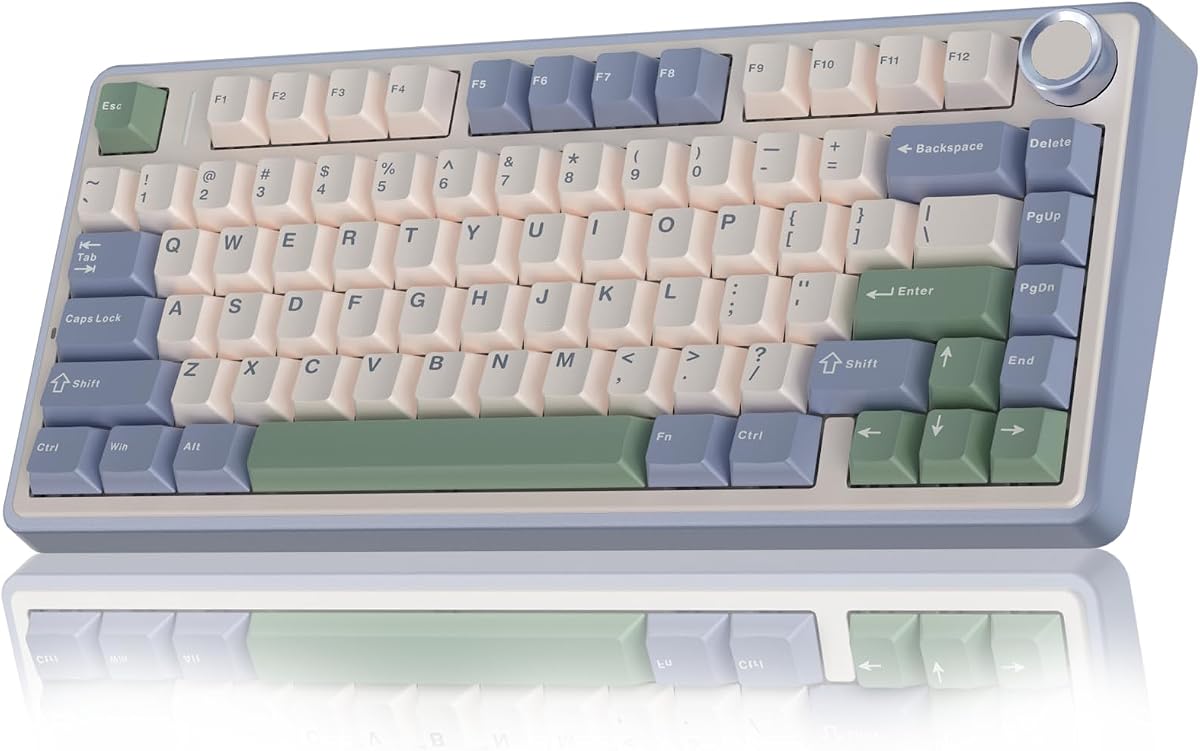
The Womier DK75 offers excellent value for those seeking a green backlit gaming keyboard on a budget. It provides a mechanical-inspired look with silent membrane switches that are gentle on shared spaces.
We may earn a commission when you buy through this link, at no additional cost to you.
Its RGB lighting effects are diverse and adjustable without needing external software. The small screen display adds a unique touch by showing connection status and battery life directly on the device.
While it lacks hot-swappable switches, the membrane design ensures durability and cost-effectiveness. The ergonomic tilt and PBT keycaps improve comfort for daily typing tasks.
This model is perfect for casual gamers or students who prioritize style and quiet performance. It delivers a complete package for entry-level users without breaking the bank.
Silent membrane switches ensure minimal noise during late-night gaming or work sessions.
Adjust lighting and volume instantly using the rotary knob and FN key combinations.
We may earn a commission when you buy through this link, at no additional cost to you.
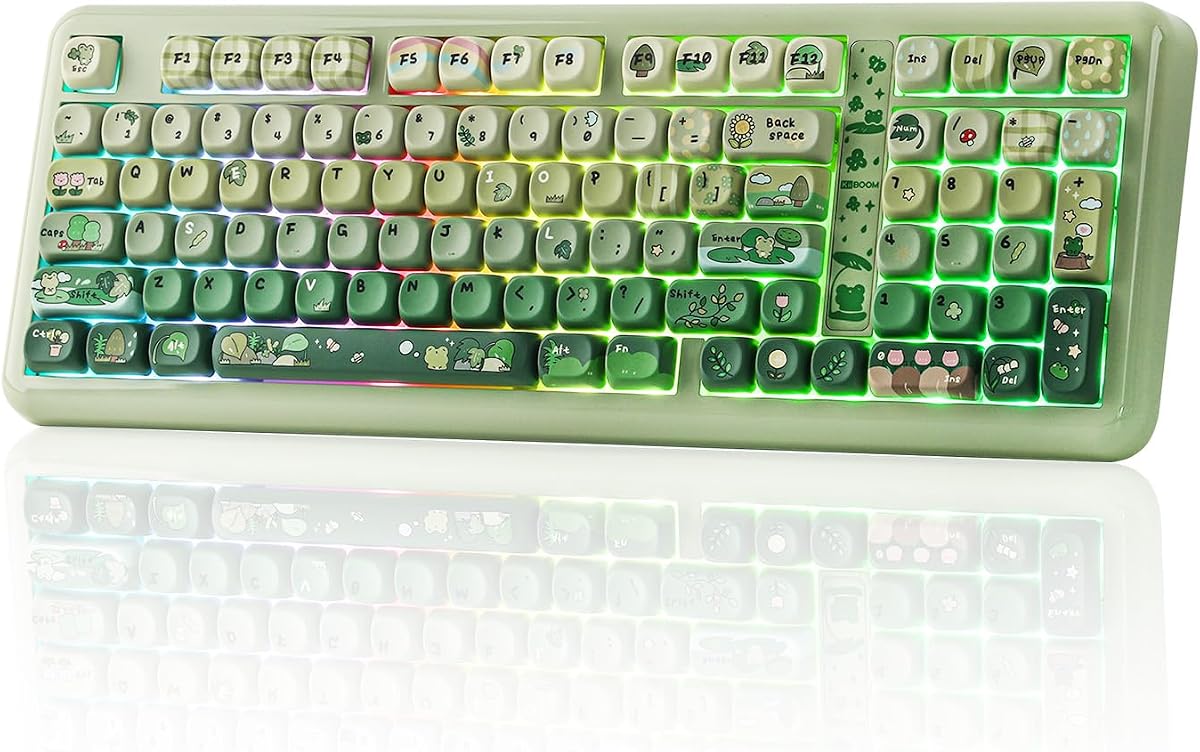
The KiiBoom Phantom98 Lite represents the upper end of the green backlit gaming keyboard market. It appeals to enthusiasts who demand high levels of customization and premium build quality.
We may earn a commission when you buy through this link, at no additional cost to you.
Its VIA compatibility allows deep key mapping and macro adjustments for both productivity and gaming. The gasket mount structure ensures a creamy sound and feel that rivals much more expensive custom builds.
With an 8000mAh battery, you can enjoy days of wireless use on a single charge. The sound-dampening materials reduce unwanted noise for a more immersive experience.
This keyboard is best for tech-savvy users who want total control over their input device. It justifies its price with features that elevate the typing experience to a professional level.
Remap keys and create complex macros using the open-source VIA software for ultimate control.
The large 8000mAh battery supports weeks of use on one charge with backlighting off.
We may earn a commission when you buy through this link, at no additional cost to you.
The AULA S99 brings vintage aesthetics to the modern green backlit gaming keyboard scene. It blends full-key programmability with a compact 96% layout that saves space without losing the number pad.
We may earn a commission when you buy through this link, at no additional cost to you.
Its dual-mode rotary knob allows easy switching between volume control and lighting effects. The macro customization supports complex gaming commands which is rare in wireless membrane keyboards.
Although it does not offer hot-swapping, the ergonomic stand and foldable design improve comfort during long use. It is compatible with many operating systems including Windows, Mac, and mobile devices.
This model suits users who want a stylish and functional wireless setup. It balances retro charm with modern connectivity for a versatile desk accessory.
Rotate or click the knob to adjust volume or switch between lighting modes instantly.
Program complex key sequences to gain an edge in competitive gaming scenarios.
We may earn a commission when you buy through this link, at no additional cost to you.
The Aula Nova75 integrates a TFT smart display into a compact 75% green backlit gaming keyboard. It offers visual feedback for battery and connection status along with customizable GIF images.
We may earn a commission when you buy through this link, at no additional cost to you.
With an 8000mAh battery, it provides long endurance for wireless users who dislike frequent charging. The gasket mount design delivers a smooth and quiet typing feel appreciated by enthusiasts.
Hot-swappable PCB support lets you change switches easily to suit your preferences. The dedicated software allows deep customization of macros and lighting effects for personalized workflows.
This keyboard is ideal for those who want visual flair and premium mechanical features. It stands out for its high-quality build and versatile connectivity options.
View battery levels and play custom GIFs directly on the small color screen.
Replace switches with standard 3-pin or 5-pin options to change the keyboard feel.
We may earn a commission when you buy through this link, at no additional cost to you.
The Aula F75 offers a robust mechanical experience in a compact green backlit gaming keyboard. Its gasket structure and sound-absorbing layers ensure a creamy typing feel loved by enthusiasts.
We may earn a commission when you buy through this link, at no additional cost to you.
Hot-swappable switches make it easy to customize the keyboard without tools. The PBT manga keycaps provide durability and a consistent look that resists wear over time.
Battery management is efficient with auto-sleep modes to extend usage. The 4000mAh battery supports long sessions without needing constant recharging.
This model is perfect for gamers who prioritize performance and durability. It combines premium mechanical features with wireless convenience at a competitive price.
Enjoy a softer typing feel due to the shock-absorbing gasket structure beneath the plate.
Auto-sleep saves power when not in use while allowing instant wake on keypress.
We may earn a commission when you buy through this link, at no additional cost to you.
The Womier SK80 stands out with its colorful multimedia display in the upper right corner. This feature allows you to show custom images and system data directly on the green backlit gaming keyboard.
We may earn a commission when you buy through this link, at no additional cost to you.
Its gasket mount design enhances stability and reduces typing noise for an immersive experience. Hot-swappable sockets let you change switches to tailor the sound and feel easily.
The RGB backlighting offers numerous effects and colors to match your setup style. While software customization is Windows-only, the hardware provides solid mechanical performance out of the box.
This keyboard is ideal for streamers or users who love visual flair. It combines practical features with a charming design that stands out on any desk.
Use the multimedia screen to show custom GIFs and system data like battery status.
Swap switches freely without soldering to adjust the typing feel to your liking.
We may earn a commission when you buy through this link, at no additional cost to you.
The Redragon K742 offers advanced programmability with QMK/VIA support in a green backlit gaming keyboard. It appeals to users who want to map every key and macro precisely for efficiency.
We may earn a commission when you buy through this link, at no additional cost to you.
Its 98% compact layout saves desk space without sacrificing essential keys. The gasket structure provides a comfortable and quiet typing experience for long sessions.
Hot-swappable sockets allow easy switch changes to customize sound and feel. The battery supports over 50 hours of use without backlighting making it reliable for daily tasks.
This keyboard suits professionals and gamers who need customizable controls. It bridges the gap between productivity and gaming with its advanced software support.
Access powerful remapping and macro features using open-source firmware tools.
Enjoy a smaller footprint that leaves room for mouse movement in tight spaces.
We may earn a commission when you buy through this link, at no additional cost to you.
The Keymatic Gaming Keyboard focuses on media control with its dedicated media knob and status screen. It offers a triple-mode wireless design that supports various devices seamlessly.
We may earn a commission when you buy through this link, at no additional cost to you.
Its 98-key layout provides a full number pad for efficient data entry. The silver paste membrane technology gives a quiet and responsive typing experience.
A sturdy build and large battery ensure long-term reliability. The RGB backlighting adds style while allowing you to match the keyboard to your mood.
This model is ideal for users who manage multiple devices daily. It combines media functionality with a cute aesthetic for a versatile desk accessory.
Adjust volume and media playback easily with the integrated rotary media knob.
Switch between Bluetooth, 2.4GHz wireless, and USB-C wired modes for flexibility.
We may earn a commission when you buy through this link, at no additional cost to you.
The Owpkeenthy Full Size Green offers a traditional 104-key layout for those who need a complete keyboard. It features linear red switches that provide smooth and quiet typing for work or games.
We may earn a commission when you buy through this link, at no additional cost to you.
Its N-key rollover ensures every keypress registers accurately during intense gaming sessions. The RGB backlighting enhances the atmosphere with customizable lighting modes.
XDA profile keycaps provide comfort and a uniform look across the board. The ergonomic kickstands help reduce wrist strain during long typing periods.
This keyboard is best for users who prefer a wired connection and full layout. It delivers reliable performance and classic design for a stable desk setup.
Retain the number pad and arrow keys essential for office and gaming tasks.
Ensure all key combinations are detected simultaneously without conflict or delay.
We may earn a commission when you buy through this link, at no additional cost to you.
Choosing the right keyboard involves balancing features like connectivity, switch type, and layout to match your needs.
Look for tri-mode connectivity if you switch between devices often. Wireless options include Bluetooth and 2.4GHz dongles for low latency.
Prioritize stable wireless standards like Bluetooth 5.0 for seamless switching.
Mechanical switches offer better durability and tactile feedback compared to membranes. Hot-swappable models allow you to change switches later.
Choose mechanical for longevity and membrane for quiet operation in shared spaces.
Compact layouts like 75% save desk space while keeping arrow keys. Full-size keyboards include number pads for data entry needs.
Select based on available desk space and your need for a number pad.
RGB effects range from simple colors to music sync. Ensure the keyboard supports brightness and speed adjustments.
Check if customization requires software or if it can be done directly on the device.
Wireless keyboards need sufficient battery capacity for long use. Models with 4000mAh or more offer weeks of operation.
Consider auto-sleep features to extend battery life during idle periods.
Gasket mounts improve typing comfort and sound by reducing vibration. Look for durable keycaps like PBT that resist shine.
Solid materials like iron plates add stability and reduce flex during typing.
Check if the keyboard driver works with your operating system. Windows is common but Mac support varies by model.
Ensure macros and lighting can be customized if you need advanced features.
Adjustable feet and wrist supports reduce strain during long sessions. Profile keycaps like XDA or Cherry affect finger comfort.
Look for ergonomic designs that promote natural hand positioning.
Start by connecting the keyboard via USB-C or Bluetooth and install any required drivers for full functionality.
Customize your RGB lighting and macros using the software or FN key combinations to suit your workflow.
Keep the keyboard clean by gently brushing off dust and avoid placing liquids near it to extend its lifespan.
Most models support Mac via standard Bluetooth or USB-C connection but software features may be limited. Check the product details for Mac OS compatibility before purchasing to ensure all features work.
Mechanical switches use individual mechanical components per key providing better durability and tactile feedback. Membrane switches use a rubber dome which is quieter and more budget-friendly but less durable.
Press the designated Fn keys or use the side buttons to cycle between paired devices. Pair each device through Bluetooth settings first for seamless switching.
Hot-swappable models allow you to change switches without soldering. Verify the board supports 3-pin or 5-pin switches before buying new ones.
Battery life varies by usage and brightness settings. Most models with 4000mAh or more last several weeks with backlighting off and fewer days with lighting on.
Many models support full-key macro programming via software. Ensure the software is compatible with your OS to set up complex key sequences.
We reviewed ten top models offering wireless freedom mechanical performance and unique designs to suit various preferences.
Prioritize connectivity switch type and layout based on your daily tasks to get the best performance and comfort.
Remember to check current availability and verify features before buying to ensure the keyboard meets your needs today.