
Seagate IronWolf 4TB NAS Internal Hard Drive
4.5Editor score
Ideal for multi-user NAS environments
Supports up to 8-bay systems
Includes Rescue Data Recovery Services
Finding the right hard drive for Jellyfin is essential for building a reliable media server that handles streaming without interruptions. You need storage that balances capacity, speed, and longevity to support your growing library of movies, shows, and photos across multiple devices.
We compared ten top-rated drives based on their design for NAS environments, video workloads, and general storage needs. Our analysis focuses on factors like RPM, cache size, and workload ratings to ensure each pick can handle continuous 24×7 operation typical of media servers.
Each pick highlights specific strengths like budget friendliness, premium features, or specialized video optimization for DVR and NVR systems. Note that availability and pricing fluctuate frequently, so check current stock and offers before making your final purchase decision.
4.5Editor score

4.7Editor score

4.6Editor score
As an Amazon Associate we earn from qualifying purchases.
This side-by-side comparison evaluates ten hard drives optimized for Jellyfin servers, highlighting capacity, interface speed, cache size, and specific use cases like NAS or video storage.


The Seagate 8TB BarraCuda offers an ideal mix of capacity and speed for Jellyfin servers. With a 4.7 rating, it delivers 190MB/s sustained transfer rates and proven reliability for storing movies and photos. Its desktop focus makes it suitable for single-drive setups in a dedicated PC.
We may earn a commission when you buy through this link, at no additional cost to you.
It features 8TB of space for extensive libraries, backed by 20 years of innovation in storage technology. The SATA 6 Gb/s interface ensures fast data access for streaming, while the proven reliability keeps your media accessible. It handles PC applications well from video editing to gaming.
Although not NAS optimized, it works in home servers with adequate cooling. The anti-static packaging reduces clutter. For users needing more than 8TB or multi-bay setups, consider NAS drives. However, for single-bay budget builds, it stands out as a reliable choice.
Buy this if you want high capacity and speed in a desktop environment. It suits single-drive Jellyfin servers where noise and vibration are manageable. For shared networks or heavy write loads, explore NAS options. This drive delivers confidence in storage reliability and performance.
Its 190MB/s sustained transfer rate ensures quick loading of media files for streaming without buffering delays.
Backed by 20 years of innovation, this drive offers confidence for long-term storage of valuable media libraries.
We may earn a commission when you buy through this link, at no additional cost to you.
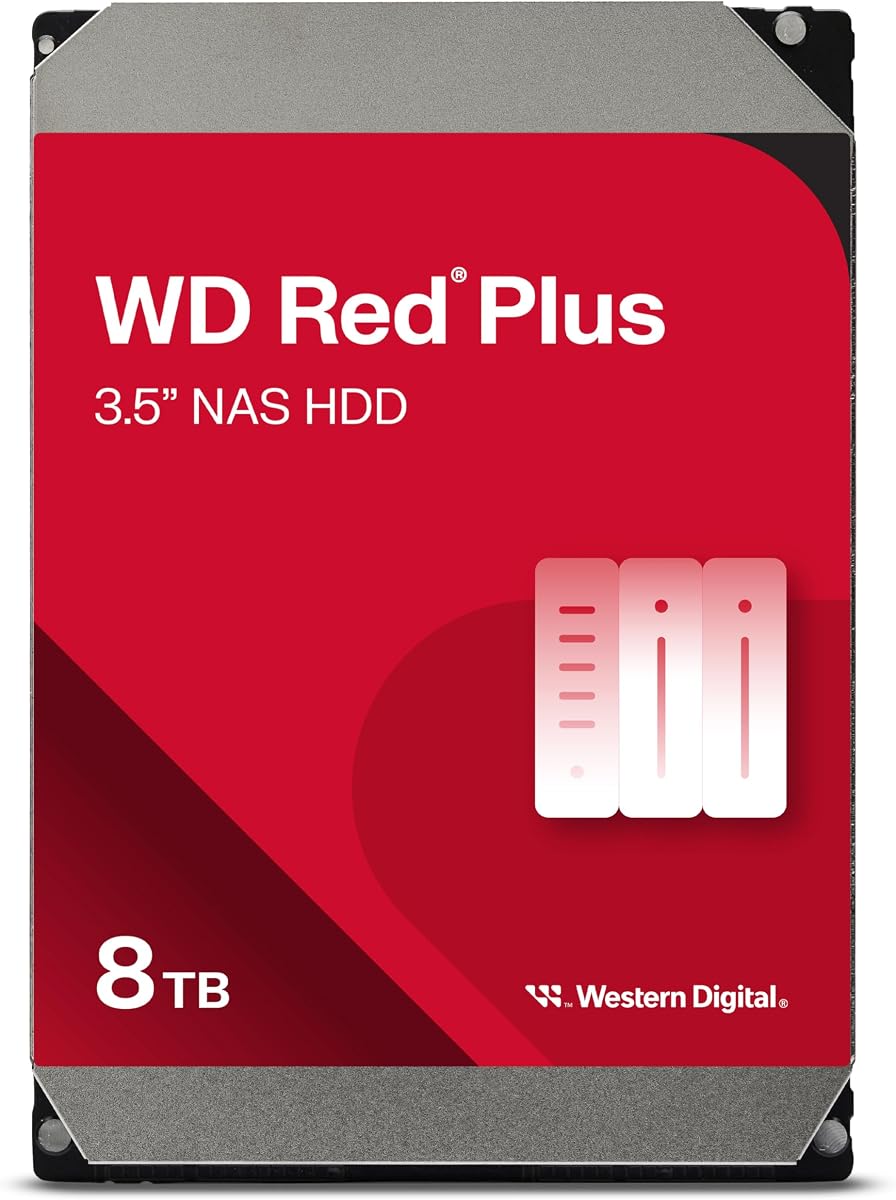
The WD Red Plus 8TB is designed for NAS systems supporting up to 8 bays. With a 4.2 rating, it offers 5400 RPM speed and CMR technology for stable data storage. It handles 180 TB/yr workload rates for consistent performance in Jellyfin servers.
We may earn a commission when you buy through this link, at no additional cost to you.
NASware firmware ensures compatibility in small business environments. Its 256 MB cache aids data transfer efficiency. The 3-year warranty provides additional peace of mind. For multi-drive arrays, this NAS drive minimizes risks of data corruption compared to desktop alternatives.
Slower RPM means slower random access, acceptable for media streaming. It prioritizes reliability over speed. Users needing faster read speeds might prefer desktop drives. However, for continuous operation in RAID setups, its stability makes it a reliable budget NAS choice.
Buy this for multi-bay NAS Jellyfin servers needing reliable 24×7 operation. It suits users prioritizing data integrity over speed. For single-drive setups, desktop drives offer better value. This drive ensures your media library stays accessible in demanding network environments.
CMR technology avoids performance issues found in SMR drives, ensuring stable data writes for media libraries.
Built for 24×7 NAS environments, it handles continuous operation better than standard desktop hard drives.
We may earn a commission when you buy through this link, at no additional cost to you.
The Seagate One Touch 8TB simplifies media storage with USB-C connectivity and bus power. Rated 4.6, it works with Windows and macOS without requiring extra cables or power bricks. Ideal for portable servers or backup storage.
We may earn a commission when you buy through this link, at no additional cost to you.
Fuss-free setup makes it accessible for all users. It stores assignments or sensitive files in one place. The two-year warranty and Rescue Services provide added protection. Its design reduces clutter compared to traditional external drives needing wall warts.
External drives are slower than internal SATA options. They rely on USB interfaces which limit throughput. For primary media storage, internal drives offer better reliability. However, as a secondary backup or portable drive, this unit shines with convenience.
Buy this for backup storage or portable servers needing plug-and-play ease. It suits users prioritizing simplicity over raw speed. For primary server storage, choose internal drives. This drive ensures your media remains safely stored across devices without setup hassle.
Connects via USB-C with bus power, eliminating the need for external power adapters or extra cables.
Includes Rescue Data Recovery Services and a two-year warranty to safeguard important files and media.
We may earn a commission when you buy through this link, at no additional cost to you.
Seagate's 1TB Mobile HDD offers a thin 7mm profile ideal for portable systems. Rated 4.4, it transitions to 2TB capacity without traditional laptop drive weight. It supports mobile designs with standard SATA 6Gb/s integration.
We may earn a commission when you buy through this link, at no additional cost to you.
Stores up to 200,000 photos or 124 hours of HD video in a compact form. Its light weight benefits portable computers needing internal storage upgrades. The 128MB cache ensures decent performance for small media libraries.
Limited to 1TB, it may fall short for large Jellyfin libraries. Not designed for NAS enclosures. For primary server storage, larger capacities are better. However, as a compact option for small form factors, it meets specific needs well.
Buy this for lightweight laptops or small server builds. It suits users needing thin drives without sacrificing capacity. For extensive media, choose larger drives. This drive delivers mobility and storage efficiency in minimal physical space.
This drive's 7mm thickness enables seamless upgrades in slim laptops and compact computer chassis designs.
At 1TB, it stores thousands of photos and hours of video in a lightweight package for portability.
We may earn a commission when you buy through this link, at no additional cost to you.
IronWolf internal drives suit up to 8-bay NAS environments. Rated 4.5, they store more and work faster with NAS optimization. They deliver minimal wear, noise, and vibration for file-sharing performance. Integrated Health Management monitors drive health easily.
We may earn a commission when you buy through this link, at no additional cost to you.
Three-year warranty and Rescue Services are included. The 5400 RPM and 64MB cache balance power and performance. Ideal for RAID systems requiring stability. This NAS-optimized drive reduces downtime compared to desktop alternatives in shared network settings.
Limited to 4TB, users might need multiple drives. Cache size may limit burst performance. For large libraries, higher capacities are preferable. Yet for small NAS builds prioritizing stability, this drive offers excellent value and reliability.
Buy this for small NAS Jellyfin servers needing RAID support. It suits users prioritizing health monitoring and quiet operation. For larger needs, combine multiple units. This drive ensures reliable file-sharing performance with minimal noise in your setup.
Designed for NAS enclosures, it minimizes noise and vibration to ensure smooth operation in multi-bay RAID systems.
Integrated Health Management system tracks drive health to prevent unexpected failures and data loss.
We may earn a commission when you buy through this link, at no additional cost to you.
WD Blue 12TB offers massive capacity for growing media libraries. Rated 4.6, it delivers 7200 RPM speed and 512 MB cache for fast access. Ideal for desktop computing needing high capacity without multiple drives. Includes Acronis True Image cloning software.
We may earn a commission when you buy through this link, at no additional cost to you.
Everyday computing reliability is backed by WD quality. The high cache size improves data transfer efficiency. 12TB stores extensive movies and photos. This drive suits users prioritizing single-drive simplicity over NAS-specific features.
Lacks NAS optimization like workload ratings. Not ideal for multi-bay RAID systems. For large libraries, it provides unmatched single-drive capacity. Users needing NAS-specific stability may prefer WD Red. This drive excels in desktop media server scenarios.
Buy this for single-drive Jellyfin servers needing massive space. It suits users prioritizing capacity and speed in desktop environments. For NAS setups, consider WD Red. This drive ensures your growing library fits in one high-capacity unit.
At 12TB, this drive holds extensive media collections without requiring multiple drive bays or complex RAID setups.
7200 RPM speed and 512 MB cache deliver fast data access for quick media streaming and library updates.
We may earn a commission when you buy through this link, at no additional cost to you.
Skyhawk delivers video-optimized storage for DVR NVR systems. Rated 4.4, it supports workloads up to 180TB/year with zero dropped frames. Built-in RV sensors maintain performance in multi-bay systems. Lower power consumption improves reliability.
We may earn a commission when you buy through this link, at no additional cost to you.
It stores up to 10,000 hours of HD video. Health Management and in-House Rescue Services are included. Ideal for surveillance but also suited for heavy media streaming. This drive handles continuous write workloads typical of video recording systems.
Surveillance focus may not suit general NAS needs. It is optimized for streaming cameras over library storage. For media servers handling many cameras, it excels. However, standard NAS drives may offer better overall features.
Buy this for Jellyfin servers integrating video surveillance. It suits users needing high workload support. For pure media storage, explore NAS drives. This drive ensures zero dropped frames in demanding video workloads.
Optimized for continuous video workloads, this drive supports up to 64 simultaneous streaming cameras with zero dropped frames.
Lower power consumption reduces heat, improving reliability in systems needing quiet operation.
We may earn a commission when you buy through this link, at no additional cost to you.
WD Purple 6TB is engineered for surveillance security systems. Rated 4.5, it handles write-intensive workloads typical of applications. AllFrame AI technology delivers higher workload rates up to 360 TB/yr. Supports over eight bays for scalability.
We may earn a commission when you buy through this link, at no additional cost to you.
Tuned for low bit-rate high stream-count operations, it ensures stable performance. Ideal for systems recording multiple streams simultaneously. While designed for surveillance, its write optimization suits heavy streaming. However, lacks features of NAS-specific drives.
For pure media servers without cameras, NAS drives offer better general use. Surveillance drives excel when handling continuous video writes. Users prioritizing stream stability over storage features may find this ideal. It supports up to 360 TB/yr with AI.
Buy this for Jellyfin integrating security recording. It suits users prioritizing write performance. For general media, explore WD Red. This drive ensures stable high-count streaming without dropped frames.
AllFrame AI technology enhances workload capacity for AI-enabled recorders and surveillance systems.
Supports systems with more than eight bays, providing flexibility for expanding storage setups.
We may earn a commission when you buy through this link, at no additional cost to you.
Seagate Skyhawk 4TB is custom-built for surveillance applications. Rated 4.6, it offers Image Perfect firmware for crisp video. With 180TB/year workload, it handles write-intensive systems reliably. RV sensors maintain performance in multi-drive setups.
We may earn a commission when you buy through this link, at no additional cost to you.
It stores 10,000 hours of HD video, ideal for cameras and recording. Packaging ensures minimal waste. For media servers with surveillance, it delivers high reliability. Its workload rating is triple that of desktop drives.
Surveillance focus may not suit general media optimization. Requires proper cooling for stable operation. For multi-drive RAID, RV sensors prevent vibration issues. This drive excels in continuous recording environments.
Buy this for Jellyfin integrating surveillance recording. It suits users needing high workload support. For general media, choose NAS drives. This drive ensures stable multi-drive performance with zero dropped frames.
Image Perfect firmware ensures crisp, clear video playback for continuous 24×7 video workloads.
Rotational vibration sensors help maintain performance in multi-drive systems by compensating for vibrations.
We may earn a commission when you buy through this link, at no additional cost to you.
IronWolf 6TB serves NAS servers needing more capacity. Rated 4.4, it balances performance and reliability. 5400 RPM ensures quiet operation. The 256 MB cache improves data access efficiency. Ideal for scaling storage without NAS drives.
We may earn a commission when you buy through this link, at no additional cost to you.
Supports up to 8-bay setups with multi-user environments. Designed for NAS, it minimizes noise and wear. For growing libraries, 6TB provides room. However, lacks advanced monitoring found in newer models.
Users may need to install monitoring software externally. Not suited for RAID without additional steps. For stable home servers, it offers value. This drive suits those needing mid-capacity NAS storage.
Buy this for NAS Jellyfin servers needing 6TB capacity. It suits users prioritizing NAS optimization. For advanced monitoring, consider newer models. This drive ensures reliable multi-user performance with minimal noise.
Designed for NAS servers, it delivers reliability in multi-user environments with optimized performance.
5400 RPM provides quiet operation suitable for home environments needing low noise levels.
We may earn a commission when you buy through this link, at no additional cost to you.
Selecting the right hard drive for Jellyfin depends on understanding storage needs, workload requirements, and environmental factors. This guide covers key considerations to ensure your server runs smoothly.
Choose capacity based on your media library size and future growth. High-definition videos consume more space than 480p files. Consider 8TB or more for large collections, or 6TB for moderate needs.
Ensure the drive fits your server's physical bays and supports expansion options.
Workload rating measures annual data transfers in terabytes. NAS drives support 180 TB/yr, while surveillance drives can reach 360 TB/yr with AI. This affects reliability in continuous streaming environments.
Higher workload ratings ensure your drive handles 24×7 media streaming without overheating.
Cache size, typically 64MB to 512MB, impacts data access speed. Larger caches improve read/write efficiency during streaming. This is crucial for handling multiple client connections simultaneously.
Larger cache improves performance but may increase drive cost.
RPM determines read/write speed. 7200 RPM drives offer faster access than 5400 RPM. However, 5400 RPM reduces power consumption and heat generation. Balance speed with operational needs.
5400 RPM is suitable for quiet home servers.
NAS-optimized drives like WD Red Plus or IronWolf handle multi-bay systems better. They include firmware for vibration management and reliability. Standard desktop drives may degrade faster in these environments.
Use NAS drives for multi-drive setups to ensure data integrity.
Surveillance drives like Skyhawk or WD Purple focus on continuous writes. They handle high stream counts efficiently. If your server streams video constantly, these optimize stability.
Ideal for servers handling many simultaneous streams.
Most drives use SATA 6 Gb/s. Ensure your motherboard or enclosure supports this standard. External drives may use USB-C but offer slower transfer rates than internal SATA.
Internal SATA interfaces provide the fastest media access.
Warranty length ranges from 2 to 5 years. Includes rescue services and reliability guarantees. Longer warranties offer better peace of mind for critical data.
Look for warranties that cover drive failure and data recovery.
Install the drive securely in your server's enclosure, ensuring proper mounting screws to prevent vibration. Connect the drive to a SATA port and power supply for internal drives or USB for external models.
Configure the drive as part of your storage pool or RAID array. Use tools to partition and format it compatible with your OS. Regularly monitor drive health via tools like IronWolf Health Management.
Keep the server in a well-ventilated area to prevent overheating. Clean dust from enclosures periodically and ensure adequate cooling fans. Avoid excessive vibrations by using rubber mounts if needed.
NAS-optimized drives like WD Red Plus or IronWolf are best for continuous operation. Surveillance drives like Skyhawk suit high-stream workloads. Desktop drives like BarraCuda work for single-drive setups.
Storage depends on library size. HD videos require 5GB each. 8TB stores 1,600 HD movies. Choose based on how many titles you plan to host and future growth plans.
External drives work for backup or portable servers but are slower than internal SATA. They lack RAID support. Use internal drives for primary media libraries needing high throughput and reliability.
CMR (Conventional Magnetic Recording) ensures stable data writes unlike SMR drives. For Jellyfin servers handling frequent updates, CMR prevents performance degradation and data corruption risks in continuous use.
Mixing drives can cause compatibility issues and performance inconsistencies. For RAID systems, use identical models and capacities to ensure reliability. Consistent drives reduce risk of failure due to mismatched speeds.
Surveillance drives excel at continuous writes but may lack NAS features like health monitoring. They suit servers streaming many videos but are less ideal for general storage needing reliability checks and optimization.
Use RAID configurations or regular backups. Include drives with rescue services. Monitor health regularly using software tools. Ensure adequate cooling to prevent overheating and physical damage to your drive.
The Seagate 8TB BarraCuda offers excellent speed and capacity for single-drive servers. WD Red Plus provides budget-friendly NAS stability, while IronWolf brings reliability to multi-bay systems.
Prioritize workload ratings and NAS optimization for continuous streaming. Consider capacity based on your library needs and future expansion plans. Ensure compatibility with your server's hardware and interfaces.
Check current availability and pricing before purchasing. Drive models and costs change frequently. Selecting the right storage ensures your Jellyfin server runs smoothly and stores your media safely.