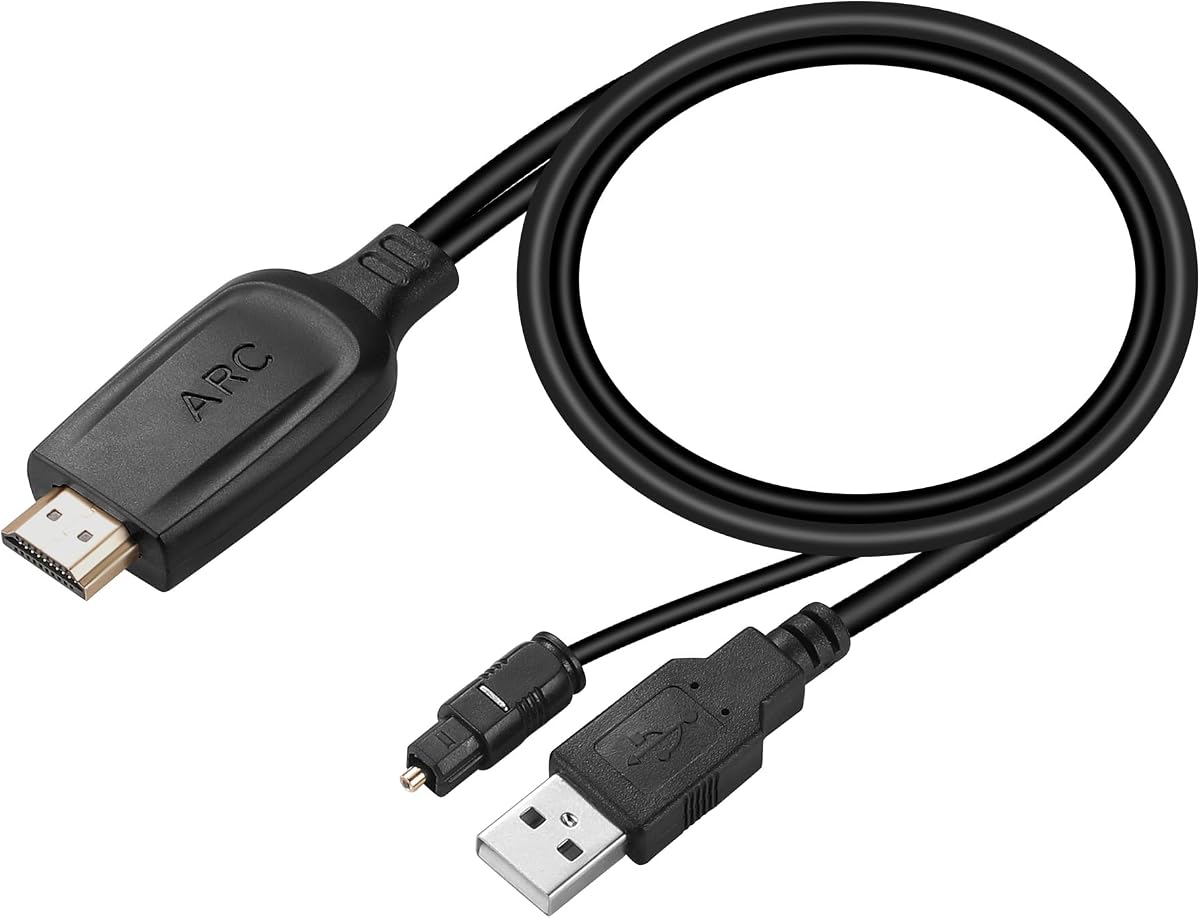
Unstincer 192KHz HDMI ARC to Optical Audio Converter for TV to Soundbar
4.2Editor score
Includes optical cable
Supports 192kHz audio
Compact plug and play design
This guide compares the top ten HDMI Arc adapter for soundbar models to help you connect legacy audio gear to modern TVs easily and effectively.
Connecting your modern television to a legacy soundbar often requires a specific adapter to bridge the gap between HDMI ARC ports and optical inputs. This guide explores the best solutions available for seamless audio transmission without losing quality.
We have evaluated ten top-rated adapters based on compatibility, audio quality, ease of setup, and user feedback. Each product offers unique features to suit different home theater configurations and budget requirements for optimal performance.
Each pick highlights key specifications and real-world performance notes to help you decide quickly. Prices and availability may change over time, so verify details on the product pages before making your final purchasing decision today.
4.2Editor score

4.9Editor score

4.1Editor score
This side-by-side comparison highlights the core specifications and capabilities of every adapter reviewed to help you identify the perfect match for your specific audio setup needs.


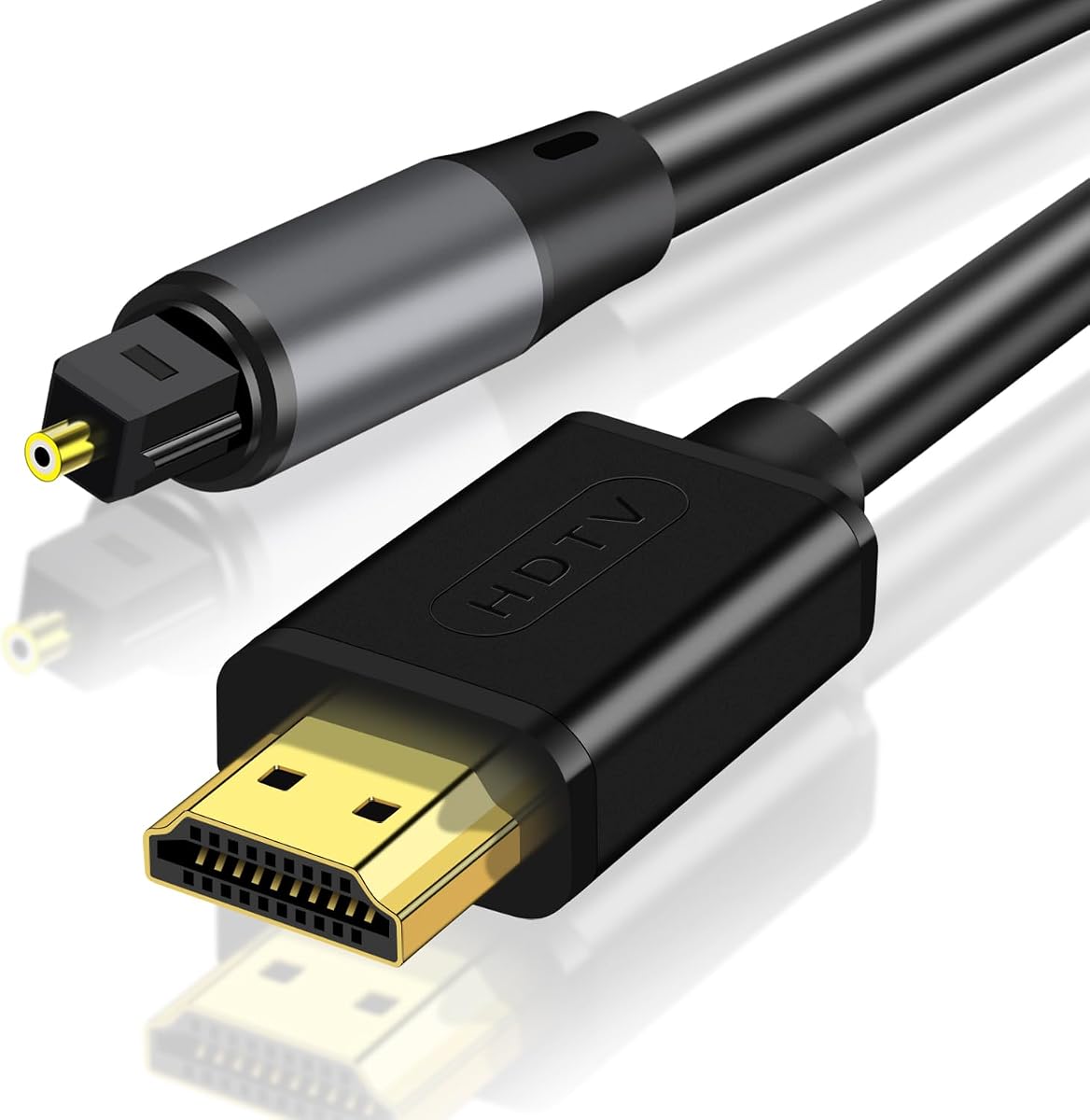
The eSynic Professional extractor stands out as a reliable bridge for users wanting to connect modern TVs to older optical soundbars. It holds a solid 4.3 rating from users who value straightforward functionality without complex setups.
We may earn a commission when you buy through this link, at no additional cost to you.
This device focuses on delivering high-quality audio by supporting 192kHz sampling rates ensuring that digital signals are converted accurately. The pure optical output reduces cable clutter and ensures a clean connection path for your home theater system.
While it lacks CEC volume control which means you must adjust sound directly on your soundbar this trade-off is standard for optical extractors. The included cables simplify installation making it a plug-and-play solution for most setups.
If you own an older soundbar with only optical input this adapter provides a seamless way to enjoy TV audio without replacing your existing gear. It is an excellent choice for maintaining your current setup while upgrading your display.
Supporting 192kHz sampling ensures that you retain high resolution audio quality from your TV to your soundbar without loss.
The device focuses on one pure optical output to minimize cables and confusion while maintaining a sleek look next to your TV.
We may earn a commission when you buy through this link, at no additional cost to you.
This HDMI ARC adapter offers versatility by providing both analog L/R and 3.5mm outputs alongside standard ARC conversion. Its 4.1 rating reflects satisfaction among users who need flexible connection options for various audio systems.
We may earn a commission when you buy through this link, at no additional cost to you.
The aluminum housing ensures durability and efficient heat dissipation which is crucial for maintaining stable performance during extended viewing sessions. Digital noise reduction technology helps deliver clear sound free from static or interference.
Users must set their TV audio output to PCM 2.0 to ensure compatibility since the device does not support raw digital formats like DTS or Dolby TrueHD directly. This requires a quick check of your TV settings before use.
It is a great solution for connecting game consoles or Blu-ray players to older amplifiers that rely on analog inputs. The simultaneous audio output allows you to monitor sound through multiple devices at once effortlessly.
Supporting simultaneous L/R and 3.5mm audio output gives you flexibility to connect different types of speakers or headphones easily.
Constructed from high quality aluminum metal this adapter offers good durability and stability to ensure heat dissipation over time.
We may earn a commission when you buy through this link, at no additional cost to you.
This converter is highly rated for its ability to bridge the gap between modern TVs without optical outputs and legacy audio systems. With a 4.4 rating it is particularly well-regarded by owners of Samsung LG and Sony televisions.
We may earn a commission when you buy through this link, at no additional cost to you.
The device supports 24-bit 192kHz audio sampling which ensures that the quality of your sound is preserved during conversion. This is essential for users who want to get the most out of their high-end speakers.
Setup is straightforward with no drivers required but you must enable CEC on your TV to activate HDMI features properly. The package includes the necessary cables so you can start using it immediately after unboxing.
It is an ideal choice for anyone looking to simplify their home theater wiring without sacrificing audio quality. The universal compatibility makes it a safe bet for most mainstream TV brands on the market today.
Supporting 24-bit 192kHz audio sampling rates ensures high-quality sound quality for your home audio system.
This TV ARC to optical cable is compatible with most TV brands that support ARC and ARC such as Samsung LG and Sony.
We may earn a commission when you buy through this link, at no additional cost to you.
This Unstincer converter offers a budget-friendly entry point for users needing to connect their TV to an optical soundbar. It has received a 4.2 rating from customers who appreciate its value and included accessories.
We may earn a commission when you buy through this link, at no additional cost to you.
The package includes a HDMI cable and optical cable along with a USB power cable making it a complete solution out of the box. This saves you from having to hunt for additional cables to get started.
It supports audio formats like PCM Dolby 5.1 and DTS 5.1 ensuring compatibility with most streaming content. However you must adjust the volume directly on your soundbar since optical connections do not carry CEC signals.
For those on a tight budget who still want reliable performance this adapter is a strong choice. The compact design ensures it blends well with other equipment in your entertainment center without taking up much space.
This ARC audio converter eliminates the need for additional cables or converters and serves as a bridge between the TV and sound system.
Connect the ARC Audio Converter USB cable to your TV USB port or another USB port LED indicator will lights up when connected.
We may earn a commission when you buy through this link, at no additional cost to you.
The VPFET extractor is designed for users who need both optical and coaxial outputs from a single HDMI source. It holds a 4.1 rating among audiophiles who appreciate the flexibility of dual digital signal paths.
We may earn a commission when you buy through this link, at no additional cost to you.
Supporting 192kHz sampling rates ensures that high fidelity audio is preserved during transmission. The independent ARC eARC status indicator helps you verify that the device is operating in the correct mode at a glance.
The included 19+1 high-pin HDMI cable supports stable signal transmission which is critical for maintaining lossless audio quality. This makes it suitable for demanding home theater setups that require reliable performance.
If you have amplifiers or DACs that use coaxial inputs this adapter provides a seamless solution without needing multiple converters. Its backward compatibility with standard ARC ensures it works with older TVs as well.
This HDMI ARC and ARC to Optical Adapter Supports simultaneous optical Toslink and coaxial audio output offering broad compatibility.
Equipped with an independent ARC and ARC status indicator it visually shows the current operating mode for easier setup.
We may earn a commission when you buy through this link, at no additional cost to you.
This adapter is particularly useful for installations where the soundbar is placed far from the TV. The 6.6FT optical cable included means you can avoid buying extra extension cables for your setup.
We may earn a commission when you buy through this link, at no additional cost to you.
It supports high resolution 24-bit 192kHz audio which is great for enjoying cinematic immersive sound through TV applications. The zero software requirement makes it incredibly easy to set up without any technical knowledge.
You must ensure your TV audio output is set correctly to PCM or Dolby DTS 5.1 to get sound. The device also does not support CEC volume control so you will need to adjust volume on your soundbar itself.
For users who prioritize cable flexibility and high quality audio this adapter is a strong contender. The wide compatibility ensures it works with most soundbars and amplifiers with fiber optic interfaces.
This HDTV to Optical Toslink cable is compatible with most TVs that support an eARC or ARC port as well as soundbars and amplifiers.
This hdmi arc audio adapter supports high resolution 24-bit 192kHz audio solving common sound quality problems of ordinary adapters.
We may earn a commission when you buy through this link, at no additional cost to you.
With an impressive 4.9 rating this adapter is a top choice for users looking for reliability and quality. It is designed specifically for TVs with HDMI ARC ports ensuring clean clear audio with zero lag.
We may earn a commission when you buy through this link, at no additional cost to you.
The 24K gold-plated HDMI and optical ports resist corrosion which helps keep your audio signal clean for years. This build quality adds significant longevity to the device compared to standard connectors.
It supports PCM 2.0 Dolby 5.1 and DTS 5.1 ensuring that your sound system can play most formats without issue. The LED lights show power and signal status so you always know it is working.
For most standard ARC users this adapter offers the best balance of features and quality. The slim design tucks neatly behind any TV stand making it an unobtrusive addition to your home theater.
24K gold plated HDMI and optical ports resist corrosion and keep your audio signal clean for years.
The 4.9FT optical Toslink cable gives you flexible placement so you can put your soundbar across the room.
We may earn a commission when you buy through this link, at no additional cost to you.
This converter is excellent for users who want to maintain surround sound quality when converting HDMI to optical. Its 4.4 rating highlights its performance in delivering theater-quality audio from any content source.
We may earn a commission when you buy through this link, at no additional cost to you.
The device supports PCM 2.0 Dolby 5.1 and DTS 5.1 with clear channel indicators so you can verify the audio format easily. This ensures you are getting the most out of your movie nights.
Advanced audio processing extracts pure digital audio from your TV while eliminating interference and delay making it ideal for live sports viewing. This synchronization is crucial for a smooth entertainment experience.
If you plan to watch football or sports with your family this adapter ensures synchronized audio without delays. Its universal compatibility works well with smart TVs soundbars and wireless headphones seamlessly.
Enjoy theater-quality surround sound from any content source with clear channel indicators for audio formats.
No software or drivers needed as advanced audio processing extracts pure digital audio from your TV while eliminating interference.
We may earn a commission when you buy through this link, at no additional cost to you.
This converter is versatile for users who need to connect headphones or speakers with analog inputs to their TV. The 4.3 rating reflects user satisfaction with its seamless audio conversion capabilities.
We may earn a commission when you buy through this link, at no additional cost to you.
It supports up to 192kHz 24bit high-resolution audio for immersive surround sound via optical but the 3.5mm AUX is limited to stereo. This flexibility allows you to choose the best output for your specific needs.
The package includes a USB power cable and HDMI 2.0 cable as free accessories saving you from purchasing extra cables separately. This makes it a cost-effective solution for immediate setup.
If you listen to TV audio through headphones at night this adapter allows private listening without disturbing others. The multi-format compatibility ensures it works with almost any HDMI ARC TV on the market.
Converts HDMI ARC compatible TV audio to standard Toslink optical signal or 3.5mm AUX signal perfectly connecting new smart TVs to legacy devices.
Comes with a USB power cable and HDMI 2.0 cable as free accessories so you do not need to purchase extra cables separately.
We may earn a commission when you buy through this link, at no additional cost to you.
This adapter is an excellent choice for those who need a long optical cable to manage home theater setup. It has a 4.2 rating for its ability to solve compatibility issues between TVs and home audio systems.
We may earn a commission when you buy through this link, at no additional cost to you.
It supports high-resolution 24-bit 192kHz audio which fully unleashes the potential of high-end audio systems for immersive sound. The zero software required simplicity ensures you can start using it immediately without technical hurdles.
If there is no sound after settings you may need to restart the TV and audio devices to refresh the connection. Always verify your TV supports HDMI eARC or ARC before purchasing to avoid compatibility issues.
The wide compatibility ensures it works with most soundbars amplifiers and active speakers with fiber optic interfaces. It is a reliable option for delivering cinematic immersive sound through TV applications and connected devices.
This hdmi arc audio adapter supports high resolution 24-bit 192kHz audio solving common sound quality problems of ordinary adapters.
This HDTV to Optical Toslink cable is compatible with most TVs that support an eARC or ARC port as well as soundbars and amplifiers.
We may earn a commission when you buy through this link, at no additional cost to you.
Selecting the right adapter requires understanding your TV outputs soundbar inputs and audio quality needs to ensure seamless integration.
Verify whether your soundbar accepts optical coaxial or analog inputs since adapters vary in supported ports. Most adapters convert HDMI ARC to optical but some also offer 3.5mm or coaxial for added flexibility.
Always match the adapter output to your soundbar input to avoid purchasing a device that cannot connect physically.
Ensure your TV has a port explicitly labeled HDMI ARC or eARC as standard HDMI ports do not work with these converters. Missing this detail often leads to connection failures after purchase.
Check your TV manual or settings menu to confirm ARC functionality exists before buying an adapter.
Look for adapters supporting 192kHz 24-bit sampling to ensure high-resolution audio transmission. Lower quality adapters may drop sound channels or introduce latency affecting your viewing experience.
Higher sampling rates are essential for preserving the quality of modern streaming content and movies.
Most optical adapters do not support CEC meaning you cannot control volume with your TV remote. You will need to adjust volume directly on your soundbar or amplifier using its physical controls.
Accept this trade-off upfront to avoid frustration with the expected behavior of digital optical connections.
Check if the adapter comes with necessary cables like optical HDMI or power cables to save time and money. Some budget models require you to buy cables separately which adds to the total cost.
Complete packages are generally more convenient for quick setup without extra shopping trips.
Confirm the adapter supports formats like PCM Dolby 5.1 or DTS if you want surround sound. Some devices only pass stereo PCM limiting you to 2.0 channels unless supported by your soundbar.
Reading product specs ensures you get the surround sound features you expect for movies and games.
Select a plug-and-play adapter that does not require software or driver installation for convenience. Complex setups may confuse non-technical users and lead to poor performance if configured incorrectly.
Simple setups reduce troubleshooting time and ensure you enjoy your home theater quickly.
Choose models with metal housings and gold-plated connectors for durability and better signal integrity. Compact designs are preferred for fitting discreetly behind TVs without cluttering your entertainment center.
Quality materials help prevent overheating and corrosion which extends the lifespan of the adapter.
Connect one end of the HDMI cable to your TV port explicitly labeled HDMI ARC or eARC and the other end to the adapter. Ensure the TV settings are adjusted to enable HDMI ARC sound output for correct signal routing.
Plug the optical cable into the adapter output and connect the other end to your soundbar optical input. Connect the USB power cable to either the adapter or a USB port on your TV to power the device.
Adjust the volume using your soundbar physical controls since optical connections do not transmit volume signals. Regularly check connections and avoid bending cables sharply to ensure long-lasting performance and signal stability.
No it only works with TVs that have a port explicitly labeled HDMI ARC or eARC. Standard HDMI ports do not support the return channel required for these adapters. Check your TV manual to confirm before purchasing.
Most adapters do not support CEC volume control so you must adjust sound directly on the soundbar. Optical connections do not carry volume signals from the TV remote. This is a standard limitation for these devices.
Most support PCM and stereo audio with some handling Dolby and DTS 5.1 surround sound. Check the product details for specific format compatibility. Higher-end models support 192kHz sampling for better audio quality.
It depends on the package some include HDMI optical and power cables while others do not. Always check the box contents before buying to avoid extra costs. USB power cables are essential for operation.
Check that the TV audio output is set to HDMI ARC or external speakers. Verify the adapter is powered on and cables are connected securely. Restart both the TV and soundbar to refresh the audio signal path.
Yes most adapters work with consoles like PS5 or Xbox when connected through a compatible TV. Ensure the console audio output settings are adjusted correctly for HDMI ARC transmission. This allows surround sound playback on older audio gear.
The HDMI ARC to Optical Audio Adapter for TV Soundbar leads the pack with its reliable performance and gold-plated durability. It delivers high-quality audio with zero lag making it ideal for most standard home theater setups.
Prioritize compatibility with your specific TV and soundbar inputs to avoid connection issues. Adapters with high sampling rates and included cables offer the best value and ease of use for long-term satisfaction.
Always verify current prices and availability on product pages as deals may change. Choosing the right adapter ensures you get the most out of your existing audio gear without replacing it.