
4 Pack HDMI Dummy Plug 4K HDR
4.8Editor score
True 4K@60Hz HDR support
Industrial-grade aluminum durability
Universal cross-platform compatibility
This guide compares the top HDMI Dummy Plug models for headless PC setups, remote desktop, and mining, helping you choose the right emulator for your workflow.
Choosing the right HDMI dummy plug ensures your GPU stays active for remote access or mining without a physical monitor. These small adapters emulate display signals to unlock full hardware potential efficiently.
We evaluated ten top-rated models based on resolution support, build quality, compatibility, and user feedback. Each product offers unique advantages for headless servers, gaming rigs, or development environments requiring stable virtual displays.
Each pick highlights key features like 4K support, HDR capabilities, and multi-pack value. Prices and availability fluctuate frequently, so verify current details before purchasing to ensure you get the best deal available today.
4.8Editor score
4.6Editor score

4.5Editor score
The following table provides a side-by-side comparison of all ten products, highlighting their key specifications, resolution capabilities, and unique features to help you make an informed decision quickly.


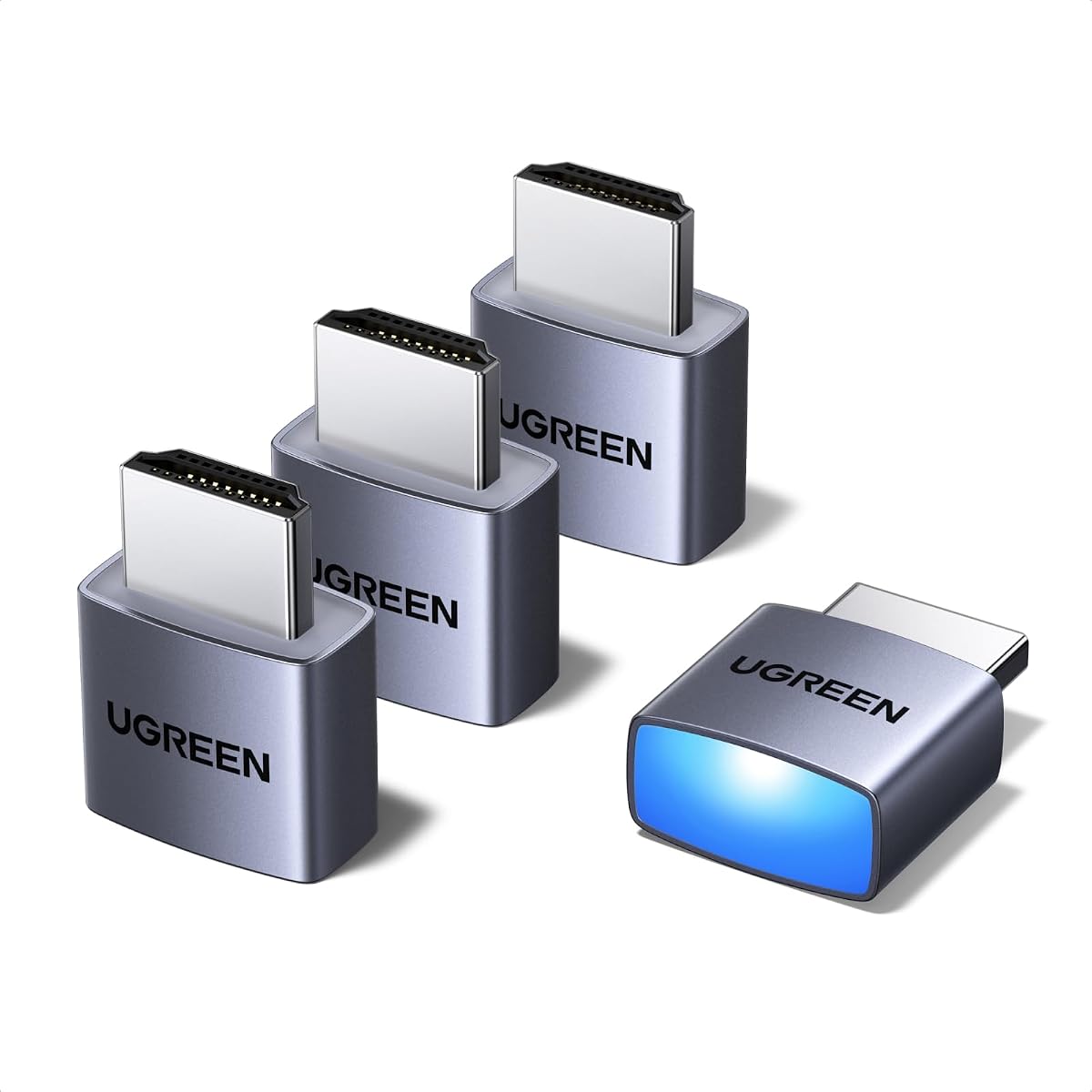
The UGREEN HDMI Dummy Plug ranks as our top choice for its reliable 4K@60Hz HDR performance. It receives a 4.6 rating from users who appreciate its stable virtual display capabilities for remote desktop and mining.
We may earn a commission when you buy through this link, at no additional cost to you.
Its standout quality is the ability to activate the GPU without a physical monitor, ensuring smooth video editing and gaming development. The aluminum shell enhances heat dissipation, maintaining performance during intensive tasks.
While the build is robust, some users note the aluminum can get warm under constant load. This trade-off is acceptable given the longevity and stability it provides compared to plastic alternatives.
Ideal for professionals managing server farms or home labs, this pack ensures your system runs efficiently. We recommend it for anyone needing consistent, high-resolution virtual display support across multiple systems.
This emulator supports 4K Ultra HD at 60Hz, enabling high-speed remote operations and lag-free streaming experiences.
The aluminum construction prevents overheating, ensuring long-term reliability for 24/7 mining or server operations.
We may earn a commission when you buy through this link, at no additional cost to you.
This affordable option delivers 4.8 ratings for its cost-effective 4K@60Hz HDR capabilities. It is designed to unlock GPU performance for mining and remote desktop without requiring a physical monitor.
We may earn a commission when you buy through this link, at no additional cost to you.
Key strengths include its industrial-grade aluminum armor which resists overheating during marathon computing. The built-in LED provides immediate connection verification, ensuring your headless setup is online.
Some users may need to tweak default resolution settings initially. This is a minor hurdle given the significant savings and robust performance it offers compared to premium single-unit options.
For budget-conscious professionals or hobbyists running multiple rigs, this pack is ideal. It balances price, performance, and durability effectively for large-scale headless deployments.
Experience crisp 4K visuals at 60Hz without breaking the bank, perfect for multi-user server environments.
The status LED lets you confirm connectivity at a glance, reducing troubleshooting time for remote admins.
We may earn a commission when you buy through this link, at no additional cost to you.
This top-tier model supports resolutions up to 8K 30Hz and 4K 120Hz, earning it a premium status. Users praise its ability to handle high refresh rates for gaming and video rendering without lag.
We may earn a commission when you buy through this link, at no additional cost to you.
Its standout feature is HDMI 2.1 compatibility, enabling higher bandwidth for demanding tasks. The gold-plated interface ensures signal integrity over long periods of heavy usage.
The main trade-off is the need for an HDMI 2.1 port and a higher price tag. This is acceptable for users seeking maximum resolution future-proofing their headless workstation.
Ideal for high-end gaming setups or professional rendering farms, this plug ensures your GPU performs at peak capacity. Choose this for top-tier resolution requirements.
Unlock up to 8K 30Hz performance for future-ready systems requiring maximum pixel density and clarity.
Enjoy 4K at 120Hz for smooth streaming and gaming on remote connections without frame drops.
We may earn a commission when you buy through this link, at no additional cost to you.
DTech offers a practical solution with a 3-pack designed for small offices or home servers. It scores well for enabling GPU tasks like cryptocurrency mining and rendering in headless environments.
We may earn a commission when you buy through this link, at no additional cost to you.
The gold-plated interface ensures stable digital signals while unlocking full graphics card potential. Its compact design makes it easy to hide behind devices without obstructing airflow.
While it lacks specialized cooling features, it performs reliably for standard tasks. This trade-off works well for users who prioritize value and ease of setup over extreme thermal management.
Great for Apple users or those managing multiple headless units, this pack provides consistent performance. Choose it for straightforward, cost-effective virtual display needs.
Specifically solves the OSX headless display issue, making it a go-to for Apple Mac mini server users.
The tiny form factor ensures it fits behind any device without adding bulk to your setup.
We may earn a commission when you buy through this link, at no additional cost to you.
This model focuses on simplicity and reliability for standard 1080p workflows. Users appreciate its ultra-compact design and immediate plug-and-play functionality without driver installations.
We may earn a commission when you buy through this link, at no additional cost to you.
It acts exactly like a real monitor to keep GPU tasks active for mining or virtual desktop use. Its compatibility with any graphics card ensures broad usability across different hardware setups.
The lack of 4K support limits its use for high-fidelity rendering but suffices for basic remote control. This is acceptable for users prioritizing low profile design over resolution.
Ideal for legacy systems or basic home servers, this plug delivers consistent performance without hassle. Choose it if 1080p resolution meets your remote access needs.
Works with any graphics card that has HDMI output, ensuring no incompatibility issues with your hardware.
Simply connect and forget with no drivers or power cables required for immediate operation.
We may earn a commission when you buy through this link, at no additional cost to you.
This pack is designed for small teams or home offices requiring multiple virtual displays. It supports 4K@60HZ HDR to unlock GPU performance for remote control and rendering tasks.
We may earn a commission when you buy through this link, at no additional cost to you.
The gold-plated interface guarantees complete signal transmission while the two-year warranty adds confidence. Hot swap functionality allows for easy adjustments without rebooting your systems.
Some users report slower warranty support responses when issues arise. This is a minor concern given the low cost and overall stability of the units during regular operation.
Great for collaborative environments or developers needing multiple headless setups, this pack offers flexibility. It balances cost and features well for shared workstations.
The unconditional two-year warranty provides peace of mind for long-term usage in server environments.
Easily swap units without rebooting, allowing for dynamic testing and configuration changes.
We may earn a commission when you buy through this link, at no additional cost to you.
This model stands out for supporting 1440P at 120/144Hz, making it suitable for high-refresh gaming setups. It offers HDR simulation for brighter and more accurate display mirroring.
We may earn a commission when you buy through this link, at no additional cost to you.
The copper board pouring reduces interference while the aluminum shell ensures durability. It is designed for headless setups like mini PCs requiring stable remote operation.
Default settings might need configuration to match desired refresh rates. This is acceptable for users who need versatile options beyond standard 1080p or 4K60Hz.
Ideal for developers or gamers needing high refresh rates on remote connections, this pack is versatile. Choose it for balanced refresh rate and resolution support.
Supports up to 240Hz on 1080P, providing smooth visuals for latency-sensitive remote gaming.
Full board copper pouring minimizes electromagnetic interference for consistent image transfer.
We may earn a commission when you buy through this link, at no additional cost to you.
This adapter is built for high-performance gaming and VR setups requiring 4K at 120Hz. It is noted for low power consumption and negligible heat emission during intensive tasks.
We may earn a commission when you buy through this link, at no additional cost to you.
It works seamlessly with streaming devices like Steam Deck and ROG Ally, making it perfect for handheld gaming rigs. The gold-plated interface ensures stable digital signals for remote sessions.
Note that Windows 11 currently limits support to 4K60Hz, while Windows 10 allows 120Hz. This OS dependency is a trade-off to consider before purchase.
Ideal for Steam users and VR developers, this plug enables flexible access to your systems. Choose it if you require next-gen streaming capabilities.
Designed to work with Steam Deck and ROG Ally, optimizing headless gaming experiences on portable devices.
Extremely low power usage means negligible heat, ensuring it does not interfere with your PC cooling.
We may earn a commission when you buy through this link, at no additional cost to you.
This bulk pack is designed for enterprises managing many remote nodes. It provides enhanced shielding to reduce interference while maintaining energy efficiency across multiple units.
We may earn a commission when you buy through this link, at no additional cost to you.
The default 1440P resolution offers a balance between bandwidth and clarity. It supports up to 240Hz for users needing high-refresh virtual desktops.
Some users find the default resolution requires manual adjustment. This is acceptable for bulk buyers who need cost-effective solutions for large server rooms.
Ideal for colocation centers or office farms, this pack simplifies deployment. Choose it if you need many units at a competitive unit price.
Enhanced electromagnetic shielding ensures stable signals in environments with high electronic noise.
Designed for headless operations that reduce power usage without needing physical displays.
We may earn a commission when you buy through this link, at no additional cost to you.
This pack offers a 2160P default resolution, ensuring high fidelity out of the box. It includes enhanced shielding for stable signals in crowded server racks.
We may earn a commission when you buy through this link, at no additional cost to you.
It maintains energy efficiency and supports high refresh rates for gaming or rendering. The bulk format makes it easy to outfit multiple systems simultaneously.
The higher cost is a consideration for budget-conscious buyers. However, the 4K default saves time compared to units requiring manual resolution setup.
Great for professional studios needing consistent quality across several systems, this pack is reliable. Choose it for hassle-free high-resolution virtual displays.
Default resolution matches standard 4K monitors, avoiding initial manual configuration for users.
Advanced shielding protects your signal integrity even in environments with heavy electrical interference.
We may earn a commission when you buy through this link, at no additional cost to you.
Selecting the right HDMI dummy plug involves evaluating resolution, refresh rate, and build quality. These factors determine how well the adapter supports your specific workflow.
Resolution support defines the maximum detail your virtual display can render. For high-end rendering or 4K gaming, ensure the plug supports 3840×2160. Standard tasks may only need 1080p.
Always verify the specific resolution limits in the product specs to match your monitor requirements.
Refresh rate affects smoothness for gaming or fast-moving video. Look for 120Hz or higher if you need low latency streaming. Standard 60Hz suffices for basic remote desktop work.
Check if the plug supports your target refresh rate to avoid frame drops during active use.
Build material impacts longevity and thermal management. Aluminum shells dissipate heat better than plastic during long sessions. Gold-plated connectors resist corrosion for stable signal transmission.
Prioritize aluminum and gold-plating for systems running continuously for extended periods.
Compatibility ensures the emulator works with your specific software environment. Most support Windows, Mac, and Linux. Check for specific mentions of OSX or macOS to avoid issues.
Confirm the product lists your operating system to prevent driver conflicts or recognition failures.
Plug and play functionality eliminates the need for drivers or software installation. This saves time and avoids conflicts with system updates. Ideally, the device should work immediately after insertion.
Look for descriptions explicitly stating zero drivers or software required for easy setup.
HDMI version determines bandwidth for high resolutions and refresh rates. HDMI 2.0 supports 4K60Hz while HDMI 2.1 supports 4K120Hz and 8K. Ensure your GPU and port match the required version.
Verify your graphics card supports the necessary HDMI version to utilize the full potential of the plug.
Packaging options range from single units to 5 or 8-packs. Buying in bulk saves cost for multiple deployments. Check if the pack includes individual packaging or a shared bag.
Buy a 3-pack or 4-pack if you manage multiple machines or need backups for critical systems.
Warranty coverage provides protection against manufacturing defects. A one or two-year warranty indicates manufacturer confidence. Some products offer unconditional warranties with specific support channels.
Choose products with clear warranty terms to ensure you are covered if the unit fails unexpectedly.
To install, simply insert the HDMI dummy plug into an available HDMI port on your graphics card or laptop. The system should automatically detect a new monitor and adjust display settings.
For remote desktop, ensure your connection software is set to use the newly detected display. This will keep your GPU active even if no physical screen is connected.
Care involves keeping the port dust-free and avoiding bending the connector. If you notice connection issues, try reseating the plug or using a different HDMI port on your machine.
An HDMI dummy plug emulates a monitor connection to keep your graphics card active when no physical screen is attached. This allows GPU acceleration for remote desktop, mining, or video rendering tasks.
Most modern HDMI dummy plugs support up to 4K resolution at 60Hz. Higher-end models even support 8K at 30Hz or 4K at 120Hz for specialized high-resolution workflows.
No, most HDMI dummy plugs are plug-and-play and do not require any driver installation. The operating system recognizes them as standard HDMI displays immediately after connection.
Yes, most dummy plugs are compatible with macOS and Mac mini systems. They solve common headless display issues that prevent full GPU usage on Apple hardware.
Absolutely, dummy plugs are widely used in mining rigs to unlock GPU performance without physical monitors. They maintain system stability for 24/7 continuous operation.
High-quality aluminum plugs may get warm under constant load but usually stay within safe limits. Plastic variants might retain more heat, so ventilation is key for 24/7 setups.
There is no risk of crashing as the plug only mimics a monitor signal. It is a hardware device with no software to conflict with your system settings.
Usually, you only need to extend or duplicate your display in settings. The system should treat it like any secondary monitor for your remote sessions.
The top picks for this year include the UGREEN 4 Pack for overall reliability and the 4 Pack HDMI Dummy Plug for budget value. Both offer robust features for headless deployments.
Prioritize resolution and refresh rate needs based on your specific tasks. Whether you need 4K for gaming or 1080p for server management, ensure the specs match your workflow.
Remember to check current prices and availability before purchasing. These factors change frequently, so verifying the latest details ensures you get the best deal for your needs.