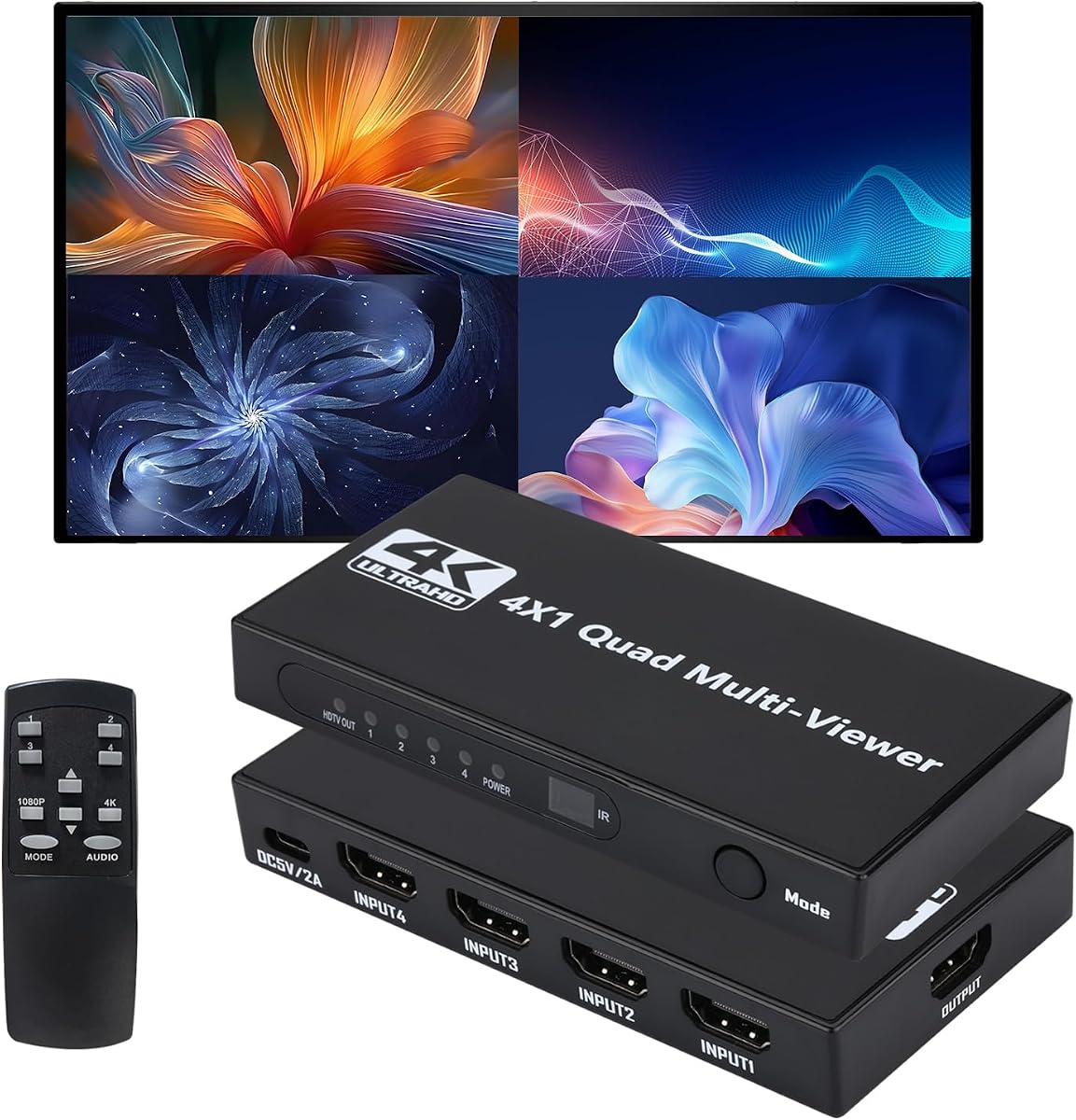
HDMI Multiviewer Switch 4 in 1 Out HDMI Quad Multi-Viewer switcher
4.8Editor score
12 display modes available
4K at 30Hz support
IR remote control included
This guide compares the top HDMI multiviewer models for seamless switching, multiple input support, and high resolution output for home and professional use.
Finding the right HDMI multiviewer can transform how you monitor multiple sources on a single screen. Whether for security, gaming, or presentations, a reliable unit ensures smooth transitions and crisp video quality without signal loss.
We evaluated ten leading models based on resolution support, viewing modes, audio options, and connectivity. Our analysis focused on seamless switching performance, compatibility with common devices, and user-friendly control methods for various setups.
Each pick highlights specific strengths like 4K support or budget value. Prices and availability change frequently so verify current details before purchasing. This list helps you choose the best match for your specific monitoring needs today.
4.8Editor score

4.3Editor score
![J-Tech Digital 4x4 HDMI Matrix Video Wall Controller & Multiviewer, 4K@60Hz Input, 4K@30Hz Output, Seamless Switching, 10 Video Wall Modes, HDCP, RS-232, LAN & Web Control [JTECH-VWM04]](https://m.media-amazon.com/images/I/81e3VXlsUKL._AC_SL1200_.jpg)
4.2Editor score
The following table compares all ten selected HDMI multiviewer models side by side. It highlights key specifications including resolution support, display modes, audio options, and control interfaces to help you identify the best fit for your needs.


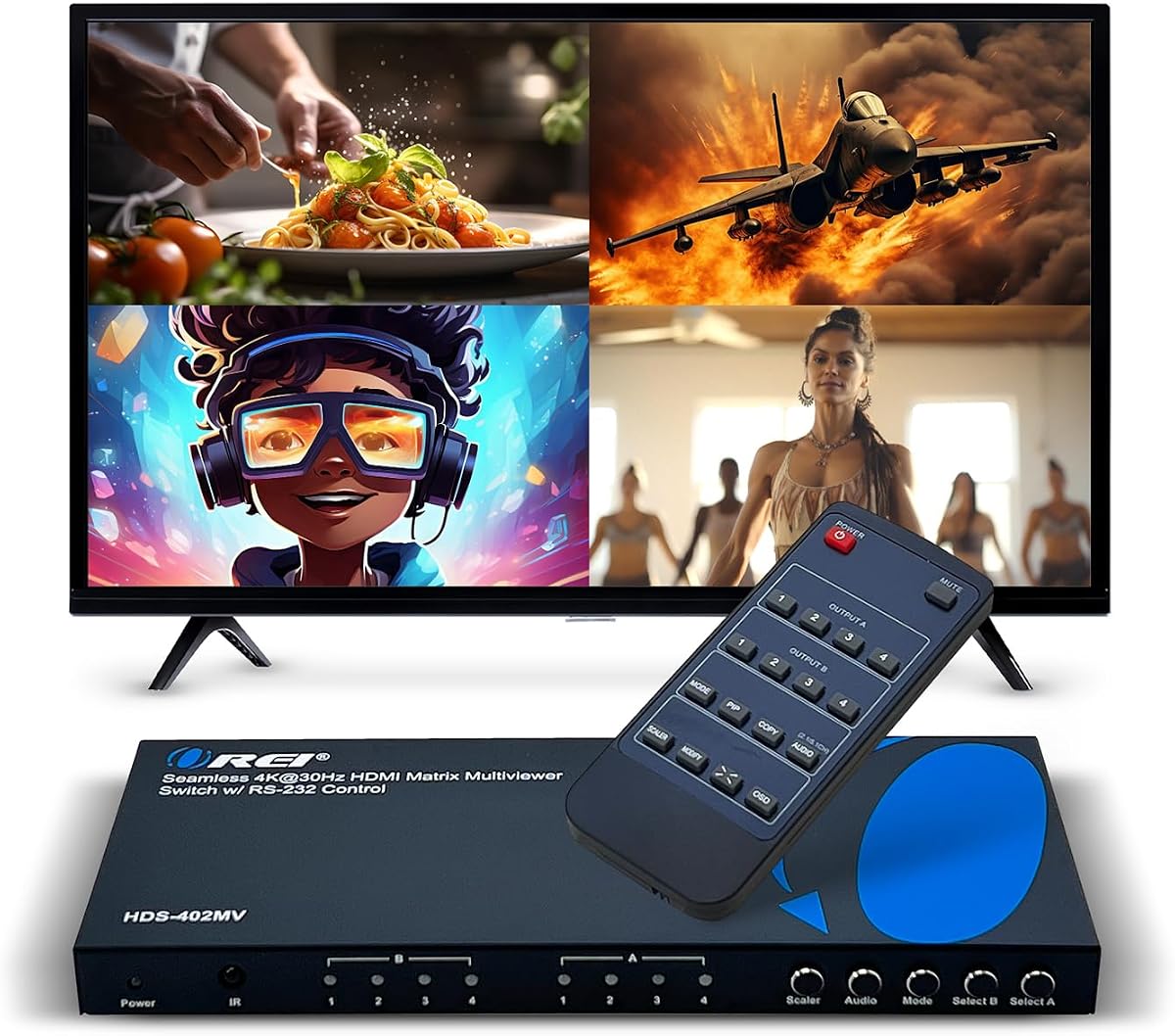


The PORTTA Quad Multi Viewer ranks as our top pick for its balanced performance and feature set. It delivers reliable HDMI switching with six distinct viewing modes suitable for monitoring multiple sources on one display.
We may earn a commission when you buy through this link, at no additional cost to you.
Its seamless switching capability ensures smooth transitions between inputs without visual lag. This makes it ideal for full-screen viewing where interruptions can be disruptive. The unit supports Toslink and 3.5mm audio outputs for flexible sound routing.
While it caps at 1080p resolution, this covers most common needs for security and media playback. The inclusion of both IR remote and RS232 control allows integration into more complex setups if needed.
We recommend this model for users needing a versatile and dependable multiviewer without advanced matrix functionality. It works well with PS4, Xbox, PCs, and cameras offering a practical solution for home or light commercial use.
Six modes including quad split and picture-in-picture let you customize layouts for your workflow efficiently.
Instant switching between sources prevents video freezing when you need quick access to different inputs.
We may earn a commission when you buy through this link, at no additional cost to you.
The OREI 4×1 Quad Screen offers an accessible entry point for multiviewer functionality. It supports four HDMI inputs on one display with smooth switching and clear 1080p output for reliable monitoring.
We may earn a commission when you buy through this link, at no additional cost to you.
It features five display modes that cover common layouts like side-by-side and quad split. The inclusion of a VGA output adds flexibility for connecting to older monitors or projectors that lack HDMI.
While it does not support 4K resolution, it handles 1080p content reliably. The IR remote and front panel buttons make source selection straightforward without needing extra hardware.
This model suits users who need basic multiviewer capabilities at a lower cost. It works well for simple setups involving cameras or media players where budget is a primary concern.
Its pricing makes advanced multiviewer features accessible for users with tighter budget constraints.
The VGA output ensures you can use older display equipment without needing extra converters.
We may earn a commission when you buy through this link, at no additional cost to you.
The OREI 4×1 Multiviewer Switch adds 4K capability for sharper image clarity across inputs. It handles up to four HDMI sources on a single display with seamless switching and flexible viewing modes.
We may earn a commission when you buy through this link, at no additional cost to you.
Audio extraction is a key feature allowing separate sound routing via optical or analog outputs. RS-232 control enables integration into professional AV systems or automated control setups easily.
It includes international voltage support which is useful for global deployments. While pricier than 1080p units, the extra resolution and control options justify the cost for demanding applications.
We recommend this model for users requiring 4K feeds or advanced system integration. It is ideal for monitoring high resolution security feeds or premium media content without compromise.
The 4K at 30Hz support ensures high resolution sources maintain detail on your monitor.
RS-232 compatibility allows this device to fit into larger custom control and automation systems.
We may earn a commission when you buy through this link, at no additional cost to you.
The OREI 4×2 Quad Multi HDMI Viewer stands out by supporting two simultaneous outputs. This allows splitting sources across two displays or mirroring content for wider coverage in larger spaces.
We may earn a commission when you buy through this link, at no additional cost to you.
It features an OSD menu for precise control over layout and settings. RS-232 and remote options provide flexibility for operation. The unit supports 4K downscaling for compatibility with lower resolution screens.
Its high customer rating reflects reliability and ease of use in real world applications. The dual display capability is rare in this price range and adds significant value for surveillance setups.
We recommend this model for users who need to split feeds to two monitors. It suits professional environments where redundancy or expanded coverage is required without extra hardware.
Two HDMI outputs enable simultaneous viewing on multiple screens for broader monitoring coverage.
The on-screen display simplifies configuration changes without needing external control software.
We may earn a commission when you buy through this link, at no additional cost to you.
The OREI 4×1 Multi HDMI Viewer delivers true 4K at 60Hz for fluid high resolution video. It supports HDCP 2.2 ensuring compatibility with protected content sources like streaming devices or premium gaming consoles.
We may earn a commission when you buy through this link, at no additional cost to you.
EDID management helps prevent resolution handshake issues between source and display. Audio support includes multiple formats with pass-through capabilities. The unit handles complex signals reliably for demanding environments.
Its advanced features come with a higher price tag but offer performance closer to professional gear. The 60Hz refresh rate ensures smooth motion for live feeds or gaming content.
We recommend this model for users requiring high frame rate 4K input. It is ideal for applications where smooth video playback and protected content support are critical.
The 60Hz refresh rate delivers smooth motion for live feeds and gaming without motion blur.
HDCP 2.2 ensures protected high resolution content sources work reliably with the unit.
We may earn a commission when you buy through this link, at no additional cost to you.
The 4K@60Hz HDMI Multiviewer offers high resolution support at a competitive price point. It enables eight viewing modes for flexible layouts across inputs. Seamless switching ensures smooth operation during full screen use.
We may earn a commission when you buy through this link, at no additional cost to you.
Audio synchronization is maintained without noticeable lag for an immersive experience. The remote control simplifies switching between sources easily. It is compatible with most common HDMI sources including gaming and cameras.
While its rating is slightly lower, the feature set offers strong value. The seamless switching works well for media playback but may show delays under heavy load.
We recommend this model for budget conscious users wanting 4K capability. It suits home theater or surveillance where high resolution and multiple view options are priorities.
This unit delivers 4K at 60Hz performance without the premium price of high end models.
Eight distinct viewing layouts provide flexibility for different monitoring and display needs.
We may earn a commission when you buy through this link, at no additional cost to you.
The HDMI Multiviewer Switch 4 in 1 Out has the highest customer rating among budget models. It offers twelve display modes for extensive layout flexibility. Image stretching supports various aspect ratios across inputs.
We may earn a commission when you buy through this link, at no additional cost to you.
It handles 4K at 30Hz full screen mode reliably for detailed visuals. The plug-and-play nature means no drivers are required. It is compatible with Windows Linux Mac and Unix systems.
While it lacks audio output, video performance is strong for its price. The remote and panel buttons provide dual control options for convenience. Its simplicity appeals to general users.
We recommend this model for users needing maximum layout variety on a budget. It suits game studios or surveillance where visual flexibility matters more than audio routing.
Twelve modes let you customize screen segmentation precisely for different viewing scenarios.
No driver installation is needed across major operating systems for quick setup.
We may earn a commission when you buy through this link, at no additional cost to you.
The J-Tech Digital 4×1 HDMI Multi-Viewer supports 4K at 60Hz with advanced audio extraction. It features eight display modes for quad viewing and picture-in-picture layouts. OSD lets you adjust windows without external software.
We may earn a commission when you buy through this link, at no additional cost to you.
It includes RCA and optical audio outputs for high quality sound routing to amps. Lifetime technical support from their team in Houston adds confidence for professional deployments. Mounting ears are included for secure installation.
While its rating is lower the audio and support features stand out. The 60Hz refresh rate ensures smooth visuals for media or gaming content without stuttering.
We recommend this model for users prioritizing audio quality and support. It fits well in home theater or commercial installations needing reliable service and clear sound.
RCA and optical outputs enable high fidelity sound routing to external amplifiers easily.
Free lifetime technical support provides peace of mind for long term professional installations.
We may earn a commission when you buy through this link, at no additional cost to you.
The OREI 4×1 Out Quad Screen delivers consistent 1080p performance with straightforward operation. It supports up to 2K at 60Hz for sharp visuals. The VGA output ensures compatibility with legacy displays.
We may earn a commission when you buy through this link, at no additional cost to you.
Five display modes cover essential quad split and side-by-side layouts. Its rating indicates stable performance over time. Dual voltage supply allows use worldwide with the included adapter.
It lacks 4K but excels in reliability and simplicity. The IR remote makes switching quick without accessing the front panel. This makes it suitable for quick deployments.
We recommend this model for users needing dependable 1080p monitoring. It is ideal for general surveillance or media viewing where advanced features are not essential.
Its steady performance over time builds trust for critical monitoring tasks without unexpected drops.
Dual voltage supply ensures the unit works with international power systems safely.
We may earn a commission when you buy through this link, at no additional cost to you.
The J-Tech Digital 4×4 Matrix provides full routing flexibility with four inputs and four outputs. It supports ten video wall configurations for multi-screen displays. LAN and web control enable remote management from any browser.
We may earn a commission when you buy through this link, at no additional cost to you.
Seamless switching ensures no visible delays when rerouting signals. Display rotation supports flexible orientations for creative layouts. Its robust design handles professional workloads reliably in control rooms.
While costly the routing capability justifies the price for advanced needs. You can send any source to any combination of displays without extra hardware.
We recommend this model for professional control rooms needing full matrix routing. It is ideal for complex setups where centralized control and maximum flexibility are required.
Any input can be directed to any output combination for maximum display flexibility.
LAN and web interfaces let you manage layouts remotely without physical access.
We may earn a commission when you buy through this link, at no additional cost to you.
Selecting the right HDMI multiviewer depends on your resolution needs, number of sources, and control preferences. This guide outlines the key factors to consider before buying.
Ensure the multiviewer matches the resolution of your source devices. For 4K inputs, choose a model supporting 4K at 30Hz or 60Hz depending on your refresh rate needs. If you only use 1080p sources, budget models often suffice without sacrificing clarity.
Prioritize higher resolution support if you need detailed video like security feeds or gaming. Lower resolution limits may cause pixelation on larger screens.
Most units offer four inputs and one output, suitable for single display setups. Some advanced models provide dual outputs for splitting across two monitors or matrix switches that allow complex routing between multiple screens.
Count your total source devices and displays needed. Extra outputs add flexibility but increase cost significantly.
Multiviewers vary in available modes from five to twelve options. Look for quad split, picture-in-picture, and side-by-side layouts. Some models let you adjust window sizes or rotate images for custom fits.
Choose a unit with modes matching your workflow. More modes offer flexibility but may complicate initial setup.
Control options range from remote buttons to RS-232 and LAN interfaces. Remotes are ideal for home use while RS-232 or LAN supports automation and remote management. Check if your unit includes the necessary cables or software.
Advanced control interfaces justify extra cost if you integrate with existing AV systems. Basic setups only need panel buttons.
Some models offer audio extraction via optical or analog outputs. This allows sending sound to external amps or speakers separate from video. Others rely on HDMI audio only which limits routing options.
Select audio extraction if you need separate sound routing. Standard HDMI audio is fine for direct monitor connections.
Seamless switching prevents visual lag when changing sources. This is critical for full-screen viewing where interruptions can be disruptive. Check product descriptions for this specific feature before purchasing.
Ensure the unit explicitly supports seamless switching for smooth transitions during live use.
Verify HDCP compliance to avoid protected content issues. HDCP 2.2 support ensures compatibility with modern streaming and gaming sources. Older devices may work with HDCP 1.4 but have limited access to protected feeds.
Check source device HDCP versions to avoid black screens or handshake errors during playback.
Look for units with at least a one-year warranty. Some brands offer lifetime technical support which aids troubleshooting later. Review customer ratings to gauge reliability and support responsiveness.
Prioritize brands with responsive support channels for complex installations.
Connect your HDMI sources to the input ports and your display to the output. Power the unit using the included adapter ensuring correct voltage. Allow the unit to boot fully before connecting sources.
Use the remote or panel buttons to switch between inputs or select your preferred view mode. Adjust aspect ratios via the OSD menu to prevent stretching. Save your layout settings for quick recall.
Keep the unit in a well-ventilated area to avoid overheating. Regularly check HDMI cables for wear. Firmware updates may be available via web interfaces for LAN models to improve performance over time.
An HDMI multiviewer displays multiple video sources on a single screen simultaneously. It is commonly used for security monitoring, gaming setups, or presentations where tracking multiple inputs is necessary without switching constantly.
Yes many models support 4K resolution though refresh rates may vary from 30Hz to 60Hz. Check the specifications carefully to ensure the unit handles your desired resolution and frame rate without compression.
Yes HDMI multiviewers are backward compatible with older HDMI versions. Ensure the device supports the required HDCP version for protected content but basic video sources will work without issues.
If the multiviewer has audio extraction you need optical or analog cables to route sound externally. Models without extraction rely on HDMI audio directly to your display speakers or receiver.
Most units have front panel buttons for source switching and view mode selection. If your model supports RS-232 or LAN control you can manage it via software or automation systems without the remote.
Standard multiviewers accept up to four inputs. If you need more sources you must use a matrix switch or daisy chain multiple units though this may limit functionality depending on the setup.
We highlighted ten solid HDMI multiviewer models balancing budget performance and advanced features. The PORTTA model leads overall while the J-Tech Matrix suits professional needs.
Prioritize resolution support and control methods that fit your setup. Ensure seamless switching and audio options match your monitoring requirements for the best experience.
Prices fluctuate regularly so verify current availability before purchasing. Check customer reviews for the latest feedback to confirm reliability.