
Lenovo V15 Laptop
4.4Editor score
AMD Ryzen 5 5500U CPU
512GB PCIe NVMe SSD
Windows 11 Pro Included
Choosing a laptop that supports dual boot Windows and Linux requires careful attention to hardware compatibility and build quality. You need a machine that handles both operating systems smoothly without driver issues or performance bottlenecks during heavy tasks.
We compared ten real products based on processor power, memory capacity, storage speed, and display quality. Each selection offers unique advantages for developers, students, and professionals seeking flexibility across different software environments.
Each pick highlights key strengths and limitations to help you decide quickly. Keep in mind that pricing and availability change frequently, so verify current details before making your final purchase decision online.
4.4Editor score

5.0Editor score

4.3Editor score
As an Amazon Associate we earn from qualifying purchases.
This side-by-side comparison highlights the most important specifications across all ten products. We focus on processor type, memory size, storage capacity, and display features to help you identify the best fit for your needs.


The Lenovo Thinkbook 13s stands out as the top choice for dual boot enthusiasts. It comes with Linux Mint preinstalled, which simplifies setup for those already comfortable with Linux while allowing easy addition of Windows later.
We may earn a commission when you buy through this link, at no additional cost to you.
Its Intel Core i7-8565U processor paired with 16GB of RAM ensures smooth performance across both operating systems. The aluminum body adds durability without excess weight, making it ideal for daily carries. The display is crisp and anti-glare, reducing eye strain during long sessions.
While the processor is an older generation, it remains capable for most dual boot tasks. The 256GB storage might fill quickly if you keep large files on both systems, but external drives can easily solve this. The keyboard is comfortable, and privacy features like the ThinkShutter add peace of mind.
This laptop is perfect for developers or students who need reliable performance and a solid foundation for dual OS use. Its combination of build quality, included Linux environment, and positive ratings make it a trusted recommendation.
Having Linux Mint out of the box means immediate usability without driver issues. This saves time and ensures compatibility right from day one.
At 2.95 lbs and 16mm thin, it slips easily into backpacks. The aluminum chassis feels premium and resists daily wear effectively.
We may earn a commission when you buy through this link, at no additional cost to you.
For those on a tight budget, the Lenovo V15 offers incredible value. Its AMD Ryzen 5 5500U processor delivers solid performance for dual boot setups without breaking the bank. The 512GB SSD provides ample space for partitioning between Windows and Linux.
We may earn a commission when you buy through this link, at no additional cost to you.
The inclusion of 16GB RAM allows smooth multitasking even when switching between OS environments. A numeric keypad is a bonus for data entry tasks. Windows 11 Pro is preinstalled, making it easy to add Linux distributions alongside it using standard partition tools.
The 15.6-inch display is functional but not the brightest. The chassis is sturdy but slightly heavier than ultrabooks. However, these trade-offs are acceptable given the price and performance balance. It suits students or office users who need budget-friendly reliability.
This model is a fantastic entry point for dual boot users who prioritize function over form. The hardware is robust enough for everyday tasks, and the price makes it an accessible choice for anyone exploring multi-OS workflows.
The 512GB SSD and 16GB RAM are key for dual boot stability. You can split space between OS without compromising speed or usability.
Priced under similar competitors, this laptop offers high specs at a low cost. It's one of the best value picks for budget-conscious buyers.
We may earn a commission when you buy through this link, at no additional cost to you.
The GEEKOM GeekBook M16 pushes premium boundaries with the latest Intel Core Ultra 9 processor. Its performance is exceptional for heavy workloads, making it ideal for developers running virtual machines across dual boot environments. The 24-hour battery life supports extended offline work.
We may earn a commission when you buy through this link, at no additional cost to you.
The 16-inch 16:10 display offers more vertical space for coding or writing, and the aluminum chassis feels durable. Wi-Fi 6E and fast charging add modern convenience. While the brand is newer, hardware specs are competitive with major manufacturers.
Its high cost might deter budget buyers, but the power and build justify it for professionals. The large screen and robust internals ensure dual boot systems run smoothly. It supports up to three external displays, expanding workspace versatility significantly.
Choose this if you want top-tier performance and don't mind paying a premium. The battery efficiency and advanced cooling make it stand out for long sessions, ensuring both Windows and Linux stay responsive under load.
IceBlade cooling sustains high TDP on battery. This ensures thermal stability during dual boot stress tests or rendering tasks.
The 16:10 ratio provides extra screen height. This is valuable for vertical code editors or document workflows across OS.
We may earn a commission when you buy through this link, at no additional cost to you.
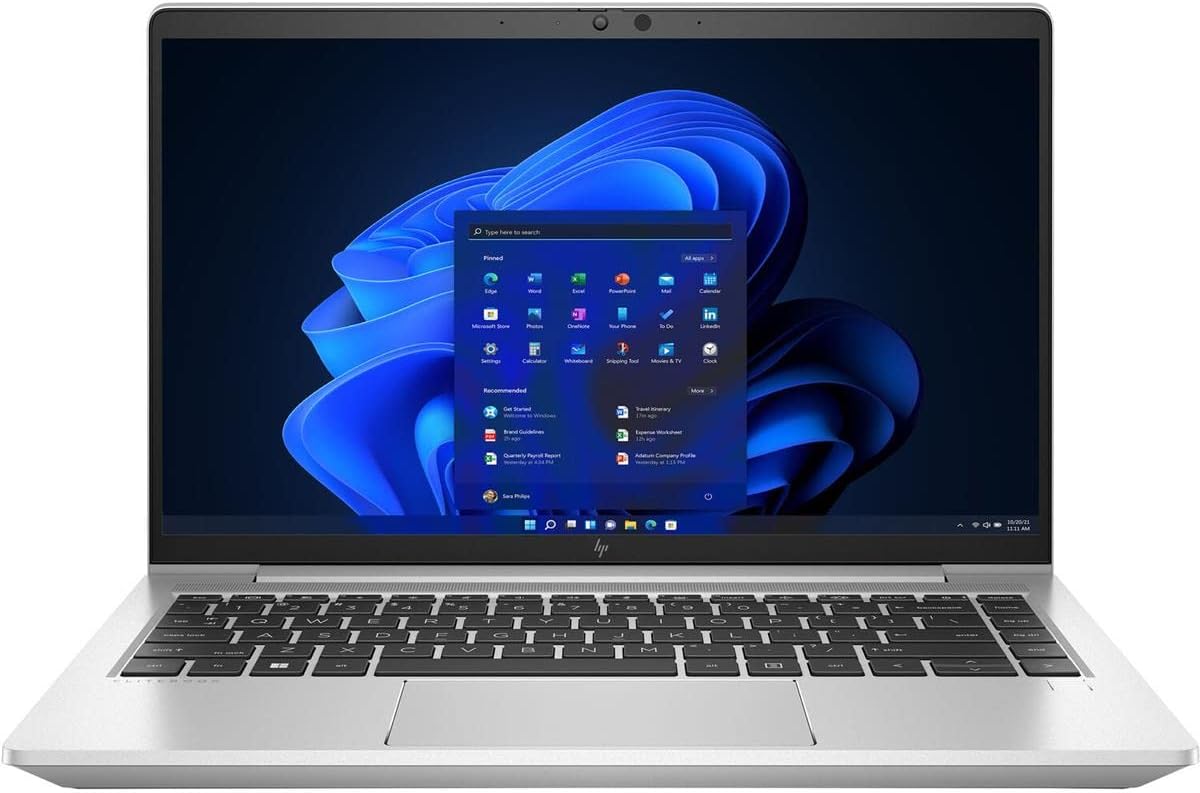
HP EliteBook models are renowned for durability and business utility. This G9 variant with the Ryzen 7 PRO 5875U delivers powerful multi-threaded performance. It supports complex dual boot setups with ease and includes enterprise-grade security features.
We may earn a commission when you buy through this link, at no additional cost to you.
The 16GB RAM and 512GB SSD balance speed and storage capacity. Windows 10 Pro compatibility makes partitioning straightforward for Linux addition. The build quality ensures long-term reliability in office or remote environments. A perfect fit for corporate users.
Its 14-inch form factor strikes a balance between portability and productivity. While display specs are standard, the overall hardware performance compensates. The rating reflects consistent quality across HP EliteBook lines, giving confidence in purchasing decisions.
Ideal for professionals needing secure, fast hardware. The octa-core processor ensures Linux and Windows run side-by-side without lag, and the business features align with enterprise standards for data protection and management.
HP EliteBook series is trusted globally. Its security and durability make it safe for sensitive dual boot development workflows.
Ryzen 7 PRO 5875U handles virtualization well. This is key for running Linux VMs alongside Windows efficiently.
We may earn a commission when you buy through this link, at no additional cost to you.
The Lenovo V15 with DDR5 RAM is a modern upgrade in budget laptops. The Ryzen 5 7520U offers efficient performance for daily dual boot needs. DDR5 memory improves multitasking speed and responsiveness compared to older DDR4 models.
We may earn a commission when you buy through this link, at no additional cost to you.
Its 512GB SSD ensures quick boot times for both systems. The display is anti-glare and includes TÜV Low Blue Light certification for eye comfort. A privacy shutter on the webcam adds a layer of security for video calls across platforms.
While not a powerhouse, this model handles standard office and development tasks well. The full numeric keypad and Ethernet port support productivity needs. It's a solid option for students or small business users seeking recent tech features.
Choose this for its modern memory and practical features. It balances price and performance, making dual boot accessible without high costs. The Wi-Fi 6 support ensures stable connectivity during updates across both operating systems.
DDR5 RAM offers faster speeds and efficiency. This benefits dual boot environments where memory allocation is key.
Physical webcam shutters protect privacy. This is vital for users switching between Linux and Windows daily.
We may earn a commission when you buy through this link, at no additional cost to you.
Renewed ThinkPad L14 models offer classic durability at reduced costs. The Ryzen 5 PRO 7530U provides enough power for dual boot tasks. The Trackpoint and business-ready layout appeal to keyboard-centric users. Renewed status adds value for budget shoppers.
We may earn a commission when you buy through this link, at no additional cost to you.
Windows 11 Professional preinstallation simplifies adding Linux partitions. The IPS display ensures good viewing angles. Ports like HDMI and USB-C support external setups. While storage is modest, it can be expanded via SD or external drives if needed.
Its rating reflects varied conditions of renewed items. Inspecting unit condition before purchase is wise. Still, the hardware remains capable for coding and general productivity. The 6-core CPU keeps performance steady during OS switching tasks.
Best for those wanting ThinkPad quality at a lower entry cost. The build and keyboard quality justify the choice for developers. Just ensure you understand the renewed warranty terms before committing to this dual boot setup.
Trackpoint and durable chassis define ThinkPad. This offers tactile preference over touchpad-heavy modern laptops.
Renewed units cut price significantly. This makes high-end business hardware accessible to more users.
We may earn a commission when you buy through this link, at no additional cost to you.
This Lenovo business unit blends modern Intel tech with Linux Mint out of the box. The i5-1335U offers efficient multi-threaded performance. It is a solid platform for dual boot workflows without needing OS install steps initially. Rated highly by users.
We may earn a commission when you buy through this link, at no additional cost to you.
The 16GB RAM supports smooth switching between OS. Fast charging ensures less downtime during travel. The display is standard FHD anti-glare, suitable for coding or documents. Full keyboard with number pad helps with input tasks.
While SSD size is modest, it suits light dual boot needs. Storage expansion is possible via cloud or external media. The privacy shutter on webcam adds security. It appeals to professionals needing Linux-first systems with Windows options.
Ideal for users who want modern hardware with Linux pre-installed. The rating reflects satisfaction with performance and build. Ensure storage meets your needs or plan for expansion when setting up both systems.
13th gen i5 balances power and efficiency. This ensures Linux and Windows run without thermal throttling issues.
Preinstalled Mint avoids config headaches. You can start coding or browsing immediately after unboxing.
We may earn a commission when you buy through this link, at no additional cost to you.
The Dell Latitude 5420 is a workhorse for business and dual boot use. Windows 11 Pro preinstalled makes Linux pairing simple. Renewed units offer significant savings. The i5-1145G7 provides enough power for general multitasking and light development.
We may earn a commission when you buy through this link, at no additional cost to you.
Its 14-inch size fits easily in bags. The chassis is rugged and designed for daily use. HDMI and Ethernet ports support office setups. While ratings vary, hardware remains reliable for dual OS workflows. It fits corporate or home office needs well.
Storage is limited, so consider cloud solutions. Performance is adequate for web, docs, and coding. The display is standard but functional. It's a solid pick for those valuing brand reliability and affordable business specs.
Best for users needing a reliable, refurbished business machine. Dual boot is straightforward with Pro Windows. Just manage storage expectations and verify unit quality before purchase.
Latitude series is built for enterprise. It withstands daily travel and office use reliably.
Renewed pricing makes this accessible. You get business features without full retail costs.
We may earn a commission when you buy through this link, at no additional cost to you.
This Vivobook prioritizes portability with a 2.87 lb weight and long battery. It is suitable for light dual boot tasks like reading or simple coding. The cloud storage helps offset low local capacity. Battery life supports travel without chargers.
We may earn a commission when you buy through this link, at no additional cost to you.
The processor and RAM are entry-level, limiting performance. Dual boot works but expect slower switching. For students or casual users, it suffices. The FHD display is clear, and connectivity includes USB-C and HDMI. It is a niche option.
It is best as a companion device or for low-load needs. Local storage is minimal, so cloud reliance is key. The thin design aids transport. Check specs carefully before purchase.
For basic mobility and budget, it fits. Dual boot is possible but not ideal for heavy loads. Verify performance expectations match your workflow needs.
At under 3 lbs, it's easy to carry. Good for commuting or travel where weight matters most.
Up to 10 hours life suits daily use. This avoids frequent charging during long days.
We may earn a commission when you buy through this link, at no additional cost to you.
The Dell Pro 15.6 offers modern specs like DDR5 RAM for dual boot. Its 120Hz display ensures smooth visuals. Windows 11 Home is easy to pair with Linux. SD slots support media workflow. It fits students or home office users.
We may earn a commission when you buy through this link, at no additional cost to you.
The Core 3 100U is adequate for light tasks. DDR5 adds speed for multitasking. The chassis is durable enough for daily use. Connectivity is robust with USB-A, USB-C, and HDMI. It balances cost and performance well.
Storage remains modest, so cloud or external drives may be needed. The 15.6-inch screen is comfortable for productivity. For general dual boot needs, it performs well. Rating reflects user satisfaction.
Ideal for those wanting modern tech at a reasonable price. Dual boot works smoothly with enough RAM. Consider storage limits when planning OS partition sizes.
DDR5 and 120Hz refresh offer upgrades. These improve general responsiveness and display fluidity.
SD card slot aids media transfer. Useful for users needing local backups or project files.
We may earn a commission when you buy through this link, at no additional cost to you.
Selecting the right laptop for dual boot requires evaluating several key factors. This section explains what to prioritize to ensure smooth operation across both operating systems.
The CPU is the heart of dual boot performance. Look for at least a quad-core processor to handle switching and multitasking efficiently. Modern Intel Core i5/i7 or AMD Ryzen 5/7 series provide strong compatibility with both Windows and Linux drivers.
Prioritize multi-core power for smooth operation during dual boot tasks.
Memory affects how well both OS run simultaneously. 16GB is the sweet spot for most users. It ensures that you can run apps on Windows while Linux services stay active in the background without slowdowns.
Aim for 16GB to avoid performance bottlenecks.
SSD storage is critical for fast boot times on both systems. NVMe PCIe SSDs are faster than SATA. Ensure at least 512GB if you plan to keep full installs on both OS to avoid frequent space management issues.
Choose NVMe SSDs for speed and capacity.
A clear display reduces eye strain during coding or writing. Look for anti-glare IPS panels. Higher resolution and refresh rates improve visual comfort. A 15.6-inch or 14-inch display balances space and portability well.
Pick IPS anti-glare displays for comfort.
Dual boot users often switch environments daily. A sturdy chassis withstands wear. Aluminum bodies tend to last longer than plastic. Military-grade testing or strong warranties add confidence for long-term usage.
Select durable materials for daily use.
Connectivity matters for peripherals and external screens. Ensure USB-A, USB-C, and HDMI ports are present. Some Linux distros may need wired Ethernet support. Good port variety avoids dongle reliance.
Verify ports match your peripheral needs.
Check driver support before purchasing. Most modern hardware works on Linux, but some wireless or touchpad features may need tweaks. Review community feedback for the exact model to avoid hidden driver issues.
Research model-specific Linux compatibility.
Dual boot tasks can be power-intensive. Look for laptops rated 8 hours or more. Battery efficiency ensures you can work across OS without constant charging. Fast charging is a bonus for busy days.
Opt for 8+ hours battery life.
When setting up dual boot, create a partition during Linux install to keep Windows data intact. Use a boot manager like GRUB to switch systems safely. Always back up data before partitioning to prevent loss.
Maintain your laptop by keeping both systems updated regularly. Update Linux kernels to fix bugs and improve driver compatibility. Run disk checks on Windows and Linux to maintain SSD health and avoid file corruption.
Protect hardware by using a sleeve or case for transport. Avoid extreme temperatures to preserve battery life. Clean the keyboard and screen gently with approved products to maintain comfort and visibility during long use.
Most modern laptops can run dual boot. However, verify compatibility with Linux drivers before purchasing. Check wireless and audio hardware specifically. Some devices need firmware tweaks for full Linux support.
8GB is the minimum, but 16GB is recommended for smooth multitasking. Lower RAM may cause slowdowns when switching OS or running heavy apps. Aim for higher capacity if you plan frequent switching.
No, you can install Linux alongside Windows using partitions. This allows you to keep Windows data intact. Use a boot loader to choose your OS at startup. Ensure free space exists on the drive.
Linux Mint and Ubuntu are top choices for beginners. They offer user-friendly interfaces and broad hardware support. Both come with pre-installed apps to get started quickly. Choose based on community support.
Dual boot itself does not slow the hardware. Performance depends on RAM and storage speed. Use SSDs and enough RAM to maintain responsiveness. Proper setup avoids unnecessary system load.
Always shut down your current OS before restarting to select the other. Do not force restarts to avoid file corruption. Use boot loaders for safe switching. Keep both systems updated regularly.
Lenovo ThinkPads and Dell XPS often have strong Linux support. Check manufacturer documentation or community forums. Devices with common hardware chips tend to work without extra drivers.
512GB or higher is ideal to split space between both OS. 256GB may work for light use but fills quickly. Use cloud storage to save local drive space. Larger drives reduce partitioning headaches.
The Lenovo Thinkbook 13s leads with excellent build quality and preinstalled Linux support. The V15 offers budget-friendly power, while the GEEKOM GeekBook M16 delivers premium performance for professionals seeking top-tier specs.
Prioritize RAM and SSD speed to ensure smooth dual boot operations. A strong CPU and durable chassis will serve you well across both systems. Consider port selection to match your peripheral needs.
Always verify current prices and model details before buying. Hardware and costs change often. Selecting the right tool ensures productive workflows whether you are coding on Linux or working in Windows daily.