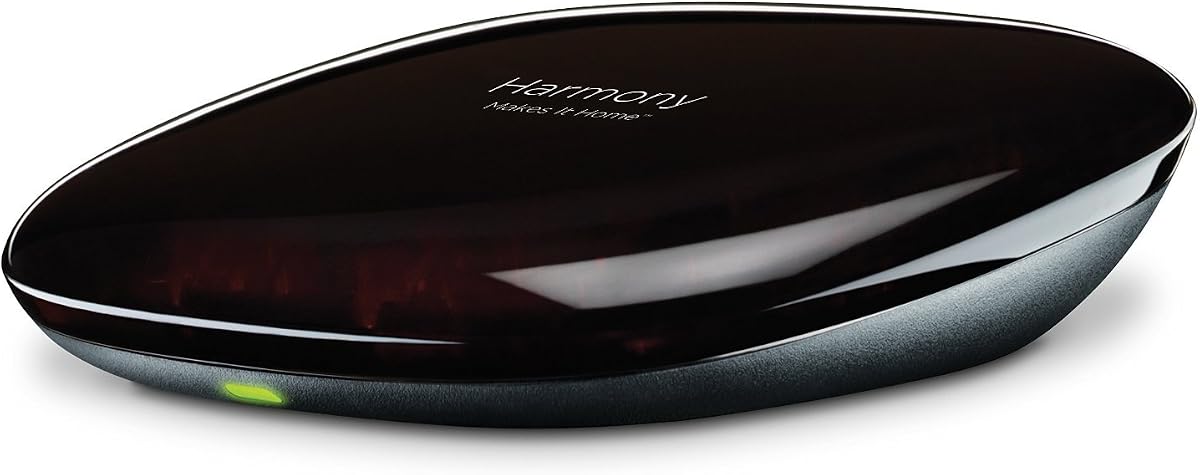
Logitech Harmony Home Hub (Renewed)
3.9Editor score
Compatible with Alexa voice control
Controls up to 8 devices
Closed cabinet control included
This guide compares the top Logitech Harmony Home Hub models for 2026, evaluating features, compatibility, and value to help you find the perfect smart home
Finding the right control hub for your home entertainment system can be challenging. A good hub integrates multiple devices, simplifies remote usage, and supports smart home automation seamlessly.
We compared ten Logitech Harmony Home Hub models based on compatibility, user interface, app support, and device control capabilities. Our analysis highlights strengths and weaknesses for each option.
Each pick shows specific features like touchscreen quality, voice control support, and closed cabinet control. Prices vary based on condition and included accessories, so check current listings before buying.
3.9Editor score

3.7Editor score

3.8Editor score
This side-by-side comparison details the key specifications and capabilities of each Logitech Harmony Home Hub model to help you identify the best fit for your setup.
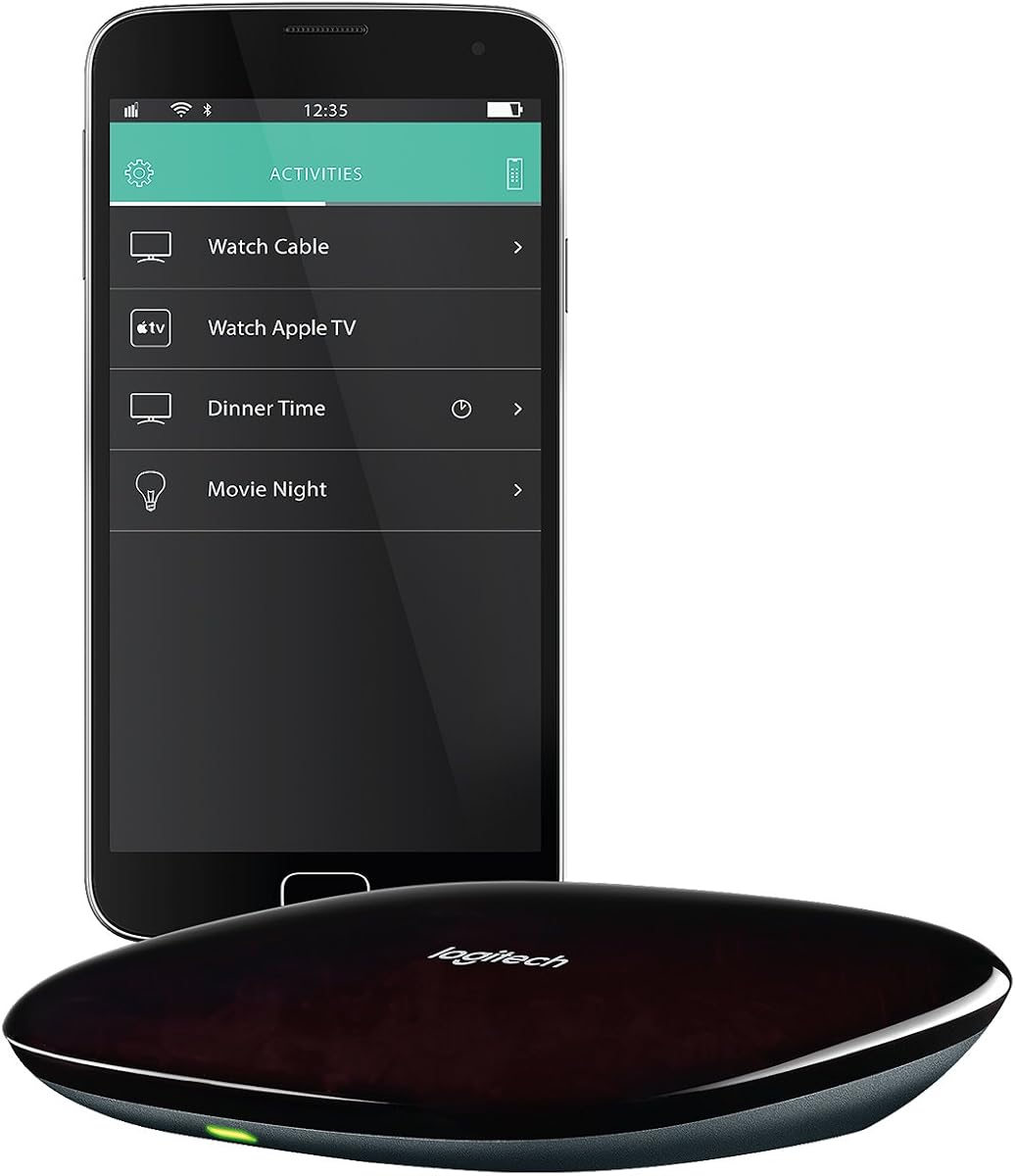


This renewed Harmony Home Hub offers a cost-effective entry into universal control systems. With a solid 3.9 rating, it provides reliable connectivity for your entertainment setup.
We may earn a commission when you buy through this link, at no additional cost to you.
It combines up to 8 remotes into one smartphone app. You can create customized activities like Date Night to control TV, lights, and speakers simultaneously.
While it lacks a physical touchscreen remote, the app provides swipe and tap controls. The closed cabinet control ensures you can manage devices hidden behind furniture.
This model suits users seeking basic automation without high costs. It is ideal for those already comfortable using smartphones for device control.
Compatible with Alexa, allowing voice commands to control home entertainment devices easily.
The included hub lets you control devices in closed cabinets using IR mini-blaster technology.
We may earn a commission when you buy through this link, at no additional cost to you.
The Logitech Harmony Elite stands out as the most powerful and user-friendly option available. It manages up to 15 home entertainment and connected home devices through one tool.
We may earn a commission when you buy through this link, at no additional cost to you.
Its interactive full-color touchscreen allows effortless management with simple swipes and taps. You can adjust channels, volume, and settings for up to 50 favorite channels.
One-touch Activities let you initiate tasks like Watch a Movie with a single touch. Devices power on and auto-adjust to ideal settings automatically.
This remote suits users wanting maximum control and smart home integration. It combines hardware, hub, and app for seamless centralized control.
Manage entertainment and smart home devices with simple swipes and taps to adjust settings quickly.
Works with over 270,000 devices including TVs, consoles, lights, locks, thermostats, and sensors.
We may earn a commission when you buy through this link, at no additional cost to you.
The Harmony 1100 features a 3.5-inch full-color touch screen for intuitive navigation. It offers one-touch, activity-based controls that simplify your daily entertainment use.
We may earn a commission when you buy through this link, at no additional cost to you.
RF wireless capability ensures control through cabinets and walls. You can customize commands, icons, and screens to match your personal preferences exactly.
Supporting over 225,000 devices, it covers most mainstream entertainment systems. The rechargeable battery comes with a dedicated charging stand for convenience.
This model suits premium users who value display quality and customization. It provides robust control for complex home theater setups.
Control devices through closed cabinets and walls using RF wireless technology instead of just IR.
Customize commands, icons, and screens to tailor the remote to your specific needs.
We may earn a commission when you buy through this link, at no additional cost to you.
The Harmony Smart Control combines a smartphone app with an included remote for flexible control. It supports 802.11g/n Wi-Fi for reliable connection.
We may earn a commission when you buy through this link, at no additional cost to you.
The app includes swipe and tap control for one-touch operation of your entertainment system. You can access up to 50 favorite channel icons easily.
The included hub lets you control devices hidden behind cabinet doors or walls. It works with many devices including PS3, Wii, and Xbox 360.
This model is ideal for those prioritizing smartphone integration. It balances remote functionality with app control for modern convenience.
The app includes swipe and tap control for one-touch management of your entertainment system.
Future-proof control of up to 8 devices with compatibility for over 270,000 products.
We may earn a commission when you buy through this link, at no additional cost to you.
The Harmony Ultimate Hub specializes in controlling devices behind cabinet doors. It turns your iOS or Android smartphone into a powerful universal remote.
We may earn a commission when you buy through this link, at no additional cost to you.
You can navigate TV, select Favorite channels, and games using simple touch gestures. It supports advanced control of up to 8 devices.
Access Internet services like Netflix and YouTube directly on your Apple TV or Roku through the hub. The IR mini-blaster enables closed cabinet control.
This model suits users needing reliable cabinet access control. It provides essential features without unnecessary complexity.
Advanced control of 8 devices compatible with 225,000+ brands and models.
Access Internet services like Netflix and YouTube on supported streaming devices.
We may earn a commission when you buy through this link, at no additional cost to you.
This renewed Ultimate Home Touch Screen Remote offers a refurbished touch interface experience. It is ideal for users seeking a physical touch control solution.
We may earn a commission when you buy through this link, at no additional cost to you.
The black finish provides a sleek look suitable for modern setups. As a renewed product, it offers cost savings compared to new units.
It belongs to the Ultimate Home series known for quality control features. The touch screen allows intuitive navigation of your devices.
This option suits those specifically needing the touch remote. Verify refurbished condition details before purchasing to ensure quality standards.
Renewed condition offers cost savings while retaining essential touch screen functionality.
We may earn a commission when you buy through this link, at no additional cost to you.
This renewed Harmony Elite provides premium features at a potentially lower price point. It supports voice control via Alexa for convenient commands.
We may earn a commission when you buy through this link, at no additional cost to you.
The full color touchscreen allows simple swipe and tap control for channels and volume. You can access 50 favorite channels and smart home devices.
One-touch Activities automatically power on and switch devices to the right settings. This simplifies complex entertainment setups significantly.
Ideal for users seeking high-end features with budget constraints. Check seller ratings carefully when buying renewed electronics.
Compatible with Amazon's Alexa for easy voice integration and activation of activities.
We may earn a commission when you buy through this link, at no additional cost to you.
The Harmony Elite universal remote control kit includes hub, remote, and app together. It is designed for controlling home entertainment devices comprehensively.
We may earn a commission when you buy through this link, at no additional cost to you.
This renewed bundle saves money compared to buying new components separately. All essential parts for setup are included in the package.
Control your entertainment system easily through the integrated app or physical remote. It simplifies managing multiple devices in your home.
This kit suits users seeking a complete solution in one box. Ensure all parts are functional upon arrival.
The kit includes the hub, remote, and smartphone app for comprehensive control.
We may earn a commission when you buy through this link, at no additional cost to you.
This renewed Harmony Elite Remote Control features a full color touch screen for intuitive use. It manages up to 15 entertainment and connected home devices.
We may earn a commission when you buy through this link, at no additional cost to you.
Simply swipe and tap to control channels, movies, and volume. You can also manage smart home devices like Philips Hue lights easily.
One-touch activities automatically power on and switch devices to the right settings. It works with over 270,000 devices including TVs and game consoles.
This remote suits those needing a standalone touch solution. Confirm the renewal process details before buying to ensure quality.
Works with over 270,000 devices including TVs, consoles, lights, and sensors.
We may earn a commission when you buy through this link, at no additional cost to you.
This legacy Hub model allows control of 8 home entertainment devices. It is discontinued by the manufacturer but available in secondary markets.
We may earn a commission when you buy through this link, at no additional cost to you.
The hub is compact and focuses on essential connectivity. It pairs with apps to enable centralized control for your entertainment system.
Since it is discontinued, support and updates may be limited. Users often rely on remaining community resources for help.
This model suits collectors or users with compatible legacy setups. Verify compatibility before purchasing discontinued hardware.
Discontinued by manufacturer but still functional for basic control of 8 devices.
We may earn a commission when you buy through this link, at no additional cost to you.
Selecting the right hub requires considering device count, interface type, and smart home integration needs.
Determine how many devices you need to control. Some hubs support up to 8 devices while others like the Elite support up to 15.
Choose a hub that matches or exceeds your device count to avoid compatibility issues.
Consider whether you prefer a touchscreen remote, smartphone app, or basic physical remote. Touchscreens offer better navigation but cost more.
Smartphone apps provide great flexibility while physical remotes offer tactile feedback.
Check if the hub supports smart home devices like Philips Hue or voice assistants like Alexa. This allows unified control of entertainment and automation.
Prioritize models with Alexa support if you use voice commands regularly.
If your devices are hidden behind doors, ensure the hub supports IR mini-blaster or RF wireless technology. This prevents line-of-sight issues.
Closed cabinet control is essential for clean setups without exposed remotes.
Decide between new and renewed products. Renewed units offer savings but may lack full manufacturer warranties.
Check seller ratings and return policies when buying refurbished electronics to ensure reliability.
Set a budget before shopping. Premium models like the 1100 cost more than basic hubs but offer advanced features.
Balance features with cost to find the best value for your specific needs.
Ensure the companion app works with your smartphone or tablet OS. Both iOS and Android support is common but verify versions.
A responsive app enhances the control experience significantly for daily use.
Look for models with one-touch activities that automate multiple steps. This simplifies routines like powering on devices simultaneously.
Complex setups can be tedious; simpler interfaces save time during initial configuration.
Begin by downloading the Harmony app on your iOS or Android device to start configuration.
Add devices by selecting their brand and type in the app to sync controls correctly.
Place the hub centrally to ensure Wi-Fi connection and IR signal reach all devices effectively.
The Hub controls devices remotely via app and mini-blaster without a physical remote. The Elite includes a physical touchscreen remote plus app support for more intuitive direct control.
Many newer models including the Elite and Home Hub support Alexa integration for voice commands to control devices and activities easily.
Basic hubs support up to 8 devices while the Elite supports up to 15 home entertainment and connected smart home devices for broader setups.
Yes, models with IR mini-blaster or RF capability allow control of devices hidden behind closed cabinet doors or walls effectively.
Yes, the Harmony app is compatible with both iOS and Android smartphones and tablets for universal access to control features.
Renewed hubs often work well and cost less. Check seller ratings to ensure quality as warranties may differ from new units.
An Activity is a one-touch command that powers on and sets multiple devices for specific tasks like watching movies or listening to music.
Some older Hub models like the B00N3RFC4Q are discontinued by manufacturer but still available as used or refurbished options for buyers.
We reviewed ten Logitech Harmony Home Hub models highlighting their strengths from budget renewed units to premium Elite remotes.
Prioritize device count, interface preference, and smart home needs when selecting your hub to ensure it meets all your control requirements.
Check current prices and availability before buying since deals fluctuate frequently across sellers and conditions.