
GLOTRENDS 2-Pack M.2 SSD Heatsink for 2280 NVMe/SATA SSD, Low-Profile
4.5Editor score
Fits every 2280 M.2 SSD
Passive aluminum fins pull heat off
Tool-less installation with metal clasps
Compare the best low profile ssd heatsink options for PS5 and laptops. We review top models for cooling performance and fit.
Choosing the right cooling solution is essential for high performance storage. A low profile ssd heatsink ensures your drive stays cool without blocking ports or cases.
We compared ten top models based on material quality and thermal performance. Our team analyzed specs and user feedback to find the most reliable options.
Each pick shows key features and ideal use cases for your build. Please note that availability and pricing may change over time.
4.5Editor score

4.6Editor score

4.7Editor score
This table provides a side-by-side look at all ten models we reviewed for their cooling capabilities and physical dimensions.

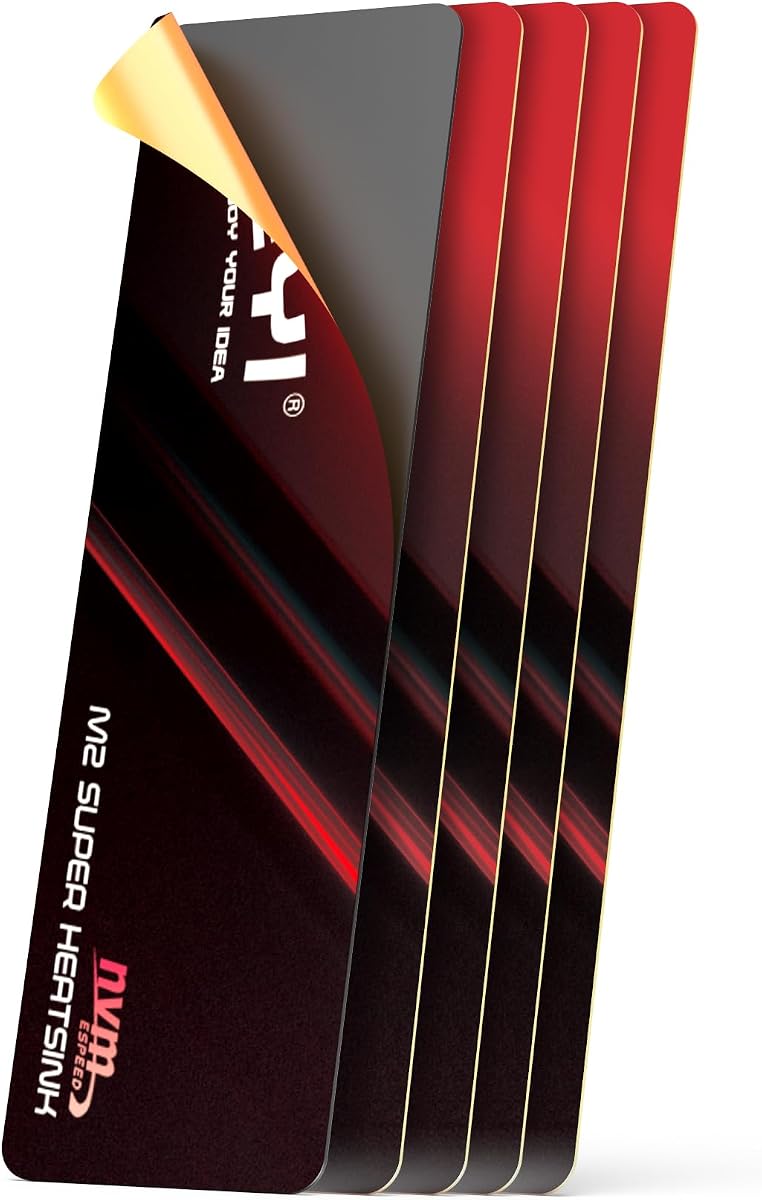


The GLOTRENDS 2-Pack is a top rated option offering significant value for builders. It features passive aluminum fins that pull heat off the controller effectively.
We may earn a commission when you buy through this link, at no additional cost to you.
Its wide compatibility covers every 2280 M.2 SSD from Gen3 to Gen5. You can use it for drives inside PS5 and desktop builds without issues.
While it lacks a fan, the design cuts peak temperatures by 5 to 20 degrees Celsius. This ensures NVMe drives stop throttling mid-transfer during sustained loads.
This kit is ideal for users seeking a reliable cooling solution for multiple drives. The tool-less installation with metal clasps makes it easy to apply.
Fits every 2280 M.2 SSD including NVMe and SATA types from Gen3 to Gen5.
Includes two aluminum heatsinks with thermal pads and all necessary mounting accessories for easy setup.
We may earn a commission when you buy through this link, at no additional cost to you.
This radiator uses graphene coating which is the most efficient heat conductor in the world. It works well for laptops and some narrow spaces.
We may earn a commission when you buy through this link, at no additional cost to you.
The professional air duct design increases the contact area with air for heat exchange. This allows it to dissipate heat more quickly than standard radiators.
Installation is straightforward using the silicone thermal pad to fix the radiator on SSD easily. The slanted slot design provides a more aesthetically pleasing installation display.
You should place the silicone cooling pad between the heat sink and the SSD. This prevents damage and protects the particles of the SSD effectively.
Graphene reaches 5300W/mK thermal conductivity which is far higher than pure copper or aluminum options.
The professional design increases contact area with air for faster heat exchange and dissipation.
We may earn a commission when you buy through this link, at no additional cost to you.
This NVMe M.2 heatsink is universally fit for laptops and desktop computers with 2280 size. It offers a 10-20 degree cooling effect for safe temps.
We may earn a commission when you buy through this link, at no additional cost to you.
Made from 100% copper it is cut and polished for high performance thermal Heatsink. The minimum installation height is just 1.5mm for compact spaces.
It provides unique silicone 0.5mm and 1mm thick thermal pads that fit uneven surfaces. You have two mounting methods available for installation in tight areas.
Ideal for laptop owners looking to avoid overheating and throttling issues. The copper material ensures efficient cooling to maintain performance.
100% copper cut and polished provides high performance cooling for M.2 SSD in laptops.
Two mounting methods include rubber ring and high temperature insulation sticker for compact space.
We may earn a commission when you buy through this link, at no additional cost to you.
This product utilizes premium graphene and copper foil materials with 1500W/mK ultra-high thermal conductivity. It is perfect for PS5 and ultra-thin laptops.
We may earn a commission when you buy through this link, at no additional cost to you.
The 0.5mm ultra-thin design fits perfectly compact spaces where others cannot. You can apply thermal pads to both sides for doubled heat dissipation.
It has dimensions of 21mmx69mm which is compatible with laptop SSDs and ROG ally adapters. The adhesive ensures permanent bonding with zero fall-off.
Be careful to peel the film off to avoid bending the heatsink. If bent gently bend it back flat to ensure proper contact.
Fits perfectly compact spaces like PS5 and ultra-thin laptops without adding bulk.
Apply thermal pads to both sides of your SSD for doubled heat dissipation and speed.
We may earn a commission when you buy through this link, at no additional cost to you.
This heatsink is designed for desktop PC and PS5 with double-sided clip design. It is compatible with all single sided type 2280 SSD.
We may earn a commission when you buy through this link, at no additional cost to you.
The main body material is aluminum alloy with silver plating which helps eliminate static electricity. It features anodic oxidation surface treatment for durability.
With 10 to 20 degree cooling effect it cools your SSD to a safe temp. The low viscosity pads provide good thermal conductivity without damage.
You will find it suitable for M.2 NVME SSD of various heights. The stable installation offers good protection for your drive.
Aluminum alloy silver plating helps eliminate static electricity and treats the surface via oxidation.
The double-sided clips allow for stable installation on various SSD heights.
We may earn a commission when you buy through this link, at no additional cost to you.
This pure copper heat sink can be used with devices like PS5 Nintendo Switch and smartphones. It features a high compatibility design for 2280 SSD.
We may earn a commission when you buy through this link, at no additional cost to you.
Adopts high quality pure copper material which is much more efficient than aluminum alloy. The groove design greatly increases the heat dissipation area.
The thin design of only 1.5mm allows it to be installed on most computers without interference. It includes a silicone based thermal pad for maximum heat transfer.
It can cool your M.2 SSD to maintain reliable data transfer speeds. The scope of application is widely applicable to notebook PCs and precision equipment.
Compatible with M.2 2280 SSD and other devices like PS5 Nintendo Switch and smartphones.
Adopts high quality pure copper material and a groove design that increases heat dissipation.
We may earn a commission when you buy through this link, at no additional cost to you.
The M.2 SSD cooler MC1 provides efficient cooling for single and double sided 2280 modules. It enables lower temperatures to run at full performance.
We may earn a commission when you buy through this link, at no additional cost to you.
Thanks to its ideal dimensions it is perfectly suited for PS5 expansion needs. The cooling power is necessary for the extended memory performance.
You can expect it to enable lower temperatures which allows longer timespan at full speed. It is a premium solution for high performance modules.
This is a top choice for users who want to avoid any throttling issues. It ensures maximum read/write speed is maintained consistently.
Provides efficient cooling enabling maximum read/write speed for 2280 modules.
Thanks to its ideal dimensions the cooler is perfectly suited for PlayStation5 expansion needs.
We may earn a commission when you buy through this link, at no additional cost to you.
This radiator uses graphene coating which is the most efficient heat conductor in the world. It increases the contact area with air for heat exchange.
We may earn a commission when you buy through this link, at no additional cost to you.
The slanted slot design provides a more aesthetically pleasing installation display. You can fix the radiator on SSD easily with the provided pad.
It is suitable for Laptop and some narrow spaces with its professional air duct design. You should place the silicone cooling pad between the heat sink and SSD.
The design helps extend the life of your SSD effectively. You can use temperature software to test the results after installation.
Professional air duct design increases contact area with air for heat exchange and quick dissipation.
The slanted slot design provides a more aesthetically pleasing installation display.
We may earn a commission when you buy through this link, at no additional cost to you.
This pure copper heatsink is compatible with laptops desktop computers and PS5 SSD. It has a size of 75*23*0.5mm with exact dimensions.
We may earn a commission when you buy through this link, at no additional cost to you.
The thermal conductive pad has undergone chemical polishing with a smooth surface and no burrs. This prevents short circuits and extends service life.
Its 0.5mm thickness makes it ideal for very slim laptop environments. It uses high quality pure copper material for fast heat release.
The package contents include many accessories like a spudger and screws for installation. Always check the space for heatsink before purchase.
Compatible with M.2 2280 SSD and PS5 with a size of 75*23*0.5mm.
Adopts high quality pure copper material which releases accumulated heat faster than aluminum.
We may earn a commission when you buy through this link, at no additional cost to you.
This heatsink features a 5mm Low-profile height to work around tight spaces. It supports 2280 length M.2 SSD for PC and PS5.
We may earn a commission when you buy through this link, at no additional cost to you.
The cross-cut aluminum alloy fins provide optimal heat dissipation. Works on motherboards or M.2 adapters for flexible installation.
Heat Resistant Silicone rings are included to secure heat sinks safely. It is designed to fit where standard bulky coolers cannot go.
You will find easy installation with thermal pads provided in the package. The low profile ensures compatibility with most modern cases.
Features a 5mm Low-profile height to work around tight spaces for maximum flexibility.
Cross-cut aluminum alloy fins provide optimal heat dissipation for the drive.
We may earn a commission when you buy through this link, at no additional cost to you.
Selecting the right heatsink requires evaluating several factors to ensure fit and performance.
Material quality is crucial because aluminum is standard but copper conducts heat better. Look for premium copper or graphene coatings for maximum transfer.
Prioritize copper if you need top cooling but aluminum is often lighter.
Thickness constraints are key since low profile models are needed for laptops and PS5. Ensure the height does not block adjacent ports or vents.
Check dimensions carefully to confirm clearance in your specific case.
Thermal pads facilitate heat transfer and should be included with the kit. Low viscosity options protect the drive while providing good conductivity.
Always verify pad thickness to match your SSD surface properly.
Compatibility with your drive size such as 2280 is necessary for a secure fit. Ensure it supports both NVMe and SATA models if you plan to switch.
Check the list of supported drives before purchasing the unit.
Installation method should be simple to avoid voiding drive warranties. Look for tool-less options with clips or rubber rings for quick setup.
Avoid heavy screw designs if possible to keep assembly easy.
Cooling efficiency determines how much heat is pulled from the controller. Passive fins are sufficient for most users but active designs offer more.
Select based on your typical workload and load duration.
Brand warranty provides peace of mind against defects and failures. Reputable manufacturers offer support and satisfaction guarantees for buyers.
Check the support policy before finalizing your purchase.
To use the heatsink ensure your SSD is clean before applying the thermal pad. Peel the protective film off carefully to avoid bending any thin elements.
Press the heatsink firmly onto the drive to create a solid connection. If the model uses clips secure them to ensure it stays in place.
Regularly check the thermal pads and clean dust from fins to maintain performance. Avoid bending or forcing the heatsink during future moves or upgrades.
Yes because without proper cooling your drive can throttle during intense gaming. A heatsink ensures sustained performance by pulling heat from the controller. It protects your investment and maintains steady speeds.
Most thermal pads lose effectiveness once removed so new ones are better. If you have extras and they are intact you might reuse them cautiously. Check for dust or residue on the contact surface first.
Absolutely low profile units are designed to fit in standard PC cases easily. They offer a smaller footprint than larger coolers making them very versatile. They are ideal for compact builds too.
You can expect a drop of 5 to 20 degrees Celsius under load depending on airflow. Graphene or copper models often provide better results than aluminum. It varies by environment and case fans.
Many models use tool-less installation with rubber rings or metal clasps. Some may require screws but usually a small screwdriver is sufficient. Check the package contents for required tools.
Tool-less designs typically do not void warranties if you use provided pads. Avoid applying glue or modifying the drive surface directly. Stick to manufacturer approved clips and bands.
Graphene offers higher thermal conductivity but standard copper is often sufficient. Consider the cost versus the actual need for high end workloads. Budget aluminum models still perform well.
Gently bend it back flat but ensure it remains uniform. A bent heatsink can prevent good contact with the SSD. Careful handling is essential for the film type models.
We reviewed ten reliable options that balance fit and cooling performance well. From budget aluminum to premium copper each model serves specific needs.
Prioritize thickness and thermal pad quality to ensure your drive runs cool. Check your case or console dimensions before ordering any unit.
Prices and availability change so verify current details before purchasing. A good heatsink is a simple upgrade that keeps your data safe.