
HP 255 G10 Laptop
4.2Editor score
Up to 64GB RAM support
AMD Ryzen 3 7330U processor
Lightweight and portable design
Full HD LED-backlit display
Finding a laptop with upgradeable RAM is crucial for long-term performance and flexibility. As software demands grow, having the ability to expand memory ensures your device stays relevant. This guide highlights models that allow future enhancements without requiring a complete replacement.
We have carefully evaluated ten distinct laptop models based on their upgrade potential and overall specifications. Each entry offers unique benefits ranging from business-grade security to creative power. Our comparison focuses on real-world usability and the ease of accessing internal components for maintenance.
Every pick in this list showcases specific strengths that cater to different user profiles. Whether you need raw processing power or budget-friendly versatility, these options deliver. Please note that specifications and availability can change, so verify details before purchasing.
4.2Editor score

4.5Editor score

4.9Editor score
As an Amazon Associate we earn from qualifying purchases.
This side-by-side comparison highlights the key differences between our top ten selections. We look at processors, memory capacity, storage options, and display quality to help you decide which machine fits your workflow best.



The ASUS Vivobook 15 stands out as a top-tier option for users who need serious processing power and memory. It features an Intel Core i9-13900H processor paired with an impressive 48GB of RAM. This configuration ensures that even the most demanding applications run smoothly without lag or slowdowns.
We may earn a commission when you buy through this link, at no additional cost to you.
Performance is further enhanced by the inclusion of a massive 2TB SSD which provides ample space for all your files. The laptop also comes with a dedicated PCO Cooler to help manage thermal output during intense workloads. Security features like a fingerprint reader and physical webcam shield add valuable protection for your data.
While the performance is exceptional, the price reflects its high-end positioning. Users should also be aware that the thermal system relies on the included cooler for optimal results under heavy load. However, for professionals needing reliability and speed, these trade-offs are often acceptable for the gains provided.
This machine is ideal for creative professionals, engineers, and power users who require a desktop-replacement experience. If you need a machine that can handle complex simulations and large datasets while maintaining security, this is a strong recommendation to consider.
The processor is optimized for AI workloads which makes it future-proof for emerging software demands.
Physical privacy controls protect your personal data from unauthorized viewing during sensitive tasks.
We may earn a commission when you buy through this link, at no additional cost to you.
The Dell Latitude 5531 offers a robust platform for business users who need reliable computing power. It features a 14-core Intel Core i7-12800H processor which provides strong multi-tasking capabilities. With 32GB of RAM and a 1TB SSD, this machine handles daily productivity tasks with ease.
We may earn a commission when you buy through this link, at no additional cost to you.
This model is particularly appealing because it comes with Windows 11 Pro which includes advanced management tools. The business-oriented design ensures durability and consistent performance over time. Users who choose the renewed option can often find significant savings while still getting a quality machine.
One consideration is that renewed products may have minor cosmetic imperfections depending on the seller. Additionally, the screen brightness is standard which might limit use in very bright environments. These factors are manageable given the overall value and performance profile offered by this Latitude model.
If you are looking for a workhorse that balances performance with affordability, this option fits well. It is suitable for office workers, developers, and students who need a reliable system for long periods of use.
Built to withstand daily professional use with reliable components and sturdy construction.
Includes enterprise features like BitLocker and Remote Desktop for enhanced workflow.
We may earn a commission when you buy through this link, at no additional cost to you.
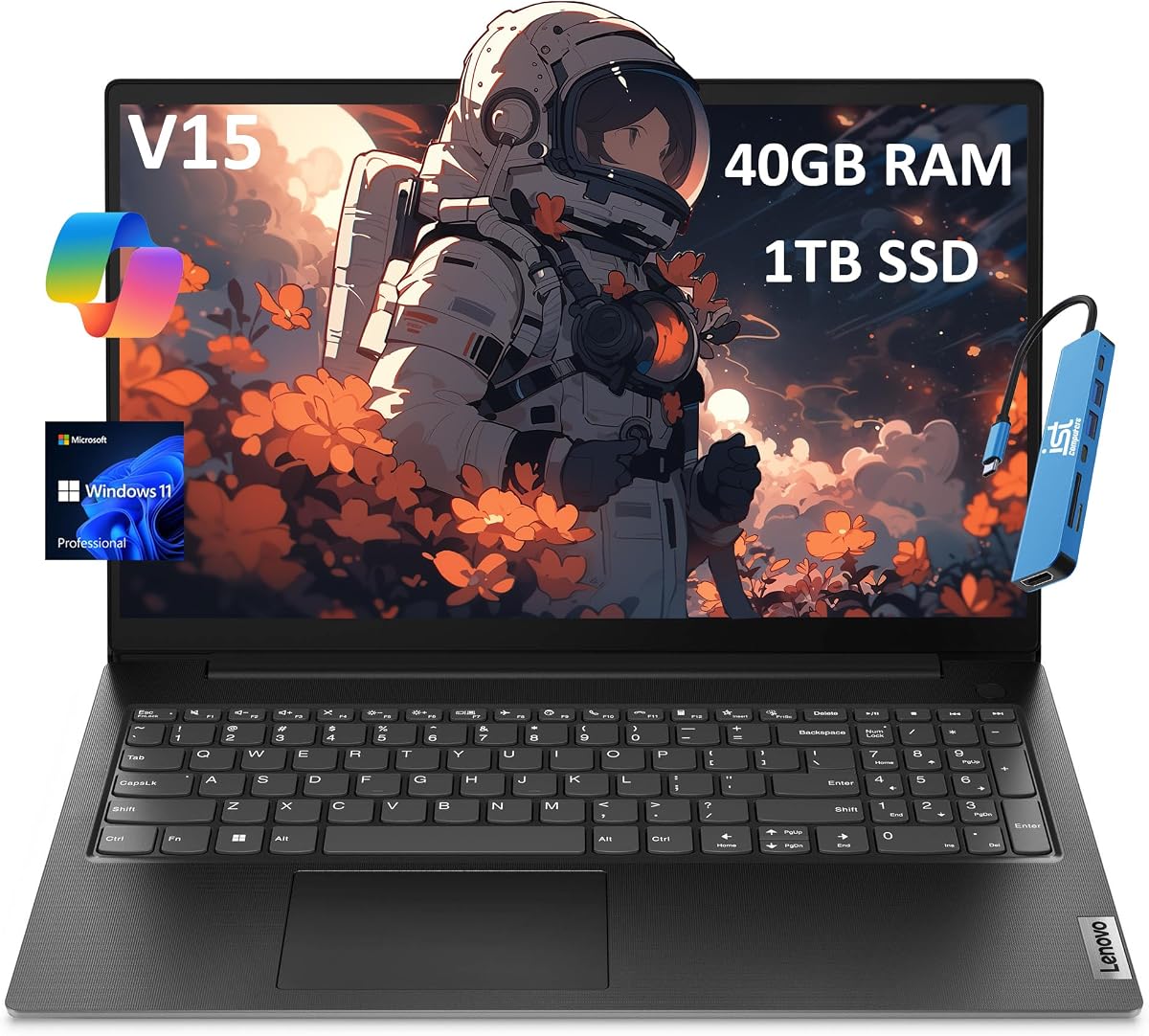
The Lenovo V-Series V15 is an exceptional choice for those prioritizing memory capacity within a reasonable budget. It ships with 40GB of RAM which is rare in this price range and allows for heavy multi-tasking. The AMD Ryzen 7 5825U processor provides a solid balance of speed and efficiency.
We may earn a commission when you buy through this link, at no additional cost to you.
Connectivity is a strong point here with HDMI, RJ45, and USB ports ready for various peripherals. The inclusion of a numeric keypad makes it ideal for professionals who frequently enter numbers or data. Windows 11 Pro ensures you have access to advanced features without needing an upgrade.
The display is functional but not exceptional with standard brightness and color reproduction. If you need a high-fidelity screen for media creation you might find it limiting. However for general business use and productivity tasks this laptop delivers immense value for the specifications provided.
This model is perfect for students, accountants, and office professionals who need performance without breaking the bank. The high RAM count ensures longevity as software requirements increase over the coming years.
40GB of memory allows smooth switching between many browser tabs and applications simultaneously.
Traditional ports like Ethernet ensure stable internet connections without relying on Wi-Fi only.
We may earn a commission when you buy through this link, at no additional cost to you.
HP 255 G10 Business brings a modern processor to the budget segment with the Ryzen 7 7730U. This chip offers strong performance for its class ensuring your system remains responsive over time. The 32GB of RAM provides plenty of headroom for running multiple applications at once.
We may earn a commission when you buy through this link, at no additional cost to you.
The inclusion of Wi-Fi 6 ensures you can connect to the latest wireless networks for faster speeds. This is beneficial for remote workers who rely on stable connections for video calls and cloud uploads. The numeric keypad is a thoughtful addition for data entry tasks.
The build quality is practical and focuses on function over form. The screen is adequate for reading text but may struggle in bright office environments. Users should consider an external monitor if they need more visual real estate for complex projects.
This laptop is recommended for small business owners and professionals who need reliable performance daily. It offers a great balance of modern specs and affordability for everyday computing needs.
Connect to modern routers for improved wireless speeds and reduced latency during calls.
AMD processors typically run cool allowing for longer battery life and quieter operation.
We may earn a commission when you buy through this link, at no additional cost to you.
The ASUS Vivobook 16 offers a larger screen experience which is beneficial for productivity and media consumption. The WUXGA resolution provides more vertical space than standard FHD displays making spreadsheets and documents easier to read. Combined with an Intel Core i9 processor it handles heavy tasks efficiently.
We may earn a commission when you buy through this link, at no additional cost to you.
Memory is plentiful with 40GB of RAM ensuring smooth performance across various applications. Storage is handled via a 1TB SSD plus a docking station which provides flexibility for file management. The backlit keyboard allows for comfortable typing in low light conditions.
The docking station approach adds an extra step to your setup process but offers expandability. Some users may prefer a built-in extra drive slot for simplicity. Despite this the extra screen real estate and performance make it a strong contender for desktop replacement use.
This laptop is well suited for multitaskers and creatives who need extra workspace and power. If you spend long hours in front of a screen the larger display will be appreciated.
Larger screen provides more working area for multiple windows and easier viewing.
Integrated graphics handle everyday media and light creative tasks without a dedicated GPU.
We may earn a commission when you buy through this link, at no additional cost to you.
HP 15 Notebook Laptop focuses on delivering essential performance without unnecessary bloat. The 32GB of RAM is a standout feature that allows for efficient multi-tasking during the day. It is powered by an Intel Core i5 processor which handles everyday computing needs with ease.
We may earn a commission when you buy through this link, at no additional cost to you.
The design is sleek and modern making it suitable for casual and professional use alike. USB-C connectivity ensures you can connect modern peripherals and chargers without adapters. The display is clear and bright enough for indoor office or home environments.
One limitation is that it comes with Windows 11 Home rather than Pro. This means you miss out on enterprise features like Group Policy management. However for most personal users this difference is not significant and the savings are beneficial.
This model is a solid choice for students and families looking for a dependable daily driver. It balances cost and performance well for standard productivity and entertainment usage.
DDR4 RAM provides good bandwidth for smooth application switching and general responsiveness.
Modern port allows for fast data transfers and versatile connectivity options.
We may earn a commission when you buy through this link, at no additional cost to you.
The Lenovo V15 Gen 4 Business model brings modern technology to a practical design. It features a 13th Gen Intel processor which offers improved efficiency and performance over previous generations. With 40GB of RAM and 2TB of storage you have ample resources for large file management.
We may earn a commission when you buy through this link, at no additional cost to you.
Privacy is a key focus with an included HD camera shutter to protect your security during meetings. This physical barrier is essential for remote work where camera privacy is often overlooked. The Windows 11 Pro operating system supports professional workflows effectively.
The screen is functional with standard brightness levels which are fine for office settings. If you need a vibrant display for design work you may want to look elsewhere. For general office productivity this machine delivers excellent value and features.
Ideal for corporate users and remote workers who need security and performance without high costs. The generous storage and memory ensure this laptop will serve you well for years.
Physical shutter ensures your webcam is blocked when not in use for peace of mind.
2TB SSD means you can store vast amounts of data locally without external drives.
We may earn a commission when you buy through this link, at no additional cost to you.
Lenovo V15 Gen 4 Military is designed to withstand harsh conditions and rough handling. It meets military grade testing standards which ensures reliability in challenging environments. The processor is modern enough to handle daily computing tasks smoothly while maintaining efficiency.
We may earn a commission when you buy through this link, at no additional cost to you.
The anti-glare display is a benefit for those working in bright offices or outdoors. This reduces eye strain and improves readability during long work sessions. 40GB of RAM ensures that memory constraints are not an issue even with many apps open.
The design prioritizes function over aesthetics which may not appeal to all users. It is built to be practical and durable rather than stylish. The inclusion of AI Copilot features adds intelligence to your workflow for quick tasks.
This laptop is best for field workers or ruggedized business needs where durability is key. It offers a robust platform that can handle physical stress while delivering solid performance.
Tested to military standards for resistance to drops, shocks, and environmental factors.
Dedicated Ethernet port ensures stable and fast wired internet connections.
We may earn a commission when you buy through this link, at no additional cost to you.
HP 255 G10 Laptop provides a budget-friendly entry point into reliable computing. It is lightweight and easy to carry making it great for students on the go. The AMD Ryzen 3 processor handles basic tasks efficiently without draining battery power quickly.
We may earn a commission when you buy through this link, at no additional cost to you.
This laptop is designed to be upgradeable allowing you to add more memory and storage later. This future-proofing ensures the device remains useful as your needs change over time. The display offers clear visuals for reading and browsing content comfortably.
The base configuration is limited but sufficient for light use cases. Users who need heavy performance might need to upgrade immediately which adds to the cost. However for basic web browsing and document work this is a strong starting point.
If you are looking for a low-cost solution that does not sacrifice portability this is a great fit. It is ideal for students or casual users who need a simple and reliable machine.
Thin design makes it easy to slip into a bag for commuting or travel.
Design allows users to expand memory and storage as budget permits.
We may earn a commission when you buy through this link, at no additional cost to you.
This model offers a unique value proposition with upgradeable memory slots right out of the box. It starts with 4GB RAM but allows you to add more easily for better performance. The IPS display ensures wide viewing angles which is great for collaborative work sessions.
We may earn a commission when you buy through this link, at no additional cost to you.
The physical privacy shutter on the webcam adds an extra layer of security for personal use. You can slide it closed instantly to ensure no one can see you during downtime. This feature is often found on more expensive business devices making it a nice bonus.
Performance is modest and best suited for light tasks like word processing and web browsing. Heavy applications will struggle with the limited stock resources. However if you plan to upgrade the RAM soon this becomes a capable machine for daily use.
Perfect for budget buyers who want to customize their system later. It offers a solid foundation for those willing to invest a little more time into setup.
So-Dimm slots allow easy RAM expansion to 8GB or 16GB with minimal effort.
180 degree hinge allows screen to lie flat for easy sharing and collaboration.
We may earn a commission when you buy through this link, at no additional cost to you.
Selecting the right laptop involves more than just looking at the price. You must consider how future updates will impact its lifespan and performance.
Check if the laptop has open slots for memory expansion or if it uses soldered chips. So-Dimm slots are common in older or budget models but modern ultrabooks may not support upgrades.
Always verify the supported RAM type such as DDR4 or DDR5 before purchasing to ensure compatibility with future modules.
Newer processors offer better efficiency and performance per watt. Look for Intel Core 13th Gen or newer AMD Ryzen 7000 series for future longevity.
A faster processor ensures that your memory investments pay off when running complex applications over time.
Similar to RAM storage should be expandable to hold growing data sets. M.2 SSD slots allow for upgrades to larger capacities without replacing the entire drive.
Ensure there is an open slot or at least enough speed headroom to avoid bottlenecks during file transfers.
A sturdy chassis protects internal components during transport. Military grade ratings or metal bodies are indicators of durability in demanding environments.
Robust construction ensures that your upgradeable components stay safe during regular use and movement.
Having the right ports reduces the need for dongles and adapters. USB-C HDMI and Ethernet are essential for connecting displays and peripherals.
Verify that the ports support your required devices to ensure a smooth workflow without interruptions.
Windows 11 Pro offers more features than Home like remote desktop and domain join capabilities. This is crucial for business users and developers.
Choose an OS that matches your workflow needs to avoid licensing costs or feature limitations later.
A good screen reduces eye strain and improves color accuracy for media. Look for IPS panels with at least 300 nits brightness for office environments.
Higher resolution and better panel types ensure that your visual work remains clear and vibrant.
Upgrades often come with separate warranty terms from the base unit. Check what is covered regarding the added memory and storage components.
A solid warranty protects your investment and ensures support if issues arise with the hardware.
When upgrading RAM ensure you power down the device completely and ground yourself before touching internal parts. Static electricity can damage sensitive components so use an anti-static wrist strap if available.
Regularly update your BIOS to ensure compatibility with new memory modules. Firmware updates often include performance improvements and bug fixes that keep the system stable.
Keep your laptop cool by using it on hard surfaces. Dust buildup can restrict airflow so clean the vents periodically to maintain optimal thermal performance.
Not all laptops allow RAM upgrades as some use soldered memory. Check the manufacturer specs to confirm if there are accessible slots for expansion. Business laptops are more likely to support upgrades than consumer ultrabooks.
For general tasks like browsing and office work 16GB is usually sufficient. Heavy multitasking or creative work may require 32GB or more for smooth performance.
Yes having enough RAM prevents lag and stuttering in games. Most modern titles recommend at least 16GB but higher amounts help with streaming and background apps.
DDR4 and DDR5 are the current standards. DDR5 offers higher speeds but is more expensive. Ensure your motherboard supports the specific type you plan to install.
It can be simple if the back panel is easily removable. Some models require more steps to access memory slots so watch a guide specific to your laptop model.
In many regions upgrading RAM does not void the overall warranty unless you damage something. Always check the policy of your specific vendor to be safe.
We have reviewed ten excellent options ranging from budget to premium. The Lenovo V-Series V15 offers a great balance of RAM and price for most users.
Prioritize models with open slots and strong processors to ensure your device lasts. Business-grade laptops often provide the best upgrade paths for long-term use.
Prices change frequently so check current deals before buying. Verify that the upgrade path matches your future needs to avoid buying a new machine too soon.