
Rongta Thermal Portable Printers Wireless for Travel
4.0Editor score
Affordable price point under forty dollars
Compatible with US Letter and Legal paper
Simple Bluetooth setup via RONGTA app
Traveling often requires printing documents on the fly without access to bulky office equipment. An inkless portable printer for travel solves this by using thermal technology to produce clear black and white prints without cartridges or mess. These devices fit easily into backpacks and briefcases, enabling you to print contracts, boarding passes, or study notes anywhere.
We analyzed ten real products based on their portability, connectivity options, battery capacity, and print resolution. Each model uses thermal paper instead of ink, ensuring lower long-term costs and less maintenance. We compared their weight, paper size support, and app compatibility to help you find the right tool for your specific workflow needs.
Each pick below highlights key strengths and trade-offs based on verified product data and user ratings. While specific costs fluctuate over time, the core features remain consistent across these models. You will find detailed breakdowns of specs, pros, and cons to guide your decision for mobile printing in 2026.
4.0Editor score

4.6Editor score
4.1Editor score
As an Amazon Associate we earn from qualifying purchases.
This side-by-side comparison highlights the core specifications of all ten inkless portable printers evaluated in this guide. We focus on weight, battery life, print resolution, and paper compatibility to help you quickly identify the model that best fits your travel demands.



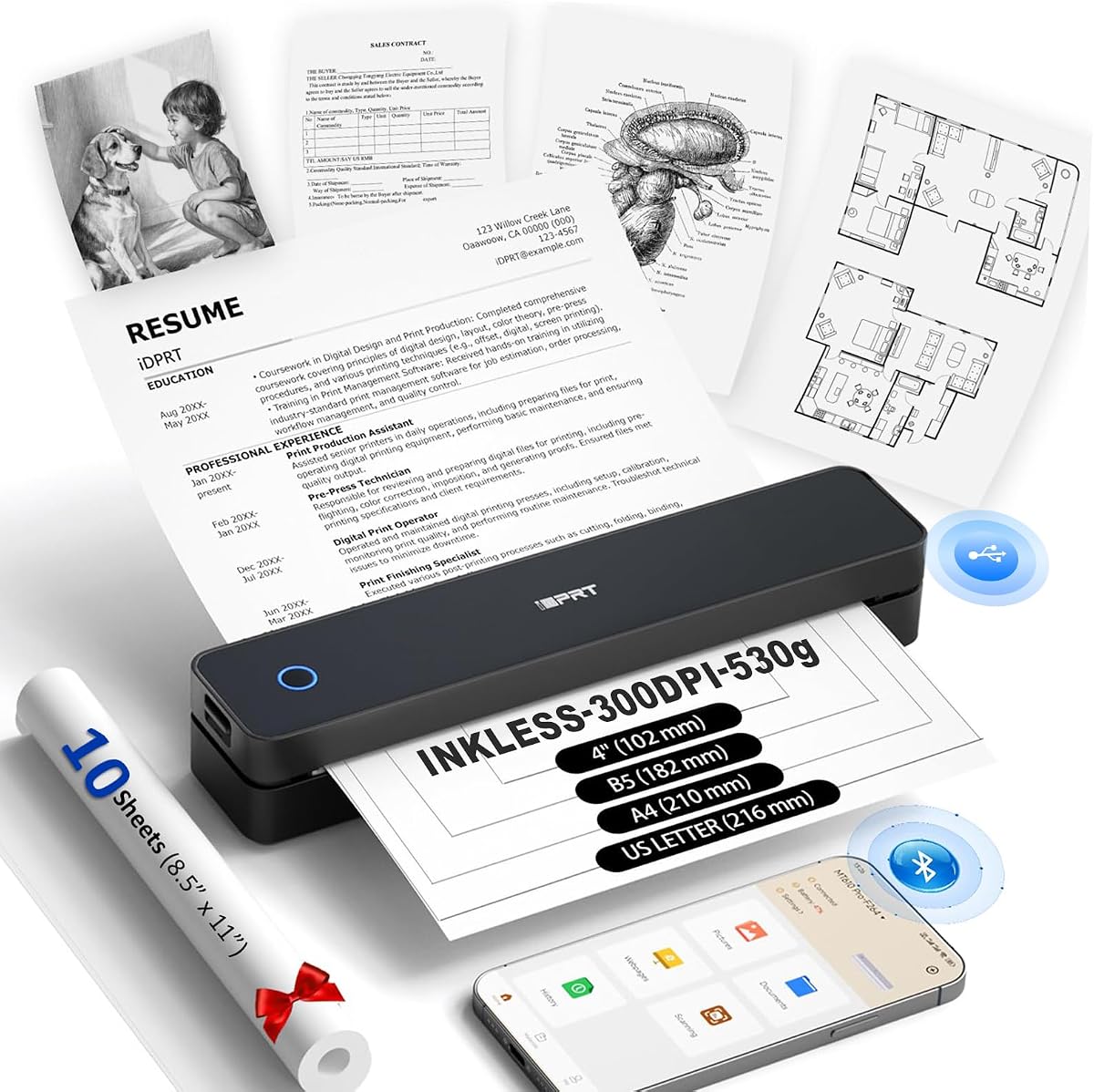
The MT610Pro Wireless Thermal Printer stands out as a highly capable inkless portable printer for travel. With a rating of 4.1 stars, it offers a balance of portability and performance. Its thermal technology ensures clean printing without the mess of cartridges, making it ideal for students and professionals on the go.
We may earn a commission when you buy through this link, at no additional cost to you.
At just 1.2 pounds, this device fits easily into any backpack or briefcase. The 300 DPI resolution provides clear text and diagrams, which is crucial for contracts and study notes. The 2000mAh battery supports up to 200 pages per charge, reducing downtime during long trips. Connectivity via Bluetooth 5.0 or USB-C ensures compatibility with iOS, Android, Windows, and Mac devices.
While it does not print in color, the cost-effective nature of thermal printing outweighs this limitation for most travel scenarios. Users must ensure they have compatible thermal paper, as regular paper will not work. The included free app simplifies mobile printing, though computer users may need to install drivers.
This printer is best suited for digital nomads, business travelers, and students who need reliable document output without weight. It makes a practical gift for anyone needing portable printing. For those prioritizing light weight and clear text, the MT610Pro is a top recommendation.
Weighing only 1.2 pounds, this printer fits comfortably in small bags. It is thin enough to slide into a laptop sleeve, ensuring it does not add bulk to your travel gear.
The 300 DPI resolution ensures that text and QR codes remain sharp. This level of clarity is essential for professional documents and clear diagrams required in academic settings.
We may earn a commission when you buy through this link, at no additional cost to you.
The D90E Inkless Portable Thermal Printer is a robust option for those who need a travel case included. With a rating of 4.3 stars, it is known for reliability. It uses advanced thermal technology to print documents without ink, making it suitable for emergency scenarios and business travel.
We may earn a commission when you buy through this link, at no additional cost to you.
Weighing 2.08 pounds, it is slightly heavier than some competitors but still portable. The inclusion of a travel case protects the device during transit. It supports 8.5 x 11 US Letter thermal paper, which is standard for most contracts and documents. Connectivity options include Bluetooth for mobile devices and USB for PCs.
Users must download the Labelnize app for mobile printing and drivers for computers. It is not compatible with Chromebooks, which is a limitation for some users. The design focuses on durability and standard document sizes, making it ideal for field professionals and teachers.
Choose the D90E if you value a bundled travel case and standard paper support. It is a practical choice for classrooms or office environments where documents are frequent. The higher weight is a trade-off for the included protection and reliability.
The package includes a dedicated travel case to protect the printer. This ensures the device remains safe during long trips or daily commutes.
It supports 8.5 by 11 inch thermal paper, which is ideal for standard business documents. This ensures compatibility with most office forms and contracts without resizing.
We may earn a commission when you buy through this link, at no additional cost to you.
The Gloryang Inkless Portable Printer offers excellent value by including three rolls of thermal paper in the package. With a rating of 4.2 stars, it is praised for its ease of use. The built-in paper bin keeps your workspace tidy, making it a great choice for students and professionals.
We may earn a commission when you buy through this link, at no additional cost to you.
Weighing 1.75 pounds, it is light enough for daily carry. The carrying case ensures protection during travel. You can print documents ranging from 2 to 8.5 inches, catering to various needs. The connection is seamless via Bluetooth on iOS and Android devices using the Jadens Printer app.
Note that it only works with Gloryang thermal paper, which may limit flexibility if you prefer other brands. Computer users will need to install a driver. The space-saving design is a key benefit for those with limited desk space.
This model is perfect for users who want an all-in-one starter kit. The extra paper rolls mean you can print immediately upon arrival. For those seeking convenience and value, the Gloryang printer is a strong contender.
The inclusion of three rolls of paper and a carrying case means you can start printing right away. This eliminates the need for immediate additional purchases.
The built-in paper bin holds printed documents neatly. This feature helps keep your workspace organized while you are working in a car or small office.
We may earn a commission when you buy through this link, at no additional cost to you.
The N80 Bluetooth Thermal Printer is an affordable choice for those needing basic mobile printing. With a 4.1 star rating, it serves well for casual users. It adopts high-definition printing technology that provides clear results for text and simple graphics.
We may earn a commission when you buy through this link, at no additional cost to you.
Weighing 1.5 pounds, it is easy to carry in a backpack. The 1500mAh battery supports up to 160 sheets per charge. It supports tattoo transfer paper, making it unique among travel printers for creative professionals. You can print from mobile phones via the Nada Print app.
Laptops can only connect via USB-C and require a driver. It does not support regular paper, so ensure you have thermal paper on hand. The 203 DPI resolution is adequate for most documents but may lack detail for complex charts.
This printer is ideal for budget-conscious travelers and tattoo artists. If you need to print designs on skin or basic documents, the N80 is a solid choice. Its low cost and versatility make it a worthwhile investment.
The N80 supports tattoo transfer paper, allowing artists to print designs for application. This feature sets it apart from standard document printers in the travel category.
Connectivity is optimized for smartphones via the Nada Print app. This makes it easy for users to print directly from their phone without needing a computer setup.
We may earn a commission when you buy through this link, at no additional cost to you.
The A285M Small Inkless Thermal Printer stands out for its ability to support five different thermal paper widths. With a 4.0 star rating, it is valued for versatility. It is designed for people who work outside, such as truck drivers and mobile notaries.
We may earn a commission when you buy through this link, at no additional cost to you.
Weighing 1.5 pounds, it is lightweight enough for daily carry. The built-in paper bin keeps your workspace tidy. It supports paper from 2.08 inches to 8.5 inches, allowing for receipts and full letters. You can connect via Bluetooth to phones or USB to computers.
Ensure you download the driver from the provided site for computer use. It does not support regular copy paper. The charging process requires a specific 5V 2A output to avoid damage.
This model is best for professionals who need to print various document sizes. If you need flexibility for receipts and contracts, the A285M is a strong choice. Its adaptability makes it a useful tool in a mobile office.
Supporting five paper widths allows for printing everything from receipts to contracts. This adaptability reduces the need for multiple printers in a mobile office setup.
Designed with mobile notaries and drivers in mind, it handles tough environments. The thermal technology ensures no ink issues during travel.
We may earn a commission when you buy through this link, at no additional cost to you.
The Rongta F11A Portable Thermal Printer is a top choice for budget-conscious buyers. With a 4.0 star rating, it offers essential features without high costs. It supports US Letter and Legal paper, making it versatile for school and office use.
We may earn a commission when you buy through this link, at no additional cost to you.
It connects via Bluetooth but must be paired through the RONGTA app. This ensures a stable connection for mobile devices. For laptops, it supports USB connections. The 203 DPI resolution is sufficient for text and basic charts.
The device is stylish and compact, fitting easily into bags. It does not support ChromeOS directly. Thermal paper is required for use. The low cost makes it accessible for students and families.
If you need a cost-effective printer for occasional travel, the Rongta is ideal. It simplifies printing without expensive ink. For budget priorities, this model delivers solid performance.
At a low price point, this printer is accessible for most budgets. It offers thermal technology without the high cost of premium models.
Supporting Legal and US Letter ensures it handles most school and office documents. This compatibility is key for students needing to print assignments.
We may earn a commission when you buy through this link, at no additional cost to you.
The Phomemo M832D features a smart digital display that simplifies printing tasks. With a 4.2 star rating, it is praised for ease of use. It is ideal for users who want intuitive controls without complex app steps.
We may earn a commission when you buy through this link, at no additional cost to you.
The touchscreen shows battery level and connection status. It supports multiple paper sizes and has a 300 DPI resolution for clear prints. The 2600mAh battery provides up to 200 pages per charge. It is also quieter than many models due to optimized motor algorithms.
Bluetooth works only for phones and tablets; laptops require USB. You may need to adjust settings via the app. The display ensures you never print when the battery is low.
This printer is perfect for tech-savvy travelers who value screen feedback. The quiet motor and clear display make it a premium portable option. For ease of use, the M832D excels.
The smart digital display removes guesswork about battery and paper status. You can check readiness instantly before starting a print job.
Optimized motor algorithms reduce noise by 30%. This ensures you can print in quiet environments like meeting rooms or trains without disturbance.
We may earn a commission when you buy through this link, at no additional cost to you.
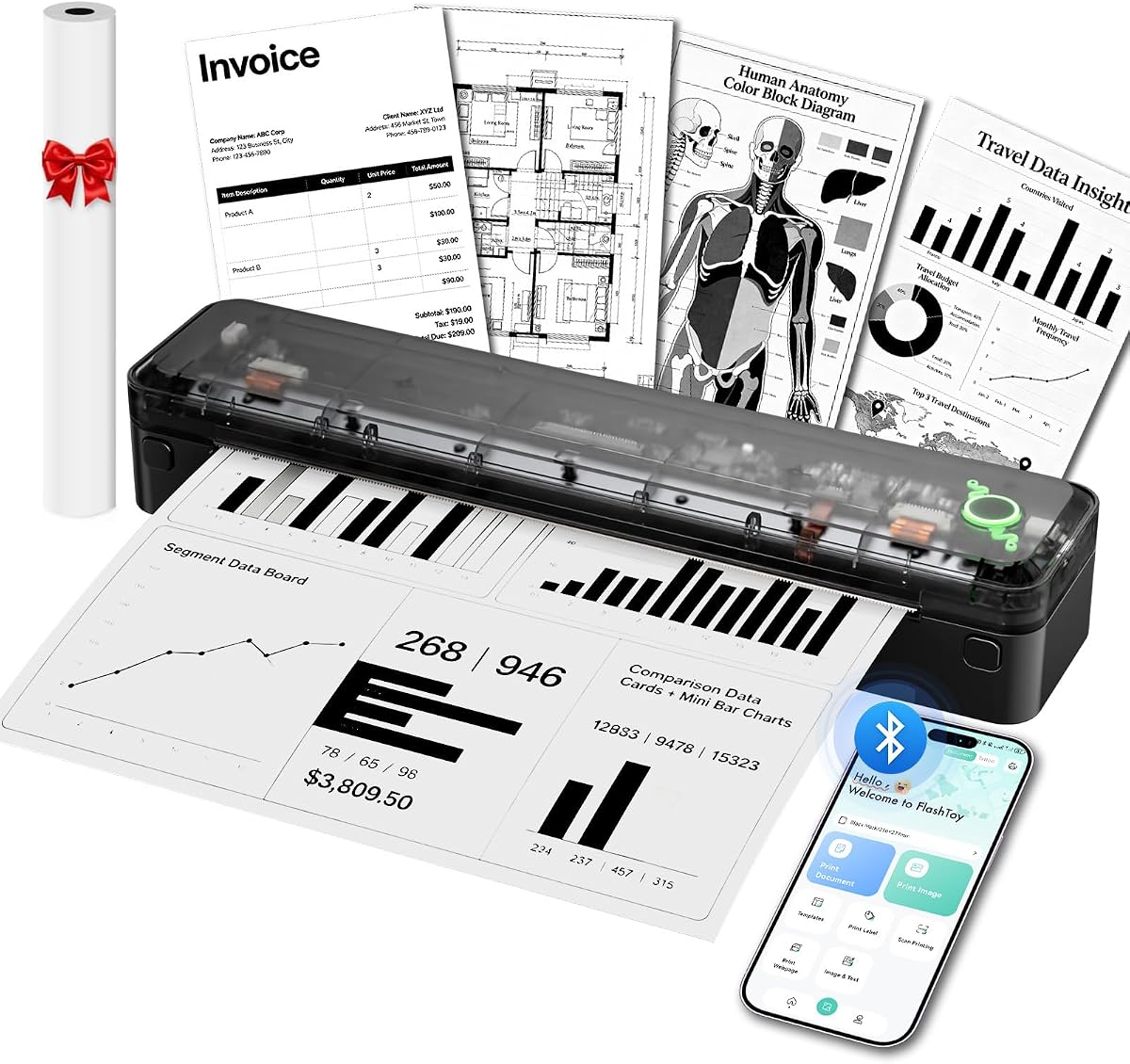
The A8 Portable Thermal Printer offers a futuristic look with its graphite translucent design. With a 4.2 star rating, it is popular for aesthetics and function. It supports standard A4 and US Letter paper for business documents.
We may earn a commission when you buy through this link, at no additional cost to you.
Weighing 1.37 pounds, it is easy to carry. The 3000mAh battery prints up to 200 sheets. The built-in compartment keeps your workspace tidy. You can print via the Flashtoy app on mobile or USB on computers.
Note that Bluetooth for Windows PCs requires driver installation. It does not include a charging adapter. The clear printing is great for reports and forms.
If you value design and battery life, the A8 is a strong choice. It fits well in modern travel setups. For professional document needs, it is reliable.
The frosted graphite cover offers a high-tech look. This makes it stand out as a modern accessory for your workspace.
With a 3000mAh battery, it supports 200 sheets. This reduces charging frequency during long workdays on the road.
We may earn a commission when you buy through this link, at no additional cost to you.
The Phomemo M85 leads the category with a 4.6 star rating and premium features. It allows template preview directly on the touchscreen. It is perfect for users who want high-quality output and control without cables.
We may earn a commission when you buy through this link, at no additional cost to you.
Weighing 1.6 pounds, it is still portable. The 3500mAh battery supports 200+ pages. It supports five paper sizes and 300 DPI resolution. The package includes a carry bag and paper rolls.
Note that initial upload via app is needed for templates. Bluetooth and USB are supported. It handles Word, Excel, and PDF files seamlessly.
For professional travelers who need reliability and quality, the M85 is the best choice. It minimizes setup and maximizes print quality.
The touchscreen lets you preview templates before printing. This ensures you have the right layout before committing to paper.
The 3500mAh battery ensures 200+ pages. This longevity reduces downtime for recharging during extended business trips.
We may earn a commission when you buy through this link, at no additional cost to you.
The MUNBYN Portable Printer is designed for extreme portability. With a 4.4 star rating, it is praised for its size. It fits easily into a laptop bag or glove box.
We may earn a commission when you buy through this link, at no additional cost to you.
Weighing 1.57 pounds, it is compact. It supports B5 and A5 sizes for smaller drafts. You can print via the MUNBYN app on iOS and Android. It connects via USB for macOS.
The app supports multiple formats and templates. It requires thermal paper but no ink. It is ideal for small office and school use.
If you need a tiny printer for quick notes, the MUNBYN is perfect. Its size and reliability make it a great travel companion for students.
With dimensions similar to a water bottle, this printer fits anywhere. It slides into glove boxes or laptop bags effortlessly.
The self-developed app offers a library of templates. This speeds up document creation for invoices or lists on the go.
We may earn a commission when you buy through this link, at no additional cost to you.
Selecting the right inkless portable printer requires balancing portability with output needs. Consider the following factors to find a model that fits your travel and work style.
For travel, a printer should be light enough to carry in a backpack or briefcase. Most models weigh between 1.2 and 2.0 pounds. Check dimensions to ensure it fits in your bag without taking up excessive space.
Prioritize models under 1.5 pounds if you carry your printer daily.
Battery capacity determines how many pages you can print before recharging. Look for capacities between 1500mAh and 3500mAh. Higher mAh ratings support more continuous printing on long trips.
Choose a 2000mAh or higher battery for reliable all-day use.
Most printers offer Bluetooth for mobile devices and USB for laptops. Verify if your phone or tablet is supported. Some models require specific apps or drivers for computer use.
Ensure the model supports your operating system for seamless connection.
Inkless printers use thermal paper, which comes in various widths. Ensure the printer supports the sizes you need, such as US Letter or A4. Some models support multiple sizes for flexibility.
Check paper compatibility to avoid buying expensive non-compatible paper.
Resolution affects text clarity. 203 DPI is standard for text, while 300 DPI offers sharper charts and graphics. For professional documents, higher resolution is preferable.
Opt for 300 DPI if you print detailed reports or diagrams.
Some packages include carrying cases or extra paper rolls. This adds value and convenience. Check what is included before purchasing.
Select models with cases for better protection during travel.
A user-friendly app simplifies mobile printing. Some models have dedicated apps with templates. For computers, ensure drivers are available for your OS.
Choose a model with active app support for easier setup.
Thermal paper is cheaper than ink. However, check the cost per roll. Some models require brand-specific paper. Lower ongoing costs are better for frequent use.
Evaluate thermal paper costs to budget for ongoing use.
To begin, fully charge the printer using the provided USB cable and adapter. Ensure you download the corresponding app or install drivers for your computer. For mobile use, enable Bluetooth on your device and pair with the printer via the app.
Load the thermal paper correctly into the built-in slot. Ensure the paper is flat and not curled. Select the correct paper size in the app to align with the physical paper. If a jam occurs, follow the device instructions to eject the paper safely.
Maintain the printer by storing it in its case when not in use. Keep the print head clean by avoiding excessive contact. Replace paper rolls when empty. Regular charging extends battery life and ensures readiness for travel.
No, inkless portable printers use thermal technology that requires special heat-sensitive paper. Regular copy paper will not print. Ensure you have compatible thermal rolls or single sheets for your model to function correctly.
Yes, most models support USB-C or USB-A cables for laptop connections. While Bluetooth is for mobile, computers usually require a wired connection and drivers. Check the manual for your specific OS requirements.
No, these thermal printers only support black and white output. They rely on thermal paper rather than toner or ink. This ensures cost-effective and clean printing for documents and text.
If a jam occurs, follow the device instructions. Often, pressing the power button ejects the paper safely. Avoid forcing the cover open. Use flat thermal paper to prevent curling and future jams.
Battery life varies but typically supports 150 to 200 pages per charge. Models with 3000mAh or higher provide longer sessions. Always carry a charging cable for extended use.
Yes, they are ideal for printing notes and assignments on campus. Their lightweight design fits in backpacks. Thermal technology avoids ink mess. Just ensure you have enough thermal paper for exams.
We highlighted ten top options for inkless portable printers in November 2026. The Phomemo M85 leads with its touchscreen and battery life. The MT610Pro offers the best balance of weight and clarity. The Rongta F11A provides the most budget-friendly entry point.
Prioritize your needs based on paper size and battery capacity. If you print large contracts, choose models supporting US Letter. If you travel light, look for the 1.2 to 1.5 pound range. Always ensure app compatibility with your device.
Check current prices and stock as these fluctuate. Buying from trusted sources ensures you get the right accessories. With the right printer, you can maintain productivity anywhere.